Verify log
The Verify log, shown on the Verifications page under Verify > Verifications, is your workspace's record of every verification session. Newest verifications appear first. Use it to confirm a verification was created, follow each channel attempt and check, and inspect conversion timing and per-attempt cost. The generated one-time passcode is never stored in plaintext or displayed in the dashboard.
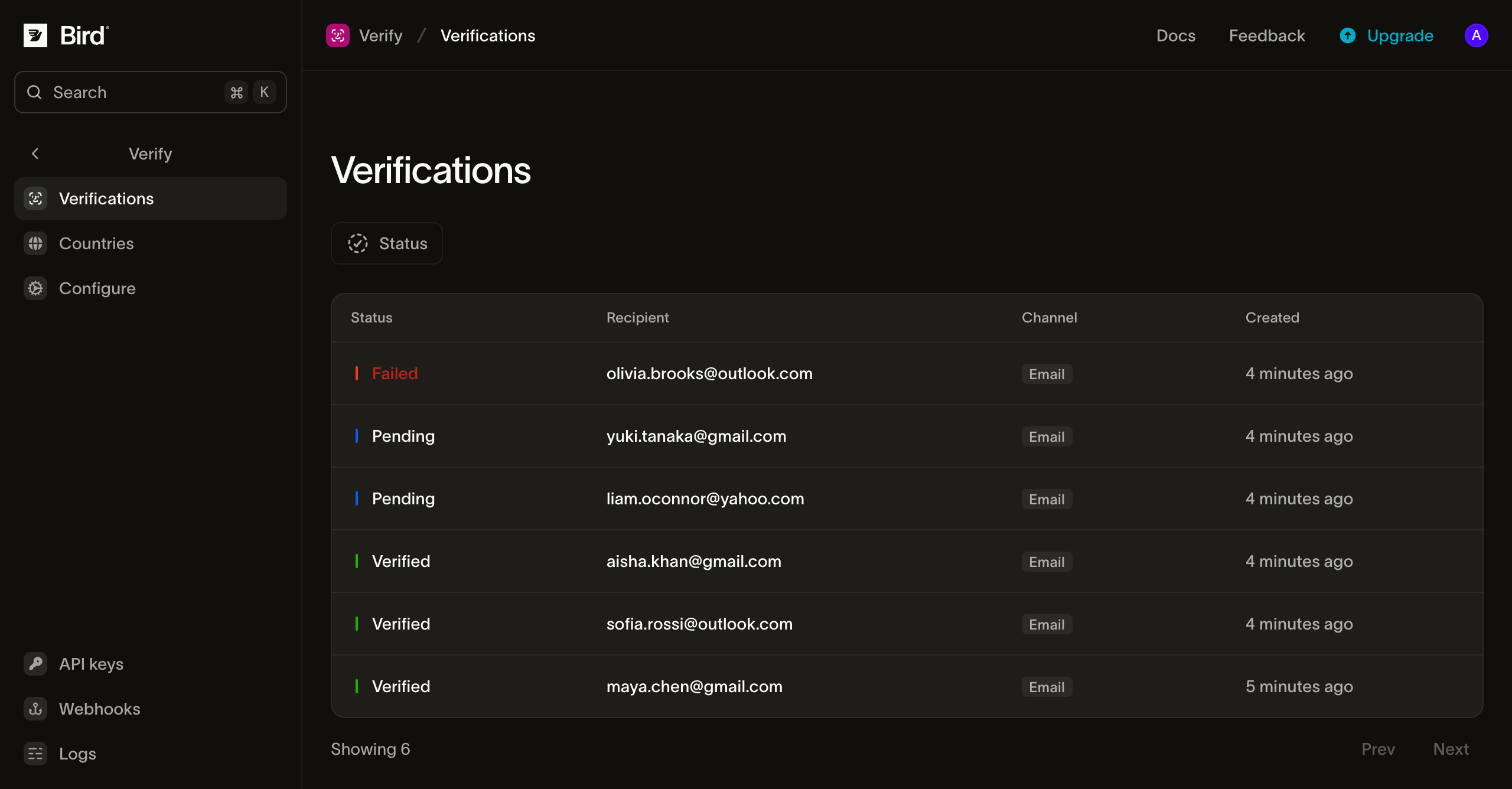
The verification list
Each row is one verification session. The columns are:
| Column | What it shows |
|---|---|
| Status | The session's current status (Pending, Converted, Failed, Expired, Canceled, or Blocked; see Statuses) |
| Verification | The verification ID (vrf_...) |
| Recipient | The phone number or email address being verified |
| Channel | The delivery channel used for the latest attempt (Email, SMS, WhatsApp, Telegram, or Voice) |
| Cost | Total charged amount across all delivery attempts in the session |
| Created | When the verification was created |
The list is paginated at 25 verifications per page.
Searching and filtering
The page provides a recipient search and three filters above a volume timeline. Filters combine to narrow the list:
- Search by phone number: Match an exact recipient phone number in E.164 format, such as
+14155550100. - Status: Filter to Pending, Converted (
verified), Failed, or Expired. - Channel: Filter by delivery channel (
Email,SMS,WhatsApp,Telegram, orVoice). - Date range: Pick a preset window or select a custom range from the calendar or timeline strip.
When no verifications match the active filters, use Clear filters to reset the view.
Statuses
A verification starts Pending (pending) and resolves once to a terminal state:
| Dashboard label | API status | Meaning |
|---|---|---|
| Pending | pending | The verification is active and awaiting a matching passcode check before expires_at |
| Converted | verified | A check call supplied the matching code before expiry |
| Failed | failed | The session exhausted its allowed check attempts (attempts_exhausted) or every channel failed delivery |
| Expired | expired | The code lifetime elapsed (ttl_elapsed) without a successful check or attempt exhaustion |
| Canceled | canceled | The session was canceled before completion |
| Blocked | blocked | The verification was blocked by a safety or policy check |
For how status transitions and terminal reasons interact with resends and channel fallback, see Sending verifications.
Inspecting a verification
Select any row to open the verification detail sheet. It groups the session into three sections:
Summary
The summary header records the session outcome and configuration:
- Outcome: For a converted session, the conversion duration (
Converted in) and which check attempt matched (for example,Code matched on 1st check). For a failed session, the number of failed checks. - Code: The configured digit length and expiry window for the session.
- Channels used: Every channel that attempted delivery during the session.
- Metadata: Any key-value pairs passed in
metadatawhen creating the verification.
Lifecycle timeline
The timeline orders every step in the session from creation to resolution:
- Channel attempts: Each passcode dispatch (
SMS,WhatsApp,Telegram,Voice, orEmail), its sender, its delivery outcome (sent,delivered, orundeliveredwith the error reason), elapsed delivery time, and per-attempt cost. Planned fallback channels that have not fired yet appear as upcoming steps while the session is pending. - Code checks: Each
POST /v1/verify/verifications/checkcall and whether the code matched. - Terminal state: When the session reached its terminal status.
Cost breakdown
When a session has charged attempts, Cost breakdown groups the charges by channel and sender class (Shared sender, Custom domain, Dedicated sender, or Managed sender) alongside the session Total in your workspace currency.
The verification list and detail views are available in the dashboard only and have no public list or read API endpoint. To track verification creation, per-attempt delivery, and conversion programmatically, use the synchronous check response and subscribe to Verify events.
Next steps
- Verify events: receive webhook deliveries for
verify.verification.*andverify.attempt.*events. - Sending verifications: configure code lifetime, attempt limits, resends, and multi-channel fallback.
- Country configuration: enable destination countries and customize the channel fallback order.
संबंधित संसाधन
इस विषय के लिए दस्तावेज़, गाइड और उदाहरणों के साथ आगे बढ़ें।