Wybierz kroki sekwencji głosowej
Warning: Voice sequences are in preview. Steps, entry data, and the sequence definition format can change in ways that break existing sequences and API requests.
Early access: Webhook decision jest w fazie wczesnego dostępu i nie jest jeszcze ogólnie dostępny. Webhook decision oraz managed transfers nie są dostępne do wyboru w panelu.
Otwórz Katalog kroków, aby sprawdzić ustawienia, wyjścia i przykłady każdego kroku. Szablon lub krok ze zmienioną nazwą na kanwie może wyświetlać nazwę właściwą dla zadania.
Katalog pokazuje kroki dostępne w panelu. Poniższa tabela wskazuje również kroki we wczesnym dostępie, których nie można jeszcze wybrać.
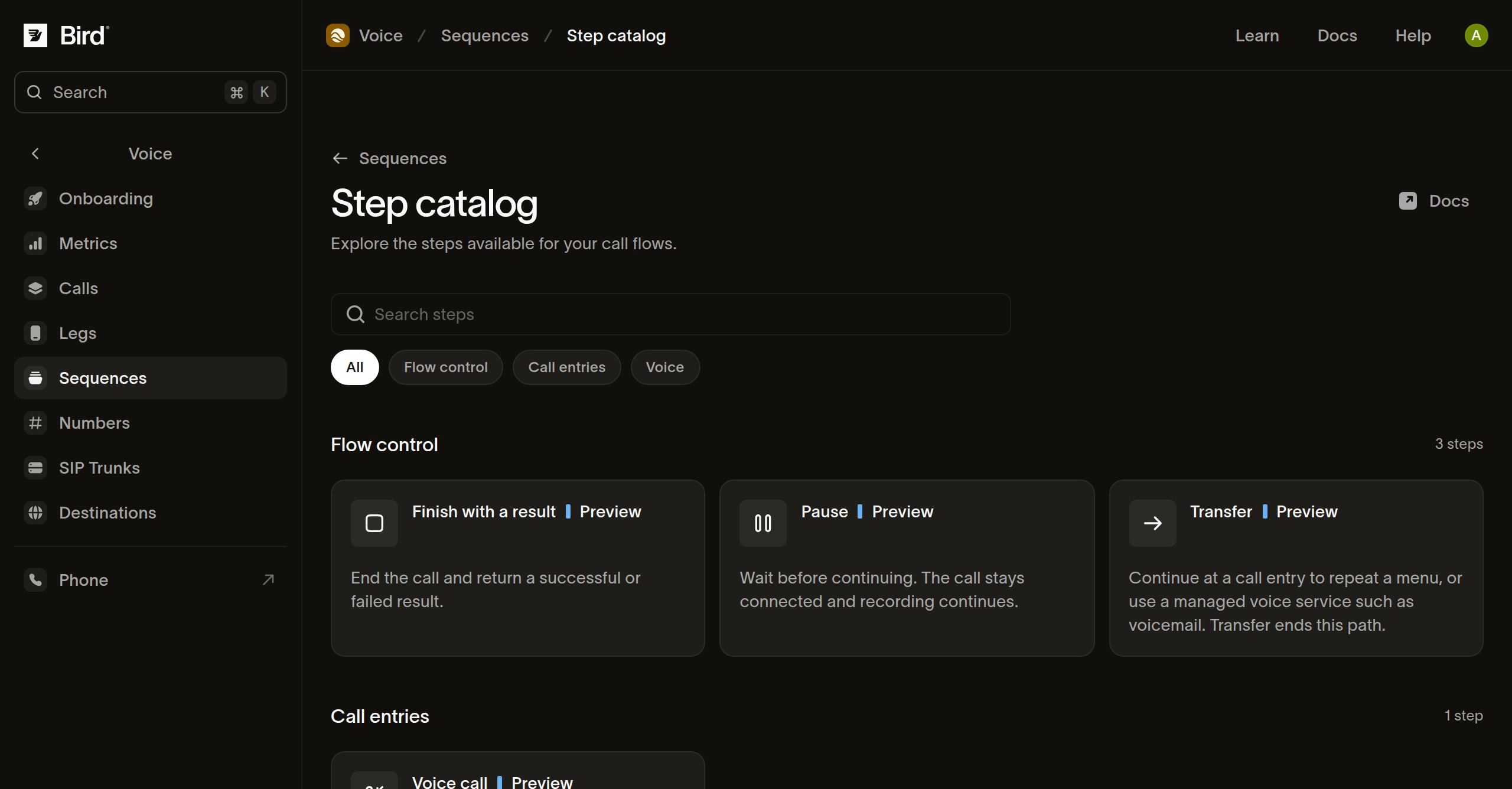
Wybierz krok do swojego zadania
| Krok | Przeznaczenie | Kontynuacja |
|---|---|---|
| Rozpocznij połączenie | Zdefiniuj wejście połączenia i akceptowane dane. | Połącz wyjście zdarzenia z pierwszym krokiem. |
| Media | Wykonaj uporządkowany zestaw poleceń mowy, dźwięku, tonu, pauzy lub nagrywania. | Kontynuuj po zakończeniu poleceń. |
| Gather digits | Odtwórz przerywalne komunikaty i zbierz dane z klawiatury. | Wybierz ścieżkę dopasowania cyfr, przekroczenia czasu lub niedopasowanego wejścia. |
| Webhook decision (wczesny dostęp) | Wyślij dane połączenia do odbiorcy HTTPS i użyj jego odpowiedzi do wyboru ścieżki. | Połącz każdy skonfigurowany wynik biznesowy i wynik niepowodzenia. |
| Branch | Wybierz ścieżkę na podstawie uporządkowanych warunków. | Przejdź pierwszą pasującą ścieżką lub ścieżką domyślną. |
| Set values | Zapisz nazwane wartości dla kolejnych kroków podczas bieżącego przejścia przez punkt wejścia. | Kontynuuj, udostępniając zapisane wartości kolejnym krokom. |
| Pause | Czekaj, utrzymując połączenie i aktywne nagrywanie. | Kontynuuj po upływie czasu trwania. |
| Dial | Zadzwoń pod docelowy numer i połącz go z bieżącym rozmówcą. | Obsłuż wyniki: zakończone, zajęte, brak odpowiedzi i niepowodzenie. |
| Transfer | Kontynuuj w innym wejściu lub zarządzanej usłudze. | Cel przejmuje kontrolę; ten krok nie ma zwykłej następnej ścieżki. |
| Hang up | Zakończ połączenie. | Brak następnego kroku. |
| Finish with a result | Zakończ ze statusem powodzenia lub niepowodzenia, opcjonalnym powodem i wynikiem obiektowym. | Brak następnego kroku. |
Konfiguruj z katalogu
- Otwórz krok, aby sprawdzić jego obsługiwane pola i przykłady.
- Dodaj go do wersji roboczej z odpowiedniego wyniku.
- Zastąp wartości ilustracyjne i sprawdź skonfigurowane ścieżki wyjściowe.
- Wyświetl podgląd próbki dla każdego wyniku obsługiwanego przez przepływ.
Ścieżki klawiatury zależą od skonfigurowanych dopasowań. Zmiana kroku może unieważnić istniejące połączenia, mapowania lub próbki podglądu. Użyj Checks po zmianie kontraktu kroku.
Wybierz jawny wynik
Użyj Finish with a result, gdy raporty wymagają wyniku biznesowego, takiego jak hours_played lub no_input. Skonfiguruj status odpowiadający temu wynikowi i podaj wynik obiektowy, w tym {}, gdy żadne pola nie są potrzebne.
Celowo nieudany wynik zalicza się do nieudanych uruchomień, nawet jeśli nie wystąpił błąd techniczny. Wynik pomyślny oznacza, że skonfigurowana ścieżka została ukończona; nie potwierdza, że osoba usłyszała wiadomość ani że zewnętrzne zadanie biznesowe się powiodło. Anulowanie lub nieudane czyszczenie po połączeniu może uniemożliwić zapisanie skonfigurowanego wyniku.
Następne kroki
Powiązane zasoby
Przejdź do dokumentacji, przewodników i przykładów dotyczących tego tematu.