Map the source carefully.
Use contact properties for personalization and an audience for membership. Neither audience membership nor an imported email address proves permission for a particular campaign.
Manage contact identity ↗
Keep contact properties and audience membership ready for the next campaign. Give the team useful context while keeping permission and sending eligibility explicit.
Bring contact details and audience membership together so your next campaign reaches the right people. Explore how a customer profile changes as your application learns more.
Rejected: this value is not a number. Correct it and retry the same contact identity. Importing does not grant permission.
The numeric property is updated on the same fictional contact. Audience membership and permission have not changed.
This contact is outside the Studio audience.
Audience member, but missing marketing permission. Exclude from this sample campaign.
Included in this sample. Other preferences, suppressions and account policy can still exclude the address.
Source revision 12: membership true
Duplicate revision 12: unchanged
Late revision 11: ignored
Contact: con_alex_example
This application-owned revision policy avoids duplicate contacts and late membership reversal. It is an illustrative synchronization design, not a Bird guarantee of source-version enforcement.
Companies that trust Bird across their communications.
Read Bird customer storiesUse contact properties for personalization and an audience for membership. Neither audience membership nor an imported email address proves permission for a particular campaign.
Manage contact identity ↗Decide which system owns additions and removals. Reconcile the complete membership snapshot and preserve restrictions before a broadcast uses that audience.
Synchronize audience membership ↗联系人保存一个人的邮箱地址、电话号码和属性。受众将这些联系人分组以用于营销活动。将同一个人添加到多个受众,其详细信息始终保留在同一条记录中。这些功能均属于 Bird Email 平台。
数据模型替你处理记账工作,因此你的列表不会腐烂。
工作区联系人可包含邮箱地址、电话号码或两者兼有,以及姓名、外部 ID 和自定义数据。
受众是一组你可以自由添加和移除的联系人。属性始终保存在联系人上,绝不复制到列表里。
预先定义自定义字段:string、number、boolean 或 datetime,可设置可选的默认值。未知键名和类型不匹配的值会在写入时被拒绝。
单次调用即可 upsert 至多 1,000 个联系人,并在同一请求中将它们加入某个受众。
按精确 email 匹配查找联系人,让你自己的系统无需扫描每一条记录即可同步。
批量导入会匹配每条记录携带的标识符并报告逐条结果。单次请求可 upsert 最多 1,000 个联系人并将其加入受众。当标识符指向不同的联系人时,需先检查冲突条目再重试。恢复中断的导入时,请核对已完成和失败的条目。
// Upsert up to 1,000 contacts and add them to an audience at once.
const result = await bird.contacts.batch({
  audience_ids: ["adn_01krdgeqcxet5s7t44vh8rt9mg"],
  contacts: [
    { email: "ada@example.com",   first_name: "Ada",   data: { plan: "growth" } },
    { email: "grace@example.com", first_name: "Grace", data: { plan: "free" } },
  ],
});

// Per-contact results come back in submission order.
for (const item of result.data) {
  console.log(item.entry.email, item.status);
}
Synchronize audience membership with CLI or MCP, then list its contacts to check the result. Keep subscription and consent decisions with your contact records.
导入电子表格,检查字段映射,并将联系人整理到可复用的分组中。姓名和类型化属性保留在联系人记录上;成员关系决定他们属于哪个受众。
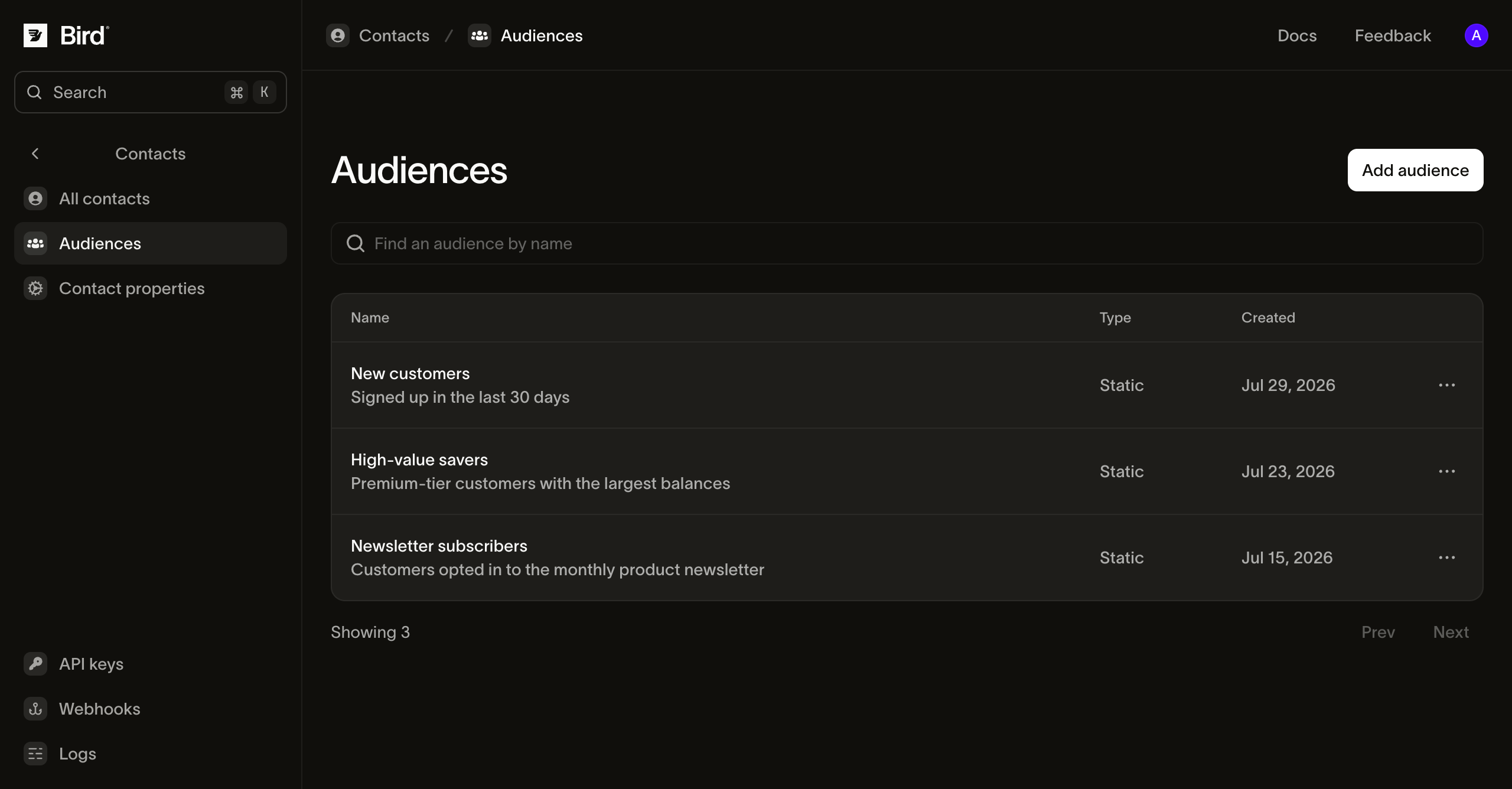
包含示例记录的产品截图。在发送前查看受众成员关系和可送达状态。
在消息发送工作流中使用统一的联系人基础。
选择与下一步任务匹配的产品或指南。
继续查阅此主题的文档、指南和示例。资源为英文。
与我们的邮件团队交流
带上您的联系人来源、细分需求和许可要求,我们将帮助您将它们与邮件营销活动连接起来。
创建账户,然后添加联系人并构建您的第一个受众。
测试 API 密钥即刻可用。添加支付方式并验证发送者身份后,即可解锁生产环境。
阅读文档