Automation-nodes kiezen
Een node voert één taak uit in een flow. Open de Step catalog om beschikbare nodes, hun velden, uitvoerpaden en voorbeelden te bekijken.
Automations is beschikbaar in Early access. Je werkruimterechten bepalen welke acties je kunt uitvoeren.
De tabellen gebruiken catalogusnamen. Op het canvas kan een taaklabel staan zoals Choose a path voor Branch, Find contacts voor List contacts of Wait for a delivery result voor Wait for event. Een template kan een stap een eigen beschrijvende naam geven.
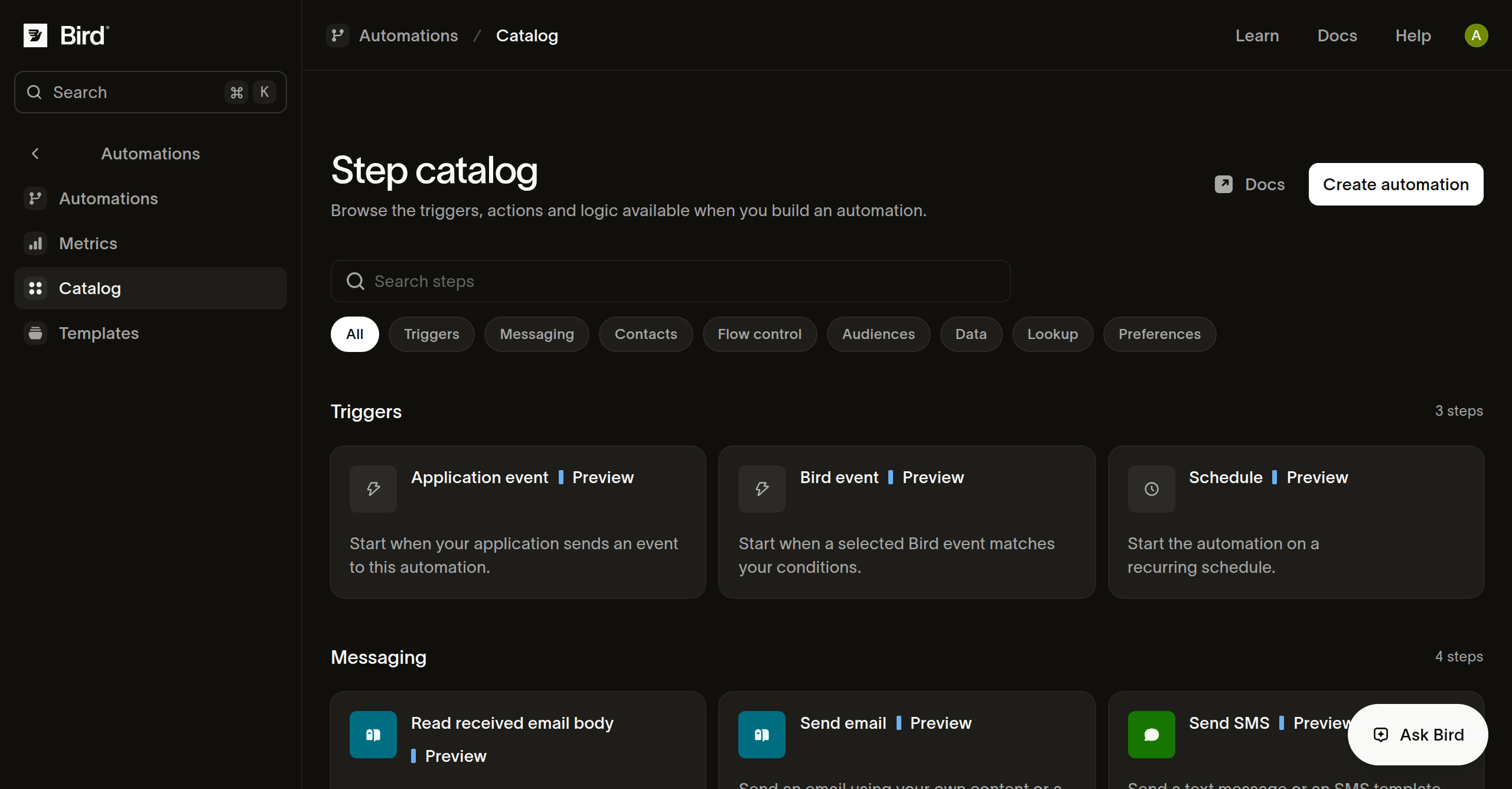
Triggers
| Node | Gebruik om |
|---|---|
| Application event | Te starten vanuit een event van je applicatie, of een handmatige run vanuit het dashboard. |
| Incoming messages | Te starten vanuit een SMS-, e-mail- of WhatsApp-bericht met de bijbehorende trigger. |
| Schedule | Te starten op terugkerende tijdstippen in een gekozen tijdzone. |
Zie Een trigger kiezen en Runs plannen.
Logica en data
| Node | Gebruik om |
|---|---|
| Set values | Waarden te benoemen voor latere stappen, inclusief waarden berekend uit eerdere data. |
| Branch | De eerste overeenkomende conditie te kiezen, of het Otherwise-pad. |
| Delay | Te pauzeren tot een tijdsduur verstreken is of een tijdstip bereikt is. |
| Wait for event | Te wachten op een ondersteunde ontvangstbevestiging van een specifieke eerdere berichtactie. |
| Wait for application event | Te wachten op een gedeclareerd event dat gekoppeld is aan de business key van de run. |
| Exit | Te beëindigen met een expliciete status, optionele reden en resultaat. |
Zie Flows en verbindingen, data-mapping en event-waits.
Berichten
| Node | Gebruik om |
|---|---|
| Send SMS | Tekst of een SMS-template naar een ontvanger te sturen. |
| Send email | E-mailinhoud of een template te sturen met ontvanger- en afzenderinstellingen. |
| Send WhatsApp | Een template of ondersteunde tekst- en media-inhoud te sturen. |
| Read received email body | De tekst- en HTML-body van een ontvangen e-mail op te halen voor latere stappen. |
Zie Berichten versturen. Een geslaagde verzending betekent dat het kanaal het bericht heeft geaccepteerd voor verwerking.
Contacten en doelgroepen
| Nodes | Gebruik om |
|---|---|
| Get contact, List contacts | Een contact op ID op te halen of een pagina met contacten te doorzoeken. |
| Create contact, Update contact, Delete contact | Een individueel contactrecord te wijzigen. |
| Create or update contacts | Een voorbereide batch in te dienen en het resultaat per item te bekijken. |
| Get audience, Create audience, Update audience | Een statische doelgroep op te halen of te beheren. |
| List audience contacts | Eén pagina met doelgroepleden op te halen. |
| Add contacts to audience | Opgegeven contacten aan een doelgroep toe te voegen. |
| Remove contact from audience, Remove contacts from audience | Opgegeven lidmaatschappen te verwijderen zonder de contacten te verwijderen. |
Zie Werken met contacten en doelgroepen. Een doelgroep opvragen stuurt geen bericht naar de leden.
Voorkeuren en lookups
| Node | Gebruik om |
|---|---|
| List preferences | Vastgelegde berichtvoorkeuren te bekijken. |
| Record preference | Een voorkeursverklaring in te dienen en te bekijken of deze is toegepast. |
| Look up phone number | Een telefoonnummer te beoordelen op basis van de geselecteerde lookup-eigenschappen. |
| Look up email address | Een e-mailadres te beoordelen en optionele suggesties te bekijken. |
Zie Voorkeuren en lookups gebruiken.
Volgende stappen
Gerelateerde bronnen
Ga verder met de documentatie, handleidingen en voorbeelden voor dit onderwerp.