Map the source carefully.
Use contact properties for personalization and an audience for membership. Neither audience membership nor an imported email address proves permission for a particular campaign.
Manage contact identity ↗
Keep contact properties and audience membership ready for the next campaign. Give the team useful context while keeping permission and sending eligibility explicit.
Bring contact details and audience membership together so your next campaign reaches the right people. Explore how a customer profile changes as your application learns more.
Rejected: this value is not a number. Correct it and retry the same contact identity. Importing does not grant permission.
The numeric property is updated on the same fictional contact. Audience membership and permission have not changed.
This contact is outside the Studio audience.
Audience member, but missing marketing permission. Exclude from this sample campaign.
Included in this sample. Other preferences, suppressions and account policy can still exclude the address.
Source revision 12: membership true
Duplicate revision 12: unchanged
Late revision 11: ignored
Contact: con_alex_example
This application-owned revision policy avoids duplicate contacts and late membership reversal. It is an illustrative synchronization design, not a Bird guarantee of source-version enforcement.
Companies that trust Bird across their communications.
Read Bird customer storiesUse contact properties for personalization and an audience for membership. Neither audience membership nor an imported email address proves permission for a particular campaign.
Manage contact identity ↗Decide which system owns additions and removals. Reconcile the complete membership snapshot and preserve restrictions before a broadcast uses that audience.
Synchronize audience membership ↗एक संपर्क में व्यक्ति का ईमेल पता, फ़ोन नंबर और प्रॉपर्टीज़ होती हैं। एक ऑडियंस उन संपर्कों को किसी अभियान के लिए समूहित करती है। किसी को कई ऑडियंस में जोड़ें और उनकी जानकारी एक ही रिकॉर्ड में एक साथ रहती है। यह सब Bird Email प्लेटफ़ॉर्म का हिस्सा है।
डेटा मॉडल खुद हिसाब-किताब संभालता है, इसलिए आपकी लिस्ट खराब नहीं होतीं।
एक वर्कस्पेस संपर्क में ईमेल पता, फ़ोन नंबर या दोनों हो सकते हैं, साथ ही नाम, एक बाहरी ID और कस्टम डेटा भी।
एक audience उन contacts का सेट है जिन्हें आप आज़ादी से जोड़ते और हटाते हैं। Attributes हमेशा contact पर रहते हैं, कभी लिस्ट पर कॉपी नहीं होते।
अपने कस्टम फ़ील्ड पहले से परिभाषित करें: string, number, boolean, या datetime, वैकल्पिक फ़ॉलबैक के साथ। अज्ञात कुंजियाँ और गलत टाइप के मान लिखते समय अस्वीकार कर दिए जाते हैं।
एक ही call में 1,000 तक contacts upsert करें, और उन्हें उसी request में किसी audience से जोड़ दें।
किसी contact को exact email match से खोजें, ताकि आपके अपने सिस्टम हर record स्कैन किए बिना sync कर सकें।
बैच आयात हर प्रविष्टि के पहचानकर्ताओं का मिलान करते हैं और प्रति-प्रविष्टि परिणाम रिपोर्ट करते हैं। एक ही अनुरोध में 1,000 तक संपर्कों को अपसर्ट करें और उन्हें किसी ऑडियंस में जोड़ें। जब पहचानकर्ता अलग-अलग संपर्कों की ओर इशारा करें, तो फिर से प्रयास करने से पहले विरोधाभासी प्रविष्टि की समीक्षा करें। बाधित आयात को फिर से शुरू करते समय पूर्ण और विफल प्रविष्टियों का मिलान करें।
// Upsert up to 1,000 contacts and add them to an audience at once.
const result = await bird.contacts.batch({
  audience_ids: ["adn_01krdgeqcxet5s7t44vh8rt9mg"],
  contacts: [
    { email: "ada@example.com",   first_name: "Ada",   data: { plan: "growth" } },
    { email: "grace@example.com", first_name: "Grace", data: { plan: "free" } },
  ],
});

// Per-contact results come back in submission order.
for (const item of result.data) {
  console.log(item.entry.email, item.status);
}
Synchronize audience membership with CLI or MCP, then list its contacts to check the result. Keep subscription and consent decisions with your contact records.
स्प्रेडशीट आयात करें, उसकी फ़ील्ड मैपिंग की समीक्षा करें और संपर्कों को पुन: उपयोग योग्य समूहों में व्यवस्थित करें। नाम और टाइप की गई प्रॉपर्टीज़ संपर्क पर बनी रहती हैं; सदस्यता तय करती है कि वे किस ऑडियंस से संबंधित हैं।
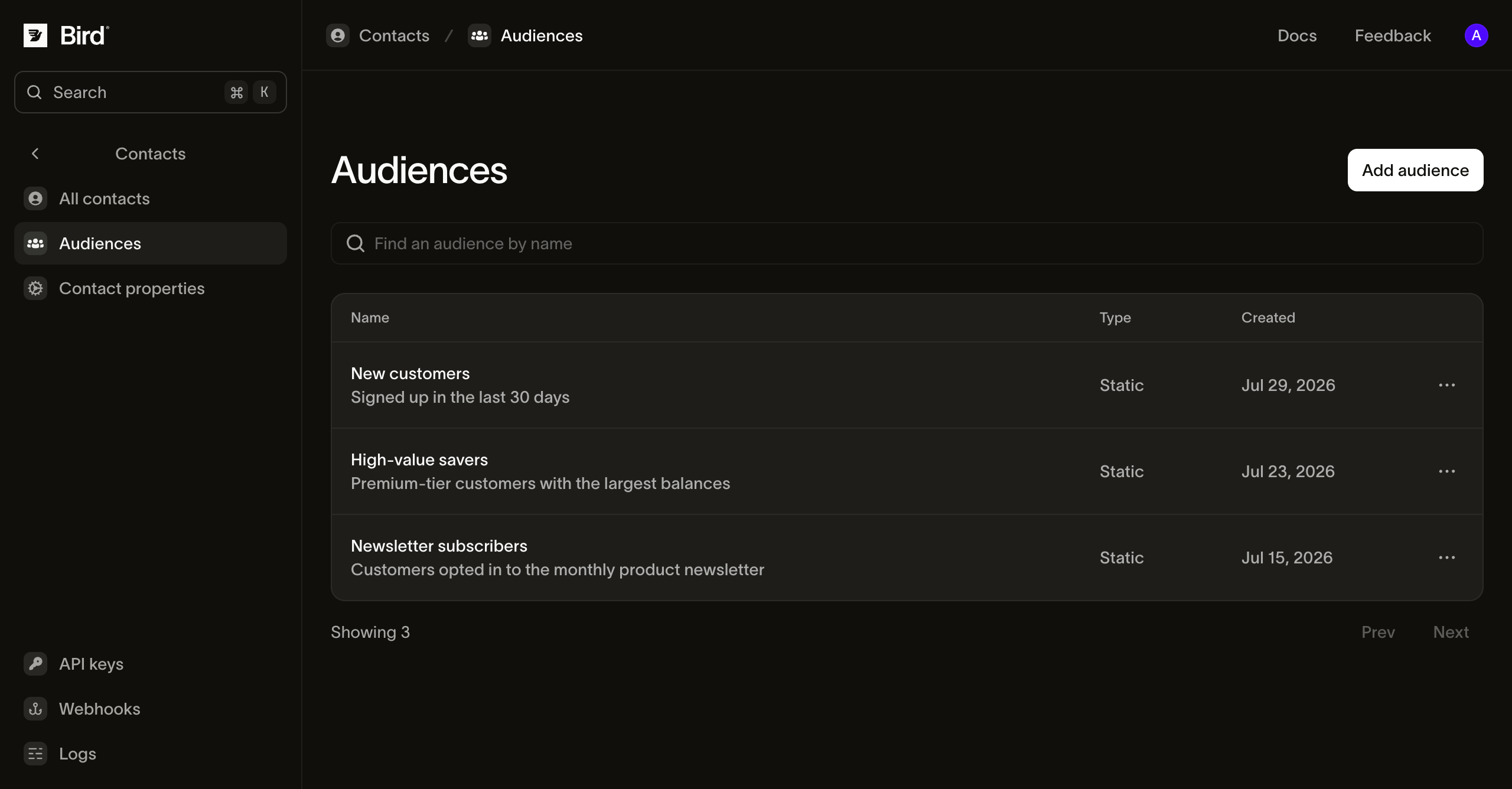
उदाहरण रिकॉर्ड के साथ प्रोडक्ट स्क्रीनशॉट। भेजने से पहले ऑडियंस सदस्यता और डिलीवरेबिलिटी की समीक्षा करें।
अपने मैसेजिंग वर्कफ़्लो में एक ही संपर्क आधार का उपयोग करें।
Work through additions, removals and an incomplete refresh before launching a campaign.
पहचानकर्ता, मिलान नियम और प्राप्तकर्ता के पीछे का ग्राहक रिकॉर्ड देखें।
स्रोत नियम, स्पष्ट सदस्यता और चैनल पात्रता को जोड़ें।
आपके चयन का मूल्यांकन करने वाली स्रोत प्रणाली से जोड़ और हटाव लागू करें।
अगले काम से मेल खाने वाला प्रोडक्ट या गाइड चुनें।
CSV, TSV या Excel अपलोड करें, फ़ील्ड मैपिंग की समीक्षा करें और एक ऑडियंस असाइन करें।
पुन: उपयोग योग्य सूची में संपर्क जोड़ें या हटाएँ और उसकी डिलीवर योग्य संख्या देखें।
जब कॉन्टेंट और प्रेषक तैयार हों तब ब्रॉडकास्ट में ऑडियंस का उपयोग करें।
संपर्क मॉडल जानें या अगले वर्कफ़्लो के लिए सहायता पाएँ।
इस विषय के लिए डॉक्यूमेंटेशन, गाइड और उदाहरणों के साथ आगे बढ़ें। संसाधन अंग्रेज़ी में हैं।
Marketing campaigns: ड्राफ्ट करें, किसी audience को टारगेट करें, शेड्यूल करें, और भेजें।
स्टोर किए हुए, versioned email templates, भेजते समय हर recipient के लिए personalize किए हुए।
डिलीवरी से पहले प्राप्तकर्ता सप्रेशन और ऑप्ट-आउट प्राथमिकताओं की जाँच की जाती है।
पूरा Email API: sending, deliverability, IPs, suppression, analytics, और broadcasts।
हमारी ईमेल टीम से बात करें
अपने संपर्क स्रोत, सेगमेंटेशन ज़रूरतें और सहमति आवश्यकताएँ लेकर आएँ। हम उन्हें आपके ईमेल अभियानों से जोड़ने में आपकी मदद करेंगे।
अपना अकाउंट बनाएँ, फिर संपर्क जोड़ें और अपनी पहली ऑडियंस बनाएँ।
एक test API key तुरंत आपकी है। जब आप payment method जोड़ते हैं और sender verify करते हैं, तब production अनलॉक हो जाता है।
docs पढ़ें