Métodos de pagamento e carteira
Bird registra renovações de plano, excedentes e cobranças de uso na carteira da sua organização. Um cartão salvo pode financiar recargas manuais, recargas automáticas e diferenças em renovações.
Acesse Billing and payments > Overview para visualizar o saldo disponível, a próxima cobrança, a recarga automática, o alerta de saldo baixo, os métodos de pagamento e o endereço de faturamento. Organization Owners e Billing admins gerenciam essas configurações.
A carteira
O saldo disponível é o valor que a organização pode gastar. As cobranças de uso alteram esse saldo à medida que são liquidadas, e uma mensagem com taxa no momento da entrega é liquidada duas vezes: uma quando Bird a processa, outra quando é entregue. Next charge mostra a data e o valor da próxima renovação e avisa quando o saldo disponível é insuficiente.
Dois estados merecem atenção:
- Saldo baixo. Um banner dispensável aparece quando você está abaixo do limite de alerta, e seus contatos de faturamento recebem um e-mail. Recarregue antes da data de renovação e nada mais acontece.
- Saldo pré-pago esgotado. Cobranças pay-as-you-go são pausadas quando a carteira não pode cobri-las. Um saldo pré-pago negativo bloqueia o envio até que você adicione fundos suficientes. Uma taxa cobrada na entrega se comporta de forma diferente: quando o saldo é insuficiente, a taxa é ignorada em vez de reter a mensagem, então uma mensagem já a caminho ainda é entregue. Durante um período de cobrança por falha na renovação, a franquia de e-mail incluída permanece disponível, a menos que a carteira já esteja negativa.
Recarga
Em Billing and payments > Overview, selecione Add funds para abrir o fluxo de recarga. Insira pelo menos 15 unidades na moeda da carteira e pague com cartão. Antes do primeiro pagamento, forneça um endereço de faturamento e a situação de IVA. Adicione um número de IVA quando aplicável.
Uma recarga concluída mostra o novo saldo imediatamente, aparece como crédito na página Spend e gera seu próprio recibo de pagamento (separado da fatura mensal, que cobre apenas cobranças).
Pagamento por transferência bancária
Com uma fatura pro forma, você adiciona fundos à carteira por transferência bancária em vez de cartão:
- Em Billing and payments > Overview, selecione Add funds.
- Insira o valor e selecione Get a pro forma invoice.
- Quando a caixa de diálogo mostrar Pro forma ready, selecione Download PDF.
- Envie a transferência do seu banco para a conta indicada no PDF, usando a referência de pagamento como referência da transferência.
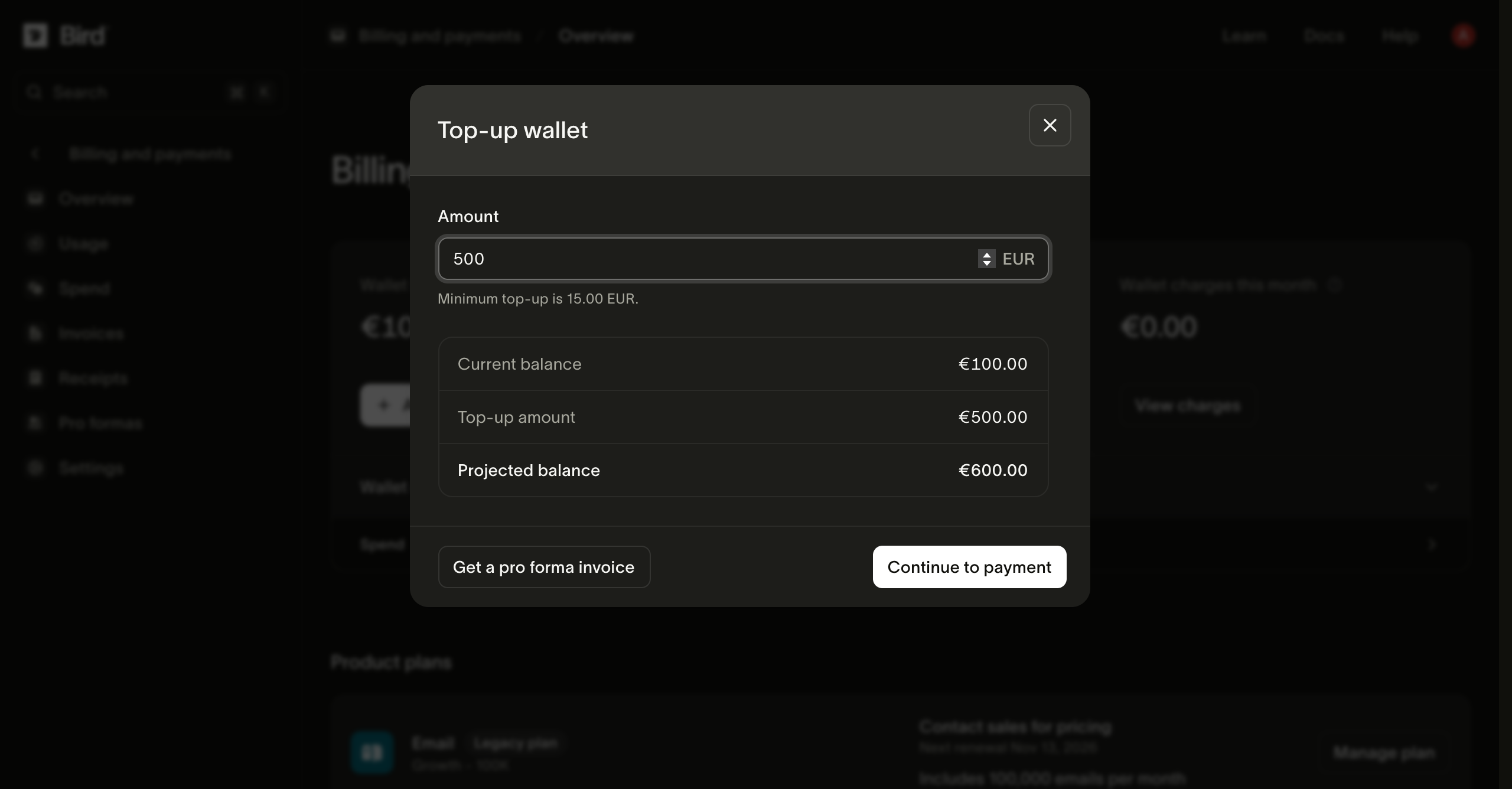
O PDF traz os dados bancários de Bird para a moeda da carteira, o valor e um número de documento como PRO-2600001. A referência de pagamento é um código curto separado, como R9NGKC, exibido na caixa de diálogo e no PDF. Bird associa sua transferência à pro forma pela referência de pagamento, então uma transferência sem ela leva mais tempo para ser rastreada.
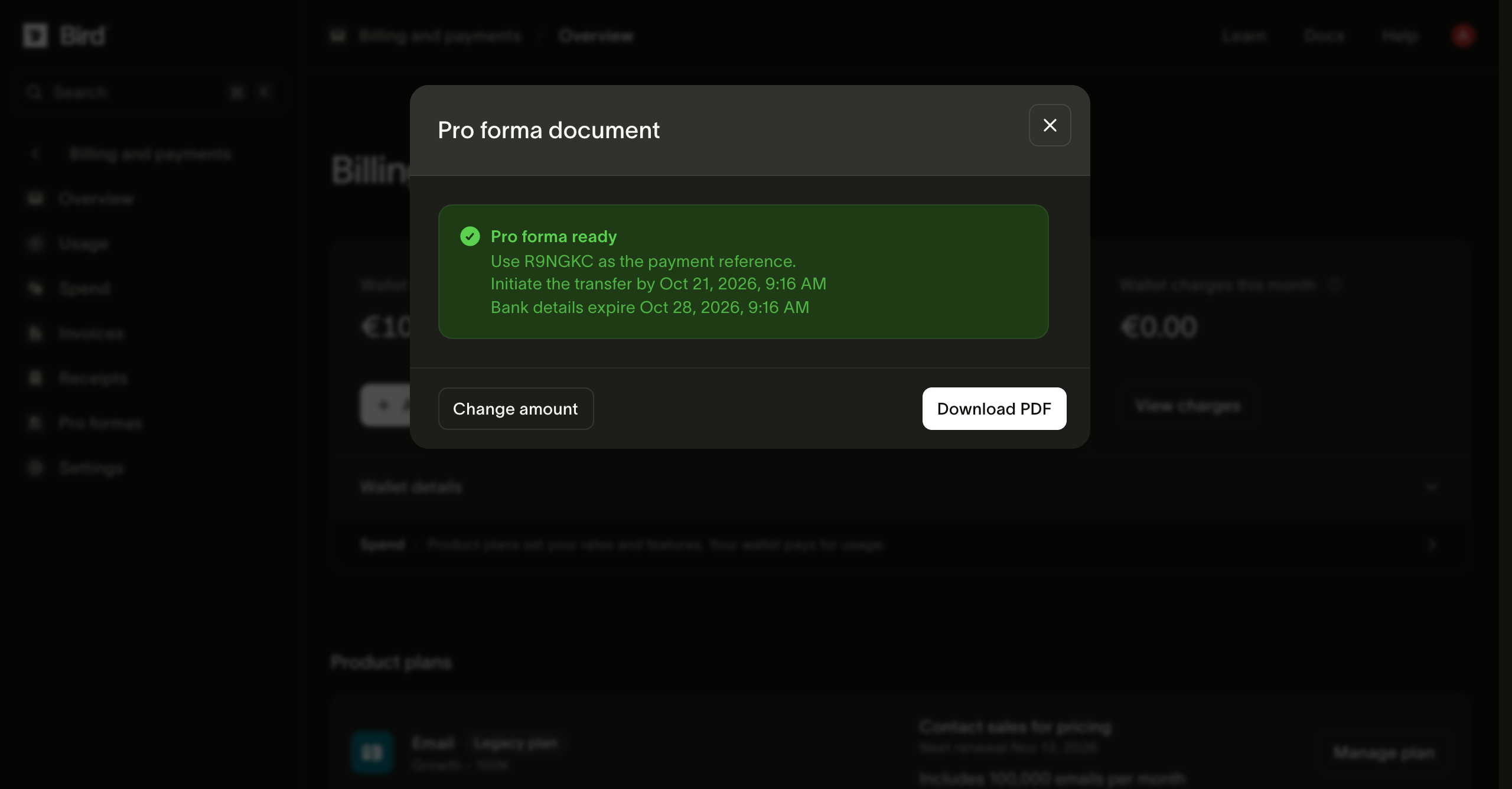
A caixa de diálogo e o PDF também mostram duas datas. Inicie a transferência em até 7 dias. Os dados bancários expiram após 14 dias; para um pagamento posterior, crie uma nova pro forma.
Dois pontos para planejar:
- Uma transferência bancária não é imediata. Bird credita a carteira depois que a transferência chega e é conciliada. Inicie o processo antes de precisar do saldo.
- Uma pro forma solicita pagamento. Ela não contém detalhamento de IVA e não substitui sua fatura fiscal mensal. Depois que a transferência é creditada, você recebe um recibo de pagamento, assim como em qualquer outra recarga.
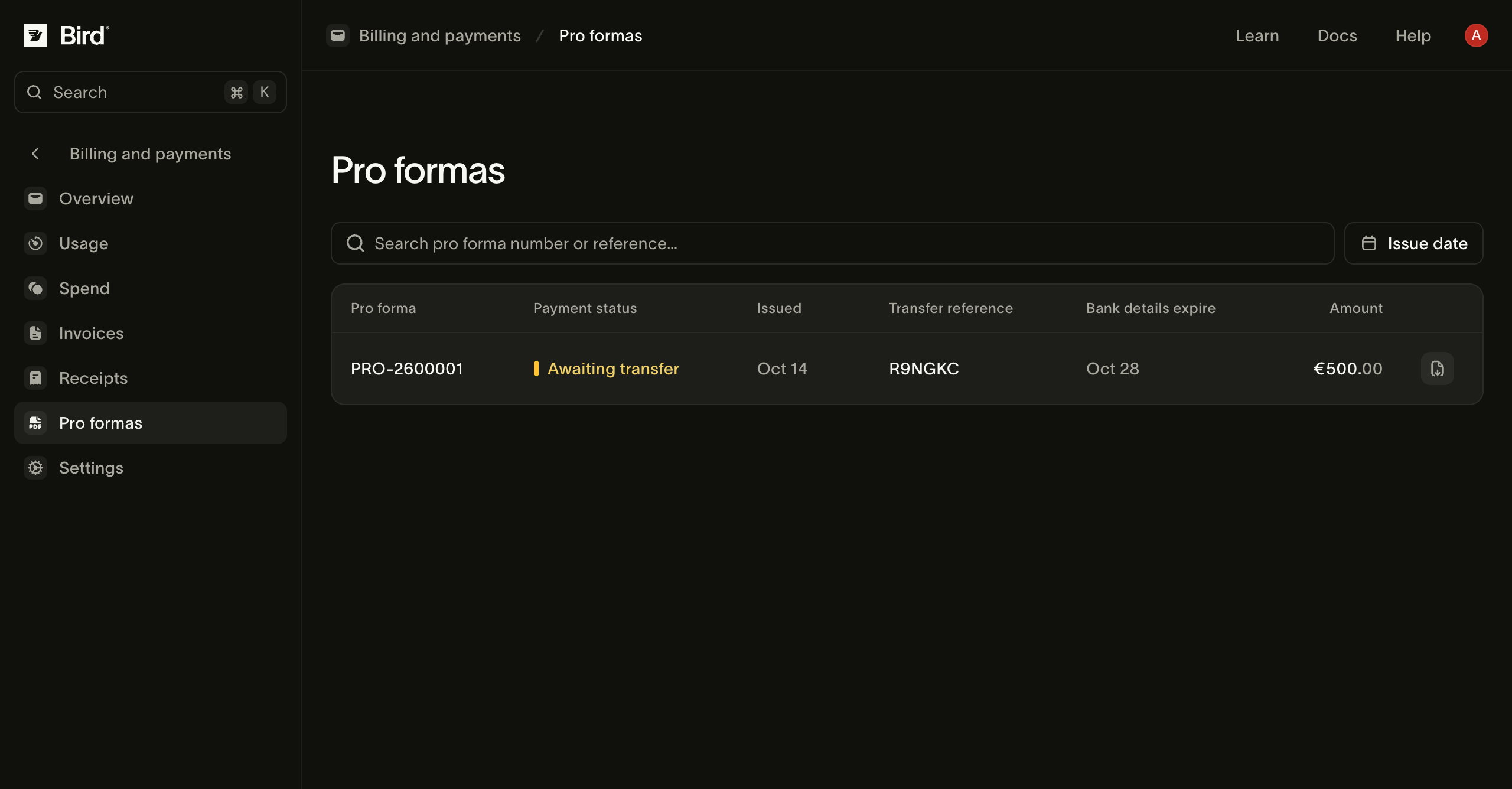
O valor usa a moeda da carteira e o mesmo mínimo de 15 unidades de uma recarga por cartão. Documentos anteriores permanecem disponíveis em Billing and payments > Pro formas. Cada linha mostra o status do pagamento, a referência da transferência e quando os dados bancários expiram, além de um botão para baixar o PDF novamente. Uma pro forma mostra Awaiting transfer até que Bird receba e associe seu pagamento, e depois Paid.
Recarga automática
Para uso contínuo, configure Auto top-up na barra lateral da carteira. Defina um limite de saldo e um valor de recarga. Quando o saldo cai abaixo do limite, Bird tenta cobrar o cartão padrão.
Recargas automáticas aparecem na página Spend. Um Low balance alert envia um e-mail para os contatos de faturamento quando o saldo cruza o limite definido. Você pode habilitar os dois recursos; o alerta pode avisar se uma recarga automática falhar.
Métodos de pagamento
A linha Payment method lista os cartões salvos. O cartão padrão sustenta a recarga automática e cobre diferenças em renovações. Consulte Alterações de plano e renovações para a sequência de pagamento.
- Adicionar um cartão o verifica sem cobrá-lo. Alguns bancos mostram uma autorização temporária que é revertida automaticamente.
- Make default altera qual cartão as cobranças futuras usam; transações anteriores não são afetadas.
- Um cartão cuja última cobrança foi recusada fica sinalizado na lista. Substitua-o rapidamente: um cartão padrão vencido somado a uma carteira vazia é a combinação que leva ao caminho de falha na renovação.
- Você não pode remover o cartão padrão enquanto outros cartões existirem; torne outro cartão o padrão primeiro.
Dados de faturamento
O endereço de faturamento e o número de IVA aparecem nas faturas. Em Billing and payments > Overview, use Billing address para atualizá-los ou definir um endereço de fatura separado. Billing and payments > Settings armazena o contato de faturamento e lista as assinaturas e alterações programadas da organização.
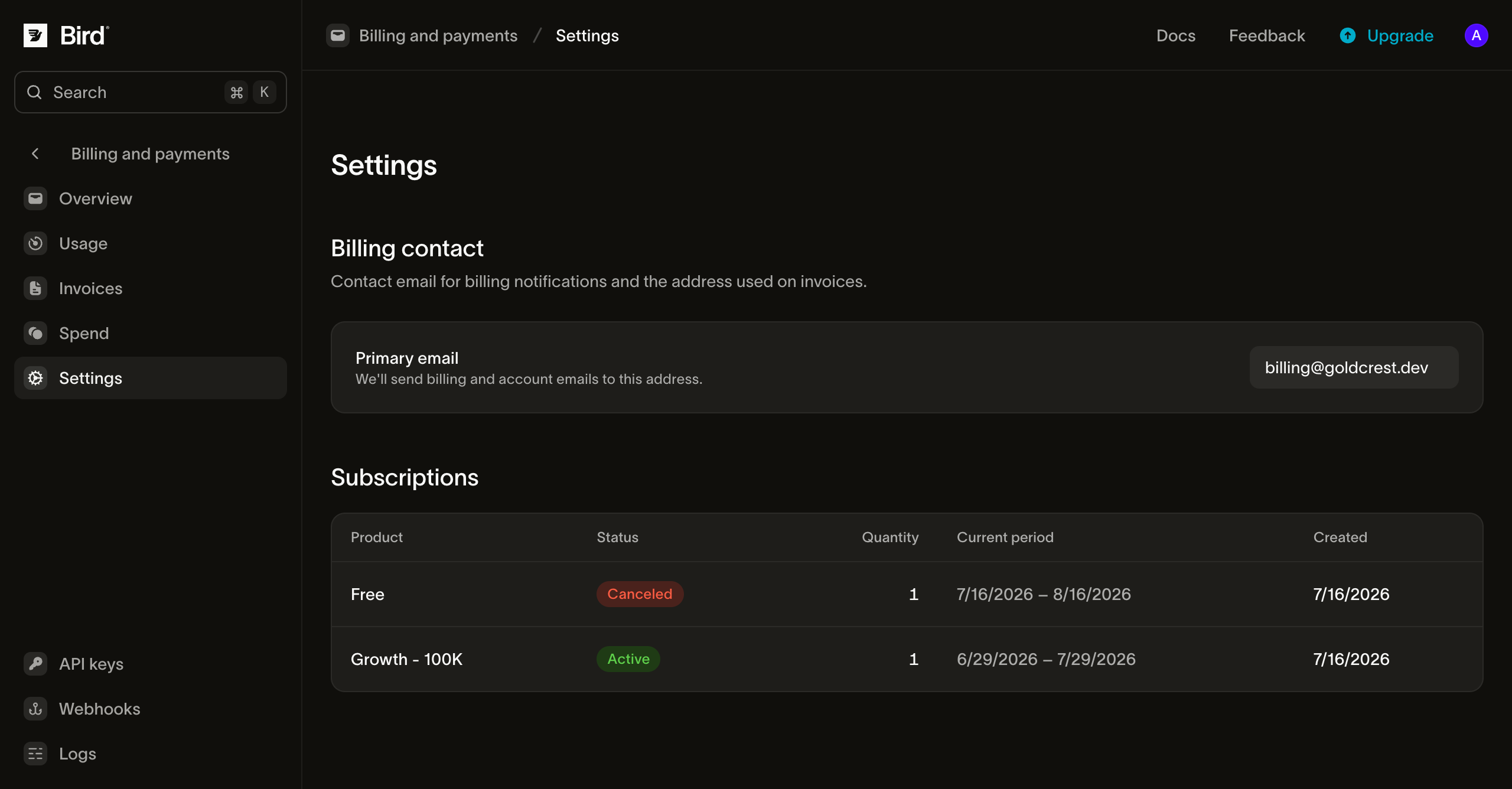
Use um alias de equipe monitorado para o contato de faturamento, para que notificações de pagamento e saldo não dependam de uma única pessoa.
Próximos passos
- Alterações de plano e renovações: como as renovações usam a carteira e o cartão, e o cronograma de falha no pagamento.
- Uso, gastos e faturas: o extrato e a fatura mensal.
- Como as recargas e o extrato da carteira funcionam por trás dessas páginas está em Faturamento e uso.
Recursos relacionados
Continue com a documentação, guias e exemplos sobre este tópico.