Gerenciamento de chaves API
Uma chave API é uma credencial de aplicação. Ela pertence ao seu espaço de trabalho, e uma aplicação que a possua pode chamar a Bird API dentro dos escopos atribuídos. Você pode gerenciar chaves no dashboard ou pela API. Para o contrato técnico completo, consulte Autenticação e chaves API.
Onde as chaves ficam
Abra Chaves API, fixada perto do final da barra lateral junto com Webhooks e Logs. A página lista o nome de cada chave, prefixo mascarado, escopos, status, expiração e data do último uso.
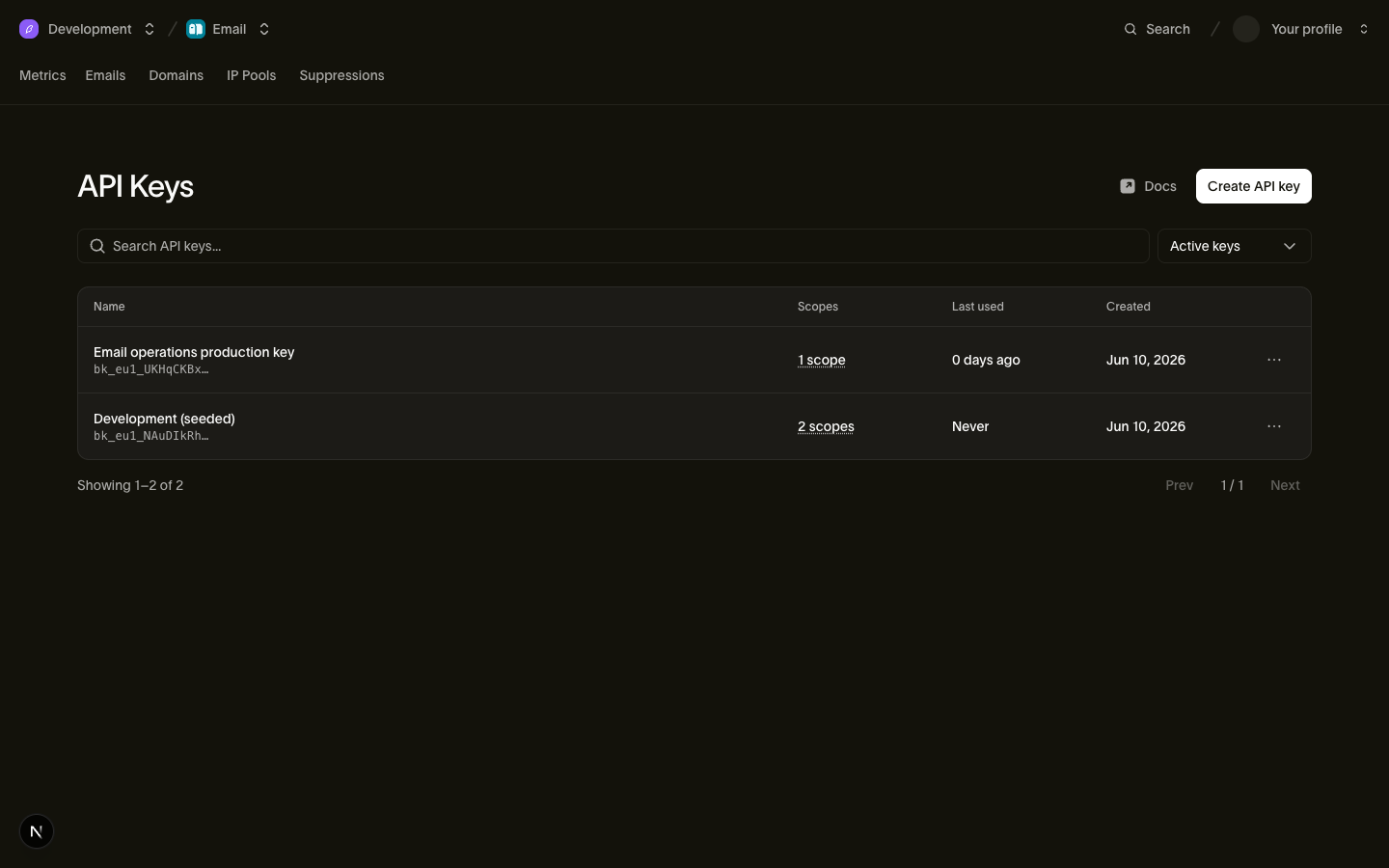
Criar, editar e revogar chaves exige o papel correto no espaço de trabalho: Admins e Developers têm essa permissão. Consulte Users, teams & roles.
Criando uma chave
- Na página de chaves API, escolha criar uma nova chave.
- Nomeie pela função, como "Billing service production,", em vez de usar o nome de uma pessoa.
- Escolha os escopos. Cada escopo tem um nível
readouwrite. Conceda apenas os escopos e níveis de que a aplicação precisa. - Crie a chave e copie o segredo imediatamente.
O segredo é exibido uma única vez
A chave completa aparece uma única vez, quando você cria ou faz a rotação da chave. Bird não pode exibir o segredo novamente. Copie-o diretamente para um gerenciador de segredos ou configuração de deploy. Se você perdê-lo, faça a rotação ou substitua a chave.
Edite os escopos de uma chave a partir da sua linha na página de chaves API. A edição substitui o conjunto de permissões e mantém o mesmo segredo. Pode ser necessário fazer a rotação de uma chave mais antiga para adicionar uma permissão. Consulte Autenticação e chaves API para restrições de escopo.
Revogando uma chave
Revogue uma chave quando ela não for mais necessária ou você suspeitar que vazou. A revogação é permanente. A validação de chaves usa um cache de curta duração, então uma chave revogada pode continuar funcionando por até cinco segundos antes que as solicitações falhem na autenticação.
Se você suspeitar que uma chave vazou, revogue-a e faça o deploy de uma substituta. As solicitações falharão até que a aplicação use uma chave ativa.
Para fazer a rotação sem tempo de inatividade, use a ação de rotação e mantenha o período de carência padrão de 24 horas. Faça o deploy da substituta antes que o período de carência termine. Defina um período de carência menor apenas quando você puder atualizar os chamadores mais cedo.
Tudo é registrado
Criação de chaves, edições de escopo, rotação e revogação aparecem no log de auditoria da sua organização. Uma edição de escopo registra os escopos adicionados e removidos. Inclua chaves revogadas na lista de chaves para revisar seus metadados.
Boas práticas
- Use uma chave por aplicação e ambiente. Separe as chaves de staging e produção para poder revogar uma sem afetar a outra.
- Fique de olho na coluna de último uso. Revogue chaves inativas que não são mais necessárias.
- Nunca coloque chaves em código client-side ou repositórios públicos. Chaves devem ficar apenas em configurações server-side e gerenciadores de segredos.
Próximos passos
- Autenticação e chaves API: anatomia da chave, detalhes de escopo e o contrato API
- Log de auditoria: revisando eventos de criação e revogação de chaves
- Users, teams & roles: quem pode gerenciar chaves
Recursos relacionados
Continue com a documentação, guias e exemplos sobre este tópico.