Boas práticas de aquecimento
Um domínio ou IP novo não tem histórico de envio. Aumente o volume gradualmente para que os provedores de caixa de entrada possam avaliar o tráfego consistente e o engajamento dos destinatários.
IPs dedicados aquecem automaticamente
Um novo IP dedicado começa com status warming. Bird acompanha 29 estágios de aquecimento e atualiza o progresso automaticamente. O pool compartilhado permanece como padrão até que você escolha um pool padrão diferente.
O painel mostra o progresso do aquecimento de 0 a 100%. Consulte o guia de aquecimento de IP para mais detalhes.
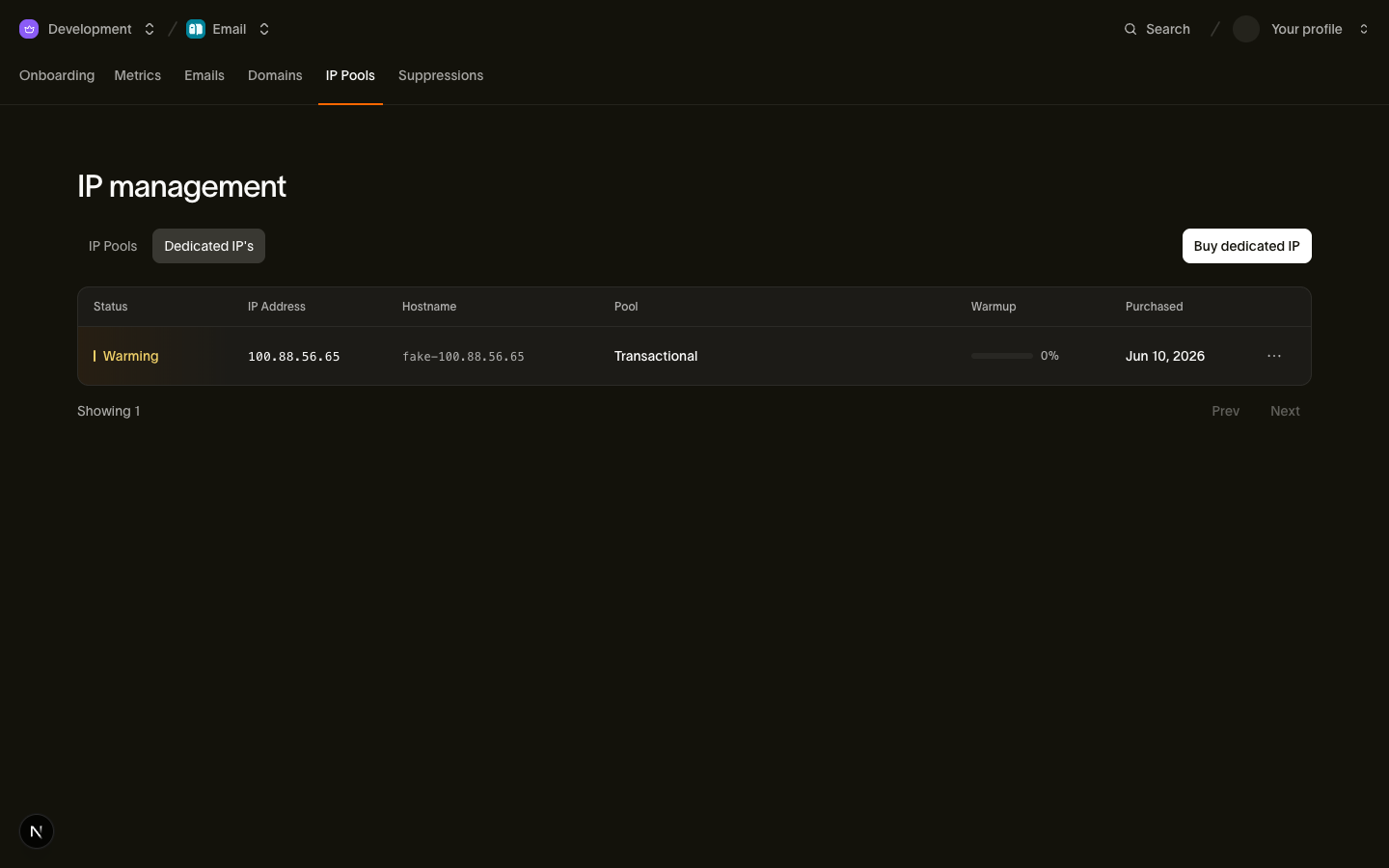
Mantenha o pool compartilhado como padrão até que o IP dedicado atinja 100% de progresso de aquecimento. Comprar um IP não altera o pool padrão automaticamente.
Domínios também precisam de aquecimento
Provedores de caixa de entrada também acompanham a reputação do domínio. Aumente o tráfego de um novo domínio gradualmente, mesmo quando ele usa um pool compartilhado já aquecido.
O mesmo se aplica quando você migra um programa estabelecido para um novo domínio ou subdomínio: a reputação do domínio antigo não é transferida. Planeje a migração como um aumento gradual, transferindo o tráfego em etapas em vez de fazer a troca de uma só vez.
Como aumentar o volume com segurança
- Comece com destinatários engajados. Inicie com pessoas que fizeram opt-in recentemente ou que clicam, respondem ou compram regularmente. Amplie a audiência à medida que o aquecimento avança.
- Aumente o volume de forma constante. Evite picos abruptos e ajuste o ritmo de aumento ao tamanho e engajamento da sua audiência.
- Monitore suas taxas de bounce e reclamação ao longo do processo. Bounces ou reclamações crescentes durante o aquecimento significam que você está ampliando a audiência rápido demais ou enviando para pessoas que não solicitaram seus e-mails. Verifique as métricas de reputação regularmente durante o aumento de volume e reduza o ritmo se as taxas subirem.
- Mantenha uma cadência consistente. Evite longos intervalos seguidos de envios repentinos em grande volume.
Próximos passos
- Aquecimento de IP: como os estágios automáticos de aquecimento funcionam
- IPs dedicados e pools: compra de IPs e regras de pool padrão
- Monitoramento de reputação do remetente: as métricas para acompanhar durante o aumento de volume
Recursos relacionados
Continue com a documentação, guias e exemplos sobre este tópico.