Frequency Capping
Overview
Do you get annoyed when you receive too many messages from a brand in a short space of time?
Sending messages too frequently can result in annoyed customers, increased unsubscribes, or even customer complaints.
Use the 'Skip recently emailed profiles' setting to exclude customers that you've messages recently from a campaign send.
Frequency Capping Settings
The frequency capping settings are for each platform and can be found as below:
- Under Settings > Marketing > Select the platform like Email, SMS, WhatsApp, Push Notifications
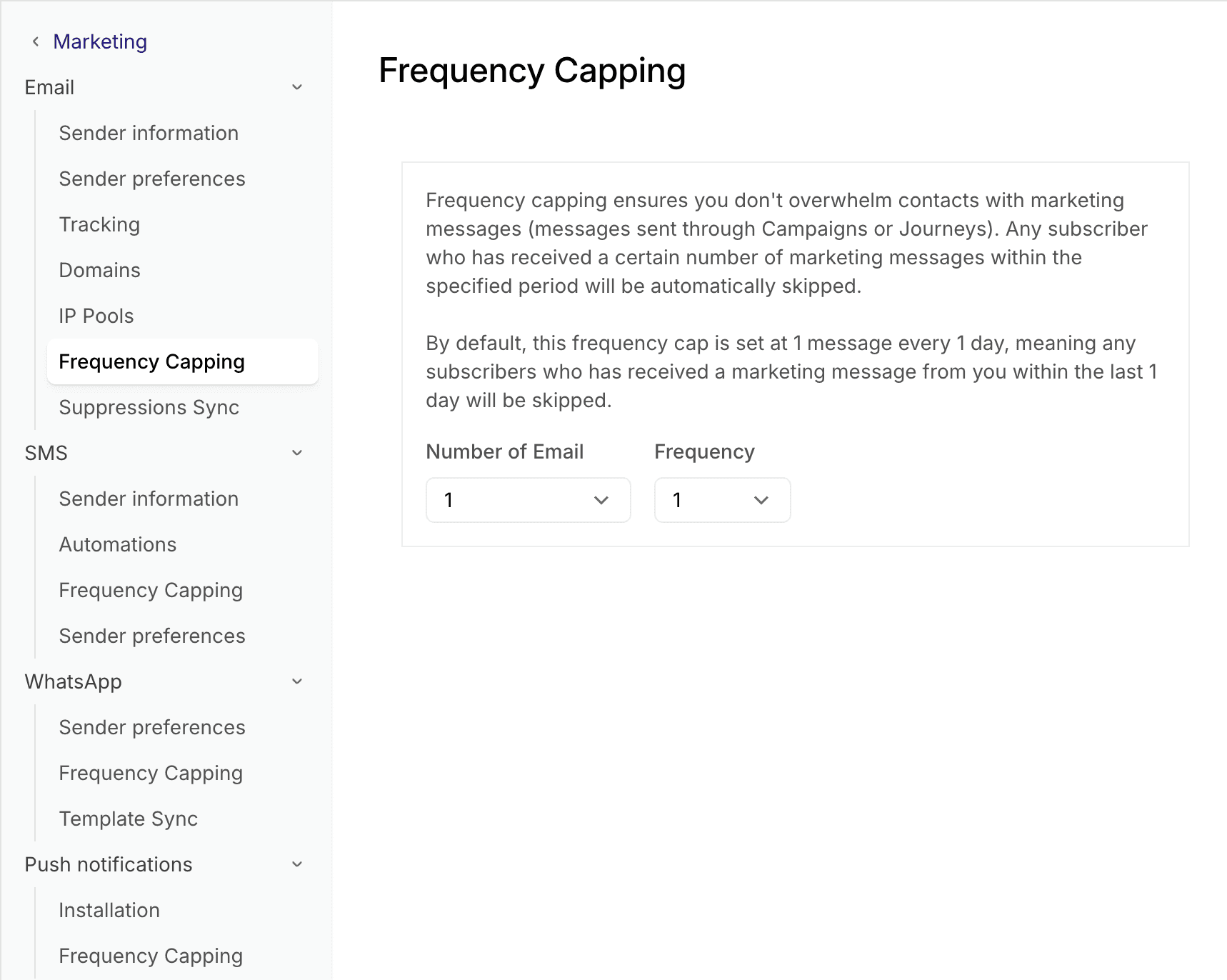
- Under each platform, you will find a Frequency Capping section
- By default, Frequency Capping is set as 1 message per day. You can edit it individually for each platform which will apply to all messages sent across Campaigns and Journeys from this workspace.
- Number of messages dropdown allows you to select the number of messages and Frequency dropdown allows you to select number of days. E.g. 2 messages with 7 frequency means that one contact can receive only 2 messages in 7 days period for this platform across all campaigns and journeys.
Frequency Capping in Campaigns and Journeys
Frequency Capping in Campaigns
When creating a campaign, under Recipients > Advanced, you will see a toggle to Skip recently messaged contacts. By default, the toggle is switched to ON, which means that recently messaged contacts will be skipped based on the criteria set for that platform in the Frequency Capping settings.
If you want to send them the campaign anyway and do not want to skip them, click the toggle to turn it Off.

Frequency Capping in Journeys
When adding a Send Message step in Journeys, under Advanced tab, you will see a toggle to Skip recently messaged contacts. By default, the toggle is switched to ON, which means that recently messaged contacts will be skipped based on the criteria set for that platform in the Frequency Capping settings.
If you want to send them the message anyway and do not want to skip them, click the toggle to turn it Off. It will apply to all journey runs for that message step.
