IP warmup
A new IP address has no sending history. Sudden high volume from that IP can cause mailbox providers to throttle or filter its mail. Warmup increases volume gradually so the IP can establish a sending reputation. Every dedicated IP goes through warmup before it handles full volume. Does a dedicated IP improve email deliverability? explains when building your own IP reputation helps and when shared sending is a better fit.
The ramp
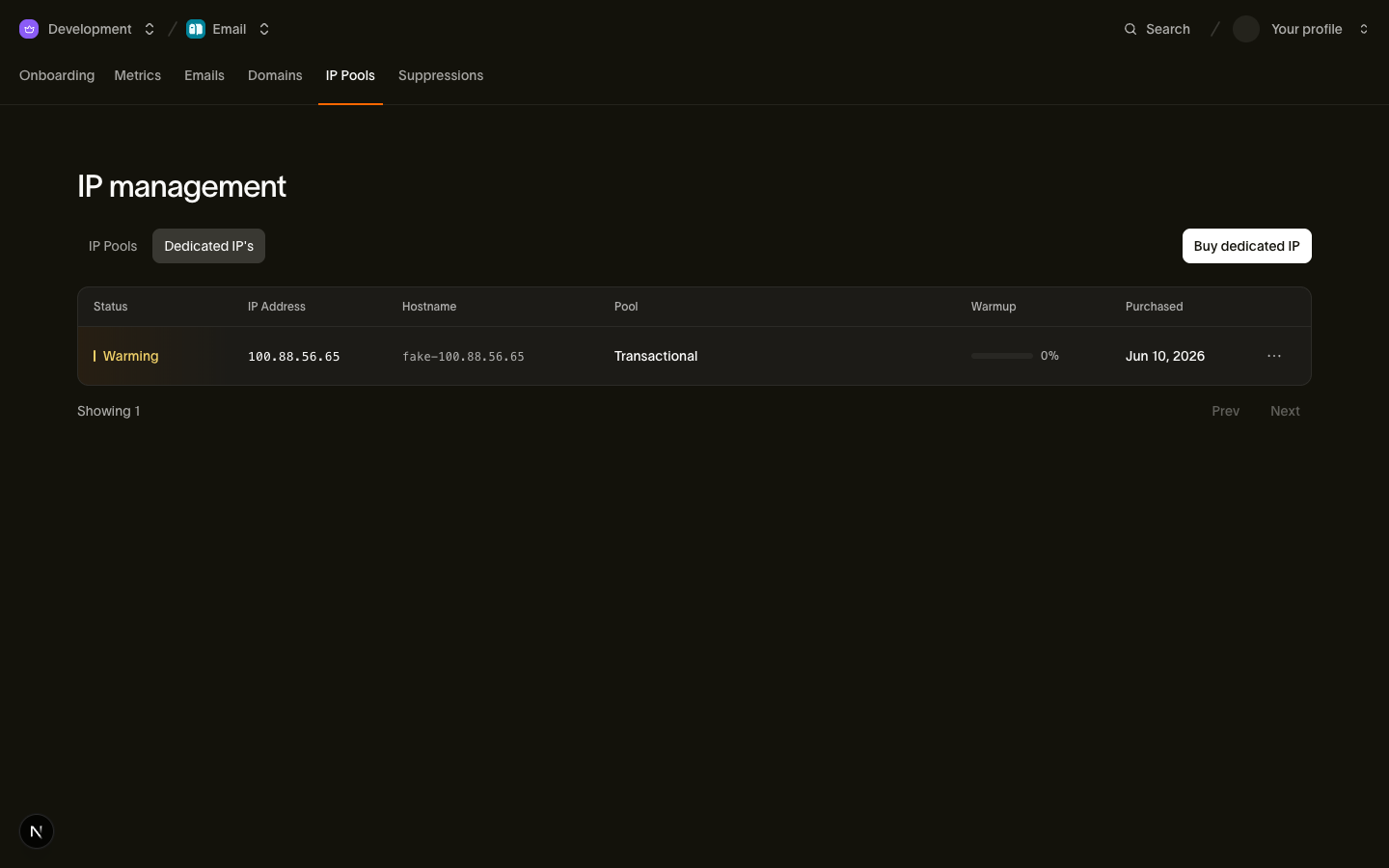
You do not manage warmup yourself. Every newly purchased dedicated IP starts in the warming status, and we warm it up automatically over roughly 30 days. The ramp is a fixed series of stages: at each stage the new IP takes a larger share of your traffic, and anything beyond what it can safely handle overflows through the shared pool. Your mail keeps flowing at full volume the entire time; only the split between the new IP and the shared infrastructure changes as the ramp progresses.
Three facts define the ramp:
warmup_progressis the completed fraction of the ramp,0to100. It advances steadily as stages complete; expect steady increments instead of jumps.- Progress syncs hourly. We check every warming IP against the sending infrastructure once an hour, so a change can take up to an hour to appear. Polling more often than that gains nothing.
- Completion flips the status to
active. When the final stage is reached,warmup_progressreads100,warmup_completed_atis set, and the IP handles whatever volume its pool sends, with no overflow to the shared infrastructure.
The full set of statuses a dedicated IP can report, including cancellation, lives in Dedicated IPs and pools.
Monitoring warmup
Watch status and progress in Email > IP Pools > Dedicated IPs, or read the IP resource with the CLI:
bird email dedicated-ips get dip_6jeq30c6f79n9st5z6002c349r{
"address": "198.51.100.22",
"created_at": "2026-06-29T13:56:39Z",
"hostname": "mta2.send.goldcrest.dev",
"id": "dip_6jeq30c6f79n9st5z6002c349r",
"ip_pool_id": "ipp_1btmn1nnkd8y6a4jckbkvvt9eh",
"organization_id": "org_01ky7m235keybaf72b0fdgfwj4",
"purchased_at": "2026-06-29T13:56:39Z",
"status": "warming",
"updated_at": "2026-07-23T13:56:39Z",
"warmup_progress": 45,
"warmup_started_at": "2026-06-29T13:56:39Z"
}The warmup fields:
warmup_progress: how much of the ramp is complete,0to100.warmup_started_at: when the ramp began, which is the moment of purchase.warmup_completed_at: appears once warmup finishes and the IP transitions toactive. Absent while the IP is still warming.
When to flip your default
The ramp protects you from the volume curve, but two decisions stay in your hands:
- The shared pool stays your default until you change it. Buying a dedicated IP never reroutes your traffic. Sends that do not name a pool keep riding the warmed shared pool, so traffic is never forced onto a cold IP. When you are ready, make your dedicated pool the default; the rules are in Dedicated IPs and pools.
- Wait for
activebefore flipping. You can point traffic at a pool whose IPs are still warming. Overflow routing means the mail still delivers. Leave the shared pool as default untilwarmup_completed_atis set, then switch. Never plan around dumping your full volume on a freshly purchased IP; the reputation you build during warmup is the whole point.
If you run multiple pools, treat each new IP the same way: purchase it into its pool, watch warmup_progress, and route dedicated traffic deliberately once the IP is active.
Next steps
- Dedicated IPs and pools: purchasing IPs, organizing pools, and default-pool rules
- Deliverability · Email: where warmup fits in the reputation model
Related resources
Continue with the documentation, guides and examples for this topic.