Choose voice sequence steps
Warning: Voice sequences are in preview. Steps, entry data, and the sequence definition format can change in ways that break existing sequences and API requests.
Early access: Webhook decision is in early access and is not generally available yet. Webhook decision and managed transfers are not selectable in the dashboard.
Open the Step catalog to inspect each step's settings, outputs, and examples. A template or renamed canvas step can show a task-specific name.
The catalog shows the steps available in the dashboard. The table below also identifies early-access steps that are not selectable yet.
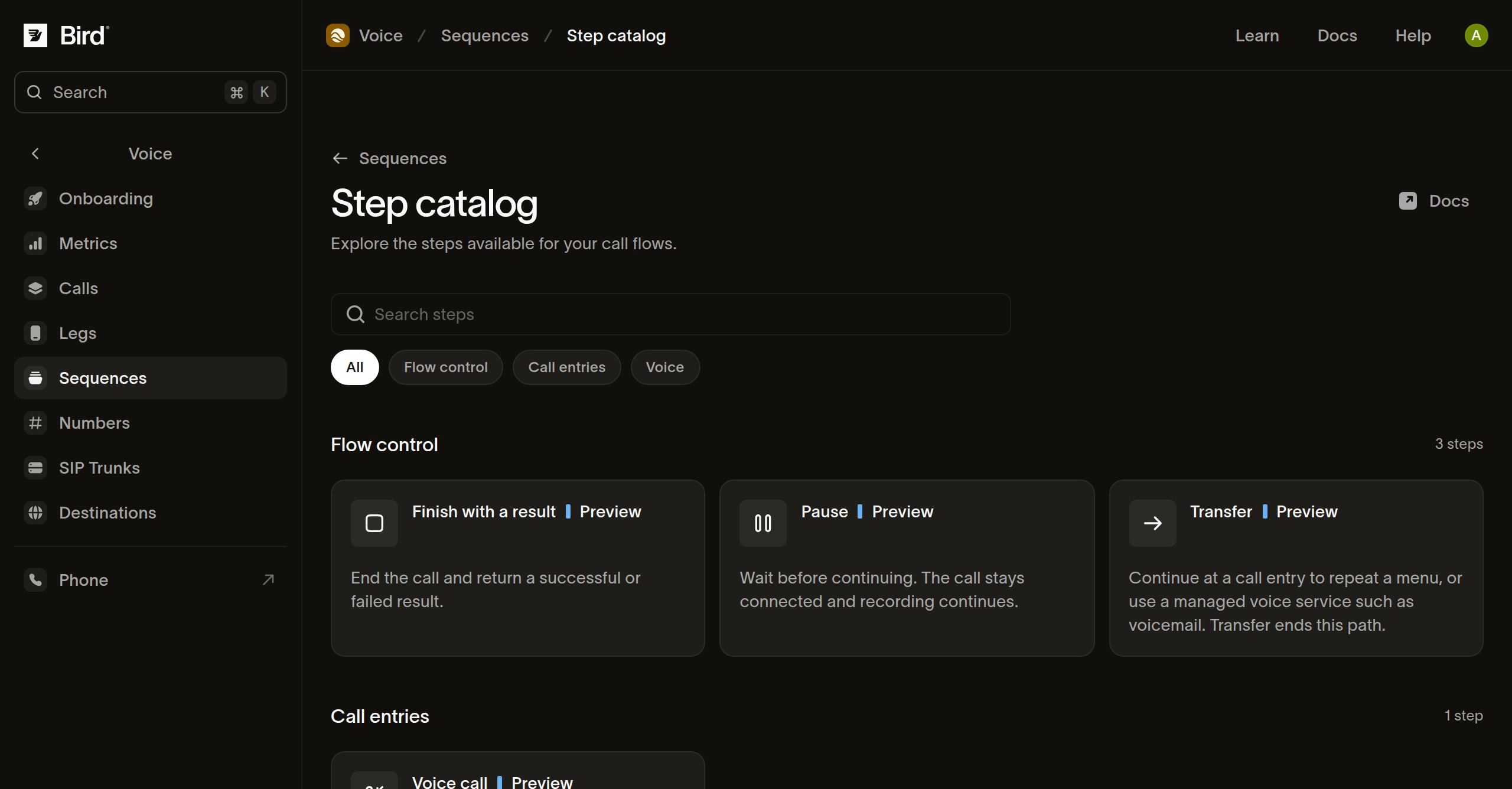
Choose the step for your task
| Step | Purpose | Continuation |
|---|---|---|
| Start call | Define a call entry and its accepted data. | Connect the event output to the first step. |
| Media | Run an ordered set of speech, audio, tone, pause, or recording commands. | Continue after the commands complete. |
| Gather digits | Play interruptible prompts and collect keypad input. | Choose a named digit match, timeout, or unmatched-input path. |
| Webhook decision (early access) | Send call data to an HTTPS receiver and use its response to choose a path. | Connect each configured business outcome and the failure outcome. |
| Branch | Choose a path using ordered conditions. | Take the first matching path or the default path. |
| Set values | Save named values for later steps in this entry visit. | Continue with the saved values available to following steps. |
| Pause | Wait while keeping the call connected and any recording active. | Continue after the duration. |
| Dial | Call a destination and connect it to the current caller. | Handle completed, busy, no-answer, and failed outcomes. |
| Send Automation Event (preview) | Start an Automation without waiting for its run. | Connect success, and failure unless the run should fail. |
| Transfer | Continue at another entry or a managed service. | The destination takes control; this step has no ordinary next path. |
| Hang up | End the call. | No next step. |
| Finish with a result | End with a succeeded or failed status, an optional reason, and object result. | No next step. |
Configure from the catalog
- Open a step to inspect its supported fields and examples.
- Add it to your draft from the relevant outcome.
- Replace illustrative values and inspect its configured output paths.
- Preview a sample for each outcome your flow handles.
Keypad paths depend on the matches you configure. Changing a step can make existing connections, mappings, or preview samples invalid. Use Checks after changing its contract.
Choose an explicit result
Use Finish with a result when reports need a business outcome such as hours_played or no_input. Configure the status to match that outcome and supply an object result, including {} when no fields are needed.
A deliberately failed result contributes to failed runs even when no technical error occurred. A successful result means the configured path completed; it does not establish that a person heard the message or that an external business task succeeded. Cancellation or failed call cleanup can prevent the configured result from being recorded.
Next steps
Related resources
Continue with the documentation, guides and examples for this topic.