Users, teams & roles
Access for people in Bird is role-based: a user holds a role on your workspace, and each role is a fixed set of permissions. Nothing else needs configuring; pick the right role and the permissions follow.
Roles govern what people can do in the dashboard. What services can do is governed by API key scopes: the same permission vocabulary, granted per key instead of per role.
Workspace roles
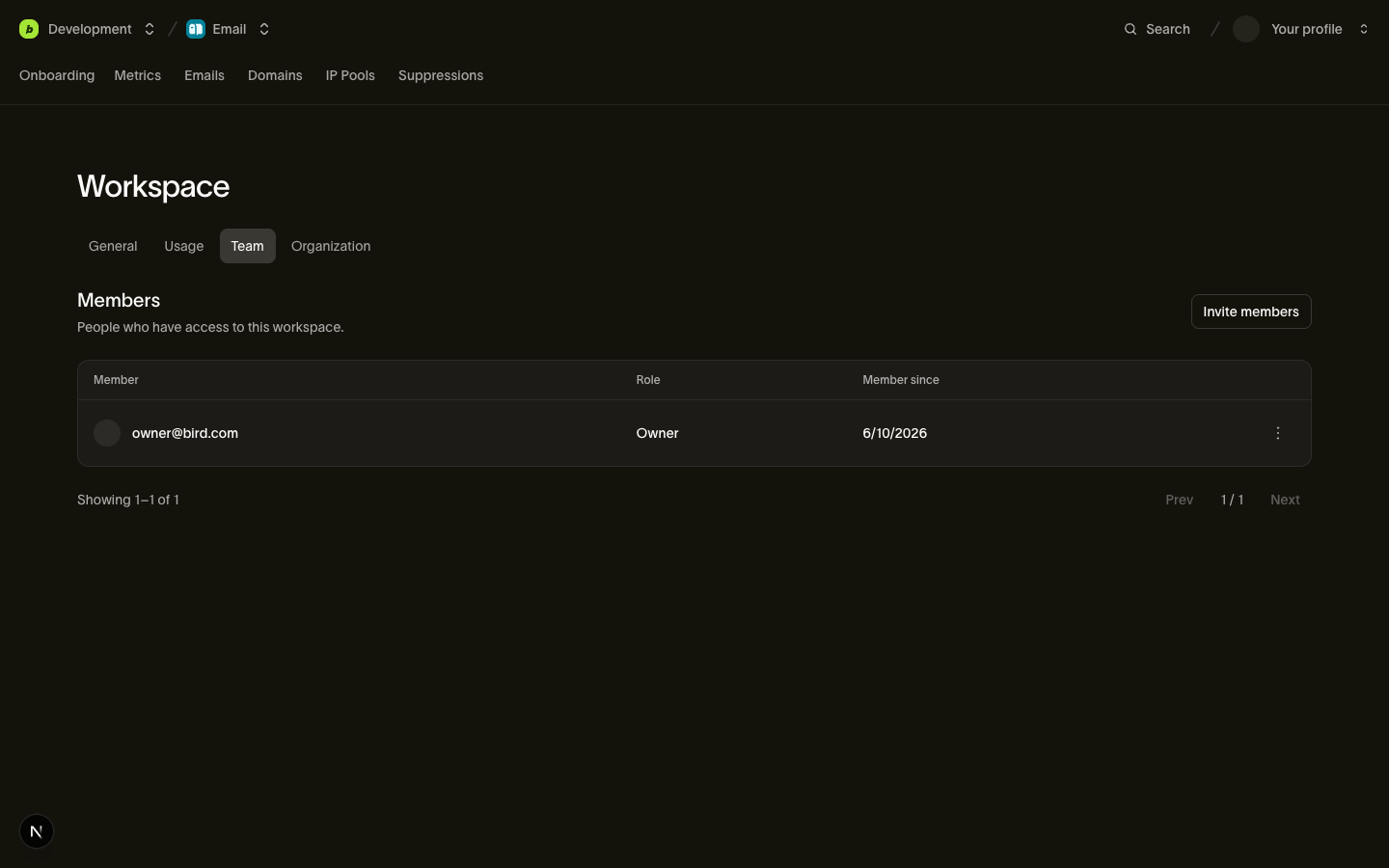
The roles you work with day to day live on the workspace (see Workspace): admin, developer, and analyst. Manage them in the dashboard under Settings > Team.
Every permission is a {scope, level} pair, where level is read or write (write includes read). A role is a named, fixed set of these pairs:
| Scope | What write means | admin | developer | analyst |
|---|---|---|---|---|
workspace | Edit workspace settings (name, notifications) | write | read | read |
access_restrictions | Manage workspace IP allowlists | write | none | none |
api_keys | Create and revoke API keys | write | write | none |
service_accounts | Review and revoke connected platform integrations | write | write | none |
emails | Send email | write | write | read |
email_management | Manage suppressions and email configuration | write | write | read |
email_marketing | Manage contacts, audiences, and broadcasts | write | write | read |
inbox_insights | Configure Inbox Insights and view placement data | write | write | read |
competitive | Manage Competitive Insights watchlists | write | none | read |
domains | Add, verify, and remove sending domains | write | write | read |
webhooks | Configure webhook endpoints | write | write | read |
sms | Send SMS | write | write | read |
sms_management | Manage SMS senders, suppressions, and settings | write | write | read |
verify | Send and check verification codes | write | write | read |
verify_management | Configure verification senders and countries | write | write | read |
whatsapp | Send WhatsApp messages | write | write | read |
whatsapp_management | Manage WhatsApp templates and settings | write | write | read |
amb | Send Apple Messages for Business | write | write | read |
amb_management | Manage Apple Messages business records, routing rules, and suppressions | write | write | read |
assets | Upload, update, and delete assets and folders | write | write | read |
automations | Create, publish, and execute workspace automations | write | write | read |
compliance | Manage registration identities, submissions, and evidence | write | write | read |
esim | Create eSIM orders and manage eSIMs | write | write | read |
esim_credentials | View and manage eSIM installation credentials | write | write | none |
lookup | Look up phone numbers, email addresses, and identity matches | write | write | none |
mailbox | Send and reply to mailbox messages | write | write | read |
mailbox_management | Create, update, and delete mailboxes and receive rules | write | write | read |
numbers | Search, buy, configure, and release phone numbers | write | write | read |
preferences | Record and delete cross-channel messaging preferences | write | write | read |
realtime | Create apps and publish events | write | write | read |
voice | Read leg logs and statistics, and place calls | write | write | read |
voice_management | Manage trunks, gateways, numbers, caller IDs, and destinations | write | write | read |
ip_pools | View the organization's IP pools (read-only) | read | read | read |
trust | View the organization's trust requirements (read-only) | read | read | read |
members | Manage the workspace team and invitations | write | read | read |
analytics | View reports and deliverability analytics | read | none | read |
audit | View the audit log | read | none | read |
request_logs | View the request log (read-only) | read | read | read |
In practice, an admin runs the workspace, including the team, IP allowlists, and settings. A developer can build integrations across channels, manage domains and webhooks, and create API keys. An analyst has read-only access (and no access to write-only wallet-spending scopes like lookup or secret-bearing scopes like esim_credentials).
Two read-only rows deserve a closer look: ip_pools and trust are read-only at the workspace level even for admins because purchasing dedicated IPs (org:ip_pools:write) and starting organization trust verifications (org:trust:write) are organization-level operations. Channel scopes split traffic (emails, sms, whatsapp, amb, voice) from channel configuration (email_management, sms_management, whatsapp_management, amb_management, voice_management) so API keys can be scoped narrowly even though workspace roles grant both at the same level.
A 403 from any endpoint means the authenticated principal lacks the {scope, level} that endpoint requires. The fix is a role change (for a person) or a new key with the right scopes (for a service).
Organization roles
Behind your workspace sits an organization that owns billing and the overall member list. Three roles manage that layer:
owner: everything. Full read and write across organization and workspace operations. An organization can (and should) have multiple owners. The person who created the account starts as owner.org_admin: organization administration (org:workspaces:write,org:master_keys:write,org:members:write,org:settings:write,org:access_restrictions:write,org:ip_pools:write, andorg:audit:read), plus automaticadminaccess in every workspace of the organization.billing_admin: billing and organization settings (org:billing:write,org:settings:write) plus read access to the organization member list and workspace metadata. No access to resources inside the workspace.
These rarely come up day to day: most teammates only need a workspace role.
Members and the team
Membership is implicit: a user is "in" your organization if they hold an organization role or a workspace role. No separate membership record exists to manage.
You manage the people on your workspace in the dashboard under Settings > Team, gated by the workspace members scope; a workspace admin manages the team here without any organization-level role. Team management is something people do, so API keys cannot hold the members scope (see Authentication).
Removing someone's workspace access removes that role without changing any organization role they hold. Removing someone from the organization revokes all of their account access. API keys they created keep working because each key belongs to the workspace independently of its creator.
Invitations
From Settings > Team, invite an email address with a role, and Bird figures out the rest. Behind the button is a smart invitation: one flow handles both colleagues who are already in your organization and people who have never heard of Bird.
- Already an organization member: they are added to the workspace immediately with the given role. No email, no waiting; the response is a member object.
- Not yet a member: Bird creates an invitation, emails them a signup link, and the response is an invitation object with a
pendingstatus. The link is valid for 7 days; after that the invitation expires and you invite them again.
The response's type field (team_member or invitation) tells you which happened. A second pending invitation for the same email returns 409 rather than creating a duplicate, and you can withdraw a pending invitation at any time from the same page.
An owner or org_admin can invite organization-level roles (org:members:write). Only an owner can grant the owner role.
Guardrails
Two invariants are enforced on every role change, regardless of who asks:
- The last owner is immovable. Demoting or removing an organization's only owner returns
409: an organization can never end up ownerless. Promote a second owner first. - You cannot change your own access. Changing your own role or removing yourself returns
403. This prevents both accidental self-lockout and quiet self-promotion; another admin or owner has to make the change.
How context is selected
Member and team endpoints exist at two levels, and which organization or workspace a request targets depends on how it authenticates:
- Session auth (the dashboard, or tools acting as you) supplies context per request:
X-Organization-Idon organization-scoped endpoints,X-Workspace-Idon workspace-scoped ones. - API keys carry their context implicitly. A key belongs to your workspace, which also pins the organization; no headers are needed, and a context header that contradicts the key is rejected as malformed (
400).
See Workspace for the full context-resolution model.
Next steps
- Authentication & API keys: scopes for services, and who can manage keys
- Workspace: the workspace these roles attach to
- Billing & usage: what the org-level billing roles manage
Related resources
Continue with the documentation, guides and examples for this topic.