Manage Apple Messages suppressions
A suppression blocks messaging to a specified Apple user ID or phone number within its recorded scope. Use Apple Messages > Suppressions to inspect these records before investigating a blocked destination.
Suppressions are separate from conversation status. Ending a suppression does not reopen a conversation the customer closed or grant permission to send an Invitation.
Inspect the scope and address
Open Suppressions and find the customer's recorded handle. Check whether the entry applies to a particular business or All businesses in the workspace. A business-specific check can miss a workspace-wide block.
Apple user ID refers to the opaque identifier used in an ordinary Apple conversation. Phone number refers to a phone-addressed suppression; it does not make that number a valid destination for an ordinary reply. Use the address from the relevant record rather than substituting one type for another.
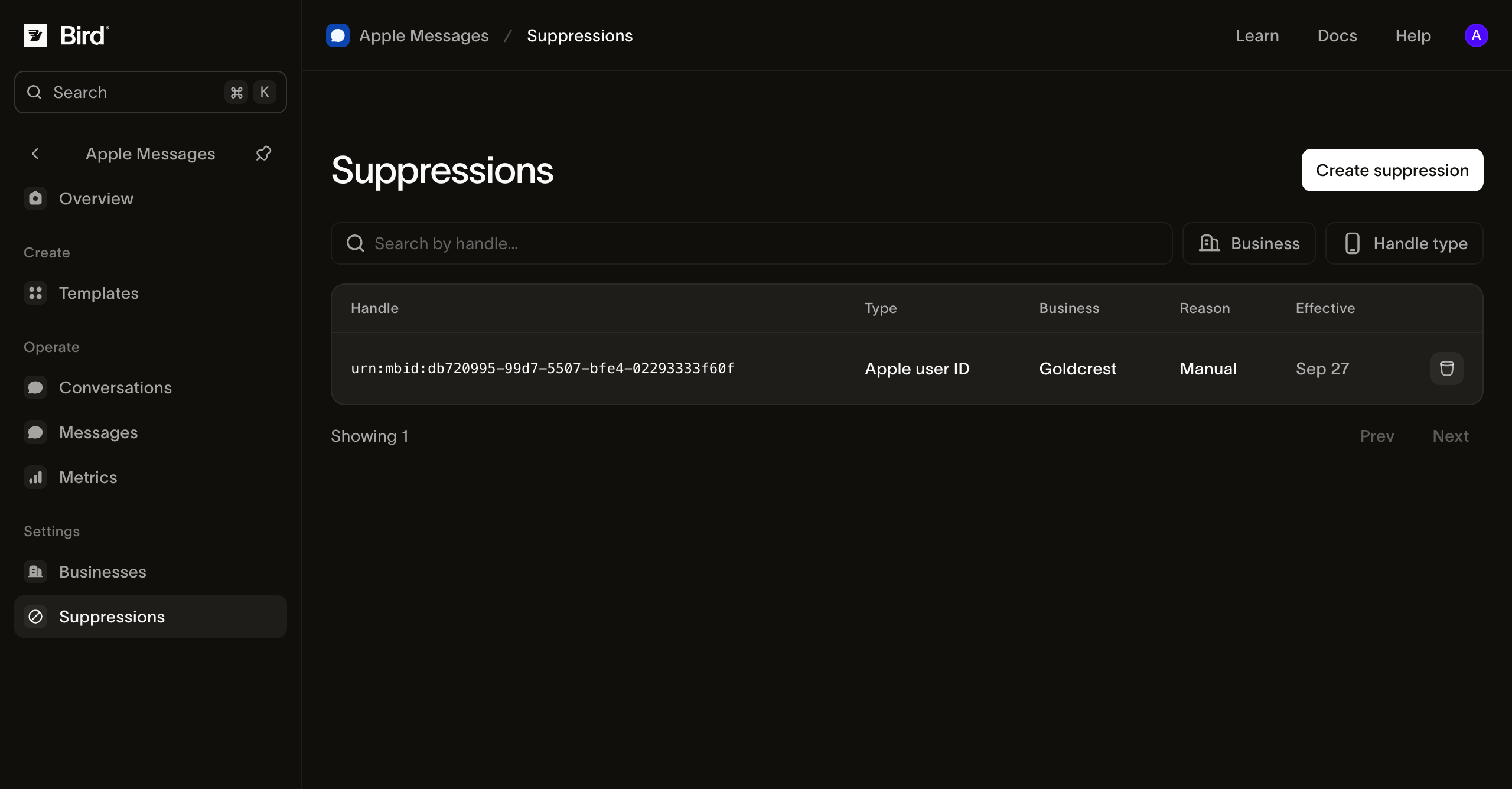
View the screenshot at full size.
Create a suppression
You need permission to manage suppressions.
- Select Create suppression.
- Under Scope, choose the intended business or All businesses.
- Set Handle type to Apple user ID or Phone number.
- Enter the exact Handle. For a phone number, include its country code in E.164 form.
- Review the address and scope, then select Create suppression.
Confirm that the new record appears with the intended scope. Use your team's records to document the customer's request and why the block was added; the creation dialog is not a consent-management system.
End a suppression
End a suppression when your team has established that the block should be removed. Do not remove a valid customer opt-out to make a failed send pass.
Open the record's actions, choose End, review the displayed handle, and select End suppression. The record remains in history.
Before sending, check for another active suppression covering the same destination, confirm that the conversation is open, and check that the business can send. A business in Testing can send in test conversations.
If sending is still blocked
Open the failed message and read the reason. A closed conversation, unavailable device capability, or business approval problem needs its own correction. Follow message-failure investigation and include the suppression scope when escalating to support.