Usage, spend, and invoices
Your organization's billing stream combines plan payments and usage charges. Under Billing and payments, Usage shows consumption, Spend shows wallet activity, and Invoices provides billing documents.
The Usage page
The Usage page shows current-period spend and the number of emails, SMS messages, WhatsApp messages, and verifications used.
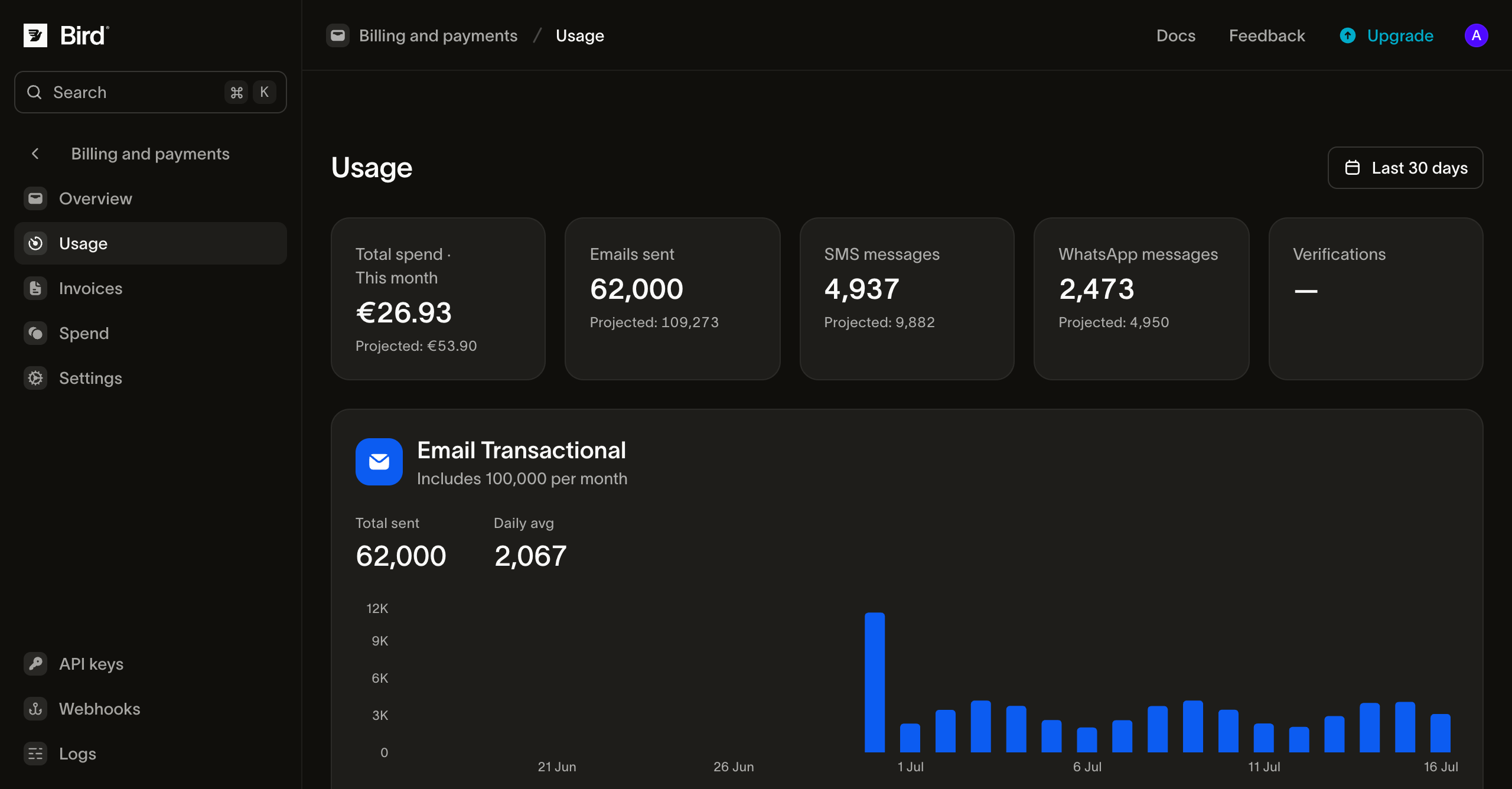
Each product section contains a daily chart and a breakdown table: by sending domain for email, and by destination country for SMS and WhatsApp. A range picker switches the charts between the last 7, 30, or 90 days. Use these details to interpret the data:
- Email on the Free plan or a legacy plan counts against an allowance. The email section shows consumption against the included monthly volume. On a paid Email plan there is no allowance, and the section shows sends charged from the wallet. Plans & pricing explains the difference.
- SMS and WhatsApp are paid from the wallet as you send, so their "spend" numbers show money already charged. Part of each message is charged on delivery rather than on sending (a carrier surcharge on SMS, Meta's share on WhatsApp), so a period's figure can still move for a short while after the last send.
The page shows the organization's total usage against its allowance and wallet.
If you regularly reach a plan's allowance or sending limits, compare the next tier on that product's plans page. Upgrades apply once their payment succeeds (Plan changes & renewals).
The Spend page
The Spend page is the wallet's ledger: every charge, top-up, refund, and adjustment in order, each with a description, the amount, and the wallet balance after it. Filters narrow it by product, transaction type, or date range, and there's a search box for descriptions.
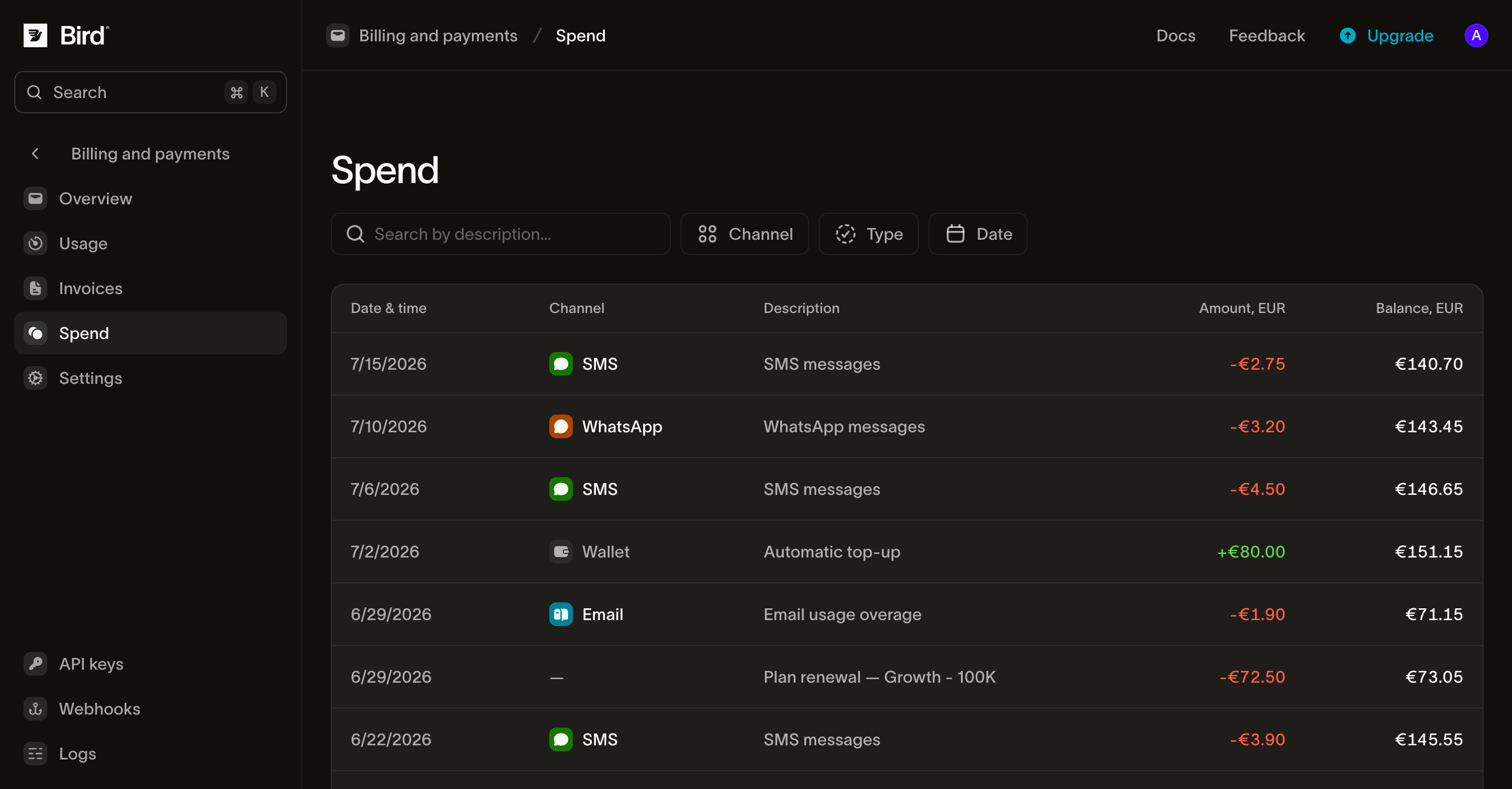
Use this page to investigate a charge. Each usage charge, funding plan deposit, or automatic top-up has a timestamp and running balance.
The Invoices page
The Invoices page lists one invoice per calendar month, issued at the start of the following month. Each row shows the invoice number, status, billing month, total, and amount paid, and downloads as a PDF for your records or finance team. Filters cover status, type, date range, and invoice number.
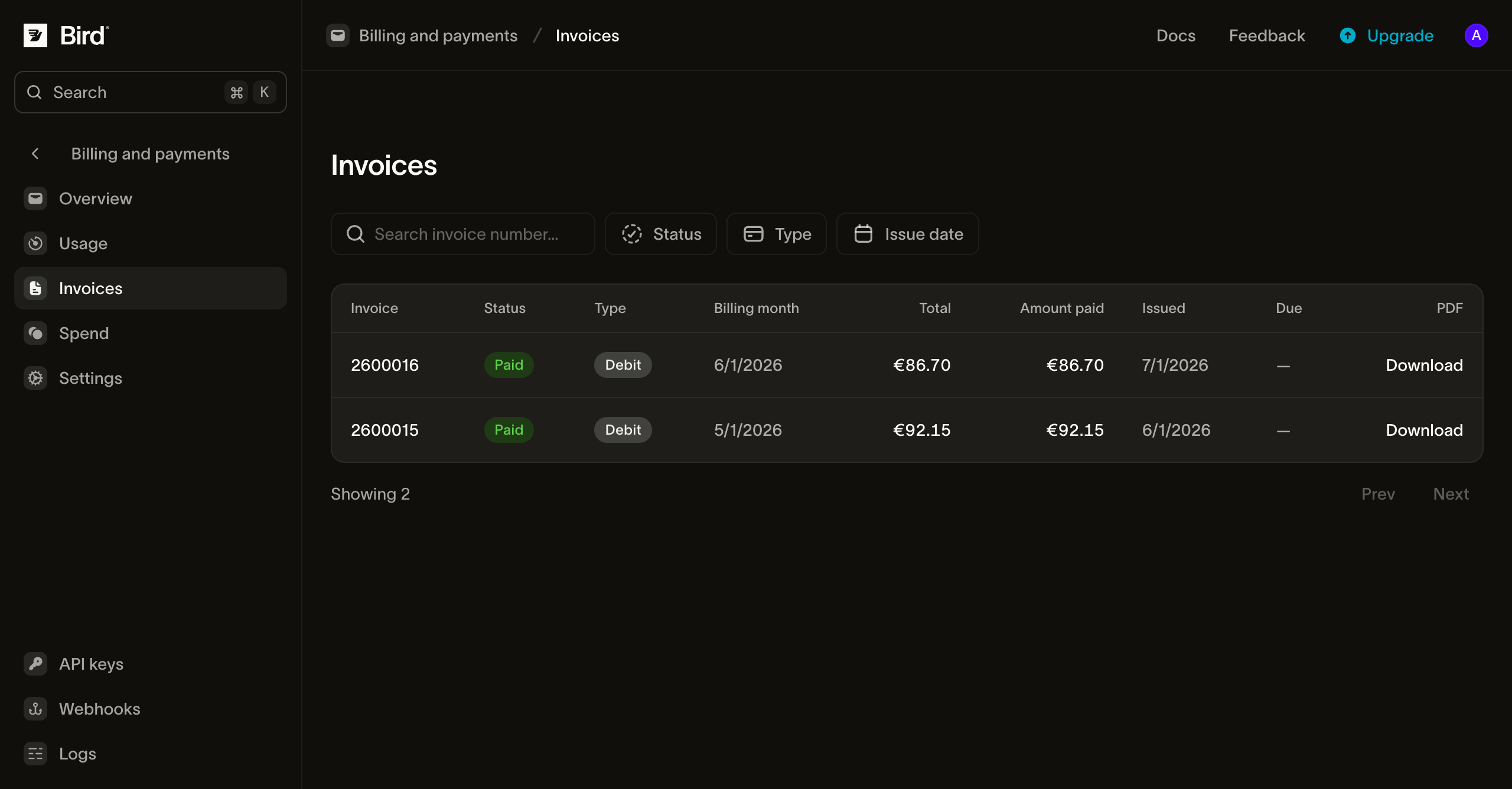
Invoice statuses include Open, Partial, Paid, and Void. A Debit invoice records charges, while a Credit invoice is a credit note. Organizations on invoice terms also see a due date. A prepaid invoice that still has an amount due is due on receipt. For prepaid organizations, the invoice records charges already applied to the wallet.
The plan period follows the subscription date, while invoices follow the calendar month. One invoice can therefore contain a plan fee and the month's usage even when the plan period starts mid-month.
Reading the line items
- Capacity plan fees: the fee for a plan that buys included usage, such as a Realtime plan, shown as paid with its tax.
- Legacy Email plan charges: the plan's recurring charge and, if you sent past its included volume, the metered overage.
- Pay-as-you-go items: one line per messaging product used that month. A channel can contribute more than one line, because the third-party fee charged on delivery is its own product (an SMS carrier surcharge, Meta's share of a WhatsApp message).
- Add-on subscriptions: a recurring monthly line for each dedicated IP or phone number you hold.
Wallet top-ups, including funding plan deposits, do not appear as invoice line items. A top-up moves money into your wallet, and the usage it later pays for appears on the invoice. Each top-up gets its own payment receipt, and the Spend page ties the two views together.
Next steps
- Plans & pricing: funding and capacity plans and how usage is priced.
- Payment methods & wallet: the balance all of this draws from.
- Refunds and your wallet balance: what to do about a charge you think is wrong.
- The billing data model behind these pages (how usage, the wallet ledger, and invoices are structured) is in Billing & usage.
Related resources
Continue with the documentation, guides and examples for this topic.