Why was my email rejected?
A rejection means Bird stopped a message or recipient before delivery. A bounce happens after Bird attempts delivery and the receiving server refuses the message. Inspect the rejection reason to choose the next step.
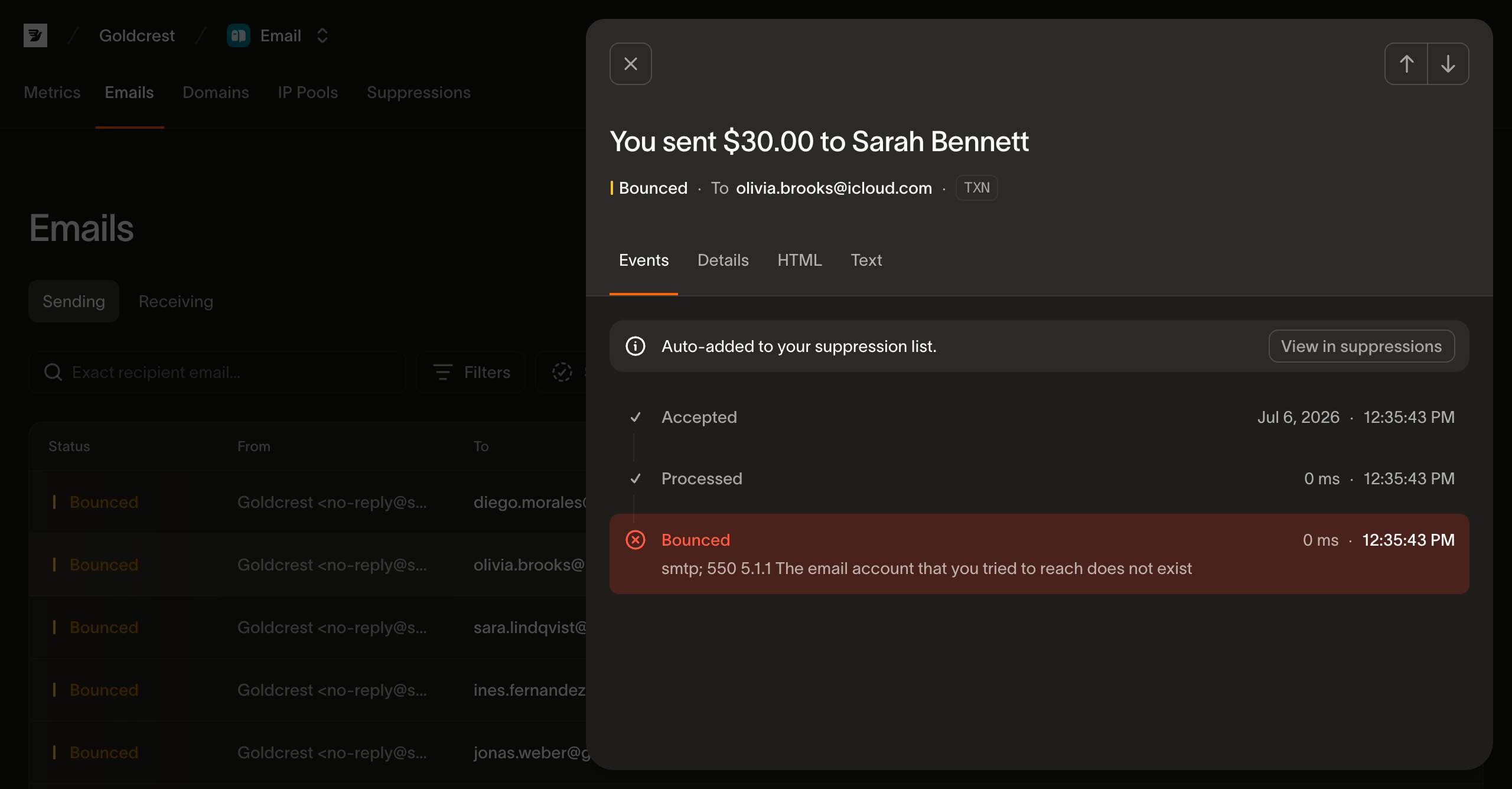
The recipient is on your suppression list
This is the most common rejection. Bird does not deliver to an address that hard-bounced, reported spam, unsubscribed, or was added to the suppression list manually. That block protects your sender reputation.
Two things worth knowing about how this shows up:
- Suppressed recipients remain visible. They appear in the message's recipient list as rejected, with the suppression reason. Bird continues processing recipients that are not suppressed.
- If every recipient of a send is suppressed, there's nothing left to deliver, so the whole send is refused with an all recipients suppressed error and no message is created.
If you believe an address should not be suppressed, review its reason before removing the entry. The suppressions guide explains how to manage the list. If you remove a hard-bounce suppression without correcting the address, the next send can bounce and suppress it again.
The address is invalid
If an address is malformed, or it's on a placeholder domain that can't receive mail (like example.com or a test domain), Bird rejects it rather than attempting a delivery that's guaranteed to fail. The fix is at the source: validate addresses when you collect them, so typos never make it into your list.
You hit a rate limit
Bird applies rate limits to API operations and sending. If a response includes Retry-After, wait for that interval before retrying. Use backoff for repeated limits and avoid sudden request bursts. See Common error messages for more detail.
A policy block
Sending policy can refuse a message sent from the shared onboarding domain to an unverified workspace member or from an unverified domain. The error identifies what was blocked and why.
Bird may also refuse traffic or suspend an account for a policy violation. Use the error response or dashboard notice to identify the restriction, then follow its remediation. If it does not explain the restriction, select Help > Contact Support.
A content or generation error
Bird rejects a recipient with a generation or validation error when it cannot build the message. Correct the template, content, or invalid field before resending.
How to find out which one happened
Open the message details in the dashboard. Each recipient shows an outcome, and rejected recipients include a reason. If Bird refuses the entire request, inspect its structured error and see Common error messages.
Next steps
- Common error messages: plain-language explanations of the errors behind rejections
- Why does email health show Throttled?: how health classifications differ from rejected sends
- Suppressions: the developer guide to the suppression list and how rejected recipients are reported
Related resources
Continue with the documentation, guides and examples for this topic.