Why did my email bounce?
A bounce means the recipient's mail server didn't accept your message. Check whether the failure is permanent or temporary because Bird handles the two types differently.
Hard bounces: the address doesn't work
A hard bounce is a permanent failure. The address may not exist, or its domain may not accept mail.
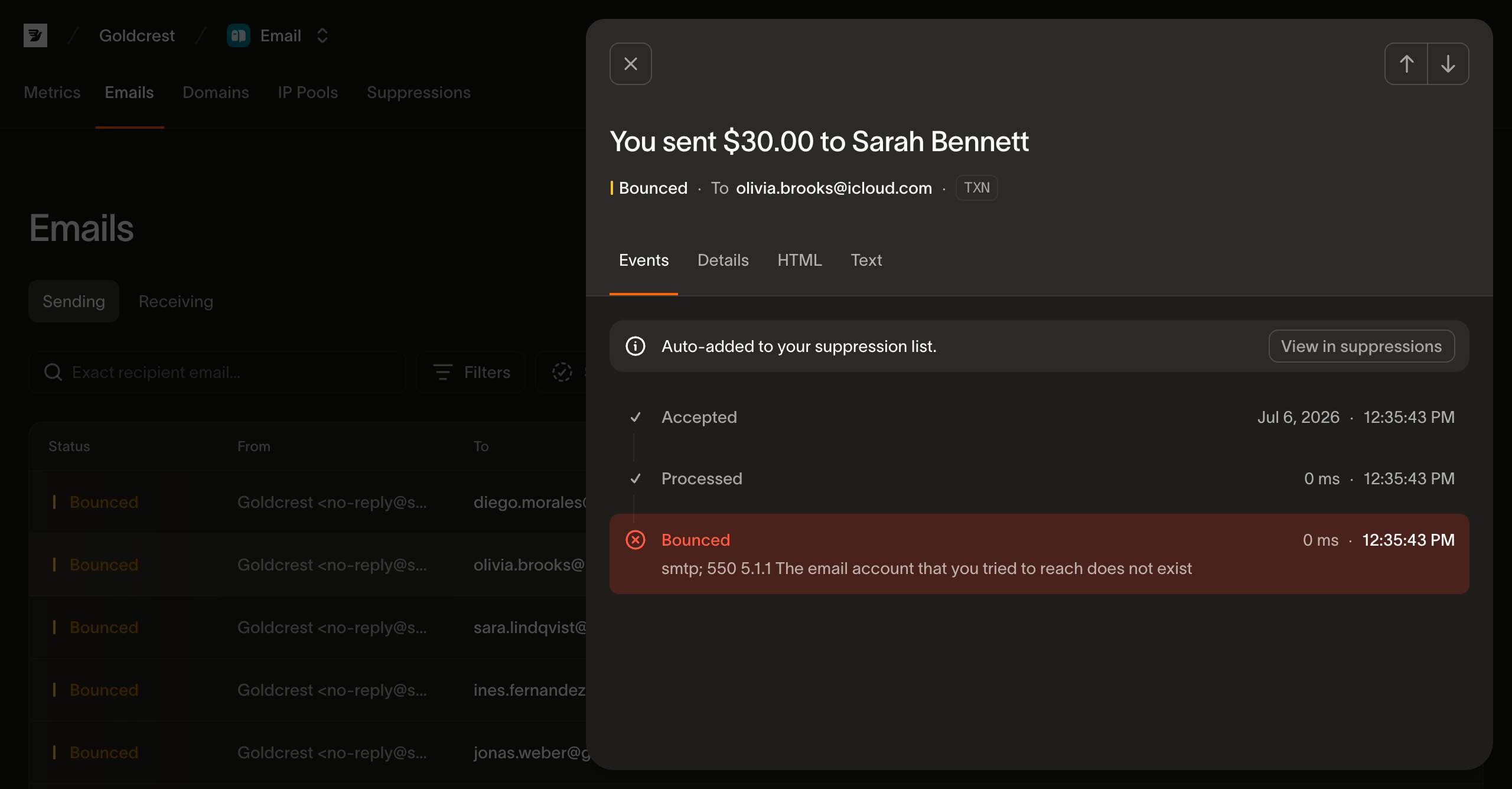
Bird does not retry a hard bounce. It automatically adds the address to your suppression list and rejects future sends to it before delivery.
Remove hard-bounced addresses from your mailing list, CRM, or database so another system does not try them again. The list hygiene guide covers ongoing cleanup.
Deferrals: a temporary problem
A deferral means the receiving server temporarily refused the message and asked Bird to try again. A full mailbox, an unavailable server, or traffic controls at the provider can cause a deferral.
Bird retries deferred messages. A later attempt may deliver the message. If the retry window ends without delivery, Bird records a final bounce. A temporary-class final failure is a soft bounce. Neither a deferral nor a soft bounce adds the address to your suppression list.
If you're seeing a delay rather than a failure, that's usually this retry cycle in action: see Delivery delays & retries.
Where to see why a specific recipient bounced
Bird tracks each recipient separately, so a message can be delivered to some recipients and bounce for others.
Open the message details in the dashboard. Each bounced recipient includes the receiving server's response, such as "user unknown" or "mailbox full." Use that response to distinguish a permanent failure from a temporary one.
What to do about bounces
- Hard bounces: Bird suppresses the address. Remove it from your source list.
- Deferrals: wait while Bird retries. Review addresses that repeatedly defer across campaigns.
- Soft bounces: treat the event as a final failure for that message and review repeated failures before sending again.
- Many hard bounces at once: stop the campaign and clean the list. High bounce rates damage your reputation with mailbox providers.
Next steps
- Delivery delays & retries: the retry cycle and the meaning of
delivered - Why does email health show Throttled?: how Bird classifies sustained delivery problems
- List hygiene: keeping bounce rates low in the first place
- Suppressions: the developer guide to how the suppression list works and how to manage it
Related resources
Continue with the documentation, guides and examples for this topic.