Add DNS records · AWS Route 53
When you add a sending domain to Bird, the domain's detail page in the Bird dashboard lists every DNS record to publish, each with a copyable host and value. Keep that page open in one tab and the AWS console in another. Copy each value from Bird instead of typing it.
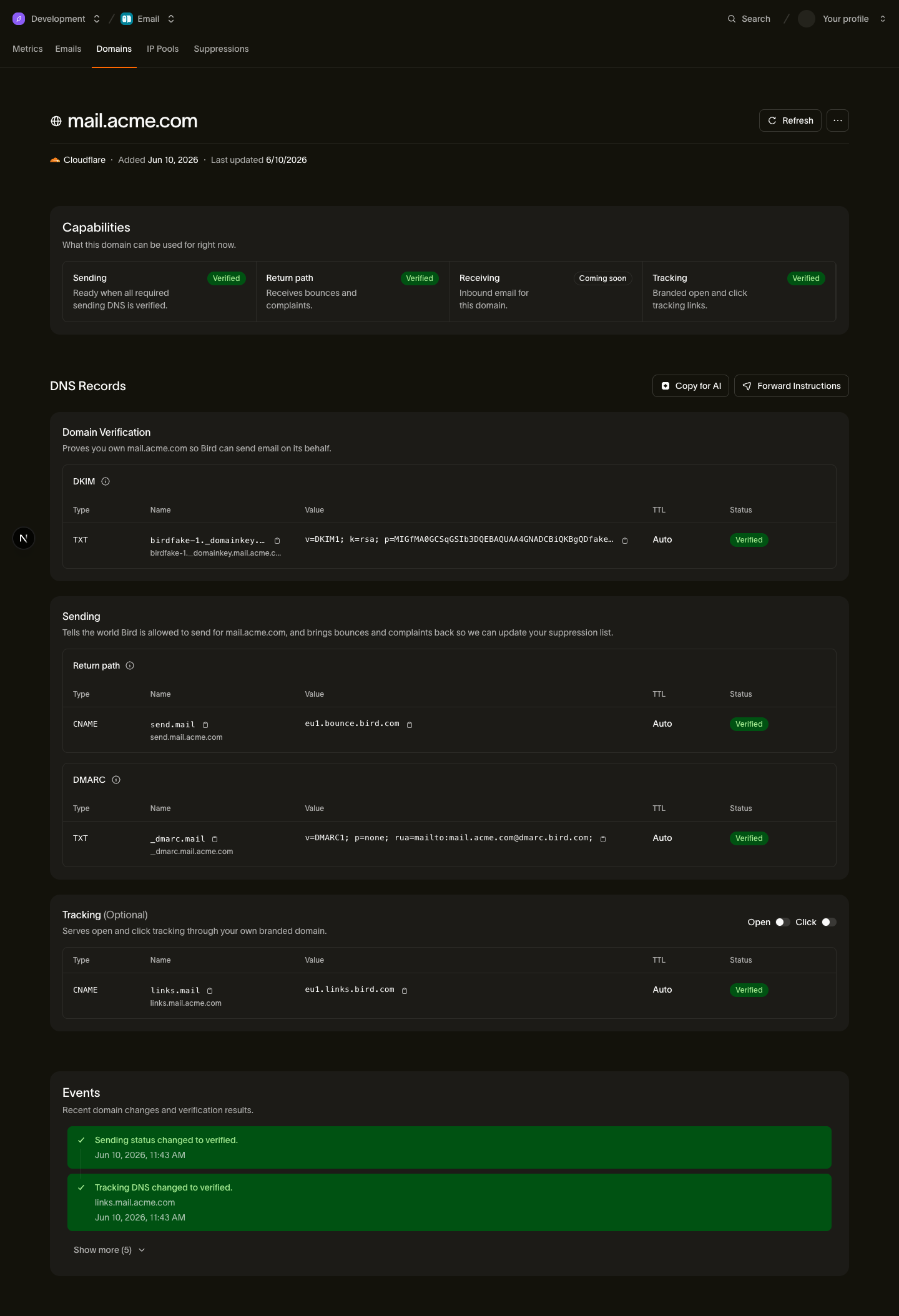
The records you'll add
| Type | Host | Value (copy from Bird) |
|---|---|---|
| TXT | <selector>._domainkey.example.com | Your DKIM key |
| CNAME | send.example.com | <region>.bounce.bird.com |
| TXT | _dmarc.example.com | Your DMARC policy |
| CNAME | links.example.com (optional) | <region>.links.bird.com |
The tracking CNAME (links) is optional and enables branded open and click tracking. It is not required for sending.
Add the records in Route 53
- Sign in to the AWS console and open Route 53.
- Select Hosted zones, then select the public hosted zone whose name matches your sending domain.
- Click Create record.
- For the DKIM record: paste the host's subdomain part from Bird (everything before your domain, for example
<selector>._domainkey) into Record name, set Record type to TXT, and paste the DKIM value from Bird into Value. Keep Routing policy on Simple routing. Click Create records. - Click Create record again. For the return-path record: enter
sendas the Record name, set Record type to CNAME, and paste the target from Bird (for example<region>.bounce.bird.com) into Value. Click Create records. - Click Create record again. For the DMARC record: enter
_dmarcas the Record name, set Record type to TXT, and paste the DMARC value from Bird into Value. Click Create records. - If you want branded tracking, add the optional tracking record the same way as step 5: Record name
links, Record type CNAME, Value<region>.links.bird.com. Click Create records.
Route 53-specific gotchas
- Don't add your own quotes to TXT values. Route 53 wraps TXT values in double quotes automatically. Paste the value exactly as Bird shows it: if you add quotes yourself, the published record contains literal quote characters and verification fails. Route 53 also caps a single quoted string at 255 characters; if the DKIM value is longer, use the DNS record splitter to break it into the multiple quoted strings a TXT record can hold.
- Verify that the zone is authoritative for the domain. Compare the zone's NS record set with the name servers configured at the registrar. If they differ, publish the records at the authoritative provider.
- Use Simple routing. Leave Routing policy on Simple routing for all four records; weighted, latency, or failover policies are not needed and only add ways for the lookup to go wrong.
After you publish
Bird checks your DNS automatically. You can also open the domain details in Bird and select Refresh. If the domain remains pending, see Verification delays.
Next steps
Related resources
Continue with the documentation, guides and examples for this topic.