Status page and incidents
When sending or the dashboard behaves unexpectedly, check the Bird status page before changing your integration. It shows whether an incident is platform-wide or limited to a component or region.
Reading the status page
The status page reports health by component, including the API, dashboard, channels, and regions. Check the component your workflow depends on:
- Operational: working normally.
- Degraded performance: the component is working with reduced performance.
- Partial outage: some component traffic is affected.
- Major outage: the component is unavailable or severely affected.
Active incidents appear at the top of the page with a severity, the affected components, and a running timeline of updates. Past incidents stay visible in the history, each ending with a resolution note.
Subscribing to incident notifications
Use Subscribe to updates on the status page to receive incident notifications by an available channel. Route them to a monitored team destination when Bird availability affects your operations.
What an incident means for your sending
An incident can delay email delivery. Do not resubmit an accepted message unless its final status requires it because resubmission can create duplicates. Retry failed API requests with backoff and reuse the same idempotency key.
What you may see during an incident, depending on which component is affected:
- Delivery degraded: accepted messages may reach recipients later than usual. Check message status before resubmitting.
- API degraded or down: new requests may be slow or fail. Retry only requests that Bird did not accept.
- Dashboard degraded: the dashboard may be slow or unavailable. Check the status page for any related API or delivery impact.
How Bird communicates during an incident
An incident entry identifies affected components and records updates through resolution. Use that timeline for current status and recovery information.
Distinguish a platform incident from an account issue
If no relevant incident is active, check your configuration and message events:
- Check the status page. If an incident covers your channel and region, follow its updates and do not resubmit accepted messages.
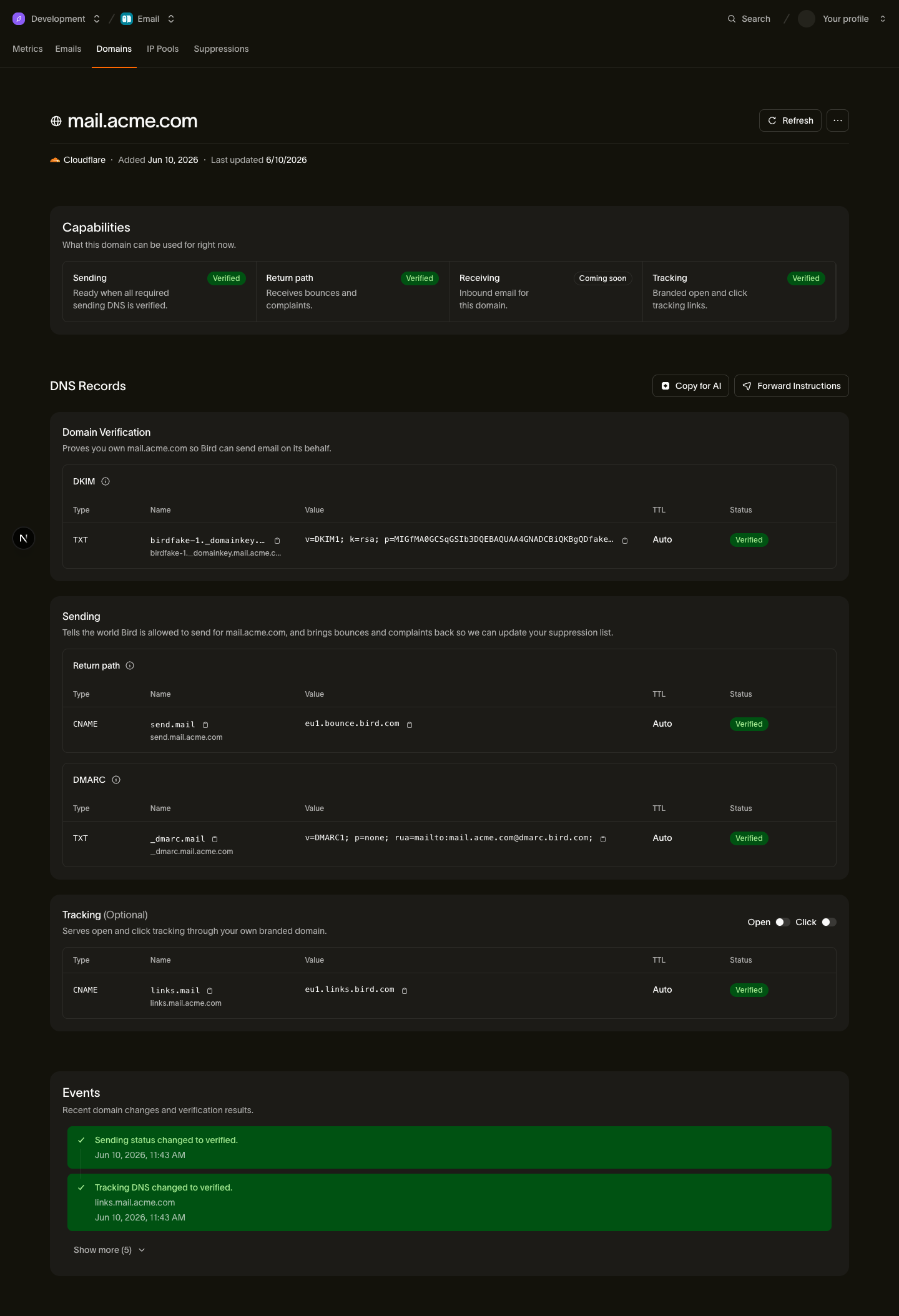
- Check domain verification. The domain page shows the status of each required DNS record.
- Check message events and metrics. Determine whether the issue affects one recipient, mailbox provider, sending domain, or all traffic.
If no relevant incident is active and your own checks come up clean, start with the delivery delays troubleshooting article. It covers account-side causes in order of likelihood. If email health shows Throttled, review what the diagnostic label means separately.
Next steps
- Delivery delays: the account-side checks to run when mail is slow
- Why does email health show Throttled?: what the diagnostic label means and how to respond