Avoiding the spam folder
Mailbox providers use authentication, message content, list quality, and reputation to decide inbox placement. Work through each area when messages land in spam.
Lever 1: Prove who you are
Authentication lets mailbox providers verify your sender domain. Verifying a domain in Bird configures DKIM signing, an aligned return path for SPF, and DMARC.
What to do: publish the DNS records from the domain details. See the sending domains guide and Gmail and Yahoo sender requirements. Use the DMARC policy generator if you need a record. After a test send, check the email log and inspect the received message with the Email header analyzer.
Lever 2: Send mail that looks legitimate
Content filters have moved well beyond keyword lists, but the basics still matter:
- Write accurate subject lines. Avoid misleading claims and formatting that obscures the purpose of the message.
- Balance text and images. A message that is one large image with no meaningful text resembles a common spam pattern. Include genuine text content that still makes sense when images are off.
- Include a working unsubscribe link in every marketing message so recipients can opt out without filing a complaint.
- Match what people signed up for. A sudden change in topic, frequency, or tone can drive complaints even from opted-in recipients.
Lever 3: Send to people who want it
Providers watch how recipients react. Mail that gets opened and clicked builds your reputation; mail that bounces or gets reported tears it down. This lever is list quality:
- Send only to people who opted in, and remove the chronically unengaged. The full routine is in list hygiene.
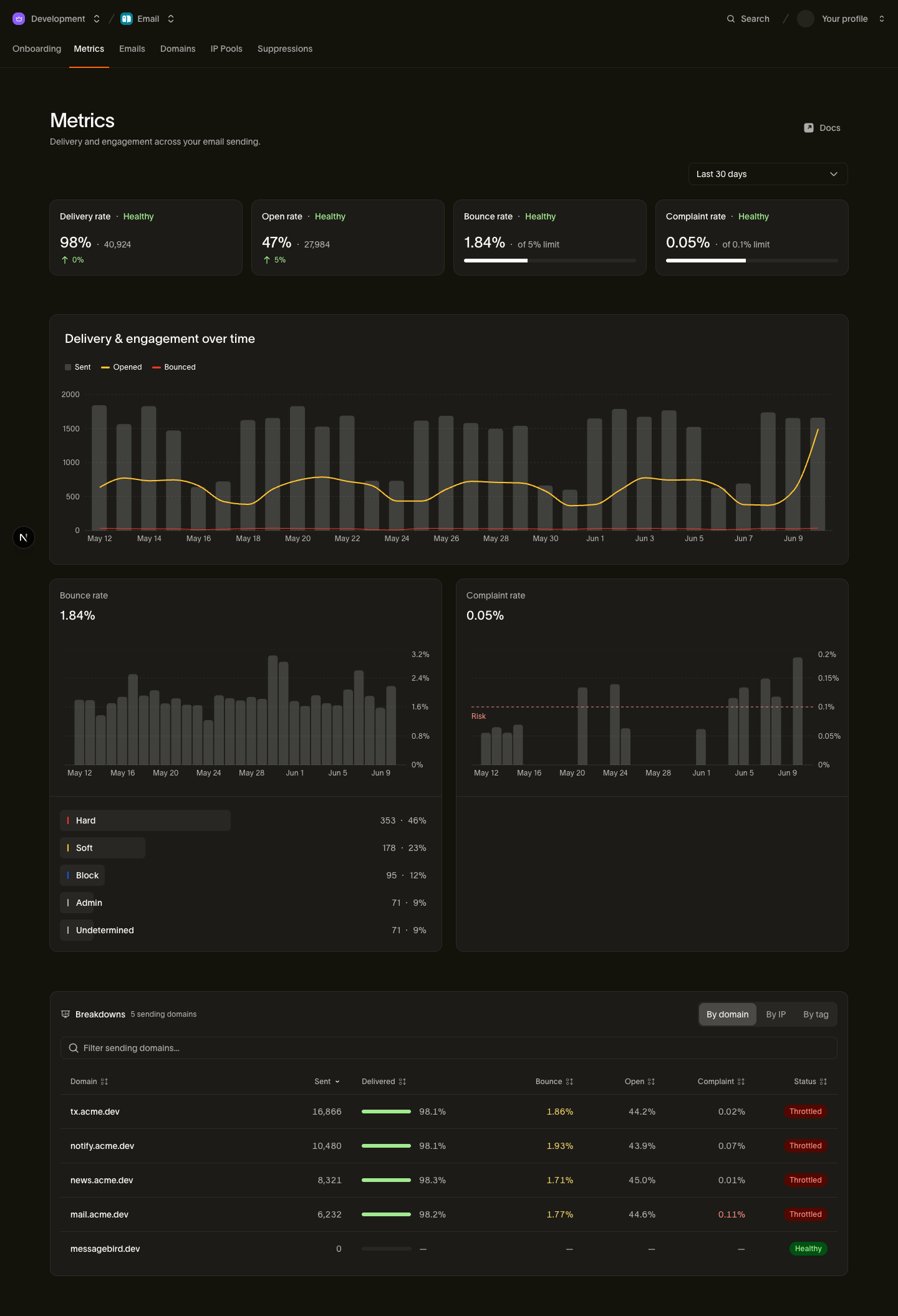
- Keep bounce and complaint rates low and watch them on the Metrics page; the thresholds and what to do when they climb are in sender reputation monitoring.
- If your domain or volume is new, ramp up gradually rather than blasting at full volume from day one. See warming best practices.
When mail still lands in spam
If authenticated mail to an opted-in list still lands in spam, check the Metrics page for recent bounce, complaint, or volume changes. Reduce volume while you investigate and start recovery with engaged recipients.
If the affected recipients use Microsoft 365, follow Troubleshoot email landing in Microsoft 365 Junk to collect headers and involve their administrator.
Next steps
- Gmail & Yahoo sender requirements: the formal rules large providers enforce for bulk senders
- Warming best practices: ramping new domains and IPs safely
- List hygiene: keeping bounces and complaints down at the source
- Sending domains: the developer guide to domain verification
Related resources
Continue with the documentation, guides and examples for this topic.