Warming best practices
Mailbox providers like Gmail and Outlook judge your mail by the track record of the domain and IP address it comes from. A brand-new domain or IP has no track record, and a sudden burst of high volume from an unknown sender looks exactly like spam, so providers throttle it or send it to the junk folder. Warming is the fix: start small, increase gradually, and let providers learn that your mail is wanted. It takes a few weeks, and skipping it is the most common way new senders damage their deliverability before they've really started.
Dedicated IPs warm automatically
If you've purchased a dedicated IP, the IP warmup itself is handled for you. Every new dedicated IP starts in a warming state, and its volume ramps up automatically over roughly 30 days: the share of traffic routed through the new IP grows in stages, and anything beyond what the IP can safely take overflows through the warmed shared pool. Your mail keeps flowing at full volume the whole time. Only the split between the new IP and the shared pool changes.
You can watch warmup progress as a percentage from 0 to 100 in the dashboard, where each warming IP shows a progress bar that advances steadily through the ramp. There's nothing to configure or schedule; the details of how the automatic ramp works are in the IP warmup guide.
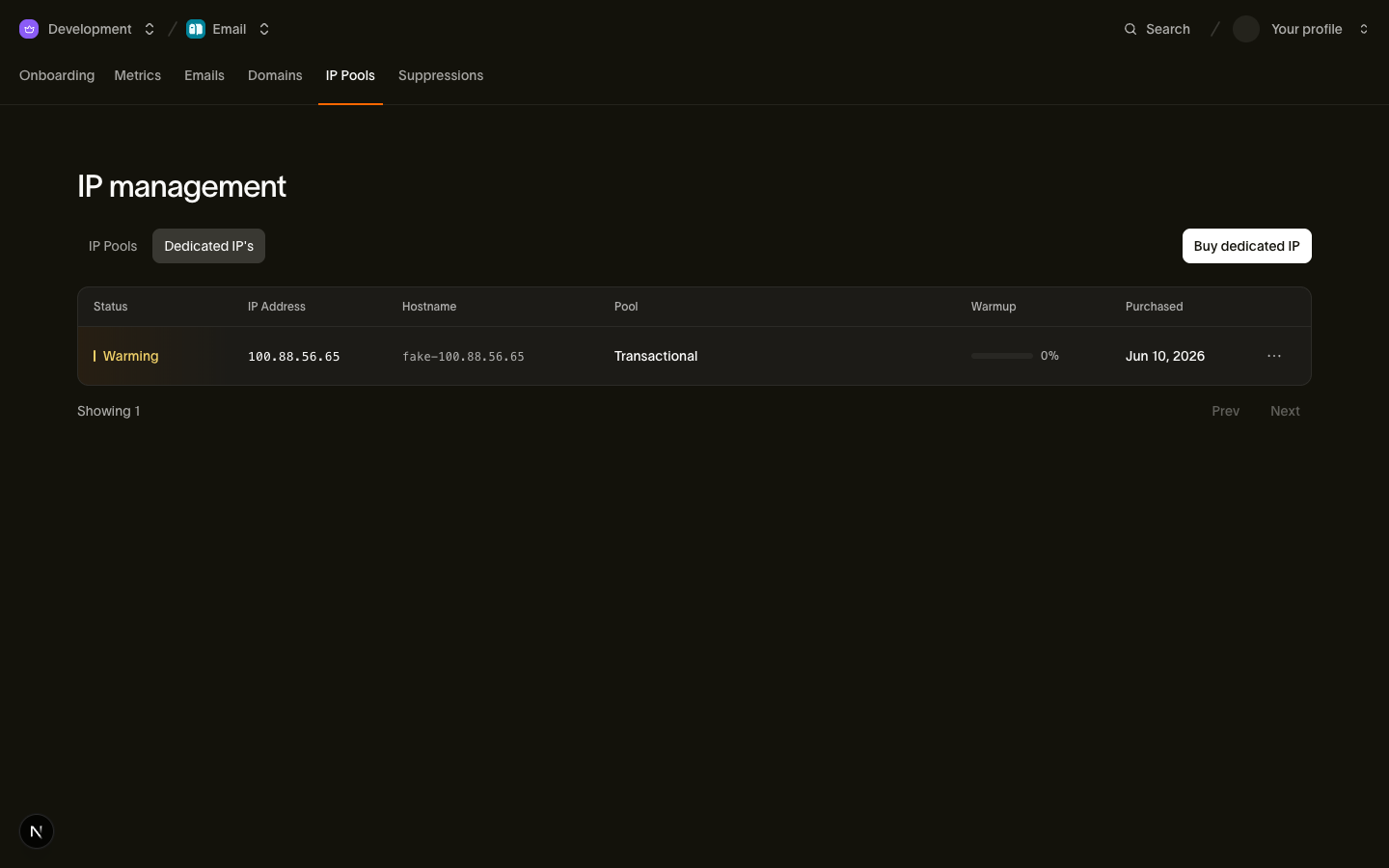
One thing stays in your hands: don't switch all your traffic onto a still-warming IP. Buying a dedicated IP never changes where your mail goes by default. The shared pool keeps taking it until you deliberately flip the default. Leave it that way until the IP's warmup reaches 100%, then switch. Pointing your full volume at a cold IP defeats the purpose of the ramp.
Domains warm too
Warming isn't only about IPs. Mailbox providers track your domain's reputation separately, so a brand-new sending domain should also ramp up gradually, even when it sends through already-warmed shared IPs. If you've just verified a new domain and plan to send serious volume from it, treat the first few weeks as a warmup period rather than going straight to full blast.
The same applies when you move an established program to a new domain or subdomain: the old domain's reputation doesn't transfer. Plan the migration as a ramp, shifting traffic over in stages rather than cutting over in one day.
How to ramp safely
- Start with your most engaged recipients. Early opens, clicks, and replies are exactly the signals that teach providers your mail is wanted. Begin with people who recently opted in or regularly engage, and widen the audience as the ramp progresses. Save the long tail of older, quieter addresses for after the warmup.
- Increase volume steadily, not in spikes. A smooth upward curve, roughly doubling every few days, reads as organic growth. A flat week followed by a 10x day reads as a hijacked sender.
- Watch your bounce and complaint rates as you go. Rising bounces or complaints during a warmup mean you're widening the audience too fast or mailing people who didn't ask for it. Check the reputation metrics regularly during the ramp, and slow down if the rates climb.
- Keep sending consistently once you're warmed. Reputation decays with silence. A domain or IP that goes quiet for weeks partially loses the trust it earned, so a steady cadence beats occasional bursts.
Next steps
- IP warmup: how the automatic 30-day ramp works in detail
- Dedicated IPs and pools: purchasing IPs and default-pool rules
- Sender reputation monitoring: the metrics to watch while you ramp