Bird Platform update: segmentation improvements & enhanced reporting
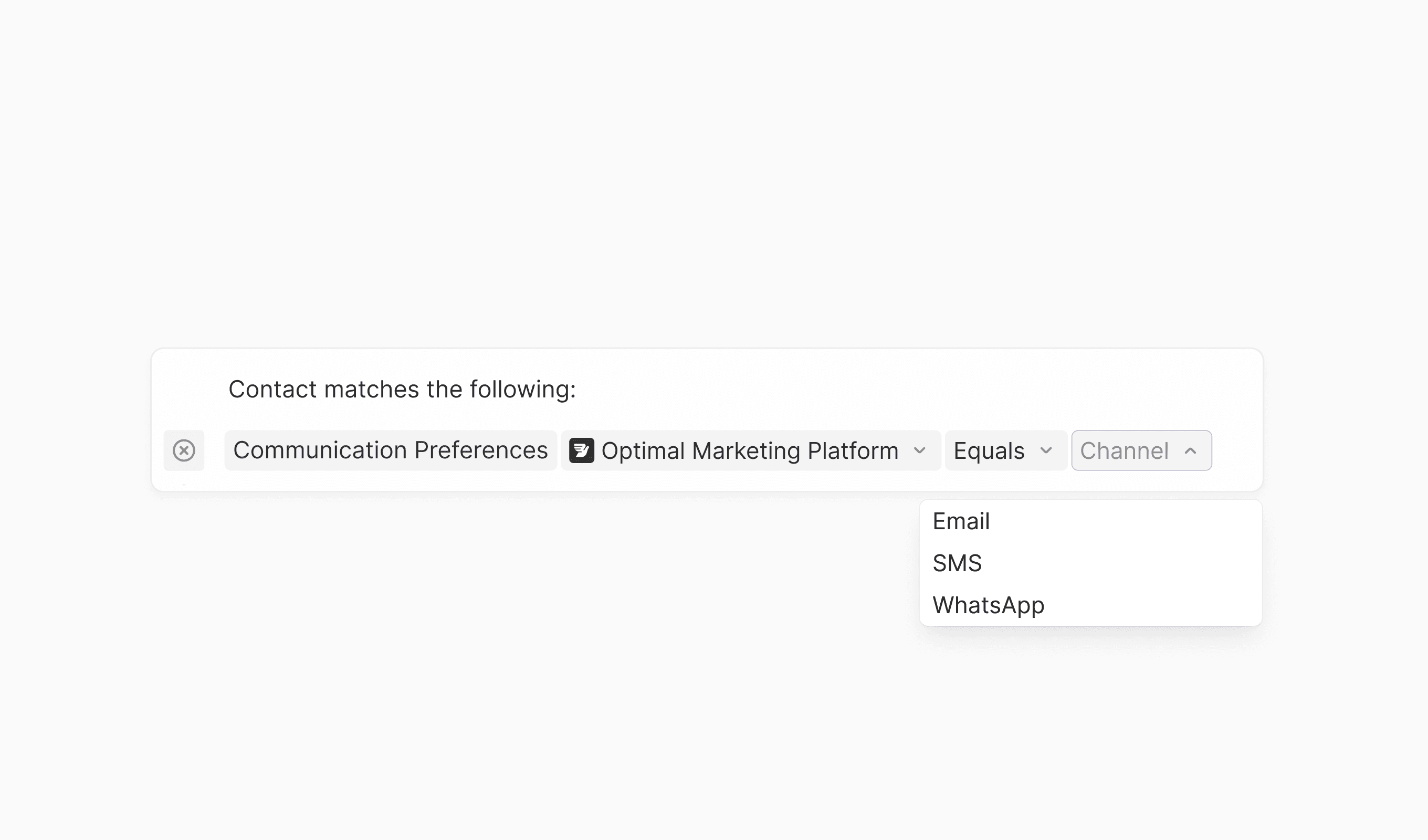
Our latest update introduces several enhancements across segmentation, reporting, and campaign management. These enhancements streamline common workflows and provide better visibility into contact data and message performance.
New features
- AI-based Optimal Marketing Platform segmentation: Target contacts based on their preferred communication channel using AI-powered optimal platform detection
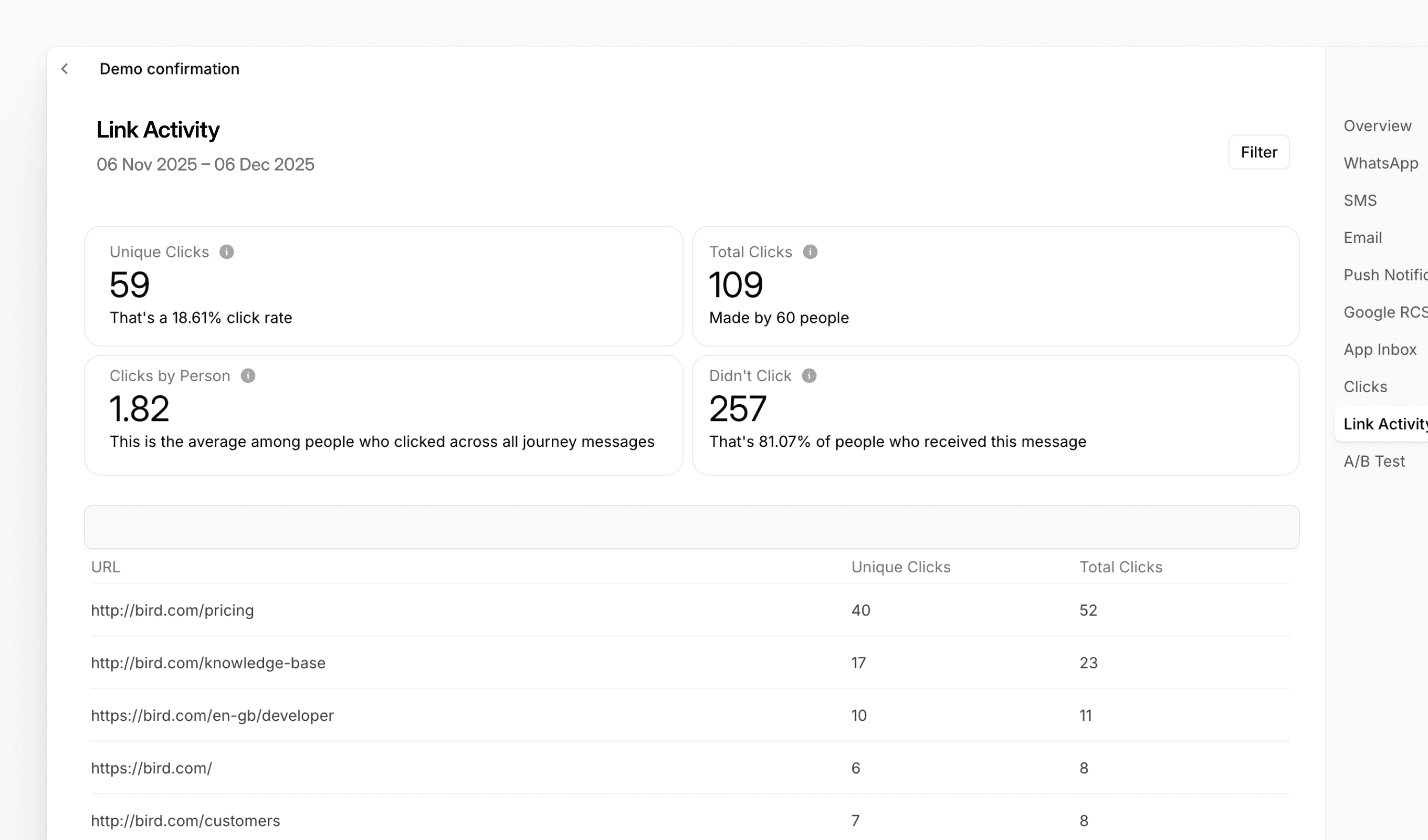
- Link Activity reporting for Journeys: New dedicated tab in Journey reports displaying click metrics per URL, including unique clicks, total clicks, and click rates
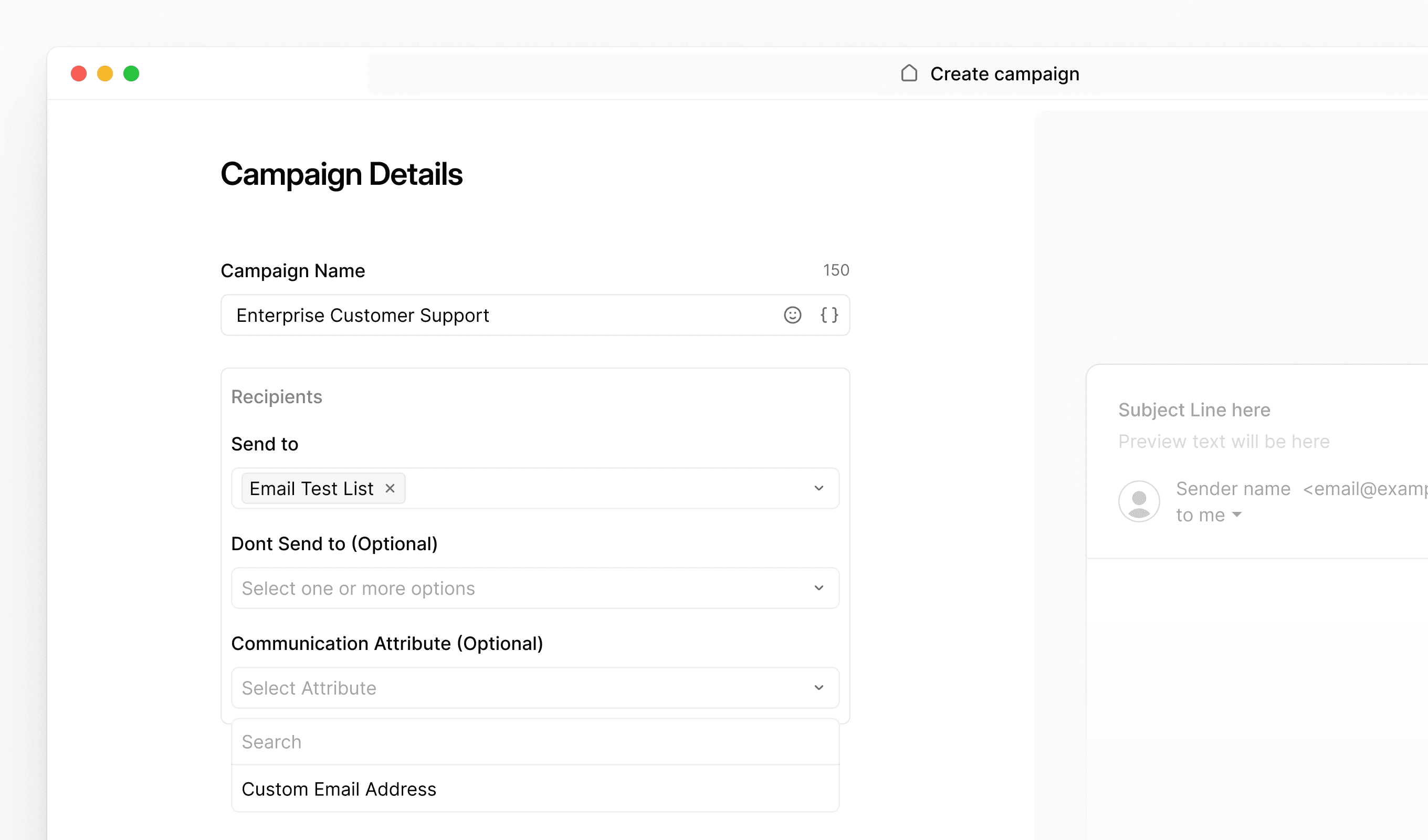
- Communication Attribute visibility: Enhanced dropdown interface in campaigns and journeys for easier selection of communication attributes
Improvements
- Test email identification: Email subject lines now automatically include [TEST] prefix when sending test messages from Bird for clearer inbox organization
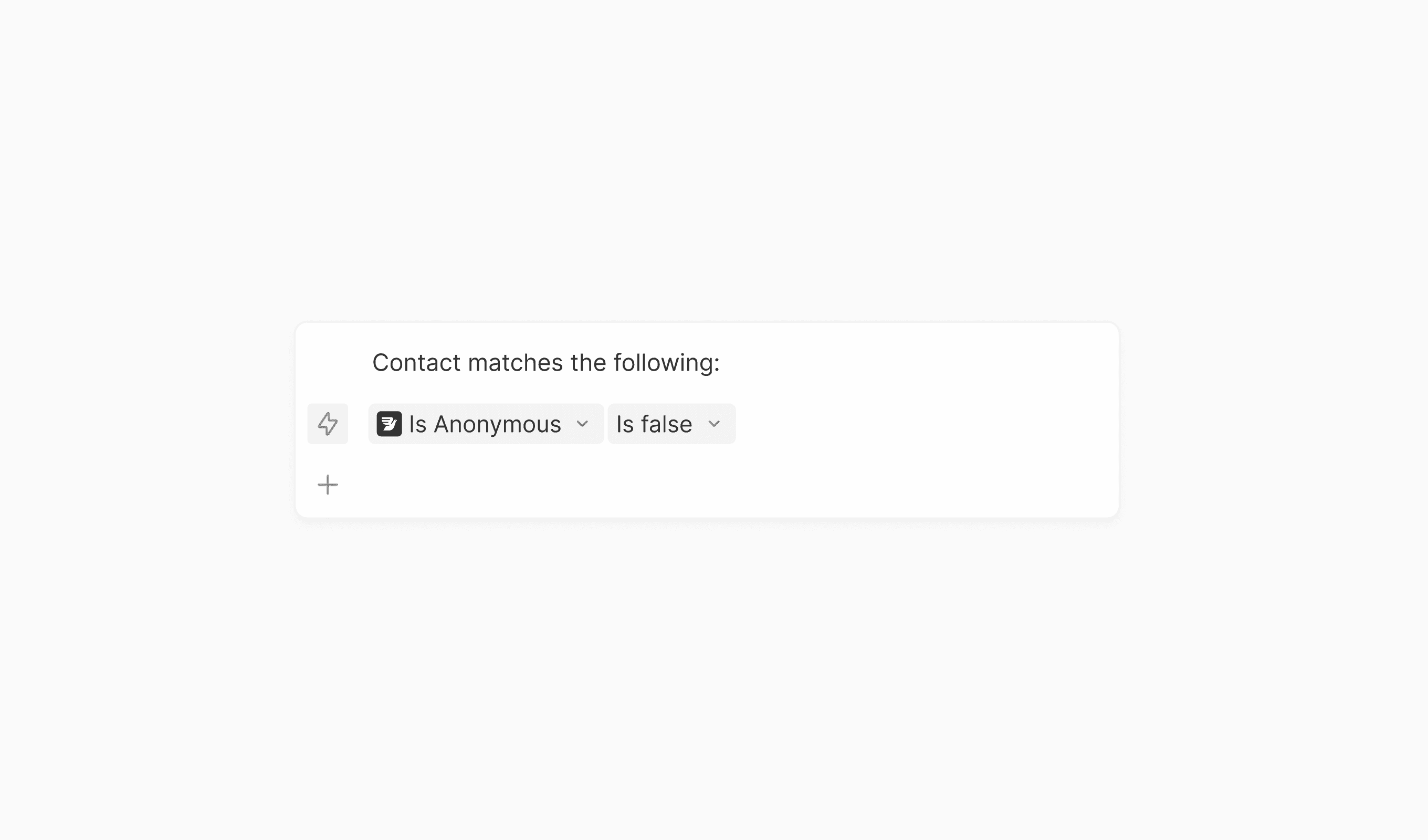
- Default anonymous contact filter: New "Is Anonymous" filter in Contacts view to quickly identify and filter contacts without email or phone numbers
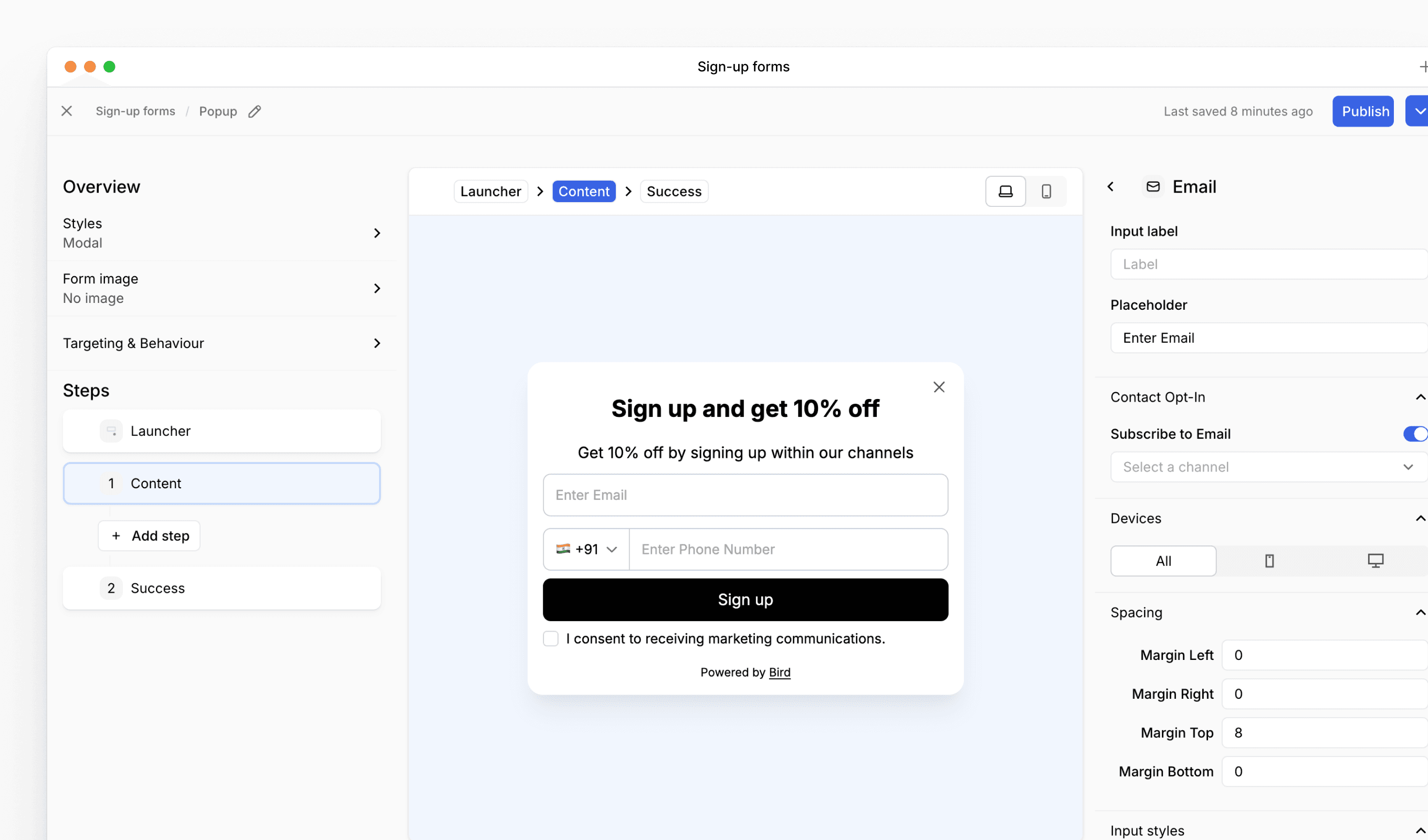
- Sign up form editor: new three-pane layout: The sign up form editor now uses a three-pane layout for easier editing. The left panel handles form-level settings and step navigation, the center shows your preview, and the right panel lets you configure individual content blocks
Verwandte Ressourcen
Weiter mit der Dokumentation, Anleitungen und Beispielen zu diesem Thema.
Die Funktion erkundenContacts and audiencesImplementierungsleitfadenAudiencesAnleitung ansehenManage your customers: contacts & audiencesDem Lernpfad folgenBuild your first integration
Implementierungs-Briefing erhalten