Inbox Insights
Know where your email lands.
Inbox Insights measures inbox and spam placement for your verified sending domains. Compare provider-level estimates with your own delivery and engagement, then include seed addresses in a real campaign to test where it lands. Start with the domain and mailbox provider you need to investigate.
Create your account, then review access and add a verified sending domain for placement monitoring.
Part of the Bird Email platformInbox placement
Example estimates
Last 7 days
Estimated inbox placement
Investigate a campaign
Include seed addresses in your send
Illustrative panel estimates. Inbox placement is measured separately from your delivery events.
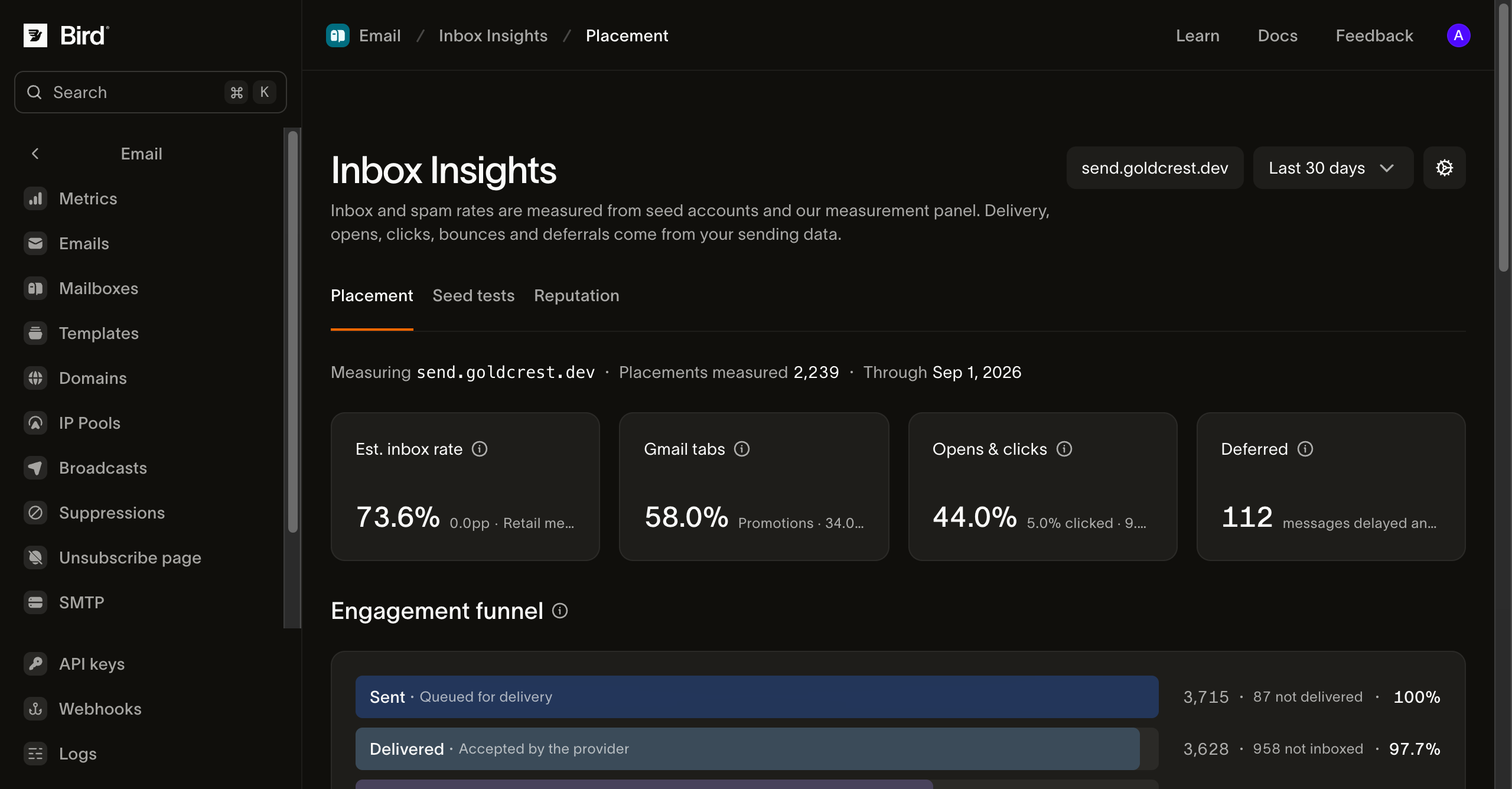
Product screenshot from the Inbox Insights guide. Figures illustrate the interface; they are not a promised result for your email.
From a placement drop to a focused investigation.
See the measured signals, then choose the next check.
Choose your sending domain
Track verified domains in your workspace and switch between them. The report identifies the domain, measurement count and freshness of the panel data.
Compare mailbox providers
Review estimated inbox and spam rates alongside your own delivery, deferral and engagement figures. Find a provider whose placement or delivery behavior has changed.
Understand Gmail tabs
See how measured Gmail placement splits across Primary, Promotions and other tabs when the panel has data for your domain.
Test a campaign with seeds
Choose an available seed pool, engagement profile and regions. Copy or download its addresses and include them in the campaign you want to measure.
Inspect authentication on a test
A completed seed test reports SPF, DKIM and DMARC results on that send. Compare engaged and dormant mailbox cohorts when both were selected.
Connect placement and engagement
Follow the funnel from sent and delivered to estimated inboxed, opened and clicked. Bird-measured counts and panel estimates are labeled separately.
See where your next test lands.
Create an account, review access and prepare a seed test for a verified domain.
What does the placement estimate mean?
Placement comes from seed accounts and a measurement panel. Your own sending supplies delivery, open, click and deferral figures. The inboxed funnel stage applies the measured placement rate to delivered volume; it is an estimate. A missing measurement stays empty instead of appearing as zero.
Run a seed test before the next important send.
Register a test, include its seed addresses in your campaign and review the results after the mail arrives. Registration uses a test from your current allowance, even if you never send. Your workspace shows the available pools, regions, allowance and send-by date.
Start with placement and seed tests.
Open the placement report, select your verified domain and investigate its provider breakdown. Use a seed test to examine a specific campaign, with Email analytics alongside it for your sending results.
Put it into practice.
Continue with the documentation, guides and examples for this topic. Resources are in English.
Questions about Inbox Insights
Is this called Inbox Tracker or Inbox Insights?
How is inbox placement different from delivery rate?
What do I need to get started?
Does creating a seed test send my campaign?
What can I check on a completed seed test?
Can I use Inbox Insights through a public API?
Choose the next step for your email program
Read the product guide or continue into a related workflow.
Know where your next campaign lands.
Start with a verified domain and a placement report. Run a seed test before an important send, or review measurement coverage with our team.
Create your account, then review access and add a verified sending domain for placement monitoring.