
Key Takeaways
- WhatsApp is a high-engagement marketing channel with 2B+ monthly users and average open rates above 75%.
- Success starts with clear goals, measurable KPIs, and performance tracking (deliverability, engagement, ROI).
- Effective targeting depends on identifying WhatsApp-ready audiences—people already active, engaged, and likely to respond.
- Verified WhatsApp Business Accounts unlock trust, visibility, API access, automation, and scalable messaging.
- All outbound WhatsApp messages require Meta-approved templates; message quality determines daily sending limits.
- Strong templates follow best practices: plan ahead, include samples, support multiple languages, and stay compliant.
- High-quality opt-ins are essential—transparent, voluntary, and value-driven—to meet WhatsApp’s strict anti-spam rules.
- Opt-ins can be collected across websites, landing pages, existing conversations, phone IVR flows, and event environments.
- WhatsApp excels at high-touch, conversational marketing—customers expect personalization, assistance, and real dialogue.
- Long-term success depends on consistent experimentation, automation, segmentation, and relationship-building.
Dive deep into actionable tactics for launching one of the fastest growing marketing channels available.
WhatsApp isn’t just another app on your phone. It's a communication giant with over 2 billion monthly active users worldwide. Born as a simple messaging platform, it's now a staple of daily life for many, seamlessly blending their personal and professional lives. And guess what? The marketing world has taken note.
For some customers, traditional marketing avenues like email have lost their spark. With plummeting open rates and audiences increasingly wary of promotional bombardments, businesses are on the hunt for more intimate and effective ways to connect.
WhatsApp as a marketing channel provides just that. The platform sees an average open rate of over 75%, leaving other platforms in the digital dust.
With over 100 billion messages sent daily, WhatsApp is not just the next big thing; it's colossal. Its footprint spans continents, giving brands an unmatched opportunity to connect with global audiences.
A step-by-step guide to launching WhatsApp as a marketing channel
So, you're ready to dive into WhatsApp marketing? Like all endeavors, success on WhatsApp starts with a solid foundation. Here's a detailed guide to help you build that, step by step.
1. Set clear goals and track measurable KPIs
Before you type out that first promotional message or offer, take a moment to address your goals. What do you aim to achieve?
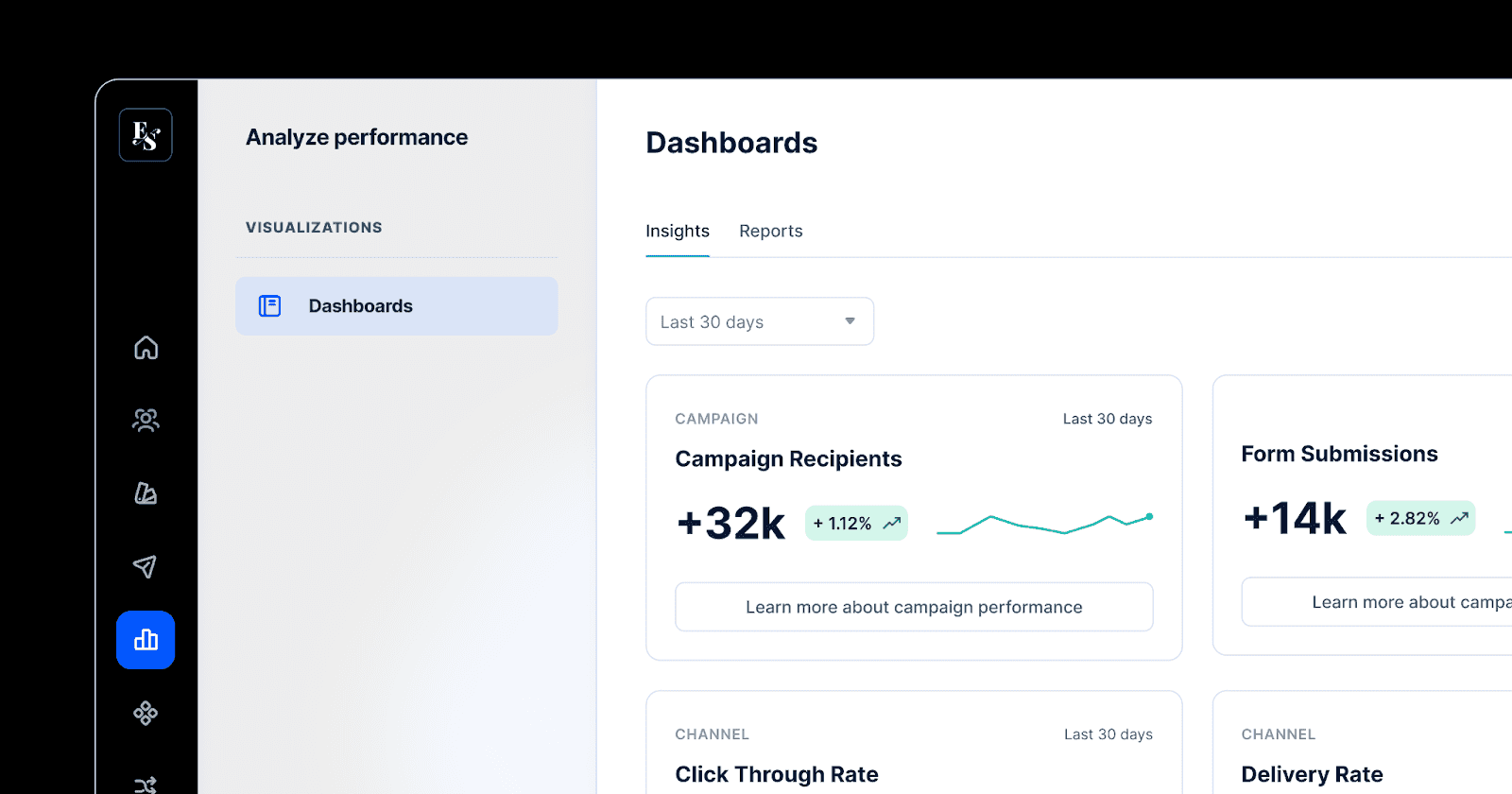
Establish clear and measurable KPIs tailored for WhatsApp. For example, deliverability and open rates can prove whether your customers are engaging with your messages—a healthy, achievable measure of success could be an open rate of over 80%. Meanwhile, you could track the ROI of your WhatsApp campaigns by attributing conversions directly to WhatsApp links.
By setting benchmarks such as these, you can track, analyze, and optimize your strategies as you go. After all, knowing where you're heading makes the journey smoother.
For a seamless experience tracking these KPIs, check out Bird's marketing analytics, where you can easily access an overview of your progress.
2. Get granular about audience targeting
Every message has a receiver, and in marketing, the more specific you are about who’s receiving your message, the better. Are they tech-savvy millennials or budget-conscious parents? By pinpointing your target, you can tailor your messages for maximum engagement.
You’ll want to target customers who are most likely to actually engage with you on WhatsApp. These are people who use WhatsApp already, and have a legitimate interest in receiving communications from you. Customers who have recently visited your site, made a purchase, or left reviews are great audiences to target.
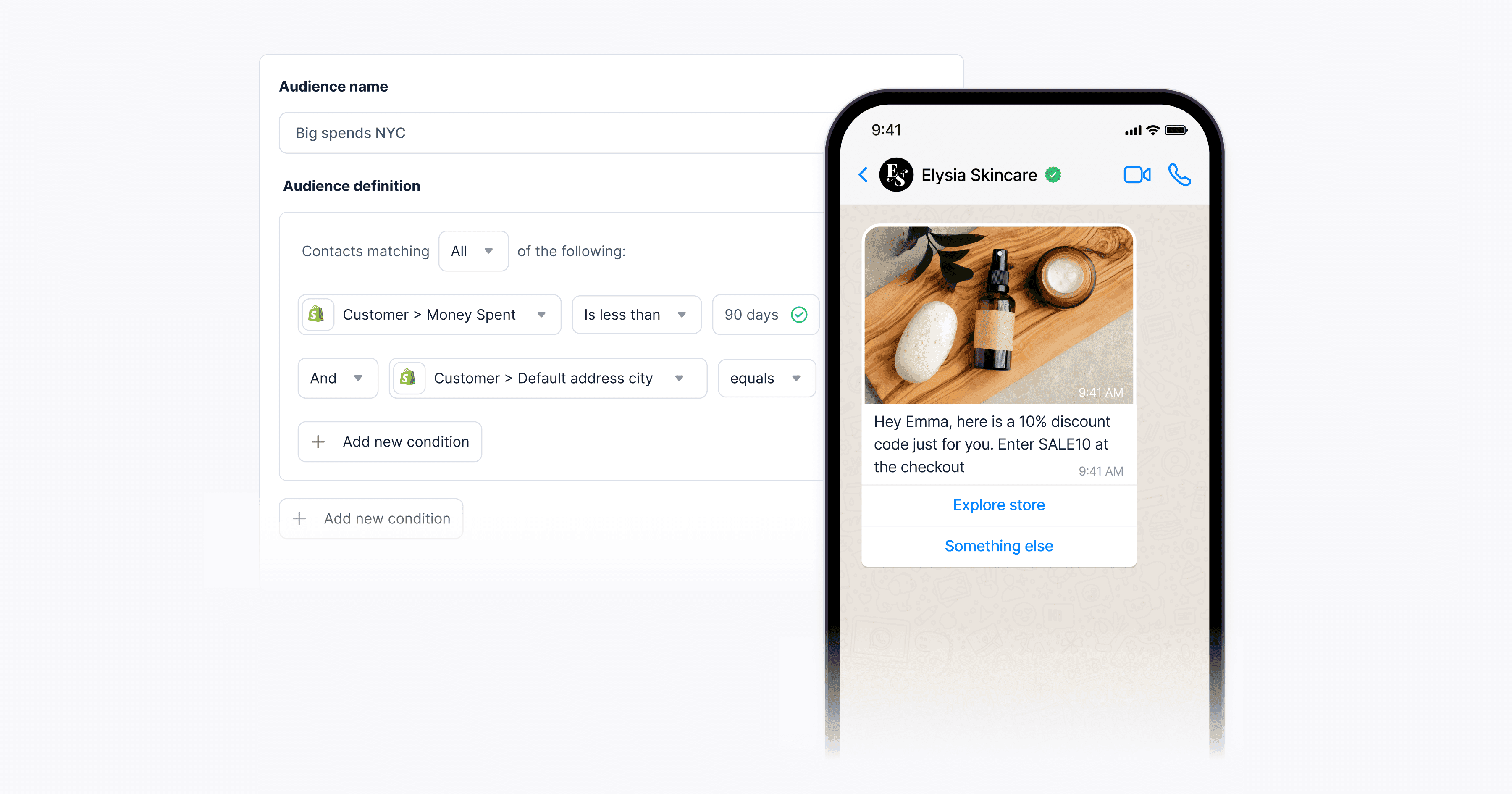
To simplify the task of finding your audience, Bird’s contact query builder offers granular targeting options. For instance, you might target all customers who have made a purchase in the last three months, and offer a 10% discount code exclusively available to WhatsApp subscribers.
Another option is to segment customers by the product listings they’ve viewed, and send them personalized offers about those products via WhatsApp.
3. Set up a verified WhatsApp Business Account
If you're serious about using WhatsApp for marketing, you need a verified WhatsApp Business Account. That little green verified badge tells your customers that they're interacting with a genuine brand, earning their trust right from the start. Verified accounts also earn increased visibility in WhatsApp’s directory, which can attract more customers to your business.
Additionally, a verified WhatsApp Business account unlocks access to the WhatsApp Business API and tools, with robust features like automated messages, quick replies, labels for organizing chats, messaging templates, notifications and more. These features make personalized conversational marketing at scale an absolute must have.
And the best part? Setting up a Verified WhatsApp Business Account is easy, especially with platforms like Bird making the process straightforward, user-friendly, and 100% compliant with Meta’s policies.
3 best practices for quality WhatsApp template designs
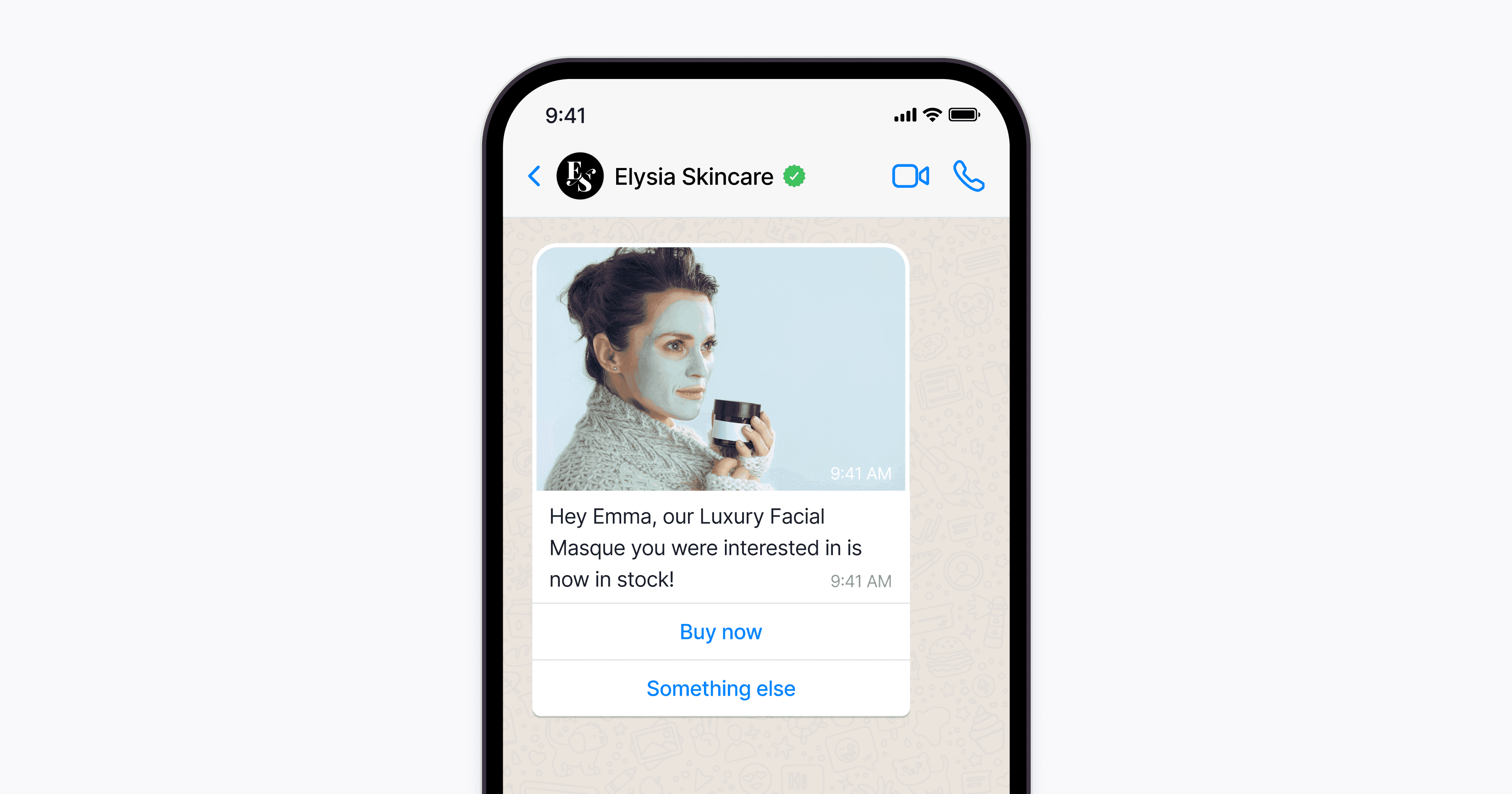
Messaging templates are the backbone of any successful WhatsApp marketing campaign. They keep your messaging consistent with your brand voice, save you time, and most importantly—they’re necessary.
Every WhatsApp message must follow a pre-approved template. This is a Meta-enforced policy, to cut down on spam. As Anish Chadda, VP of Product at Bird, notes, quality templates are the key to unlocking the right to send more messages.
“Whenever a brand signs up for WhatsApp, it’s given a starter account through which it can send a base limited amount of messages. What WhatsApp will do is it’ll actually monitor the quality of that brand’s mass internet messages,” says Anish.
Based on whether or not people actually engage with the content you send, WhatsApp may slowly increase the limit of messages you can send per day.
“The limit is very high—the highest we’ve seen is a couple million in some cases—but it requires a brand to earn the right to be able to actually drive a higher volume of marketing messages.”
Here are some best practices to help you earn the right to send more messages by accelerating the review process for your templates:
1. Plan and format in advance
To avoid any last-minute rush or confusion, always plan your templates in advance. WhatsApp has strict guidelines and stringent review processes in place—every message template must be approved by Meta before going out to customers. So, once you submit a template, it might be a bit before it’s approved.
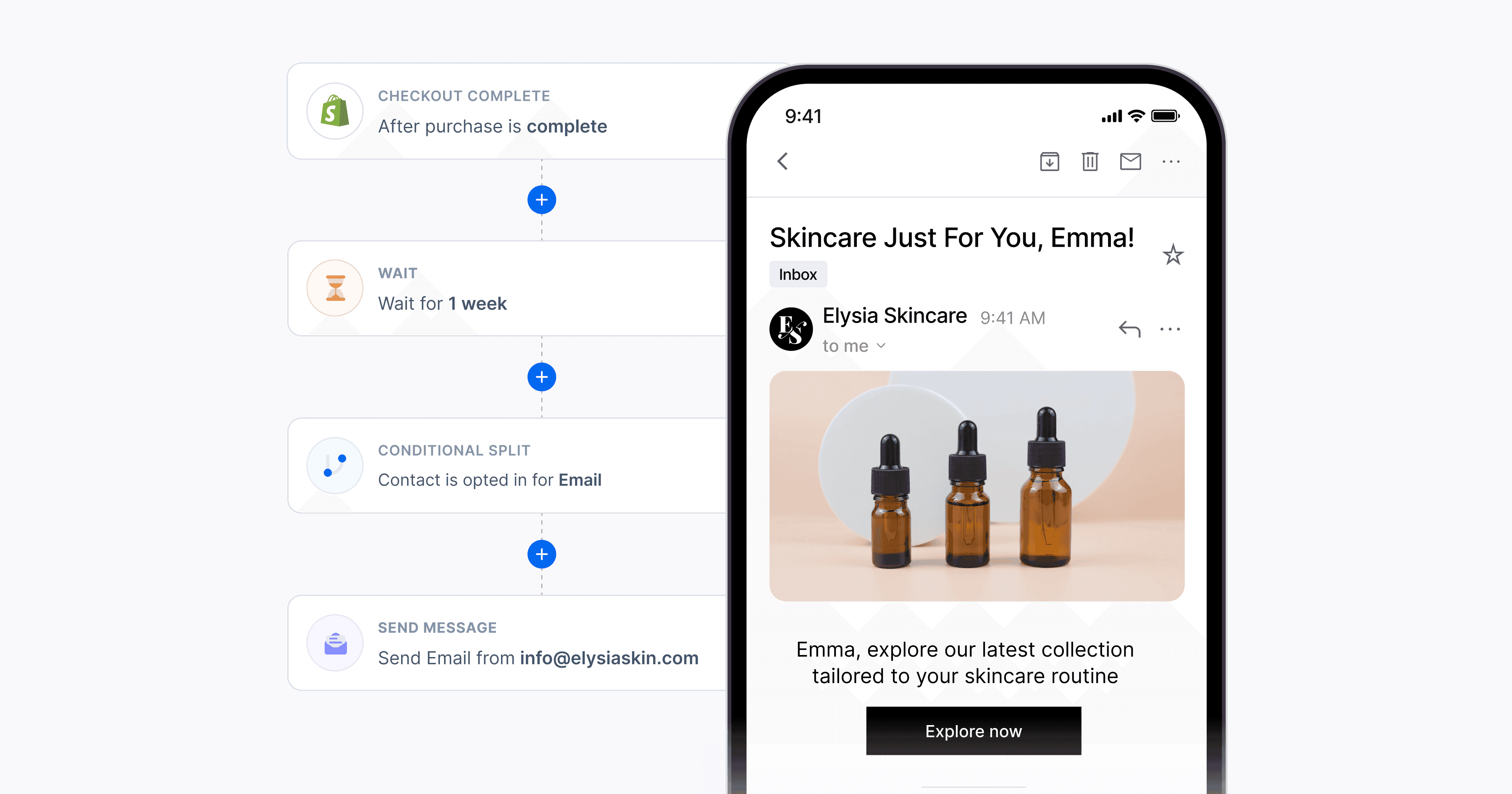
Make sure that everything is compliant from the start, from formatting to copy to design. This can make your review process that much simpler and faster. With Bird, it’s easy to design and edit templates that are completely WhatsApp-compliant.
2. Include samples for context
“Show, don't tell” holds true for templates as well. To illustrate how your message template will look in use, include samples, especially for media message templates. This can drastically add greater context and clarity to your submissions by giving examples of your messages.
For example, attach an image or a short video clip of what the finished message should look like. This not only enhances the reviewer’s understanding of your template, but also adds a layer of engagement. Remember, a picture is a thousand words!

3. Submit multilingual templates
With the global reach of WhatsApp, chances are you're catering to a diverse audience that speaks multiple languages. That means you need to make sure your templates resonate with everyone—crossing language barriers when necessary.
When creating templates in different languages, maintain a consistent tone and ensure the translations are culturally sensitive and accurate. For a smoother experience, our multiple languages feature in Studio is a game-changer, making it easy to toggle between languages and speak to every audience effectively.

How to create winning opt-in strategies
When it comes to WhatsApp marketing, your opt-in strategy is your first impression—so make it count! The key is to be transparent, respectful, and offer genuine value. When you strike this balance, your audience will not only opt in, but they'll also be excited to hear from you.
Here's how to create an opt-in strategy that not only gets an enthusiastic “yes!” but also sets the stage for a long-term relationship with each of your customers.
Why opt-ins are important
Opt-ins are more than just a formality; they're a necessity. WhatsApp Business Policy mandates obtaining proper opt-ins before you start any promotional communication. By seeking explicit permission from users, you comply with this policy while also building trust with customers, showing respect for their privacy and data.
Not adhering to opt-in guidelines can both negatively impact your quality ratings and damage the trust users place in your brand.
In essence, the opt-in is the first step in a dance, and you don’t want to trip right at the beginning.
Suggested channels for customer opt-in
| Channel | Best Use Case | Why It Works |
|---|---|---|
| Website & Landing Pages | Checkout, signup, or high-intent moments | Captures users when purchase intent is highest |
| WhatsApp Thread | Active customer conversations | They’re already engaged, making opt-in a natural next step |
| Phone (IVR Flow) | During customer support calls | Converts callers into WhatsApp subscribers with minimal friction |
| Experiential Events | In-person or virtual events | QR codes make opt-ins quick and seamless |
Website and campaign landing pages
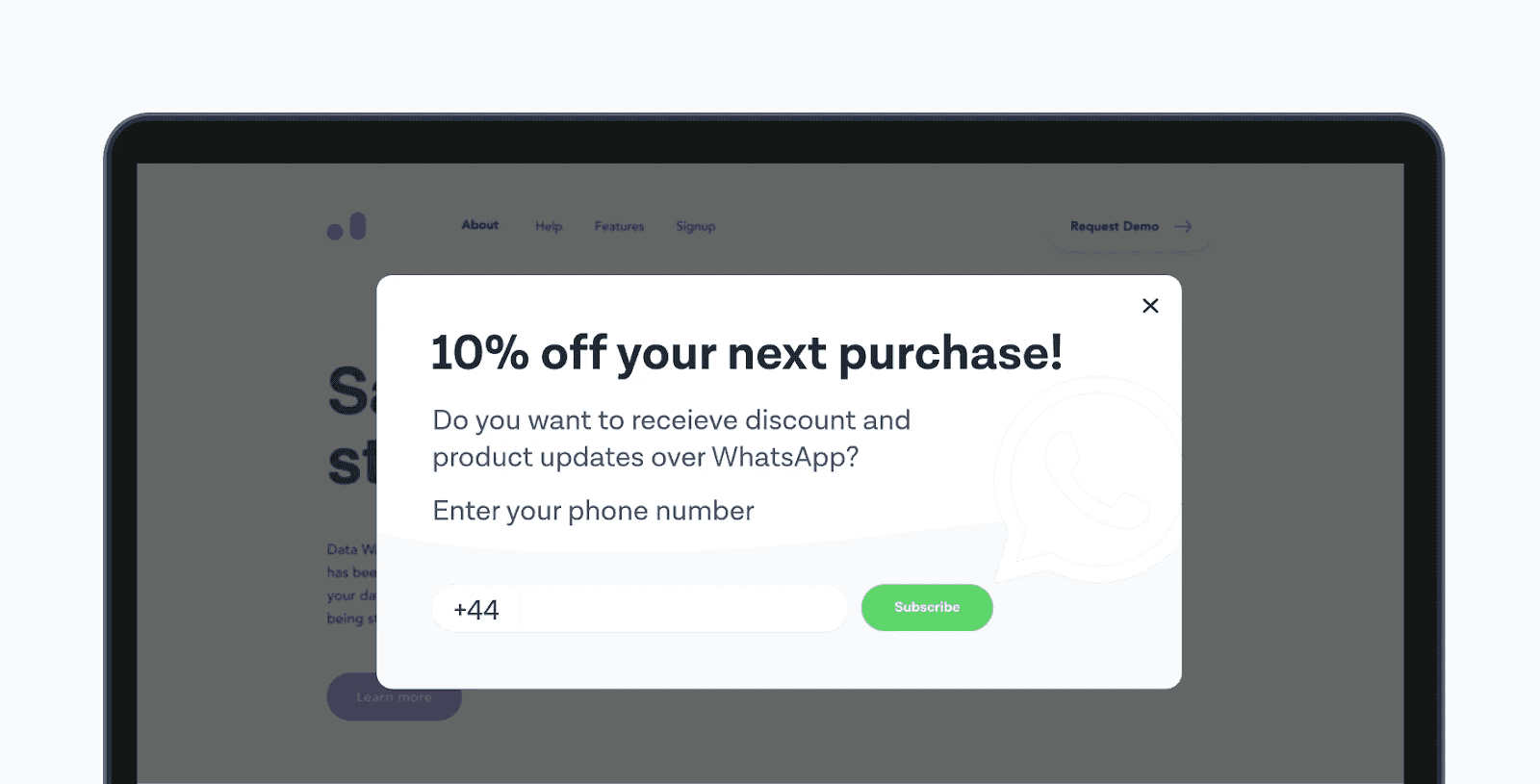
Your website isn't just a place to showcase products or services; it's a crucial channel for customer opt-ins. Offer opt-in opportunities during pivotal moments, such as at checkout or on campaign landing pages. This can capture interested users when their intent is highest.
Make it even more seamless for your audience with our integrated live chat pop-ups.
WhatsApp thread
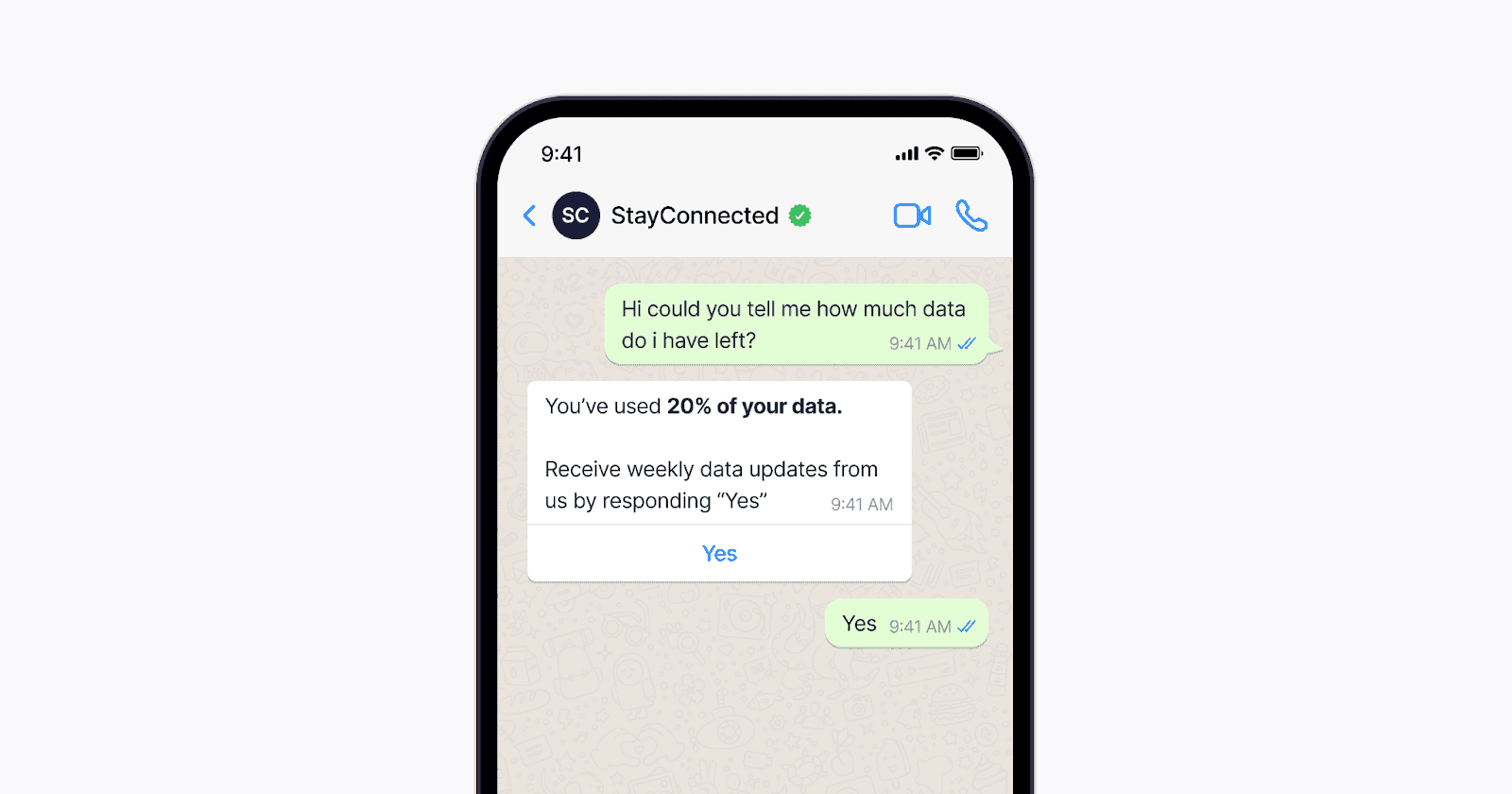
There's a potential gold mine in existing WhatsApp conversations. An ongoing dialogue with a customer is your golden hour to request additional opt-ins. It's a natural progression—they're already engaged, so why not take it a step further?
Phone (IVR flow)
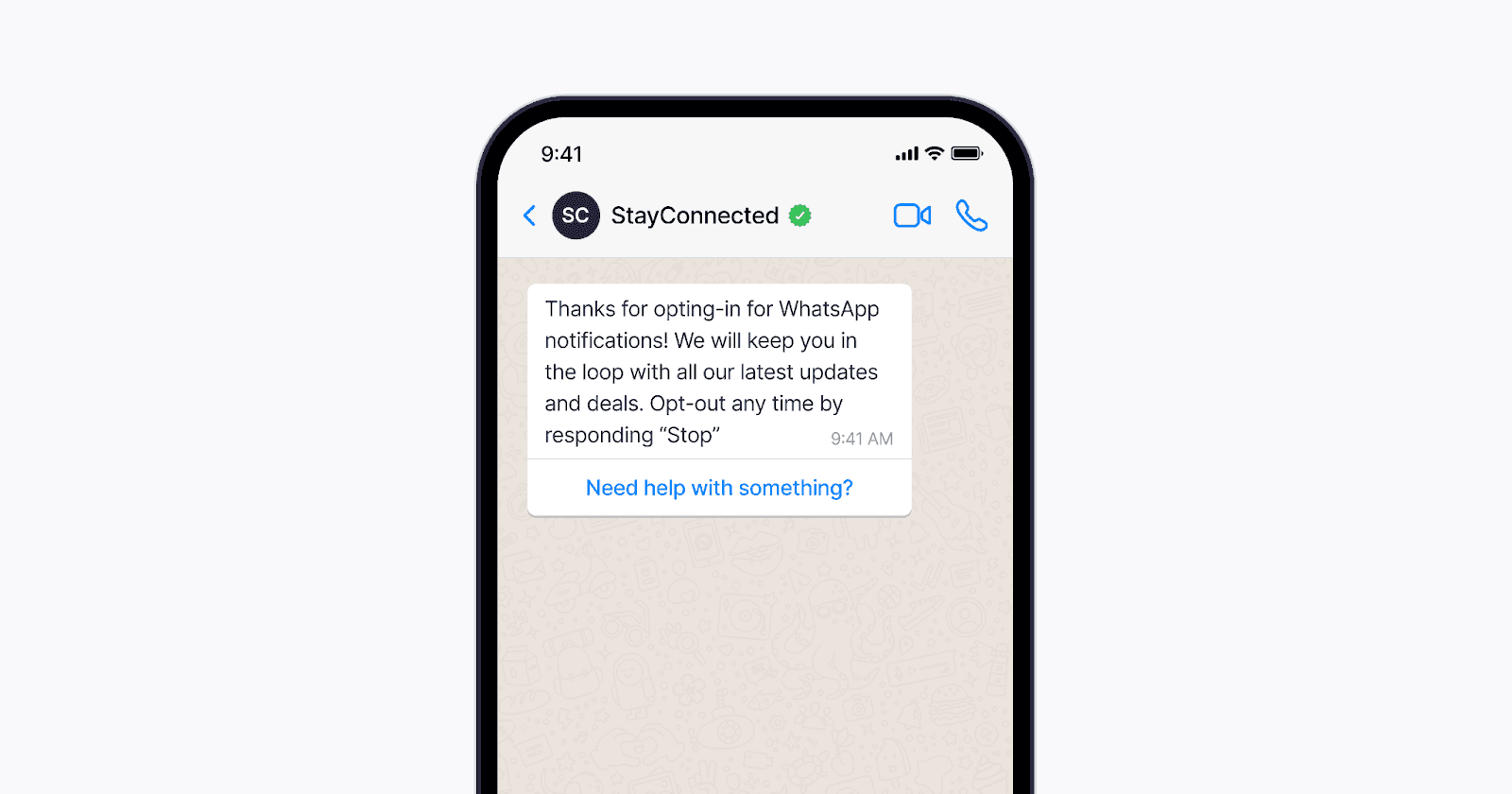
The next time a customer calls your service line, think of it as an opt-in opportunity knocking. During your IVR flow, introduce an option for users to opt into WhatsApp notifications. It's an easy way to transition customers from a traditional communication method to a more interactive one.
Experiential Events
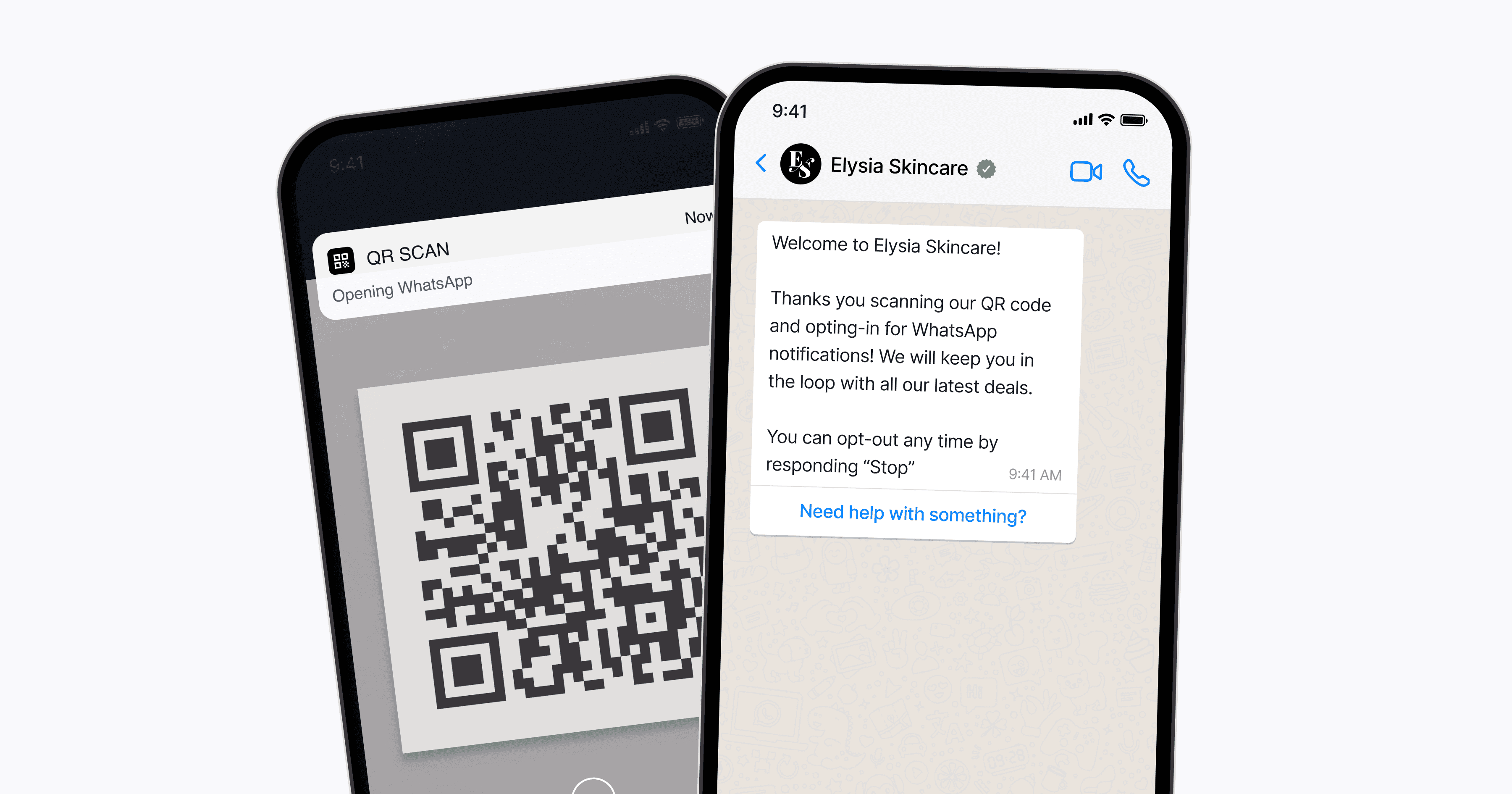
Events, whether they're held at a bustling convention center or hosted virtually, provide ample opportunities for opt-ins. Pro tip: QR codes. Users can easily scan a QR code to opt into communications, making the process fast and frictionless.
Continue to build authentic connections on WhatsApp
WhatsApp is more than just a chat platform; it’s a dynamic, high-ROI marketing channel. Its rise to greatness as such is not just another trend, but a reflection of where our world is headed: more personalized, instantaneous, and centered on genuine human connections.
From its vast global reach to its unparalleled engagement rates, WhatsApp presents businesses with unique opportunities that traditional marketing channels simply can't match.
It might seem daunting to get started with WhatsApp marketing, but there’s plenty of room to grow. Initiate, experiment, learn, and iterate. And as you expand, Bird will be right there to support your brand’s goals.
Q&A
Why is WhatsApp an effective marketing channel?
Because it combines massive reach, extremely high open rates, and a personal messaging environment where brand interactions feel natural.
What KPIs should I track when launching WhatsApp marketing?
Deliverability, open rates, click-through rates, conversions, opt-in growth, template quality rating, and WhatsApp-attributed revenue.
Do I need a verified WhatsApp Business Account?
Yes. Verification builds trust, improves visibility, and unlocks access to API tools, automations, and higher messaging limits.
Why do WhatsApp messages require pre-approved templates?
To reduce spam and protect user experience. Meta reviews every template to ensure compliance and quality.
What makes a template more likely to be approved quickly?
Clear formatting, contextual samples, clean copy, and multilingual versions that maintain consistent meaning and tone.
How should I choose who to target first?
Start with users who already show intent—recent purchasers, visitors, reviewers, or customers active on WhatsApp.
Why are opt-ins so important on WhatsApp?
Without proper opt-in, your quality rating drops, your message limits are reduced, and you risk non-compliance flags from Meta.
Where can I collect WhatsApp opt-ins effectively?
On your website, checkout pages, landing pages, existing WhatsApp chats, IVR flows, in-store signage, and event QR codes.