Country configuration
When you verify a phone number, the destination country decides how the code travels: which channels are available there, which one is tried first, and whether verification is allowed at all. The Countries page is where you manage that, one row per country. Email-only recipients aren't affected by any of this: an email address has no country, so country configuration applies to verifications whose recipient includes a phone number.
Every country is enabled with Bird's platform routing by default. Use this page to turn off countries you do not serve, reorder channels, or pin a per-country sender. Disabling unused destinations also reduces exposure to SMS pumping.
The Countries page
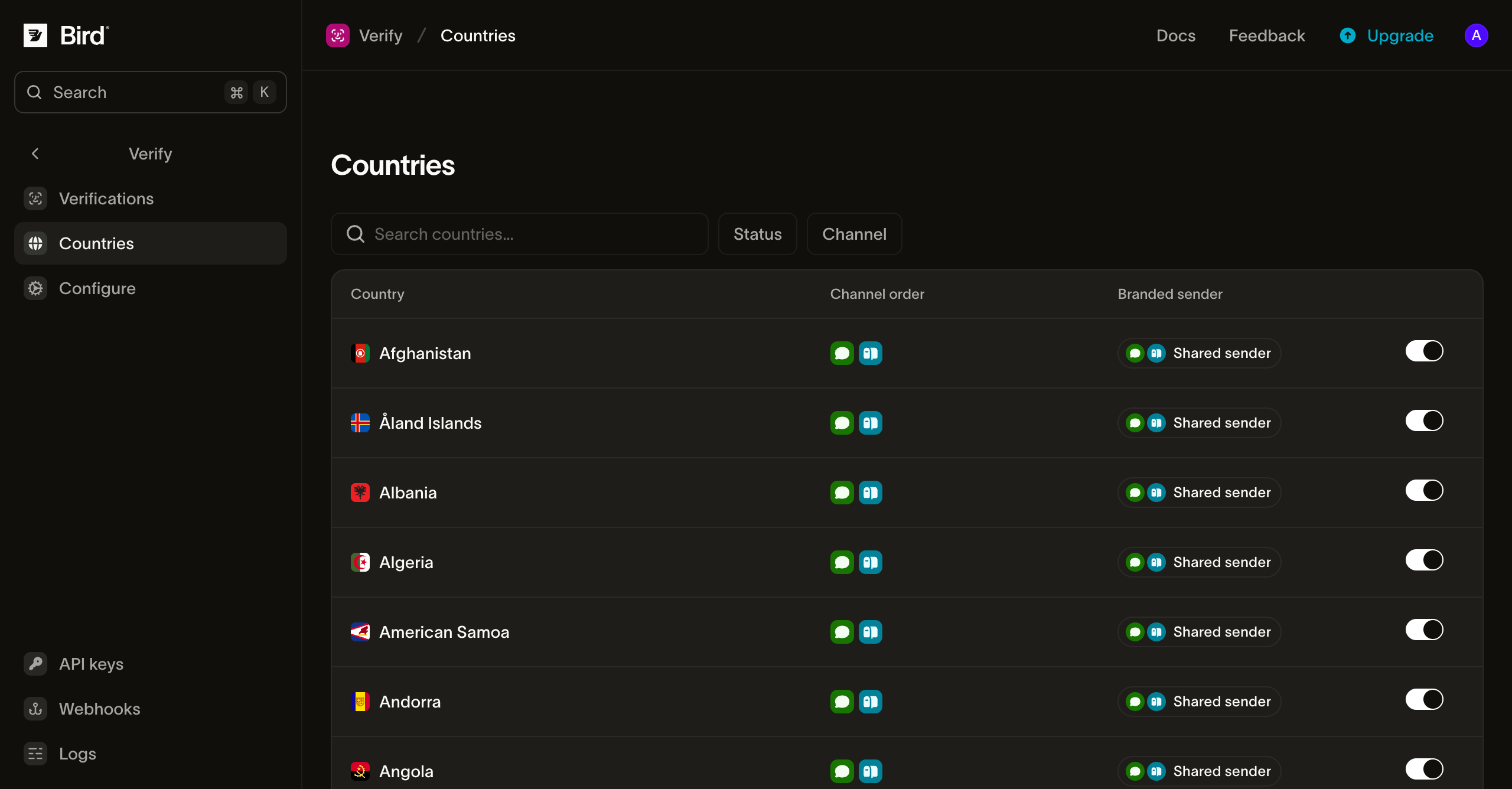
Each row shows the country, its effective channel order, which sender each channel delivers under, and an on/off toggle. Filter by status or channel, or search by country name. A disabled country still shows its channel order grayed out, so you can see what re-enabling restores.
The toggle enables or disables the whole country. If a recipient includes a phone number in a disabled country, the verification resolves no channels and creation fails with 422. An email address on the same recipient does not bypass the block. Re-enabling clears the off pin rather than pinning "on", so the country follows Bird's platform routing. Channel-order and sender pins survive the toggle.
Per-country routing
Click a row to open the country's routing sheet:
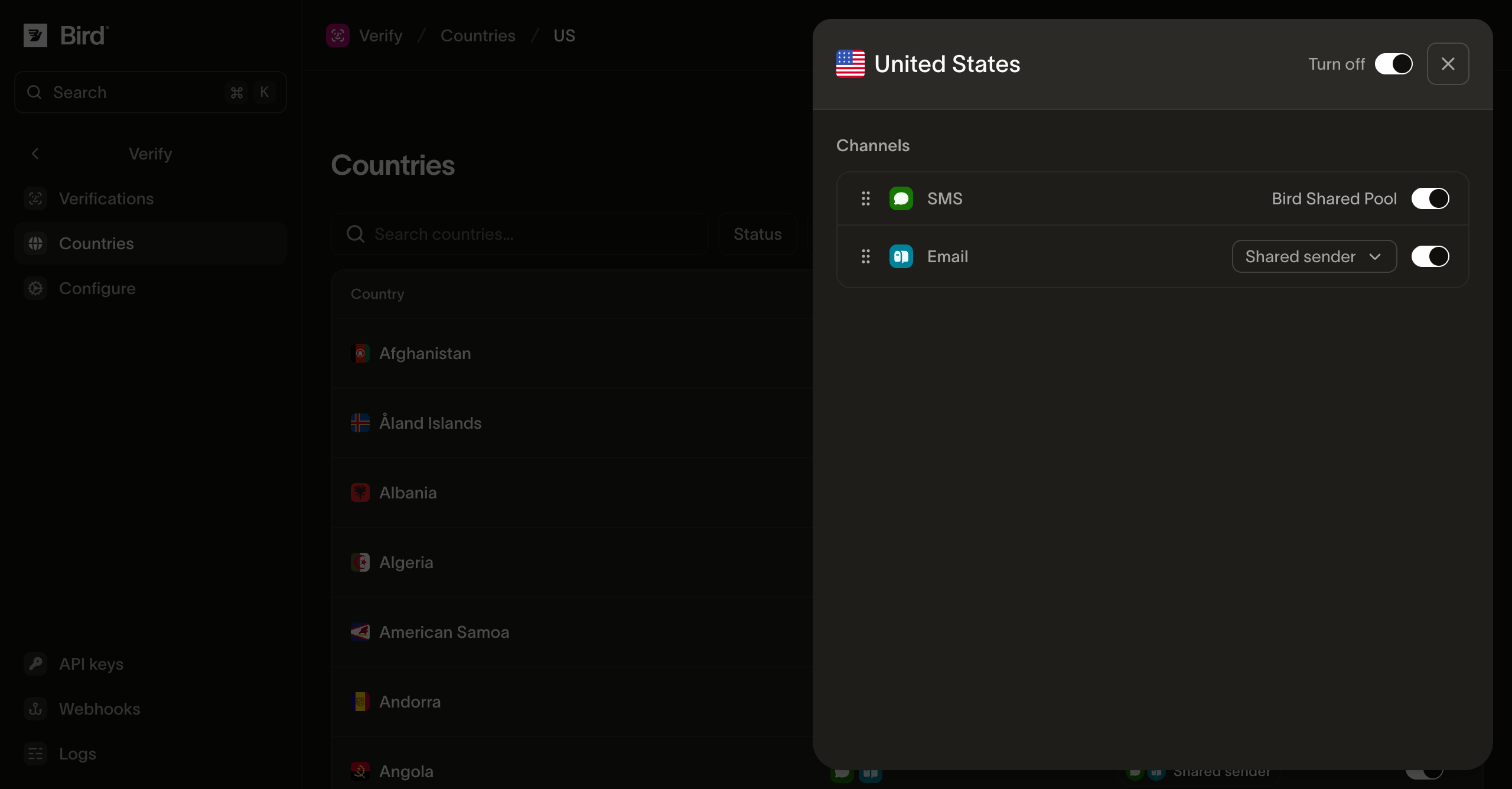
- Channel order: drag channels to set the order Bird tries them for this country, for example SMS before WhatsApp. A verification works through the list until a send succeeds.
- Per-channel enable: switch an individual channel off without disabling the country. Channels Bird hasn't made available in a country can't be enabled; the platform sets that ceiling per country.
- Per-channel sender: pin the sender for email, SMS, or WhatsApp in this country. Inherit your configuration default, name one of the Bird-managed identities, or set your own sender (email only; see Senders and branding). A per-country choice wins over the configuration default for recipients in that country.
Why disable a country
SMS pumping schemes trigger passcode sends to numbers in countries your business does not serve, consuming wallet balance. If your product serves a known set of markets, disable the rest. Verify's platform caps provide another limit, but a disabled country cannot incur delivery charges.
Next steps
| Page | What it covers |
|---|---|
| Senders and branding | Shared and branded senders, and what the code messages look like |
| Sending verifications | The send and check calls, per-request channel overrides, and limits |
| Verify overview | The section map and how a verification works |