Wdrażanie AI
Używaj bird CLI i umiejętności Bird, gdy Twój agent kodujący może wykonywać polecenia powłoki. Używaj hostowanego serwera MCP, gdy Twój klient wywołuje narzędzia zamiast tego. Obie powierzchnie mogą przeszukiwać dokumentację, a agenci bez narzędzi mogą czytać opublikowany korpus Markdown. Zacznij od CLI, chyba że Twój klient wymaga MCP.
1. Skonfiguruj agenta (CLI + umiejętności)
Wklej prompt konfiguracyjny do swojego agenta kodującego. Instaluje on bird CLI, loguje Cię przez bird auth login, instaluje umiejętności Bird i wysyła testowy e-mail, aby potwierdzić konfigurację. Przyciski Claude Code, Codex i Cursor na stronach produktów Bird kopiują prompt dostosowany do każdego klienta. Skonfiguruj agenta kodującego prowadzi przez ten sam proces.
2. Połącz serwer MCP (gdy pasuje)
Jeśli Twój klient wywołuje narzędzia zamiast uruchamiać powłokę, skieruj go na hostowany serwer MCP Bird. Potrzebujesz tylko URL-a i logowania przez przeglądarkę:
https://mcp.bird.comEndpoint używa OAuth, więc uwierzytelnij się raz w każdym kliencie. Przeglądarka otwiera ekran zgody Bird, na którym się logujesz, wybierasz obszar roboczy i uprawnienia, a następnie zatwierdzasz dostęp. Nie potrzebujesz klucza API ani sekretu w konfiguracji klienta. Postępuj zgodnie z instrukcją połączenia dla Twojego klienta. Przewodnik po serwerze MCP obejmuje też powierzchnię narzędzi, delegowane OAuth i opcję lokalną bird mcp.
3. Udostępnij agentowi dokumentację
Jeśli Twój agent ma narzędzia Bird z kroku 1 lub 2, już może czytać tę dokumentację: docs_search wyszukuje strony po zapytaniu, a docs_read zwraca jedną jako Markdown. Z poziomu powłoki są to bird docs search "ip warmup" i bird docs read <slug>. Preferuj to zamiast ładowania korpusu, ponieważ agent pobiera tylko bieżącą stronę, której potrzebuje.
Dla agentów, którzy nie mogą wywoływać narzędzi, cała witryna jest opublikowana jako Markdown:
/llms.txt: indeks, płaskie, bogate w linki podsumowanie każdej strony, punkt wyjścia, z którego agent może podążać za linkami./llms-full.txt: pełny korpus, wszystkie strony dokumentacji połączone w Markdown, dla agentów, którzy chcą mieć całość w kontekście.
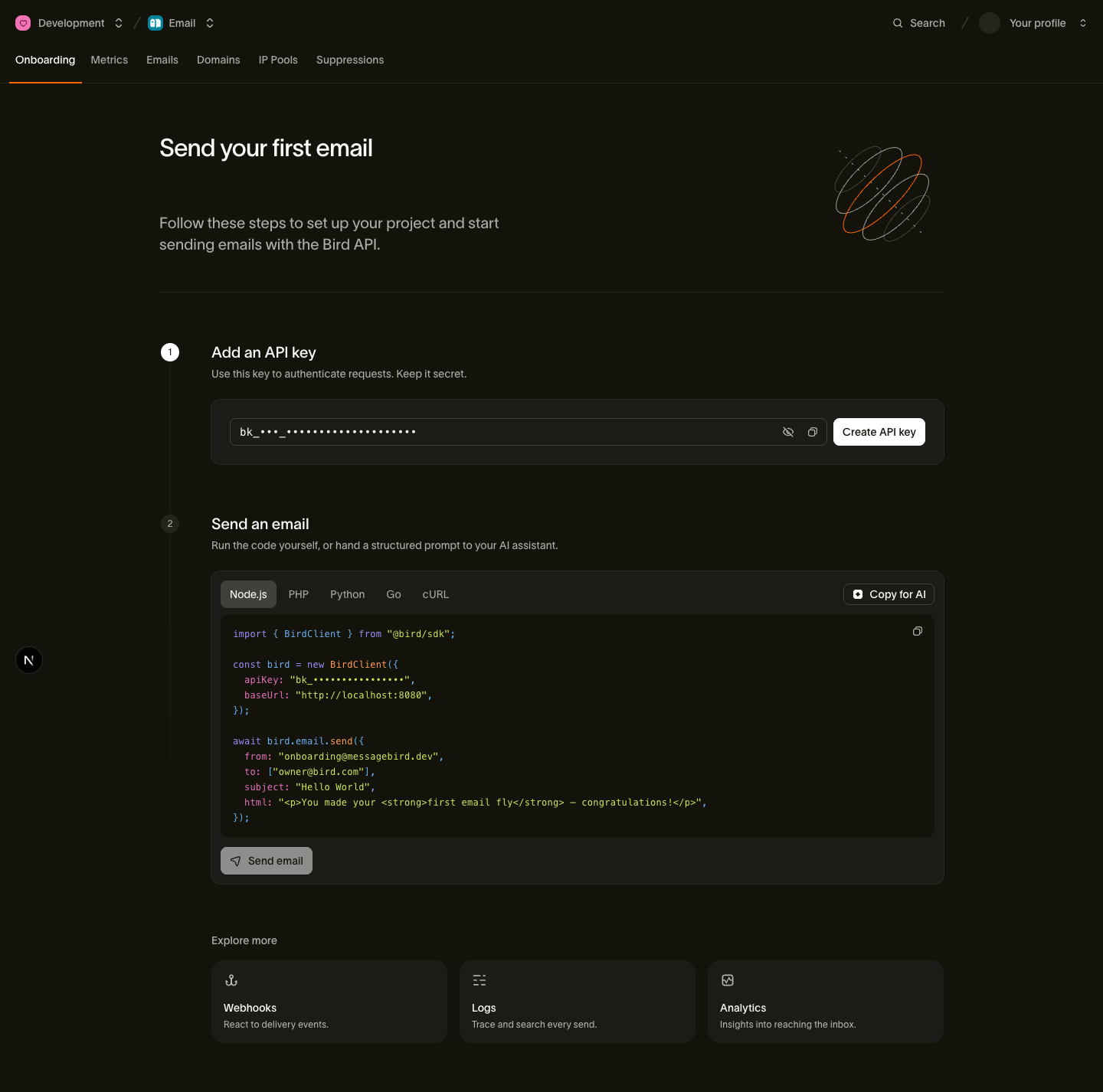
Oba pliki są generowane ponownie przy każdym wdrożeniu witryny. Możesz też użyć narzędzi AI na pasku bocznym strony dokumentacji: Copy as Markdown kopiuje tę stronę, a Open llms-full.txt otwiera korpus. Strona email onboarding w dashboardzie udostępnia te same skróty Copy for AI.
Formaty, rozmiary i wskazówki dotyczące pobierania opisuje przewodnik llms.txt.
4. Wypróbuj to
Gdy agent jest skonfigurowany, daj mu prawdziwe zadanie od początku do końca:
Find my email with whoami, then send me a test email from onboarding@messagebird.dev and tell me when it's delivered.
Agent odczytuje Twój adres za pomocą whoami, wysyła ze współdzielonej domeny onboardingowej Bird i odpytuje status, aż wiadomość dotrze do Twojej skrzynki. Domena onboardingowa może wysyłać do zweryfikowanych członków Twojego obszaru roboczego bez weryfikacji domeny. Aby uzyskać deterministyczny test bez prawdziwej skrzynki, wyślij na delivered@messagebird.dev; zobacz piaskownicę testową.
Następne kroki
- Samodzielna rejestracja: dla agenta, który potrzebuje własnego konta Bird zamiast Twojego. Utwórz konto, organizację i obszar roboczy z terminala, bez przeglądarki.
- CLI dla agentów: kontrakt agenta
birdCLI. Wyjście JSON, semantyczne kody zakończenia, logowanie OAuth. - Umiejętności agenta: wtyczka bird-ai z marketplace i co otrzymuje każdy klient.
- Serwer MCP: hostowany endpoint, pełna powierzchnia narzędzi, delegowany model OAuth i opcja local-stdio.
- llms.txt i dokumentacja Markdown: jak budowany jest korpus czytelny maszynowo i jak z niego pobierać dane.
- Wyślij pierwszy e-mail: wykonaj ten sam przepływ e-mail bez agenta.
- Konfiguracja agenta kodującego: wideo, które łączy agenta i wysyła przez niego testowy e-mail
Powiązane zasoby
Przejdź do dokumentacji, przewodników i przykładów dotyczących tego tematu.