An email workflow has a sending step and a mailbox step. SMTP handles the first; IMAP handles the second.
What does SMTP do?
SMTP sends and relays mail. Your application or mail client opens a connection to an SMTP server, submits the sender, recipients and message, and receives a reply after each command. A relay can then act as an SMTP client and pass the message to the next server.
The protocol does not decide how a mailbox is displayed or which messages a user has read. Its job is transmission and the handoff of responsibility between servers.
What does IMAP do?
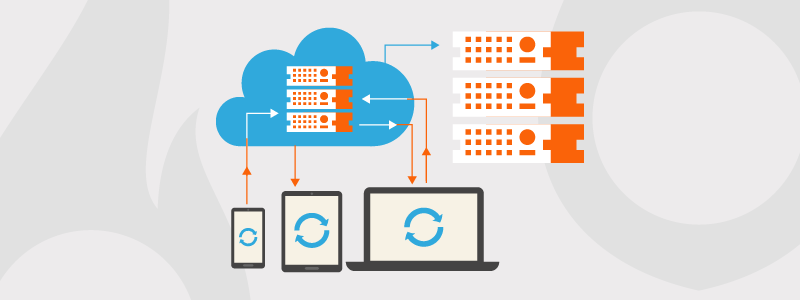
IMAP retrieves messages from a mailbox and synchronizes the mailbox state. A phone and a laptop can show the same folders, flags and read state because both work against the server copy.
IMAP does not submit a new message for delivery. A client can use SMTP to send a reply, then use IMAP to read the reply thread in the mailbox.
How do SMTP and IMAP compare?
| Question | SMTP | IMAP |
|---|---|---|
| Main job | Send and relay mail | Retrieve and synchronize mailbox data |
| Direction | Outbound toward a mail server or relay | Between a mailbox server and a client |
| Server state | A server may queue a message until the next handoff; SMTP does not define a user's mailbox | The server keeps the mailbox copy, folders and message state |
| Typical client | Sending application or mail client | Mail client reading an inbox |
| Common ports | 587 for submission, 465 for implicit TLS, 25 for server-to-server relay | 143 for plain or STARTTLS, 993 for implicit TLS |
| Use in an app | Send receipts, alerts and other messages | Read or process an existing mailbox |
The server-state difference determines the protocol choice. SMTP may queue a message during delivery, but it is not a mailbox store. IMAP is built around a server-side mailbox that clients revisit and synchronize.
How can an SMTP conversation diagnose a failure?
Capture the command and the reply that follows it. SMTP is a lock-step conversation: the client sends EHLO, MAIL FROM, RCPT TO and DATA, and the server answers each step. The failing command narrows the problem to connection setup, sender acceptance, recipient acceptance or message data.
For example, this short exchange reaches the message body:
S: 220 mail.example ESMTP ready
C: EHLO app.example
S: 250-mail.example
C: MAIL FROM:<sender@example>
S: 250 2.1.0 OK
C: RCPT TO:<recipient@example>
S: 550 5.1.1 user unknown
The 550 arrived after RCPT TO, so the server rejected the recipient address. It is not evidence that the network connection or the sender identity failed. A 4xx reply at the same step would call for a retry policy instead of an immediate permanent failure.
RFC 5321 defines the reply format and makes the numeric code the machine-readable part:
An SMTP reply consists of a three digit number (transmitted as three numeric characters) followed by some text unless specified otherwise in this document. The number is for use by automata to determine what state to enter next; the text is for the human user.
Use the first digit as the first diagnostic split:
| Code class | Meaning | Next step |
|---|---|---|
2xx | The command completed | Continue the transaction |
3xx | The server accepted the command and needs more input | Send the next part, such as the message body after DATA |
4xx | Temporary failure | Keep responsibility for the message and retry after the server's condition may have cleared |
5xx | Permanent failure for that request | Fix the address, credentials or message before trying again |
Read the command and code together. A 535 after authentication points to credentials or authentication policy. A 552 after DATA points to a size limit. A 421 during connection handling points to a temporary server or connection limit.
Which protocol does my application need?
Use SMTP when the application sends mail. Use IMAP when it reads and synchronizes an existing mailbox. An application that needs inbound processing can also use an inbound email API, which delivers parsed messages without requiring mailbox polling.
For outbound mail, choose between an SMTP relay and an HTTP email API. SMTP fits libraries and systems that already speak the protocol. An HTTP API fits environments where opening and managing SMTP connections is inconvenient.
How does Bird help with SMTP sending?
To send through Bird, set the relay host for your key's region, choose port 465, 587 or 2525, and authenticate with username bird plus your API key. The SMTP relay guide gives the connection limits and reply-code handling for a failed handoff.
Can I use IMAP to send email?
No. IMAP retrieves and synchronizes mailbox data. Sending requires SMTP or an HTTP email API.
What is the difference between IMAP and POP3?
Both retrieve mail, but IMAP keeps the mailbox on the server and synchronizes state across clients. POP3 traditionally downloads messages to one client, so it does not provide the same shared mailbox state.
Which SMTP port should I use?
Use 587 for authenticated submission with STARTTLS, or 465 for an implicitly encrypted connection when your client expects it. Port 25 is for server-to-server relay and is often blocked for direct client use. What SMTP port should I use? compares the ports and their roles.
In short
SMTP sends and relays mail.
It moves a message from a client or application to the next mail server, then across relay hops toward the recipient.
IMAP retrieves and syncs a mailbox.
It lets clients read messages and keep folders, flags and read state aligned with the server.
Reply codes tell you what to do next.
A 2xx code completed the command, a 4xx code is temporary, and a 5xx code needs a correction before retrying.
Bird's SMTP relay guide covers sending setup.
Use it for the host, ports, authentication flow and SMTP-specific troubleshooting details.