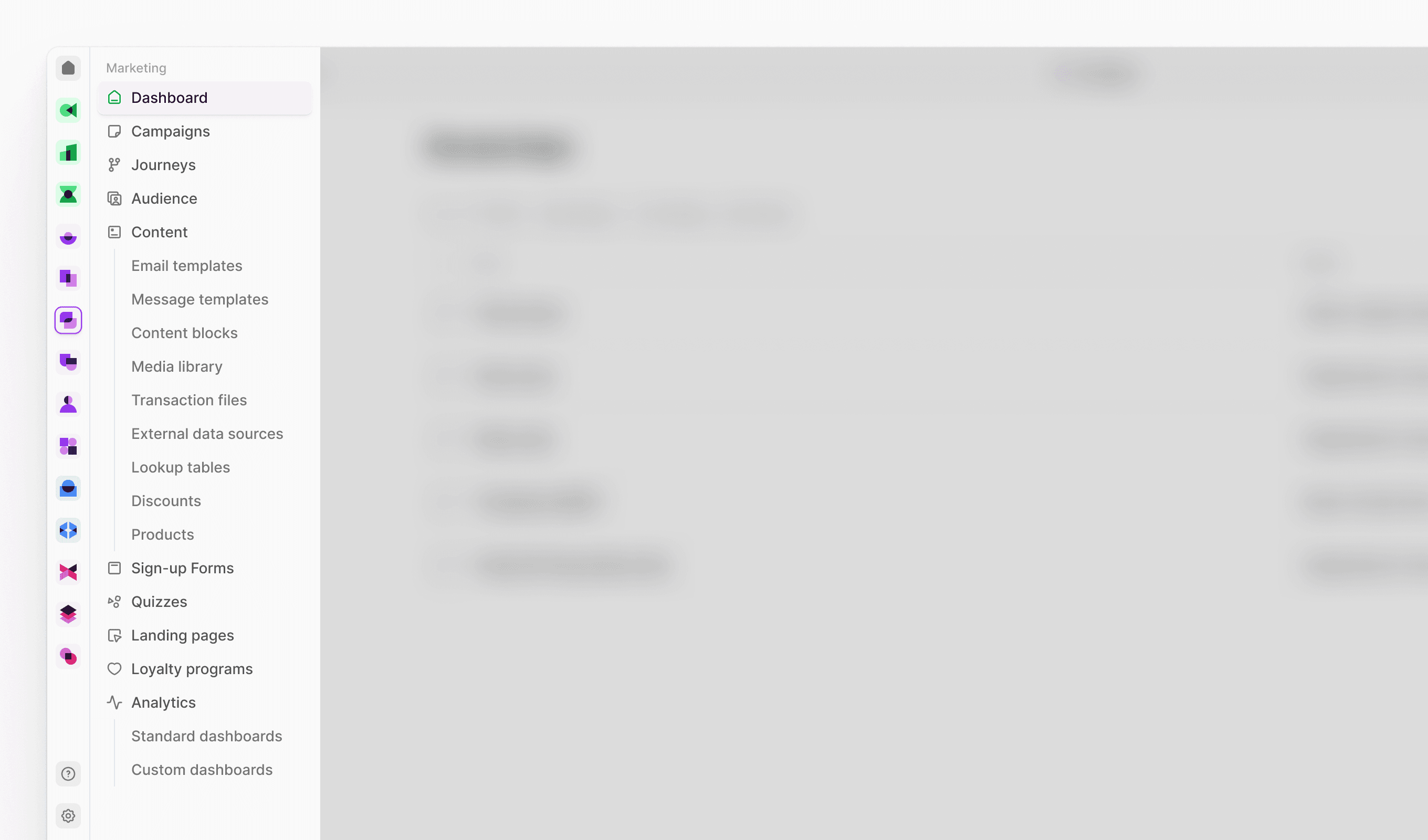
We've redesigned Bird's navigation to make finding features faster and more intuitive. The Marketing menu is now more streamlined, and settings are more accessible.
New features
- User Management section in Settings: We've created a dedicated space for all team-related administration. This new section brings together user accounts, group organization, and automated provisioning tools in one place.
- Users: Manage team member accounts and set permissions
- Groups: Create user groups for streamlined access control
- SCIM Access Keys: Configure automated user provisioning and management
- Connectivity section in Settings: All your external connections and communication setup are now organized under one umbrella. This section consolidates how you connect Bird to other platforms and manage your communication channels.
- Senders: Set up and manage your sending identities
- Channels: Configure your communication channels (email, SMS, etc.)
- Integrations: Connect Bird to third-party platforms and services
- AI and Automation section in Settings: Your intelligent automation tools are now grouped together for easier workflow management. This section houses all the features that help automate and optimize your marketing processes.
- Bird AI: Access and configure AI-powered features
- Workflows: Create and manage automated marketing processes
- Data Flows: Set up automated data processing and routing
- Approval Flows: Design approval processes for campaign management
Improvements
-
Marketing menu streamlined: Products moved under Content section where they're used for email personalization; Sign-up forms, Quizzes, Landing Pages, and Loyalty Programs now grouped as standalone menu items for easier access to interactive user experience tools
-
Settings more accessible: Settings moved to main menu dropdown for direct access instead of being in user profile menu
Related resources
Continue with the documentation, guides and examples for this topic.