Bird Marketing update: new Campaign builder interface & streamlined workflow
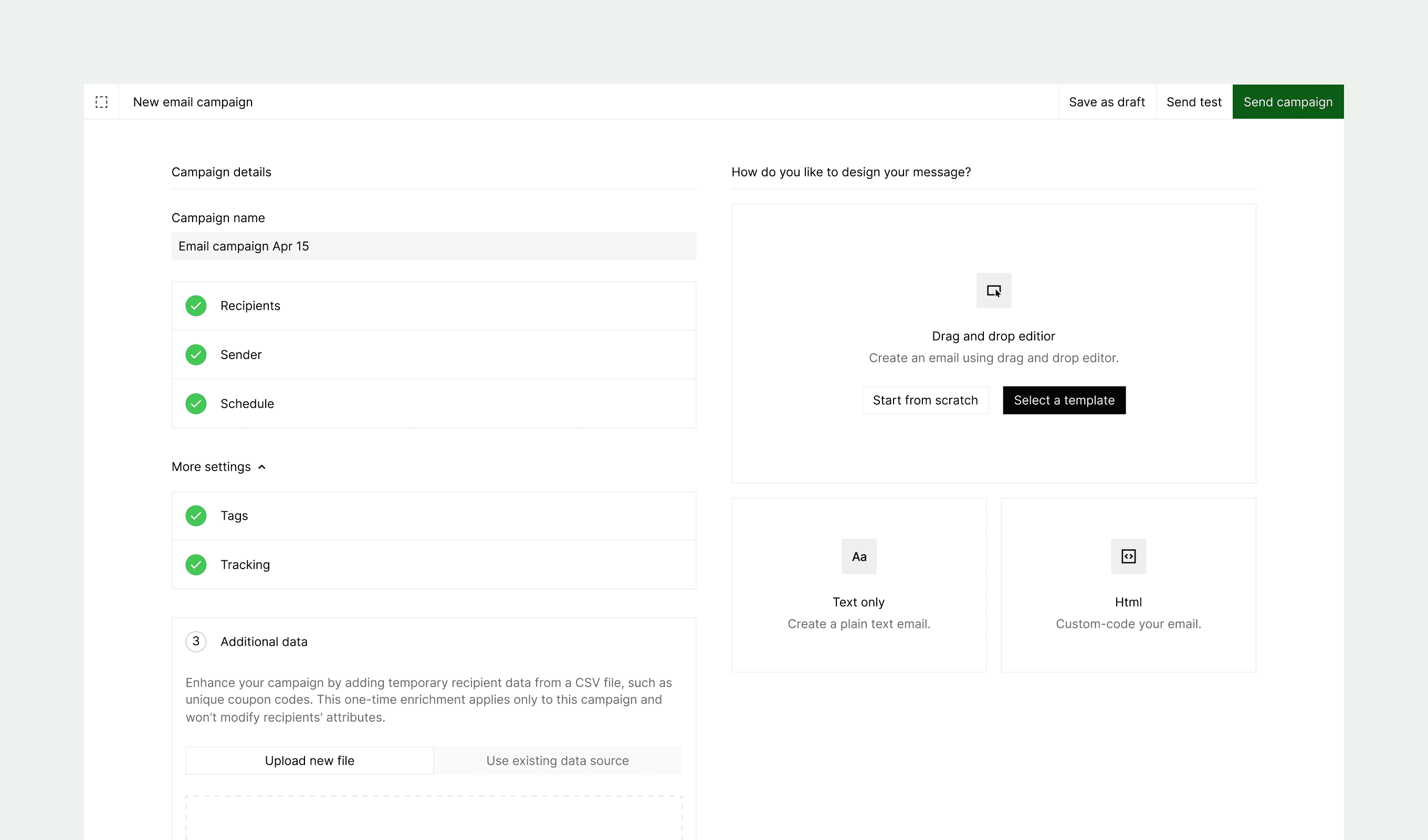
Our latest update transforms the campaign creation experience with a more intuitive design. We've replaced the multi-step process with a comprehensive single-page layout that streamlines your workflow and provides better visibility of all campaign elements at once.
New features
-
Single-page interface: Consolidated view that displays all campaign components—channel, recipients, sender, schedule, content, and settings—in one cohesive layout
-
Dual-pane organization
- Left pane: Configure campaign parameters including audience targeting, sender details, and scheduling options
- Right pane: Create and preview content, send test messages, and launch campaigns
-
Real-time preview: View content changes instantly as you build your campaign
-
Streamlined editing: Make adjustments to any campaign element without losing context or navigating through multiple steps
Related resources
Continue with the documentation, guides and examples for this topic.
Explore the capabilityWorkflow automationImplementation guideAI builder guidesUnderstand the conceptHow do I use Bird from a low-code tool like n8n or Zapier?Follow the learning pathBuild with AI agents
Get an implementation brief