Réclamer votre première boîte mail d'agent
Ce guide complète une conversation bidirectionnelle : réclamez une boîte de réception sur inbox.ai, recevez un message dans un fil de discussion, lisez-le et répondez. Vous n'avez pas besoin de vérifier un domaine ni d'exploiter un serveur de messagerie.
1. Créer une clé API
Dans le tableau de bord, accédez à Platform tools > API keys et créez une clé. Dans le groupe Email, activez les scopes mailbox et mailbox_management. Les clés ressemblent à bk_us1_... ou bk_eu1_... ; la région indiquée dans le préfixe détermine l'hôte API.
export BIRD_API_KEY="bk_us1_..."2. Réclamer une boîte mail
Créez une boîte mail sur le domaine partagé inbox.ai. Omettez la partie locale et Bird génère une adresse disponible. La politique de réception open accepte le courrier sauf si une règle de réception le bloque.
const mailbox = await bird.email.mailboxes.create({ display_name: "Support" });
console.log(mailbox.address); // "abc123@inbox.ai"
mailbox = client.email.mailboxes.create(display_name="Acme Support")
print(mailbox.id)mailbox, err := client.Email.Mailboxes.Create(context.Background(), bird.EmailMailboxesCreateParams{
DisplayName: bird.Ptr("Support"),
})
if err != nil {
log.Fatal(err)
}
fmt.Println(mailbox.Id, *mailbox.Address)$mailbox = $bird->email->mailboxes->create(
(new MailboxCreate())
->setDisplayName('Acme Support'),
);
echo $mailbox->getId(), ' ', $mailbox->getAddress();bird email mailboxes create \
--display-name 'My Agent' \
--receive-policy opencurl -X POST "https://us1.platform.bird.com/v1/email/mailboxes" \
-H "Authorization: Bearer $BIRD_API_KEY" \
-H "Content-Type: application/json" \
-d '{
"display_name": "My Agent",
"receive_policy": "open"
}'La réponse contient l'id de la boîte mail et l'address réclamée pour vous. Envoyez un e-mail à cette adresse depuis n'importe quel client de messagerie pour donner à l'étape suivante quelque chose à lire.
3. Lire le fil de discussion
Le courrier entrant devient un fil de discussion sur la boîte mail. Listez les fils, puis lisez les messages du premier.
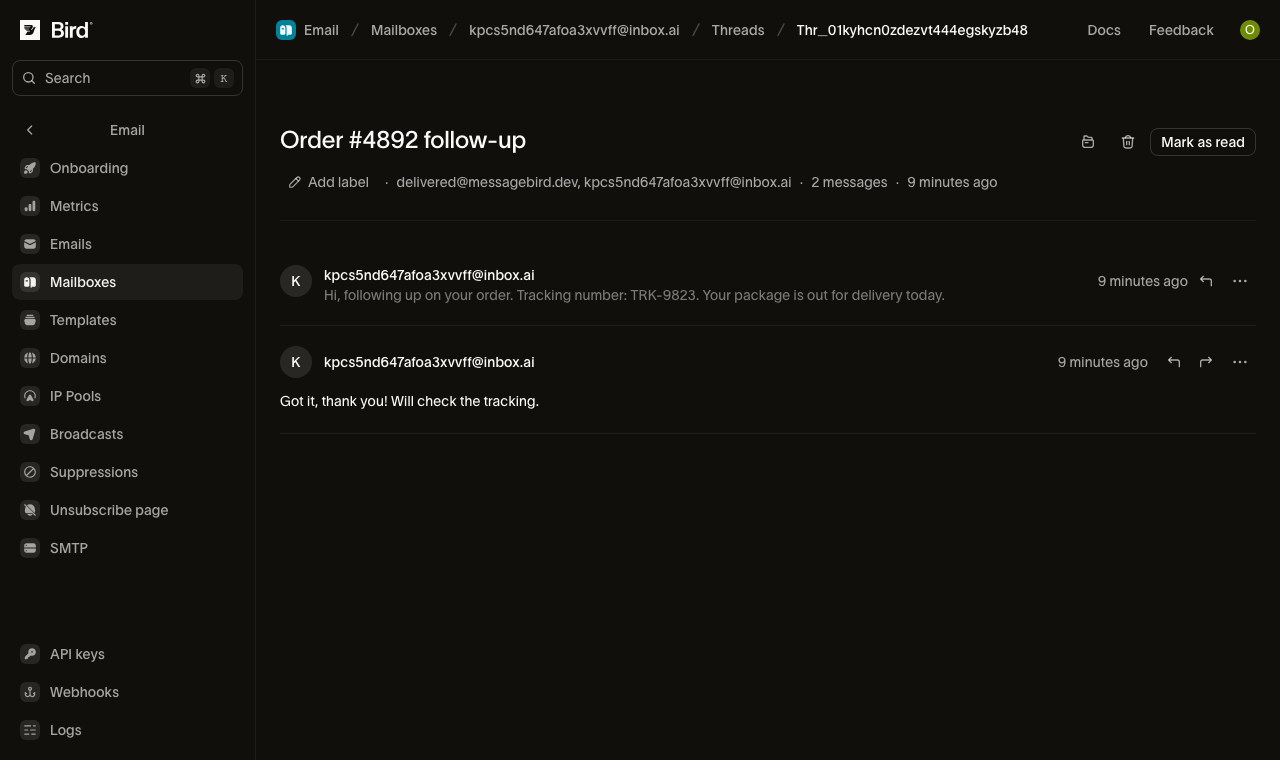
for await (const thread of bird.email.threads.list({ mailbox_id: "mbx_01abc" })) {
  console.log(thread.id, thread.subject);
}
for thread in client.email.threads.list(mailbox_id="mbx_01krdgeqcxet5s7t44vh8rt9mg"):
print(thread.id, thread.subject)for thread, err := range client.Email.Threads.List(context.Background(), bird.EmailThreadsListParams{}) {
if err != nil {
log.Fatal(err)
}
fmt.Println(thread.Id)
}foreach ($bird->email->threads->list(['mailbox_id' => 'mbx_01krdgeqcxet5s7t44vh8rt9mg']) as $thread) {
echo $thread->getId(), ' ', $thread->getSubject(), "\n";
}bird email threads listcurl -X GET "https://{region}.platform.bird.com/v1/email/threads" \
-H "Authorization: Bearer $TOKEN" \
--url-query "label=urgent" \
--url-query "participant=billing@acme.com" \
--url-query "subject=quarterly invoice" \
--url-query "limit=25"Puis lisez les messages de ce fil :
for await (const msg of bird.email.threads.messages.list("thr_01abc")) {
  console.log(msg.id, msg.direction);
}
for message in client.email.threads.messages.list("thr_01krdgeqcxet5s7t44vh8rt9mg"):
print(message.id, message.subject)for msg, err := range client.Email.Threads.Messages.List(context.Background(), "thr_123", bird.EmailThreadsMessagesListParams{}) {
if err != nil {
log.Fatal(err)
}
fmt.Println(msg.Id, msg.Direction)
}foreach ($bird->email->threads->messages->list('thr_01krdgeqcxet5s7t44vh8rt9mg') as $message) {
echo $message->getId(), ' ', $message->getDirection(), "\n";
}bird email threads messages list <thread-id>curl -X GET "https://{region}.platform.bird.com/v1/email/threads/{thread_id}/messages" \
-H "Authorization: Bearer $TOKEN" \
--url-query "label=unread" \
--url-query "limit=25"Chaque message porte sa direction (inbound) et son id (un message reçu est préfixé rem_). Ajoutez include=extracted_text pour intégrer le corps sans citations : le contenu nouveau, sans l'historique cité qu'un agent devrait autrement supprimer lui-même.
Pour éviter le polling, abonnez-vous au webhook email_mailbox.message_received. Il se déclenche quand un message entrant atteint la boîte de réception. Consultez la référence des événements.
4. Répondre
Répondez au message reçu. Utilisez son ID rem_ de l'étape 3. La réponse reste dans le même fil et est envoyée depuis l'adresse de votre boîte mail :
const reply = await bird.email.threads.messages.reply("thr_01abc", "rem_01xyz", {
  text: "Thanks for reaching out!",
});
console.log(reply.id);
reply = client.email.threads.messages.reply(
"thr_01krdgeqcxet5s7t44vh8rt9mg", "rem_01krdgeqcxet5s7t44vh8rt9mg",
text="Thanks for reaching out!",
)
print(reply.id)reply, err := client.Email.Threads.Messages.Reply(context.Background(), "thr_123", "rem_456", bird.EmailThreadsMessagesReplyParams{
Text: bird.Ptr("Thanks for reaching out!"),
})
if err != nil {
log.Fatal(err)
}
fmt.Println(reply.Id)$reply = $bird->email->threads->messages->reply(
'thr_01krdgeqcxet5s7t44vh8rt9mg',
'rem_01krdgeqcxet5s7t44vh8rt9mg',
(new EmailThreadMessageReplyRequest())
->setText('Thanks, looking into it now.')
->setReplyAll(true),
);
echo $reply->getId();bird email threads messages reply <thread-id> <message-id> \
--text 'Thanks, confirming we received your request.'curl -X POST "https://{region}.platform.bird.com/v1/email/threads/{thread_id}/messages/{message_id}/reply" \
-H "Authorization: Bearer $TOKEN" \
-H "Content-Type: application/json" \
-d '{
"text": "Thanks, confirming we received your request."
}'Vous pouvez maintenant réclamer, recevoir, lire et répondre. Pour démarrer une conversation au lieu d'en traiter une, composez un nouveau message sur la boîte mail (POST /v1/email/mailboxes/{id}/messages), ce qui ouvre un nouveau fil de discussion.
Étapes suivantes
- Boîtes mail d'agent : fonctionnement des fils de discussion, des règles de réception, de l'envoi et de la rétention.
- Serveur MCP : exécutez la même boucle depuis un agent IA via le serveur MCP.
- CLI :
bird email mailboxesetbird email threadspour le terminal. - Démarrages rapides SDK : tutoriels pas à pas en Go, Python et TypeScript SDK.
Ressources associées
Poursuivez avec la documentation, les guides et les exemples sur ce sujet.