Inbox Insights
Delivery rate tells you a receiving server accepted your mail. It does not tell you whether the message landed in the inbox or the spam folder. The Inbox Insights page measures that last step: inbox and spam rates per mailbox provider, read from seed accounts and a measurement panel rather than from your own sending data.
Open Email > Inbox Insights in the dashboard. The page has three tabs: Placement, Seed tests, and Reputation. It reports on sending domains you have verified, one domain at a time, chosen with the domain picker at the top of the page.
Tracked domains
The dashboard shows domains you have switched tracking on for. On your first visit, it tries to enable your main sending domain automatically. If it cannot identify one, choose a verified domain in Tracked domains. To change which domains are tracked, open Tracked domains in the page header and switch domains on or off there. Switching a domain off stops it from appearing in the picker; it does not delete any measurement.
A domain must be verified before it can be tracked. If your workspace has no verified sending domain yet, set one up first.
Placement
The Placement tab answers where mail from the selected domain landed over the last 7 or 30 days (30 by default, in UTC days). Two sources feed it, and the page keeps them distinct: inbox and spam rates come from seed accounts and the measurement panel, while delivery, opens, clicks, bounces, and deferrals come from your own sending data. A note above the figures names the domain being measured, how many placements the panel saw, and how fresh they are.
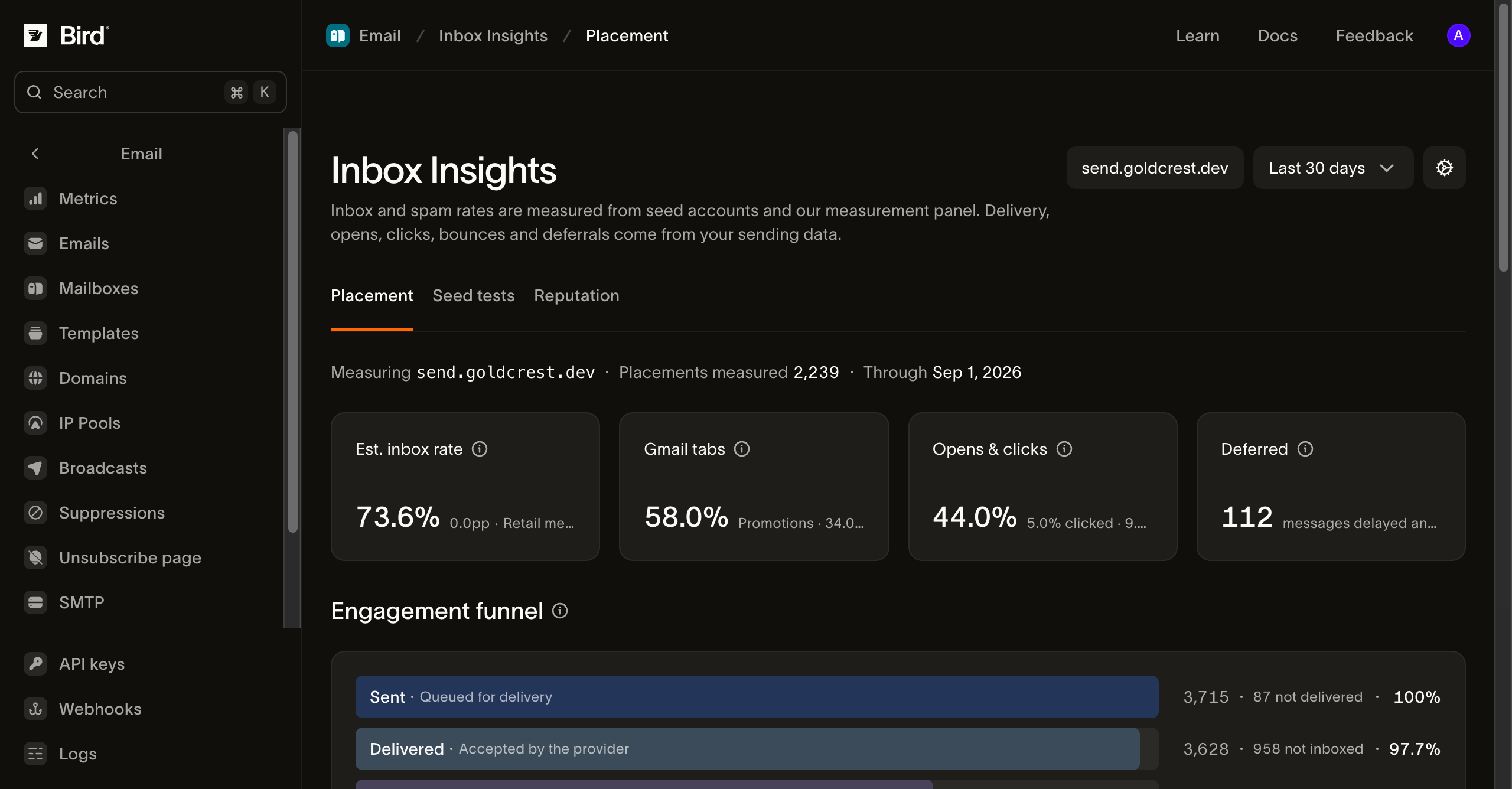
Four cards summarize the period: Est. inbox rate, with its change in points and your industry's median placement beside it where the panel has a benchmark; Gmail tabs, how your Gmail-bound mail splits across Primary, Promotions, and the other tabs when Gmail placement was measured; and Opens & clicks and Deferred, both from your own sending data.
The Engagement funnel combines the two sources into one path: Sent and Delivered are your Bird-measured volumes, Inboxed multiplies delivered mail by the seed-measured inbox rate, and Opened and Clicked are your own engagement counts. The Inboxed stage is an estimate by construction: it applies a rate measured at seed mailboxes to your full delivered volume.
Placement over time plots daily inbox and spam rates across the range, which is where a reputation problem shows up as a slide rather than a level.
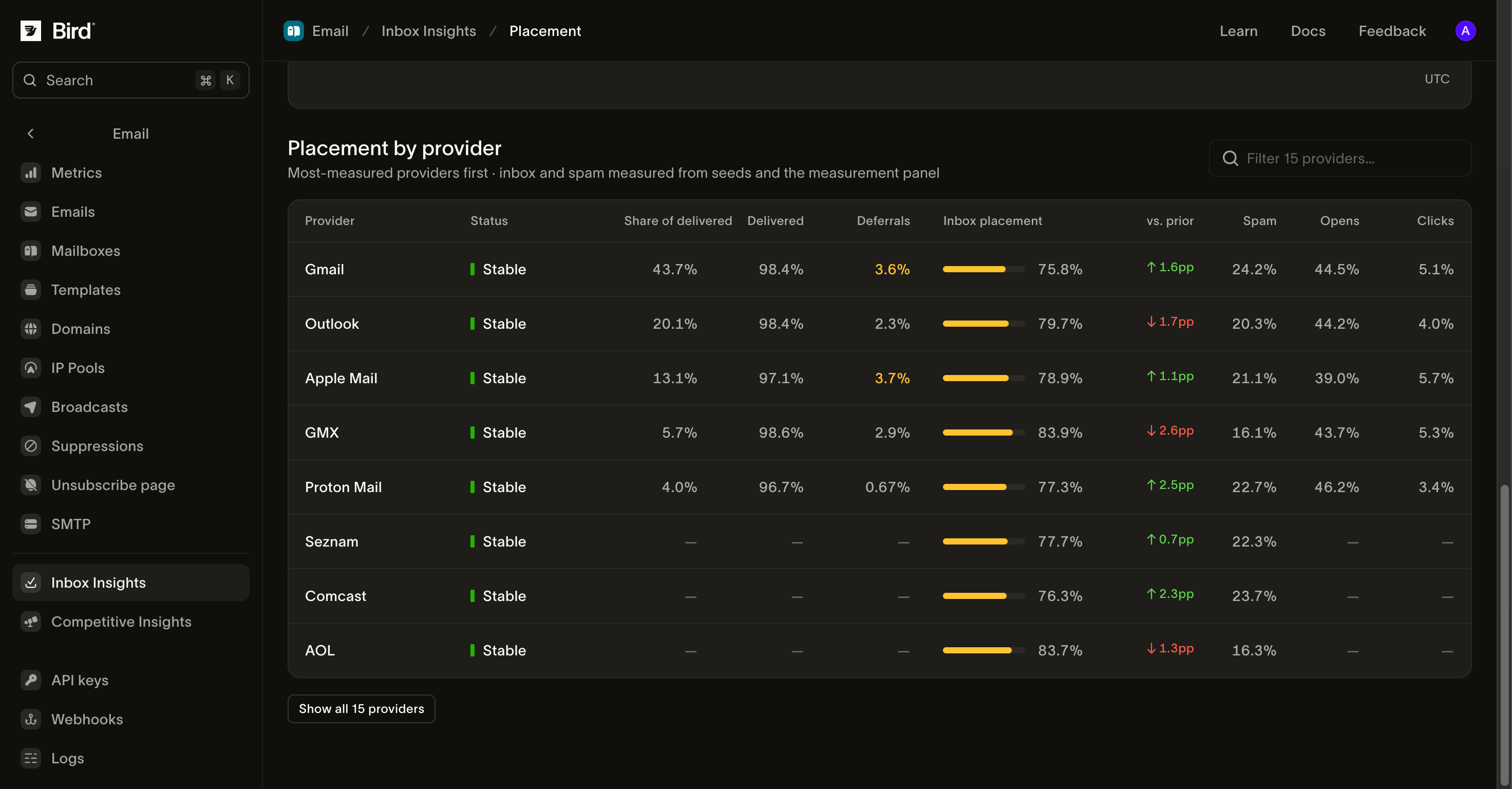
Placement by provider breaks the same figures down per mailbox provider. Each row pairs the seed-measured inbox and spam rates with your own sending figures for that provider: share of delivered, deferrals, opens, and clicks. The Status column flags a row as Stable, Placement drop, or Deferrals rising, so the provider to investigate first is marked. A dash in a cell means that figure was not measured for that provider in the range, a gap in measurement rather than a zero: the panel had no seed placements there, or our sending data does not report that provider separately.
Seed tests
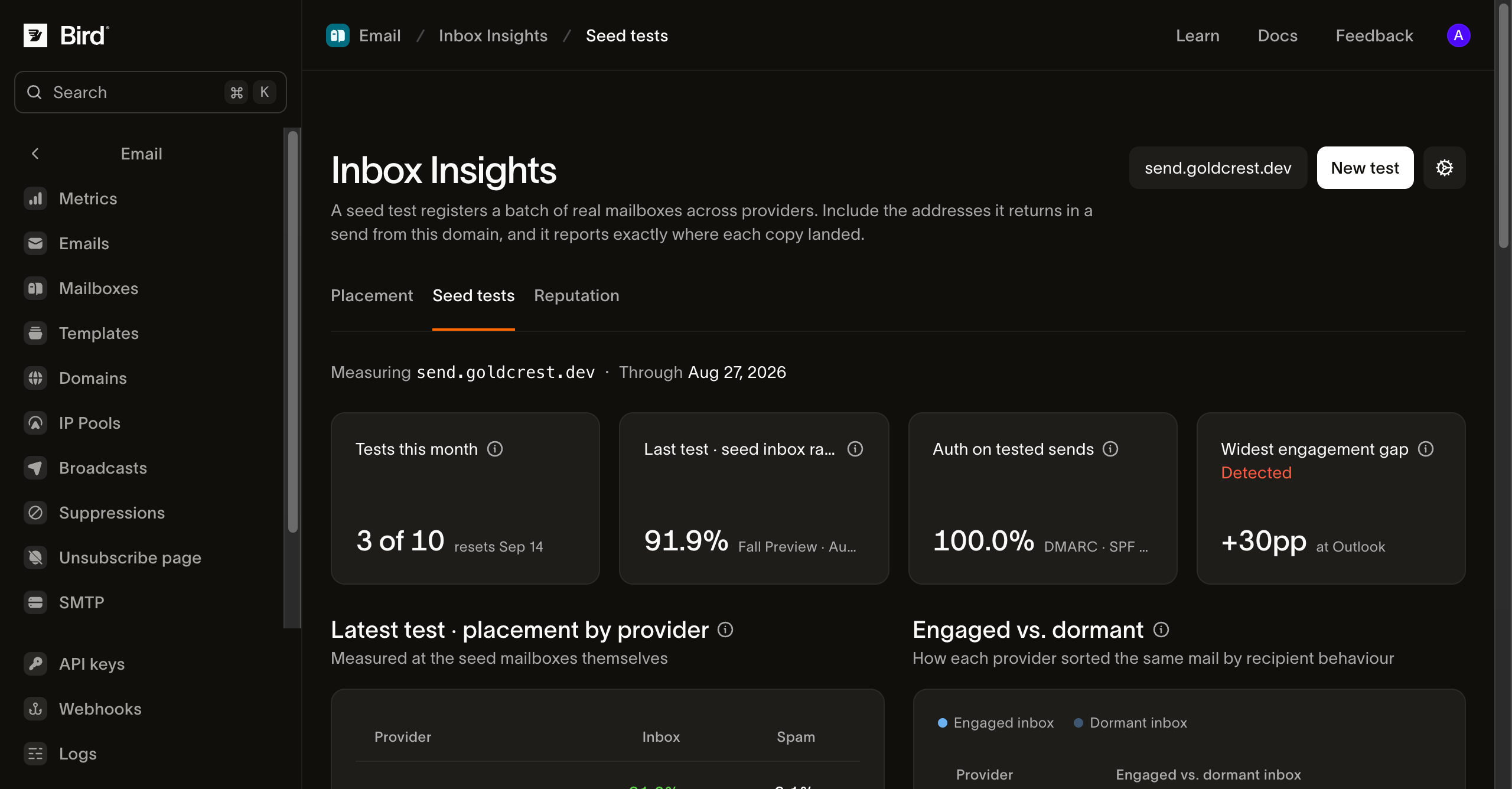
Placement rates aggregate whatever the panel observed. A seed test is the controlled version: you send one real campaign to a list of seed addresses, and the test reports exactly where that send landed at each provider.
To run one:
- On the Seed tests tab, select New test.
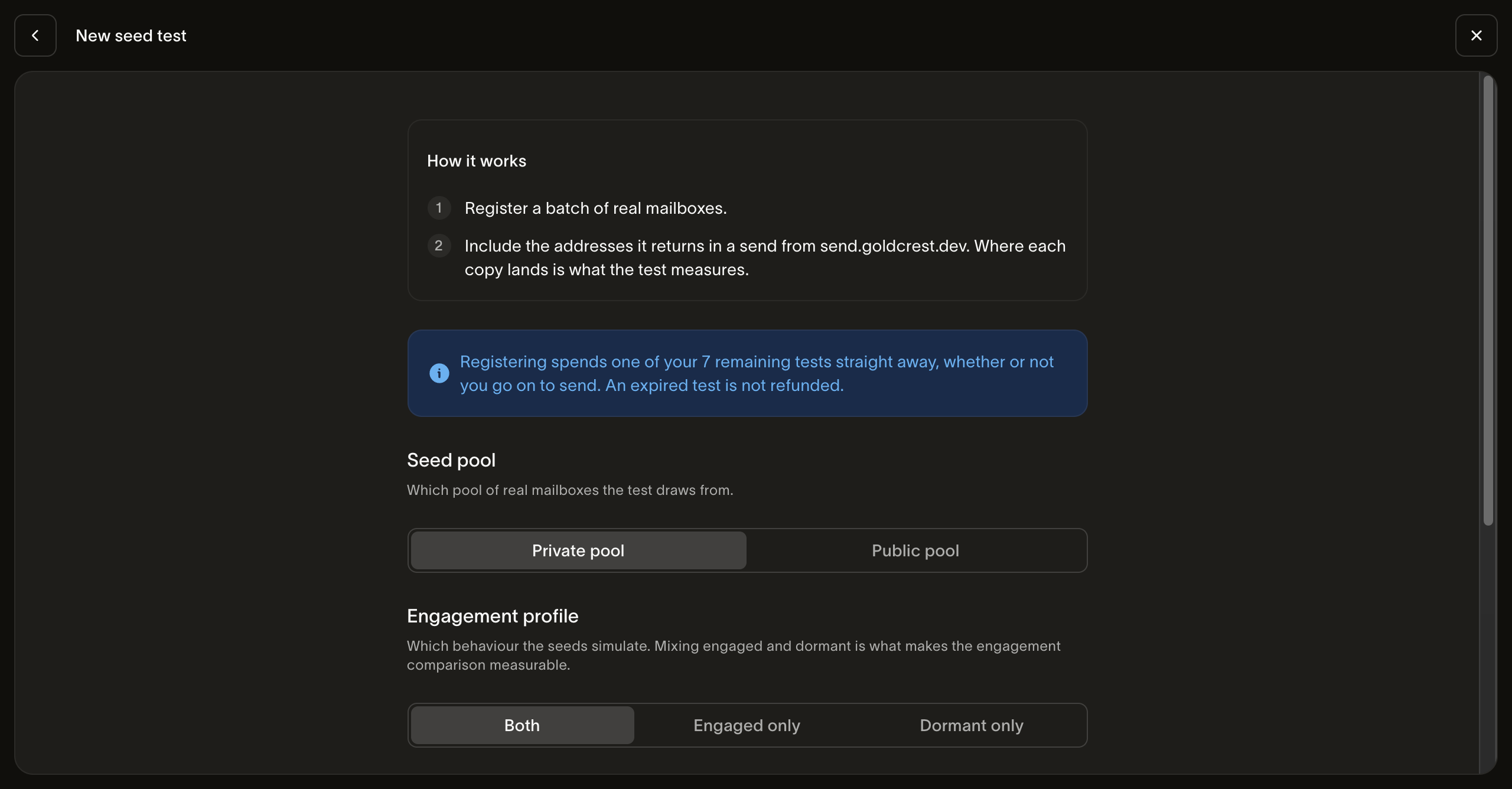
- Choose a Seed pool (the batch of real mailboxes the test draws from), an Engagement profile (how those mailboxes behave, such as engaged recipients, dormant ones, or a split of both), and one or more Regions. Add a test name if you want one for the history. Only pools provisioned for your account are selectable.
- Select Get seed addresses, then copy the addresses or download them as a CSV before closing the wizard.
- Include the seed addresses as recipients in your next send, before the send-by date the test shows.
Results appear once the seed mailboxes receive the mail. A seed test has no separate run step: it measures whatever send includes its addresses. A test whose send never goes out expires on the date shown.
A finished test reports placement per provider measured at the seed mailboxes themselves, authentication results (SPF, DKIM, and DMARC) on the tested send, and, when the test used both cohorts, an Engaged vs. dormant inbox split with the gap between them. That gap is the point of the engagement profile: the same mail can inbox for recipients who engage and land in spam for dormant ones.
Seed tests draw on a monthly allowance, shown as Tests this month on the tab. The default is 10 tests per month for your organization, and the limit is adjustable. A test is counted when it is registered, the count is not returned if the send never fires, and the allowance resets each billing period.
Reputation
The Reputation tab is coming soon: complaint rates, spam-trap hits, blocklist listings, and DMARC alignment for the selected domain, in one place.
When figures are missing
- This domain isn't being measured yet. Inbox placement is measured per domain, and this one has not been added to the measurement panel. Contact support to have it added.
- Figures could not be fetched. The measurement panel was unreachable when the page loaded. Retry; nothing about your sending is affected.
A zero on this page is always a real measurement. Where nothing was measured, the page says so rather than showing 0%.
Next steps
- Email metrics: your own delivery, bounce, and engagement rates
- Competitive Insights: the same placement lens pointed at other senders
- Deliverability: the reputation model behind a bad placement number
- DKIM, SPF, and DMARC: the authentication a seed test checks
Related resources
Continue with the documentation, guides and examples for this topic.