Changelog
Recently shipped.
Page 11
feature
Bird Platform update: redesigned phone number and sender management
We've rebuilt the longcodes, short codes, alphanumerics, and TFNs pages to make managing your phone numbers and senders simpler and more actionable.
New features
- Channel-focused tabs: The interface is now split into 1 to 3 tabs for SMS, Voice and WhatsApp respectively (depending on the type of number) that focus on your use case
- Clear diagnostics: All issues can now be addressed from a single page with clear diagnostics on the actions required to fix problems with a phone number or sender
- Destination-specific requirements: Subscriptions, compliance requirements and warnings are now linked directly to individual destinations, so you'll always know what needs to be done for a particular country
improvement
Bird Settings update: improved Connectivity section with unified sender management
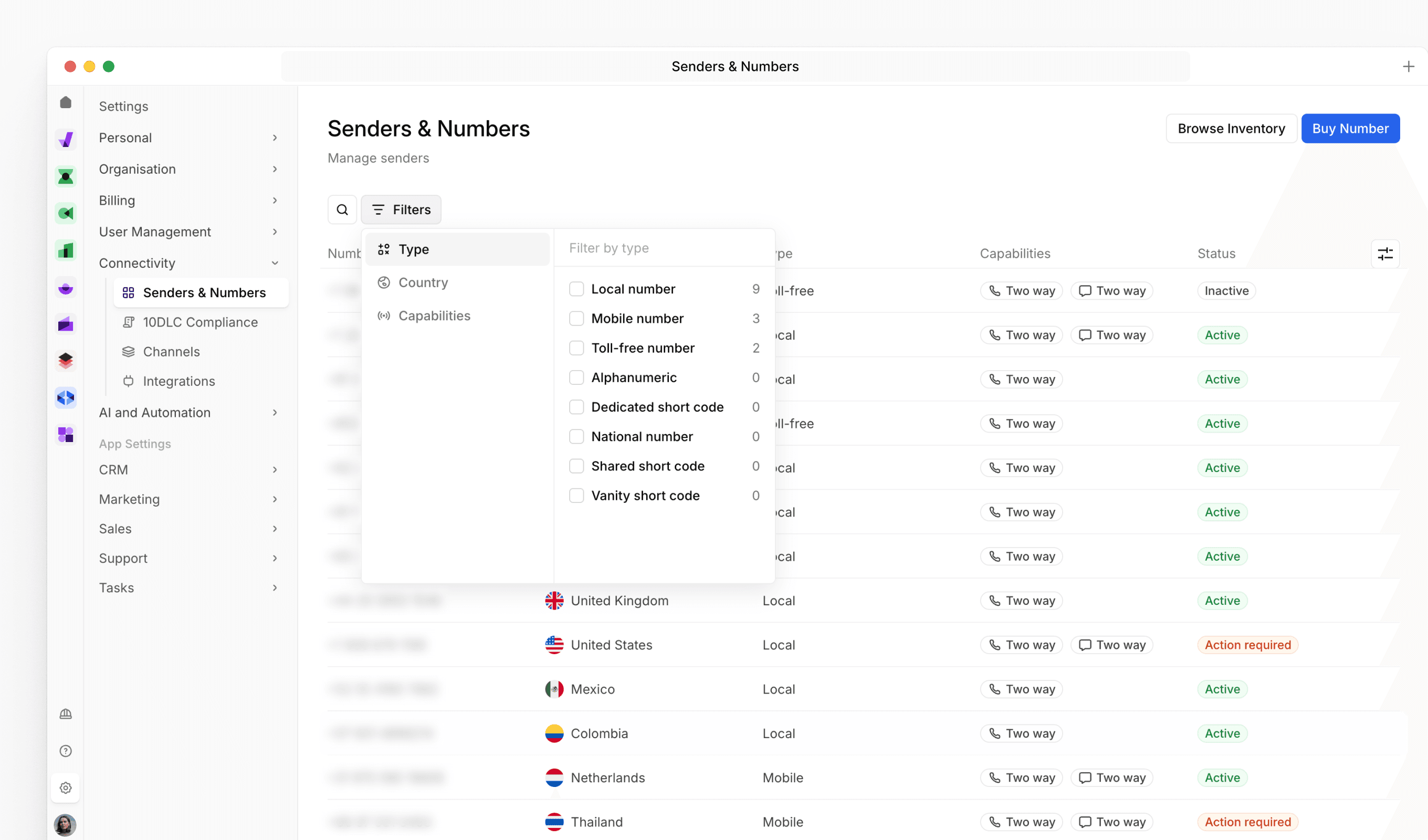
We've improved how you manage your communication channels by reorganizing the Connectivity menu and creating a unified view for all your senders. These changes make it easier to find and manage your phone numbers, short codes, and sender IDs in one place.
Improvements
- Reorganized Connectivity menu: Senders & Numbers and 10DLC Compliance moved under the Connectivity section for better logical organization
- Streamlined navigation: Related connectivity features now grouped together for faster access
feature
Bird Marketing launch: Landing Pages now available

We're excited to announce the launch of Landing Pages in Bird! You can now create high-converting web pages directly within the platform without any coding or external tools. This powerful new addition helps you capture leads, promote offers, and engage customers more effectively.
Getting started
New features
- Drag-and-drop page builder: Build professional landing pages fast with our intuitive visual editor - no technical skills required
- Custom domain publishing: Launch your pages on your own branded domains for a seamless customer experience
- Built-in form integration: Connect your Bird sign-up forms directly to landing pages to capture leads and grow your contact database
- Automatic contact tracking: Track page visits on individual contact profiles to see who's engaging with your content
feature
Bird Marketing update: improved CSV contact import experience

We've redesigned how you import contacts from CSV files to make the process smoother and more reliable. The new experience helps you avoid common import issues and gives you better control over your data.
New features
- Better column mapping: Easily match the columns in your CSV file to the right contact fields in Bird using our new mapping interface
- Identifier configuration: Choose how contact identifiers (like emails or phone numbers) should be handled to prevent duplicate contacts
- Import validation: Before your file imports, we'll check for issues like missing data or formatting problems and show you exactly what needs to be fixed
Improvements
- Clearer import steps: The entire process is now more straightforward with better guidance at each step
feature
Bird Marketing update: AI-powered optimal send time for personalized campaign delivery
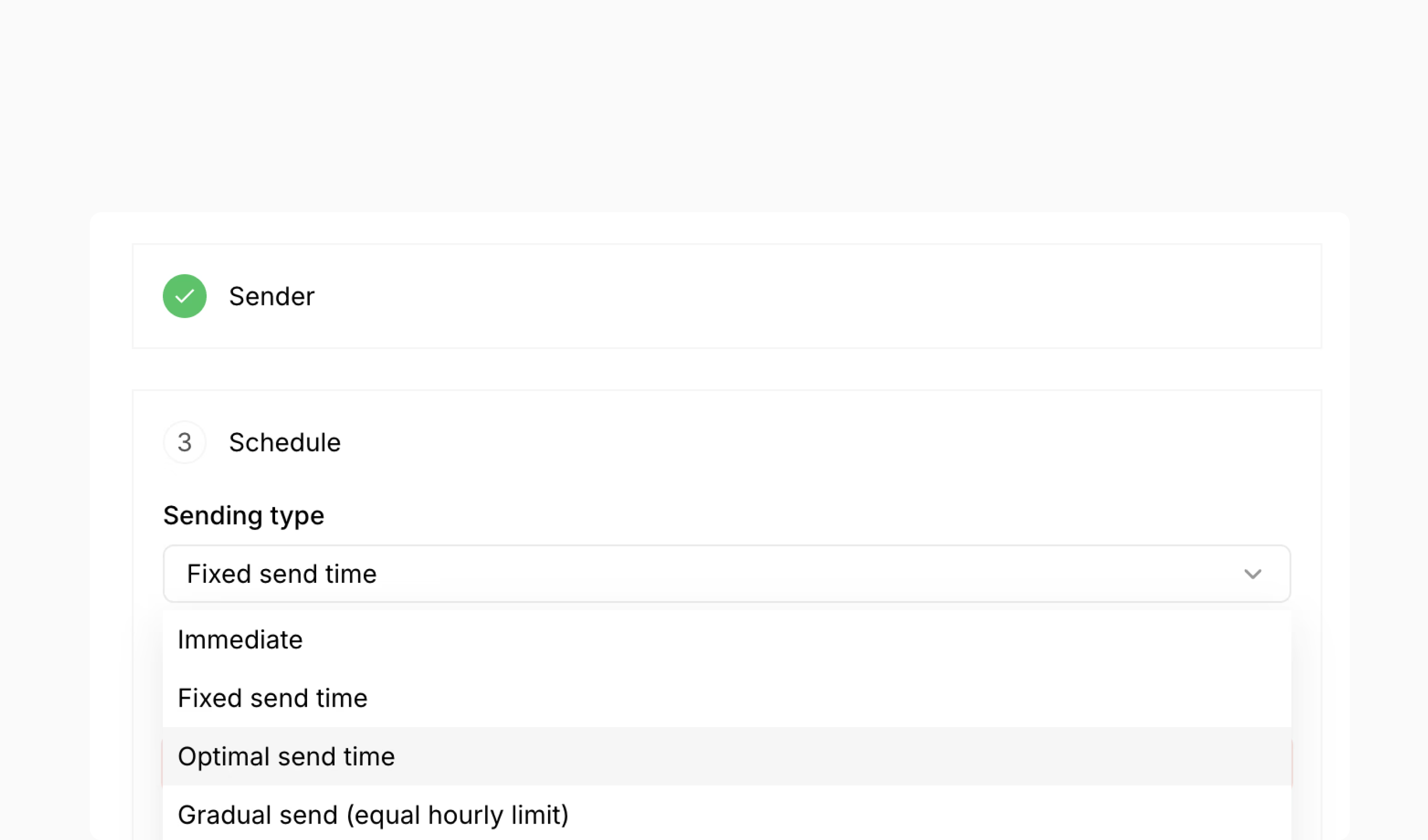
Our latest update introduces AI-driven Send Time Optimization, which analyzes recipient behavior to automatically determine the best time to deliver messages to each individual contact. This feature removes the guesswork from campaign timing and helps maximize engagement rates.
New features
- AI-powered send time optimization: Automatically predicts optimal delivery times for each recipient based on their historical engagement patterns, timezone, channel behavior, and frequency preferences
- Personalized delivery scheduling: Send campaigns at individualized optimal times rather than a fixed time for all recipients
- Fallback time configuration: Set backup delivery times for recipients without sufficient engagement history
- Cross-timezone support: Automatically adjusts delivery times to each recipient's local timezone
- Channel-specific optimization: Trains separate models for email, SMS, and WhatsApp since engagement patterns differ across channels