Claim your first agent mailbox
This guide completes a two-way conversation: claim an inbox on inbox.ai, receive a message into a thread, read it, and reply. You do not need to verify a domain or run a mail server.
1. Create an API key
In the dashboard, go to Platform tools > API keys and create a key. Under the Email group, enable the mailbox and mailbox_management scopes. Keys look like bk_us1_... or bk_eu1_...; the region in the prefix selects the API host.
export BIRD_API_KEY="bk_us1_..."2. Claim a mailbox
Create a mailbox on the shared inbox.ai domain. Omit the local part and Bird generates an available address. The open receive policy accepts mail unless a receive rule blocks it.
const mailbox = await bird.email.mailboxes.create({ display_name: "Support" });
console.log(mailbox.address); // "abc123@inbox.ai"
mailbox = client.email.mailboxes.create(display_name="Acme Support")
print(mailbox.id)mailbox, err := client.Email.Mailboxes.Create(context.Background(), bird.EmailMailboxesCreateParams{
DisplayName: bird.Ptr("Support"),
})
if err != nil {
log.Fatal(err)
}
fmt.Println(mailbox.Id, *mailbox.Address)$mailbox = $bird->email->mailboxes->create(
(new MailboxCreate())
->setDisplayName('Acme Support'),
);
echo $mailbox->getId(), ' ', $mailbox->getAddress();bird email mailboxes create \
--display-name 'My Agent' \
--receive-policy opencurl -X POST "https://us1.platform.bird.com/v1/email/mailboxes" \
-H "Authorization: Bearer $BIRD_API_KEY" \
-H "Content-Type: application/json" \
-d '{
"display_name": "My Agent",
"receive_policy": "open"
}'The response carries the mailbox id and the address claimed for you. Send an email to that address from any mail client to give the next step something to read.
3. Read the thread
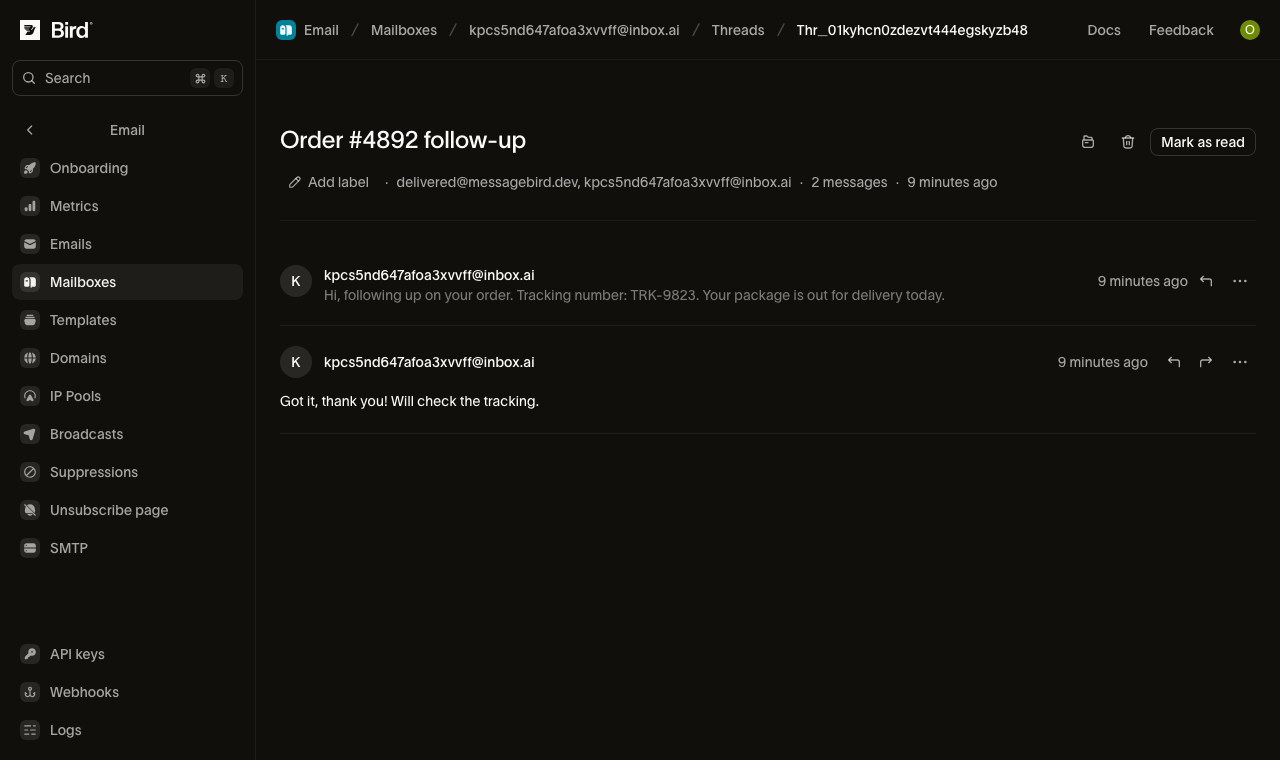
Inbound mail becomes a thread on the mailbox. List threads, then read the messages in the first one.
for await (const thread of bird.email.threads.list({ mailbox_id: "mbx_01abc" })) {
  console.log(thread.id, thread.subject);
}
for thread in client.email.threads.list(mailbox_id="mbx_01krdgeqcxet5s7t44vh8rt9mg"):
print(thread.id, thread.subject)for thread, err := range client.Email.Threads.List(context.Background(), bird.EmailThreadsListParams{}) {
if err != nil {
log.Fatal(err)
}
fmt.Println(thread.Id)
}foreach ($bird->email->threads->list(['mailbox_id' => 'mbx_01krdgeqcxet5s7t44vh8rt9mg']) as $thread) {
echo $thread->getId(), ' ', $thread->getSubject(), "\n";
}bird email threads listcurl -X GET "https://{region}.platform.bird.com/v1/email/threads" \
-H "Authorization: Bearer $TOKEN" \
--url-query "label=urgent" \
--url-query "participant=billing@acme.com" \
--url-query "subject=quarterly invoice" \
--url-query "limit=25"Then read that thread's messages:
for await (const msg of bird.email.threads.messages.list("thr_01abc")) {
  console.log(msg.id, msg.direction);
}
for message in client.email.threads.messages.list("thr_01krdgeqcxet5s7t44vh8rt9mg"):
print(message.id, message.subject)for msg, err := range client.Email.Threads.Messages.List(context.Background(), "thr_123", bird.EmailThreadsMessagesListParams{}) {
if err != nil {
log.Fatal(err)
}
fmt.Println(msg.Id, msg.Direction)
}foreach ($bird->email->threads->messages->list('thr_01krdgeqcxet5s7t44vh8rt9mg') as $message) {
echo $message->getId(), ' ', $message->getDirection(), "\n";
}bird email threads messages list <thread-id>curl -X GET "https://{region}.platform.bird.com/v1/email/threads/{thread_id}/messages" \
-H "Authorization: Bearer $TOKEN" \
--url-query "label=unread" \
--url-query "limit=25"Each message carries its direction (inbound) and its id (a received message is prefixed rem_). Add include=extracted_text to inline the quote-stripped body: the new content, without the quoted history an agent would otherwise have to strip itself.
To avoid polling, subscribe to the email_mailbox.message_received webhook. It fires when an inbound message reaches the inbox. See the events reference.
4. Reply
Reply to the received message. Use its rem_ ID from step 3. The reply stays in the same thread and sends from your mailbox's address:
const reply = await bird.email.threads.messages.reply("thr_01abc", "rem_01xyz", {
  text: "Thanks for reaching out!",
});
console.log(reply.id);
reply = client.email.threads.messages.reply(
"thr_01krdgeqcxet5s7t44vh8rt9mg", "rem_01krdgeqcxet5s7t44vh8rt9mg",
text="Thanks for reaching out!",
)
print(reply.id)reply, err := client.Email.Threads.Messages.Reply(context.Background(), "thr_123", "rem_456", bird.EmailThreadsMessagesReplyParams{
Text: bird.Ptr("Thanks for reaching out!"),
})
if err != nil {
log.Fatal(err)
}
fmt.Println(reply.Id)$reply = $bird->email->threads->messages->reply(
'thr_01krdgeqcxet5s7t44vh8rt9mg',
'rem_01krdgeqcxet5s7t44vh8rt9mg',
(new EmailThreadMessageReplyRequest())
->setText('Thanks, looking into it now.')
->setReplyAll(true),
);
echo $reply->getId();bird email threads messages reply <thread-id> <message-id> \
--text 'Thanks, confirming we received your request.'curl -X POST "https://{region}.platform.bird.com/v1/email/threads/{thread_id}/messages/{message_id}/reply" \
-H "Authorization: Bearer $TOKEN" \
-H "Content-Type: application/json" \
-d '{
"text": "Thanks, confirming we received your request."
}'You can now claim, receive, read, and reply. To start a conversation instead of answering one, compose a new message on the mailbox (POST /v1/email/mailboxes/{id}/messages), which opens a new thread.
Next steps
- Agent mailboxes: how threads, receive rules, sending, and retention work.
- MCP server: run the same loop from an AI agent through the MCP server.
- CLI:
bird email mailboxesandbird email threadsfor the terminal. - SDK quickstarts: Go, Python, and TypeScript SDK walkthroughs.
Related resources
Continue with the documentation, guides and examples for this topic.