AI onboarding
Bird is built to be driven by agents as much as by humans. There are three ways to point an AI tool at Bird, and this page walks through all of them: the MCP server (your agent calls Bird directly), the bird-ai plugin (one install drops Bird's skills — and, on Claude Code, the MCP server — into your client), and the docs corpus (llms.txt / llms-full.txt — your agent reads the docs the way you do). Every page of this site also has a Copy page menu that hands all of this to your tools in one click. Set them up once and your agent can send, inspect, and debug on Bird without you copy-pasting anything.
1. Connect the Bird MCP server
The Bird MCP server exposes the Bird API as Model Context Protocol tools, so Cursor, VS Code, Claude, ChatGPT, and any MCP-aware client can call Bird directly. The hosted server is a URL and a browser sign-in — nothing to install:
Exemple de code
https://mcp.platform.bird.comPoint a remote-capable client at that endpoint and it connects. The first time, your browser opens a Bird consent screen: you sign in, pick the workspace and the permissions to grant, and approve. There's no API key to create and no secret in your client config — the server acts as you, scoped to exactly what you approved. The per-client setup:
Claude Code
Exemple de code
claude mcp add --transport http bird https://mcp.platform.bird.comCursor
In ~/.cursor/mcp.json (or Settings → MCP):
Exemple de code
{
  "mcpServers": {
    "bird": {
      "url": "https://mcp.platform.bird.com"
    }
  }
}
VS Code
In .vscode/mcp.json in your project:
Exemple de code
{
  "servers": {
    "bird": {
      "type": "http",
      "url": "https://mcp.platform.bird.com"
    }
  }
}
Restart the client (or reload its MCP servers) and the Bird tools appear in the agent's tool list. The full tool surface, the OAuth model, and the local-stdio option live in the MCP server guide.
Prefer to run it locally? The same toolset ships inside the bird CLI and serves MCP over stdio — bird auth login then bird mcp, with the server config { "command": "bird", "args": ["mcp"] }. That's the right choice for offline work, shell-capable agents, or running the process yourself; the MCP server guide covers it in full.
2. Install the bird-ai plugin
Beyond the raw tools, Bird publishes agent skills — packaged procedures that teach a coding agent the Bird workflows (send and confirm delivery, set up a sending domain, manage webhook endpoints) so it gets to a correct command on the first try. They ship in the bird-ai marketplace plugin, one install across Claude Code, Cursor, Codex, Copilot, and Droid:
Exemple de code
/plugin marketplace add messagebird/bird-ai
/plugin install bird
On Claude Code the same install also wires up the hosted MCP server from step 1, so the plugin is the one-step path there. The agent skills guide has the per-client install commands and the MCP support matrix.
3. Feed your agent the docs corpus
Everything on this docs site is also published in machine-readable form, so agents that prefer reading over tool calling get the same content you're looking at now:
- /llms.txt — the index: a flat, link-rich summary of every page, ideal as a starting point the agent can follow links from.
- /llms-full.txt — the full corpus: every doc page concatenated as Markdown, for agents that want the whole thing in context.
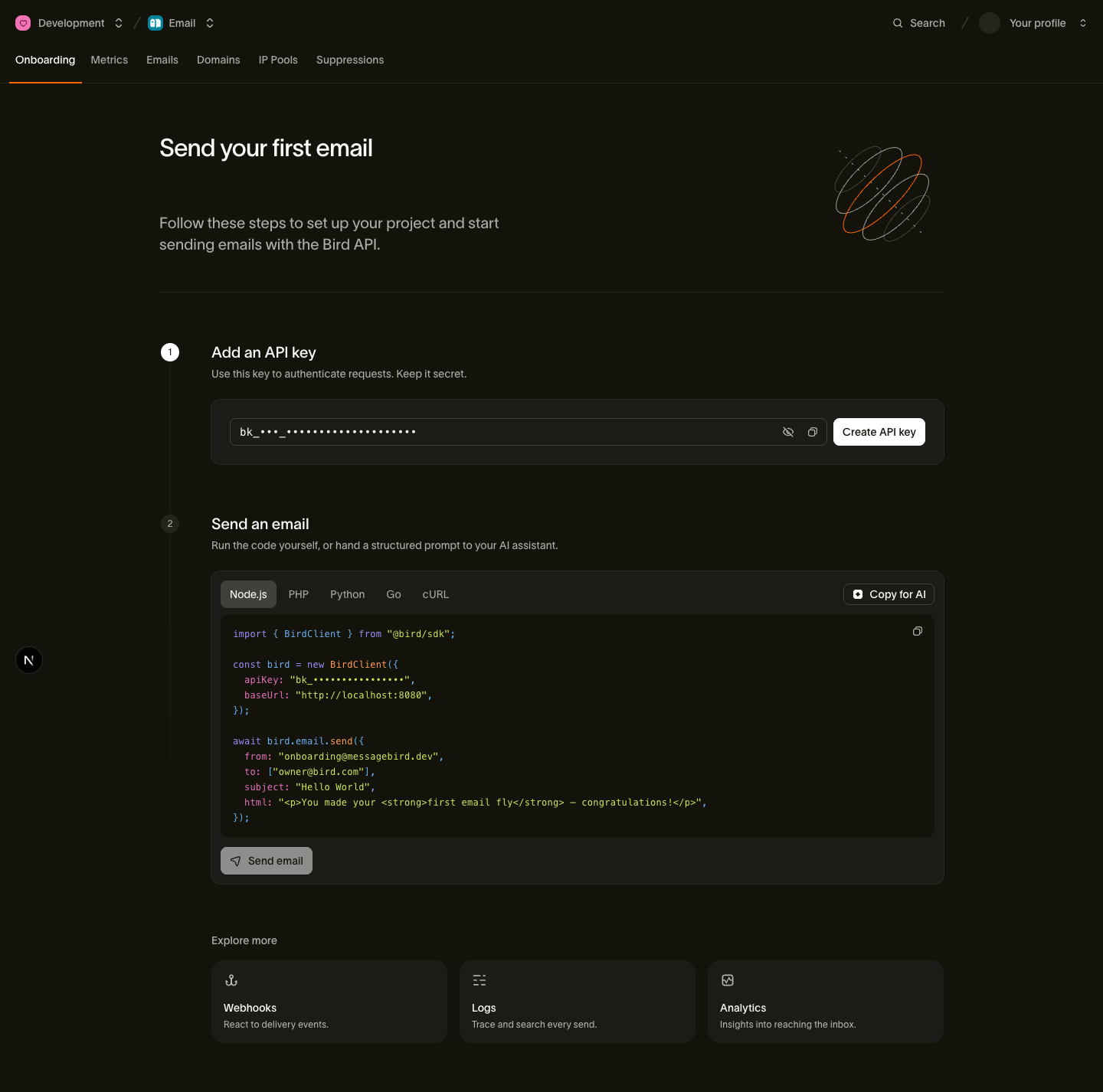
Both are regenerated with the site, so they never drift from the live API surface. Point your agent at the index URL, paste the full corpus into a long-context session, or use the Copy page menu on any individual page — it copies that page as Markdown and links to both corpus files. The dashboard's onboarding page mirrors the same Copy-for-AI shortcuts.
The formats, sizing, and retrieval tips are covered in the llms.txt guide.
4. Try it
With the MCP server connected, give your agent a real task end to end:
Send a test email from onboarding@messagebird.dev to delivered@messagebird.dev and tell me when it's delivered.
The agent sends through Bird's shared onboarding domain to the sandbox recipient — no domain verification, no real mailbox, a deterministic delivered result — and polls the message status until it lands. That's the same happy path as the send-your-first-email quickstart, just driven by the agent instead of you.
Go deeper
- MCP server — the hosted endpoint, the full tool surface, the delegated OAuth model, and the local-stdio option.
- Agent skills — the bird-ai marketplace plugin and what each client gets.
- CLI for agents — the bird CLI is agent-shaped by design; drive Bird from shell-capable agents without MCP.
- llms.txt & Markdown docs — how the machine-readable corpus is built and how to retrieve from it.
- Send your first email — the human-driven version of the happy path above.