Changelog
Recently shipped.
feature
Bird Platform update: Redesigned organization user management
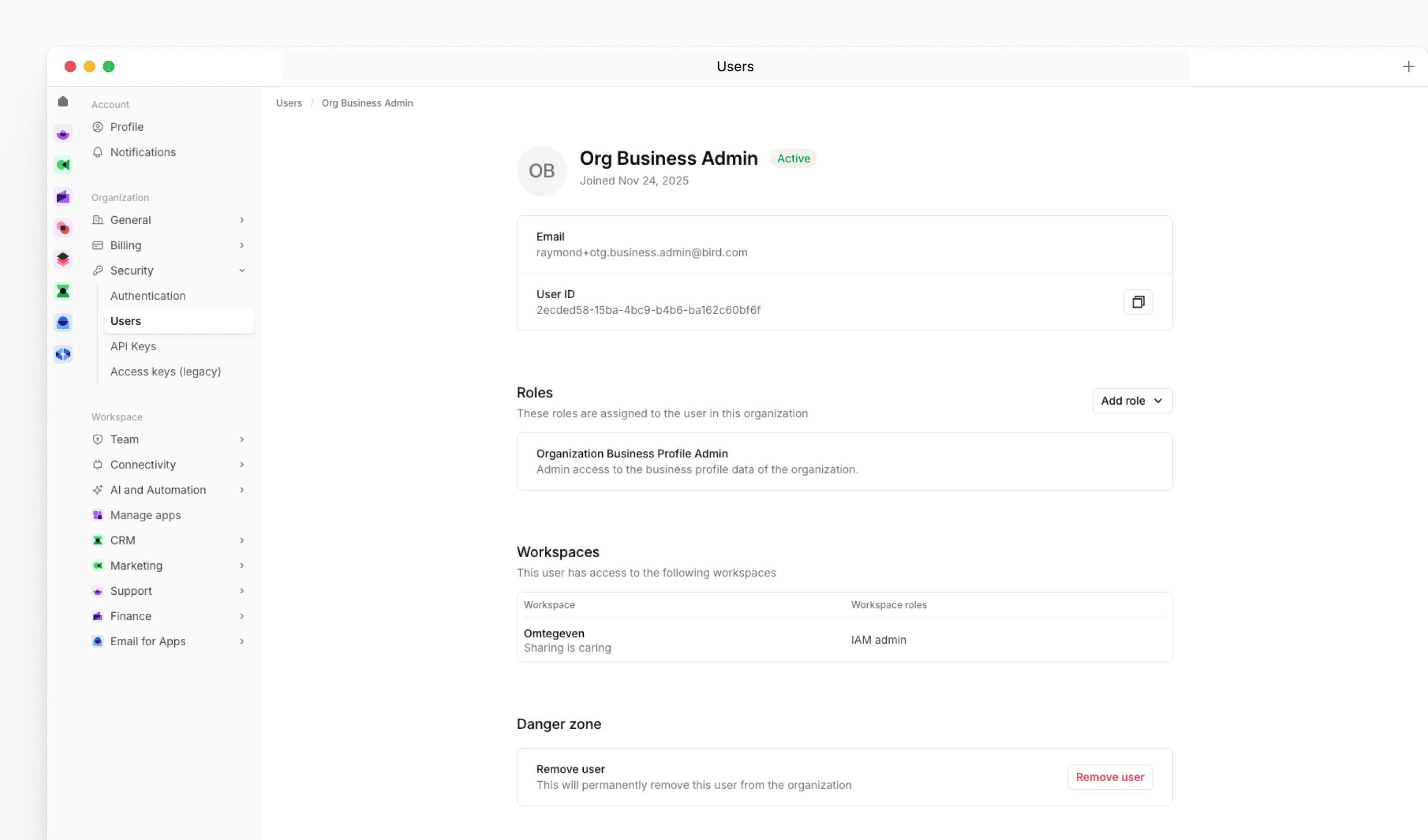
We've replaced the admin management screen with a new user management experience that gives organization admins a clearer overview of their team and more control over roles and access.
New features
The new Users page under Organization Settings shows each user's role assignments, workspace access, and account status in a single table. Clicking a user opens a detail page where you can add or remove organization roles, review their workspace memberships, and remove them from the organization if needed.
When inviting a new user, you can now assign one or more organization roles as part of the invite flow. For users who haven't accepted their invitation yet, you can resend it directly from their profile page.
What this means for you
If you manage users in your organization, navigate to Settings > Security > Users to find the new experience. The actions available to you depend on your permissions - organization admins can manage roles and remove users from this page.
Good to know
Removing a user from the organization will revoke their access to all workspaces and resources within it. Workspace memberships are managed at the workspace level and are not affected by role changes made here.
feature
Momentum 5.2 release
Momentum 5.2 is now available for download via the MessageSystems customer portal. This release delivers platform upgrades, enhanced security, and improved observability across your email infrastructure.
New features
- RHEL 10 Support (Intel x86_64 & ARM aarch64) – Deploy on Red Hat Enterprise Linux 10 across both Intel and ARM platforms for broader OS compatibility
- TLS v1.3 for SMTP – Strengthened encryption and faster handshake performance for SMTP connections using GnuTLS
- New DNS Configuration Options – Finer control over DNS behavior with configurable UDP buffer sizes and dynamic source port reuse limits
Improvements
- Enhanced Observability – New message fields for better delivery diagnostics, smarter log throttling, and streamlined metrics management
- Platform & Dependency Updates – Updated bundled components and streamlined packaging for improved performance, security, and easier maintenance
Fixes
Several bug fixes for improved stability.
feature
Bird Platform update: New language support
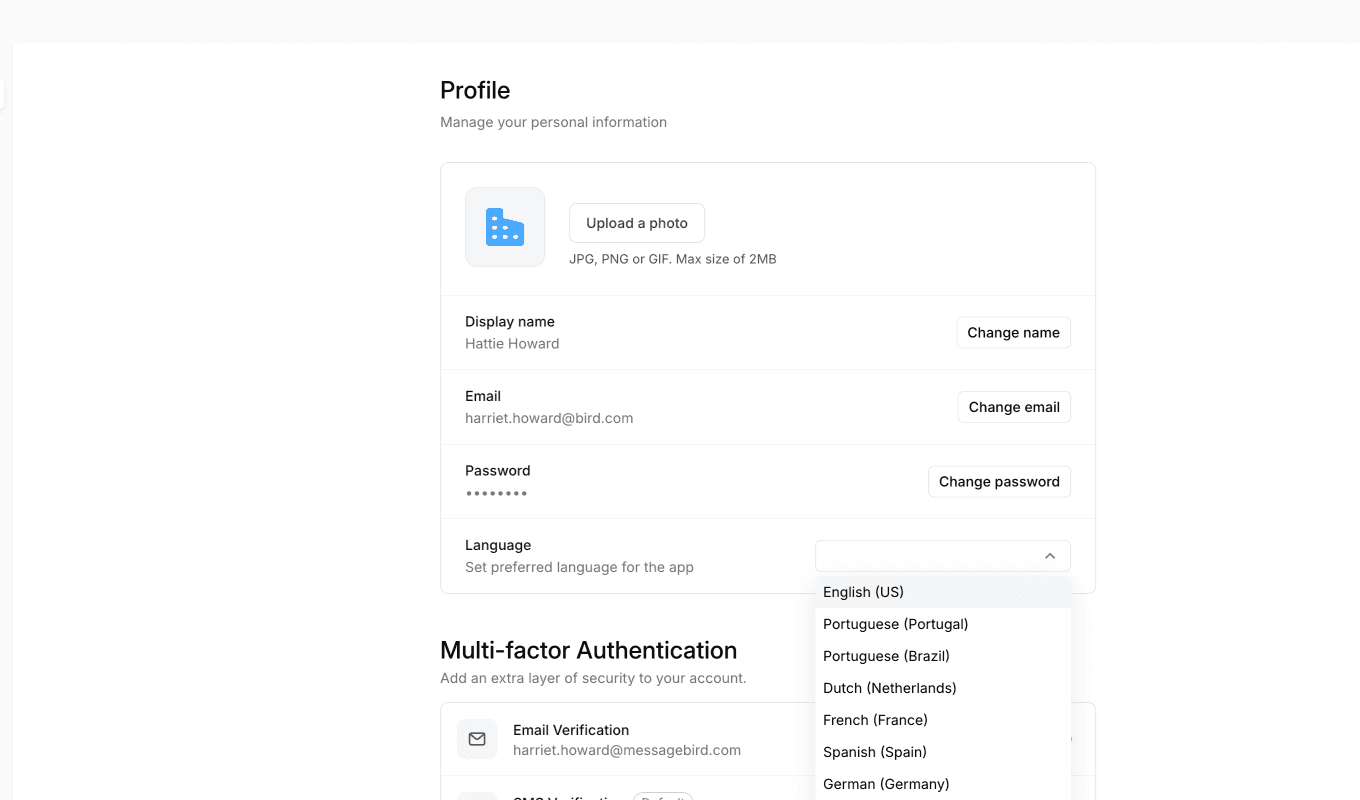
The Bird app now supports multiple languages natively. If your browser is set to one of the supported languages, the app will automatically appear in that language.
Supported languages
- Portuguese - Portugal
- Portuguese - Brazil
- Dutch - Netherlands
- French - France
- German - Germany
- Spanish - Spain
- Russian - Russia
How it works
The app detects your preferred language from your browser settings and displays the interface in that language. All static text will be translated with correct locale rules for currency, plurals, and number formatting.
You can also set your preferred language directly in Bird via Profile → Language. If set, this takes priority over your browser language.
Learn more about language support →
Good to know
Some dynamically loaded content, such as custom pages and dashboards pulled from the API, may not yet be translated. We're continuing to expand translation coverage over time.
If you have any questions, please don't hesitate to reach out to our support team.
feature
Bird Platform update: Contacts and CRM access changes
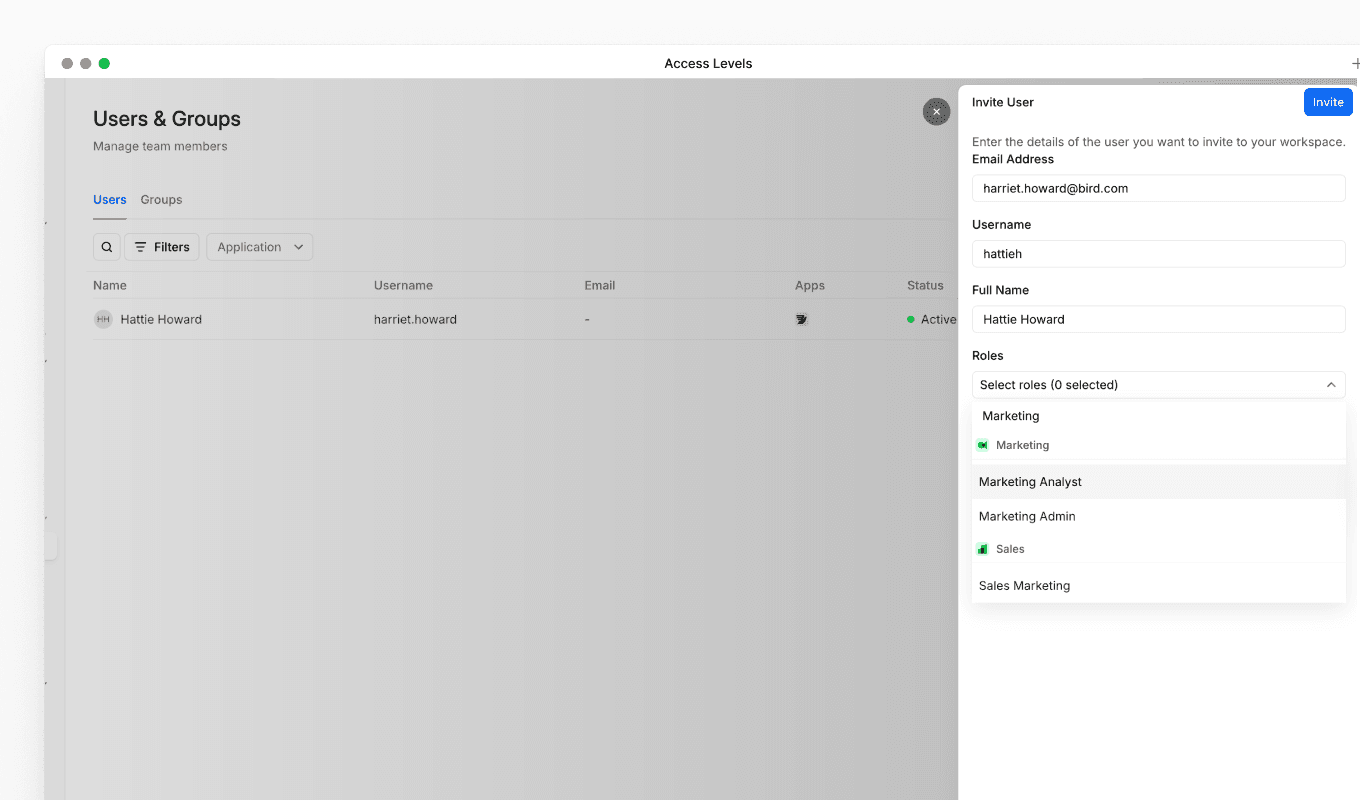
We've updated the default permissions for contacts and CRM access to improve workspace security and follow the principle of least privilege, ensuring users only have access to the data they need for their role.
What's changed
Previously, all users had access to contacts and CRM data as part of their base permissions. Going forward, contacts and CRM access is no longer included by default. Users now need a specific role to access this data.
Who is affected
Who is affected
- Users with only a Developer role: You will no longer have access to contacts and CRM data.
- Users with a Marketing, Inbox, or CRM role: No change. You will continue to have access to contacts and CRM data.
What this means for you
If you have a Developer role and can no longer access contacts or CRM data, this is expected behaviour following this update. If you need access to contacts and CRM data for your work, you will need an additional role assigned to your account.
How to regain access
To regain access to contacts and CRM data, speak to your Organization Admin. They can assign a Marketing, Inbox, or CRM role to your account alongside your existing Developer role.
feature
Bird Platform update: Developer app visibility changes
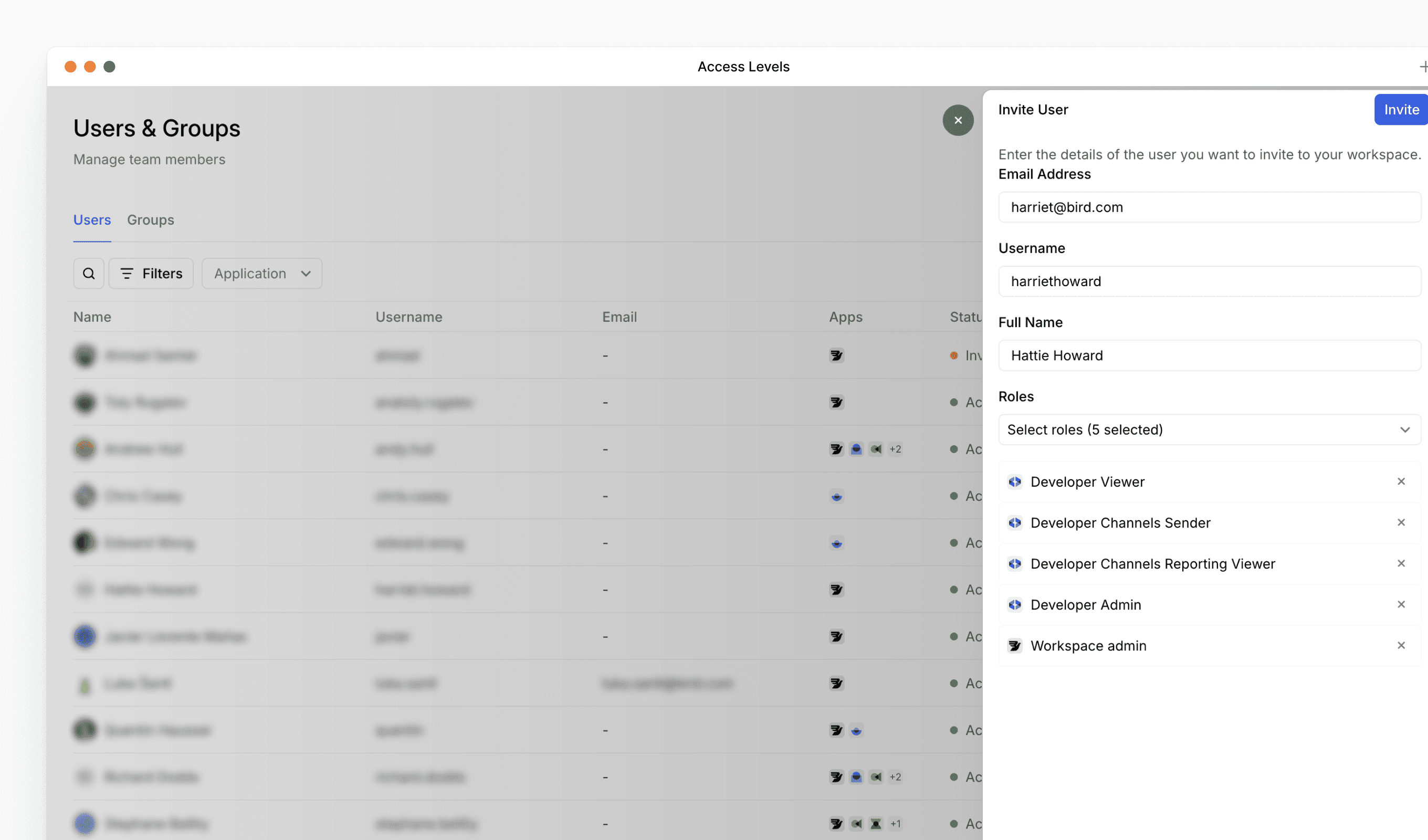
We've updated the permissions required to access the Developer app to improve workspace security and ensure appropriate access control.
What's changed
Developer app visibility requirements: Going forward, users need to have either a developer app role or a workspace admin role to view the Developer app in the left menu panel.
What this means for you
If you or your team members can no longer see the Developer app in the navigation menu, check that the appropriate role has been assigned. Workspace admins can grant the developer app role to users who need access.