Changelog · back to all
Bird Marketing update: new Campaign builder interface & streamlined workflow
feature
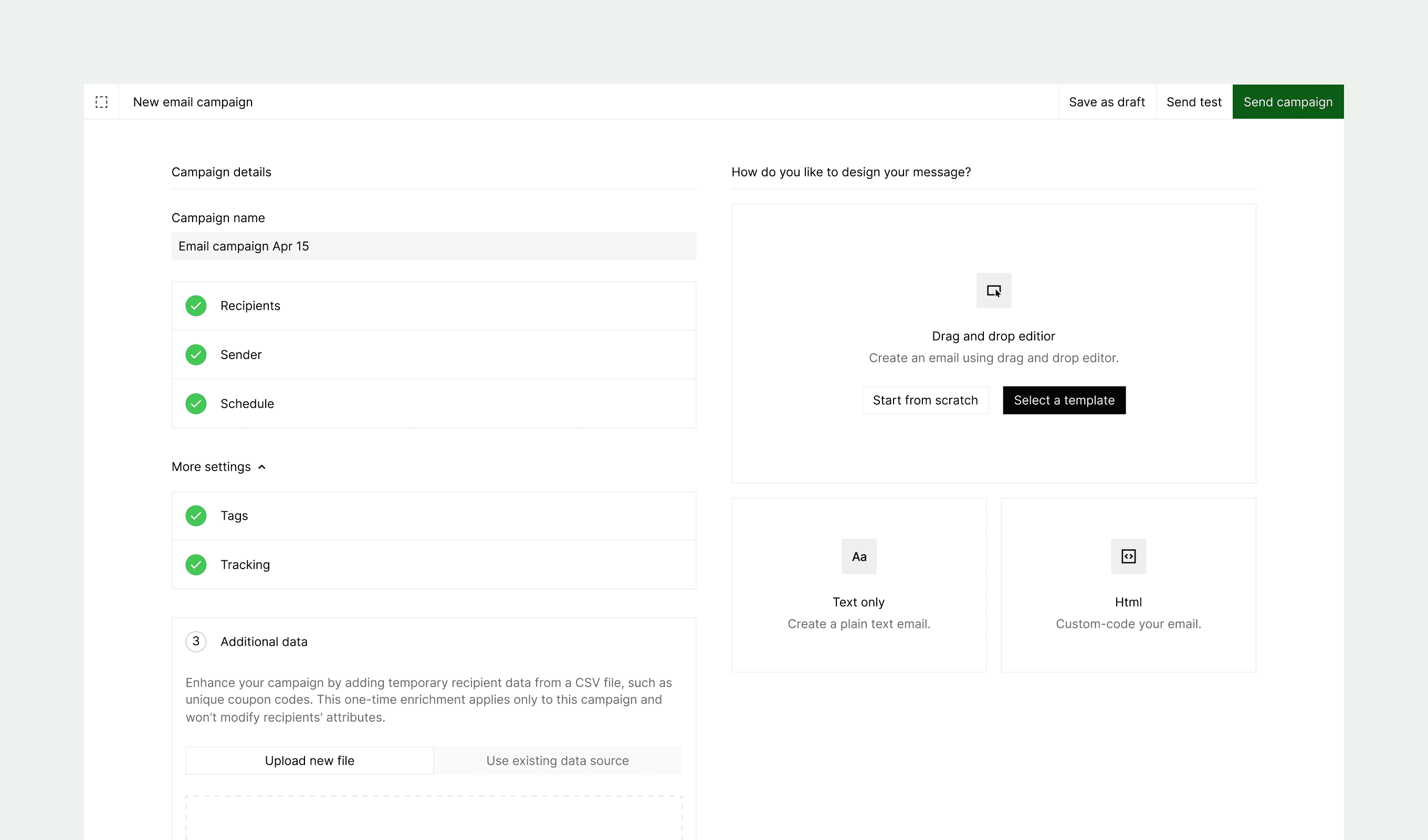
Our latest update transforms the campaign creation experience with a more intuitive design. We've replaced the multi-step process with a comprehensive single-page layout that streamlines your workflow and provides better visibility of all campaign elements at once.
New features
-
Single-page interface: Consolidated view that displays all campaign components—channel, recipients, sender, schedule, content, and settings—in one cohesive layout
-
Dual-pane organization
- Left pane: Configure campaign parameters including audience targeting, sender details, and scheduling options
- Right pane: Create and preview content, send test messages, and launch campaigns
-
Real-time preview: View content changes instantly as you build your campaign
-
Streamlined editing: Make adjustments to any campaign element without losing context or navigating through multiple steps