Suppressions
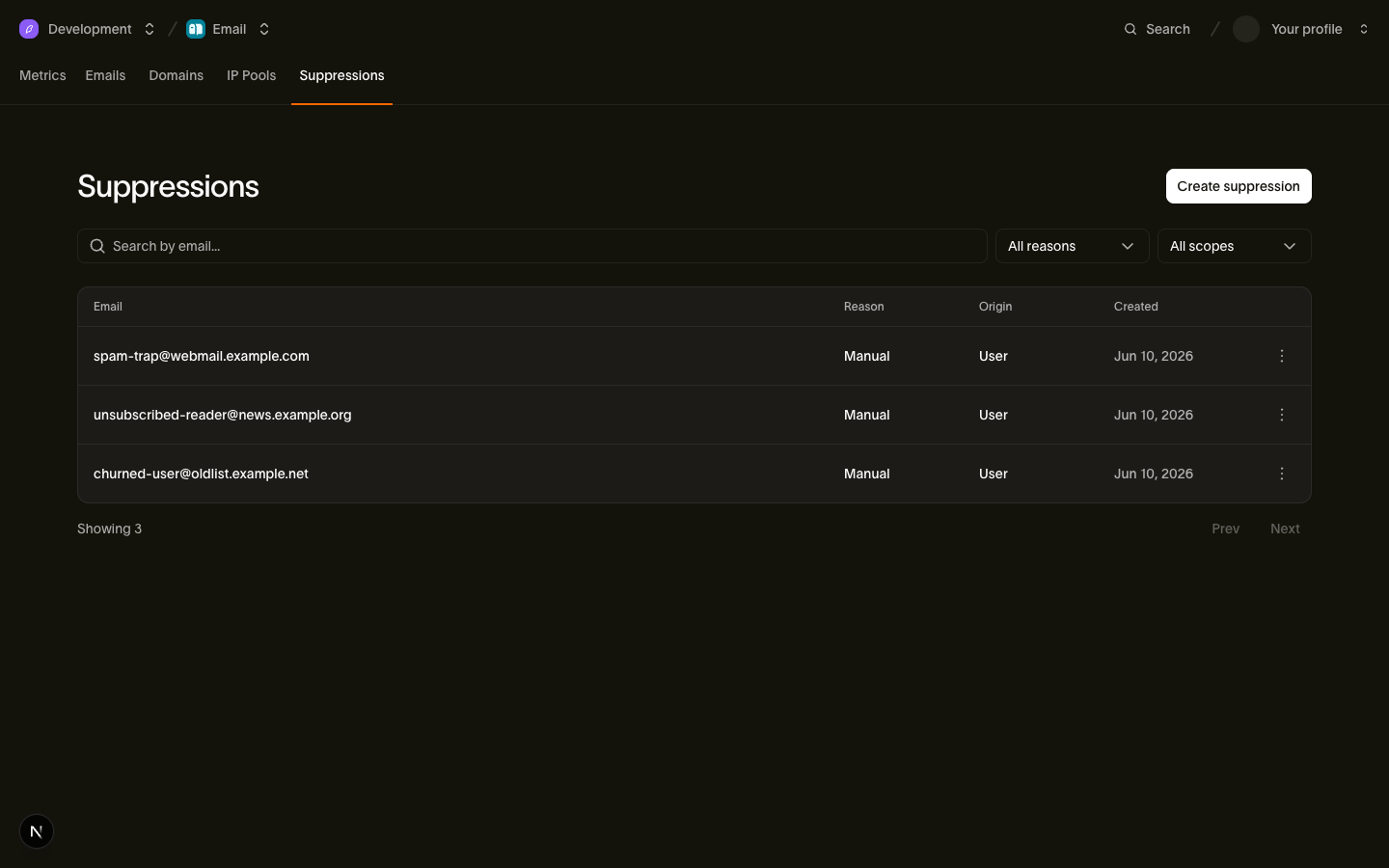
Every workspace owns a suppression list: a set of email addresses Bird will not deliver to. Hard bounces, spam complaints, and unsubscribes land on it automatically, and you can add addresses yourself via the API. The list exists to protect your sender reputation — repeatedly mailing addresses that bounce or report spam is the fastest way to get your domain blocked by mailbox providers, so Bird stops those sends before they leave the platform.
Suppression is a recipient-level concept. A single send can have some recipients delivered and others suppressed; suppressed recipients are visibly rejected rather than silently dropped, so you can always see exactly which addresses were blocked and why.
You can browse and manage the list in the dashboard, or use the suppressions API described below.
The four reasons and what they block
Each suppression record has a reason explaining why the address is on the list, and an applies_to policy controlling which categories it blocks:
| Reason | applies_to | Marketing category | Transactional category |
|---|---|---|---|
| hard_bounce | all | Blocked | Blocked |
| complaint | non_transactional | Blocked | Allowed |
| unsubscribe | non_transactional | Blocked | Allowed |
| manual | all | Blocked | Blocked |
The split follows from what each reason means:
- hard_bounce — the address does not exist. Sending is pointless in any category, so it blocks everything (applies_to: all).
- complaint and unsubscribe — preference signals. Someone who reported your newsletter as spam may still legitimately need a password reset or an order confirmation, so these block only non-transactional sends (applies_to: non_transactional). Sends in the marketing category are blocked; sends in the default transactional category get through.
- manual — a deliberate decision by you or your team. Bird does not second-guess it: manual suppressions block every category, including transactional.
How addresses get added automatically
Bird's delivery pipeline adds suppressions in response to recipient signals — you never have to act on a bounce or complaint yourself:
| Trigger | Resulting suppression |
|---|---|
| Hard bounce (email.bounced) | reason: hard_bounce, applies_to: all |
| Out-of-band hard bounce (email.out_of_band_bounce) | reason: hard_bounce, applies_to: all |
| Spam complaint (email.complained) | reason: complaint, applies_to: non_transactional |
| Link or list unsubscribe (email.unsubscribed) | reason: unsubscribe, applies_to: non_transactional |
Just as important is what does not suppress:
- Soft bounces and deferrals (email.deferred) — transient failures like a full mailbox. Bird retries; the address stays sendable.
- Send-side rejections — generation failures and policy rejections are problems with the send, not with the recipient's address. They produce email.rejected events but never a suppression.
Auto-suppression is idempotent and first-cause-stable: if an address is already suppressed for the same scope and reason, later matching events leave the original record — including its source_email_id, source_recipient_id, and created_at — unchanged. Different reasons can coexist for the same address, so a hard bounce and an earlier unsubscribe each keep their own record.
Auto-suppressed records carry source_email_id and source_recipient_id, linking back to the exact message and recipient event that caused the suppression — useful when a customer asks why they stopped receiving your email.
When the pipeline auto-suppresses an address, Bird fires an email_suppression.created webhook event so your systems can mirror the change. Manual additions via the API do not fire this event — you already know, since you made the call. Subscribe to email_suppression.created on your webhook endpoint.
Managing suppressions via the API
The API supports single-record add, list, lookup, and delete. Email addresses are normalized to lowercase before storage and lookup, and they never appear in URL paths — addresses are PII, and keeping them out of paths keeps them out of access logs. To find a record for an address, filter the list with ?email= instead.
Add an address
Przykład kodu
curl -X POST https://us1.platform.bird.com/v1/email/suppressions \
  -H "Authorization: Bearer $BIRD_API_KEY" \
  -H "Content-Type: application/json" \
  -d '{ "email": "user@example.com" }'
Manual additions always get reason: manual and applies_to: all — they block every category. The call is idempotent: a new suppression returns 201 Created, and if the address is already manually suppressed you get 200 OK with the existing record instead of a conflict error. Either way the body is the suppression object:
Przykład kodu
{
  "id": "sup_01krdgeqcxet5s7t44vh8rt9mg",
  "email": "user@example.com",
  "scope": { "type": "workspace", "id": "ws_01krdgeqcxet5s7t44vh8rt9mg" },
  "reason": "manual",
  "origin": "api_key",
  "applies_to": "all",
  "source_email_id": null,
  "source_recipient_id": null,
  "created_at": "2026-06-10T14:30:00Z"
}
The origin field records how the suppression was created: api_key or user for manual additions (depending on whether the caller authenticated with an API key or a dashboard session), and bounce_event, complaint_event, or unsubscribe_event for automatic ones.
List and look up
Przykład kodu
curl "https://us1.platform.bird.com/v1/email/suppressions?limit=25" \
  -H "Authorization: Bearer $BIRD_API_KEY"
The list is cursor-paginated and filterable by reason. To check whether a specific address is suppressed, pass it as the email query parameter:
Przykład kodu
curl "https://us1.platform.bird.com/v1/email/suppressions?email=user@example.com" \
  -H "Authorization: Bearer $BIRD_API_KEY"
An empty data array means the address is not suppressed. The same address can return multiple records when different reasons apply — for example a hard_bounce and an unsubscribe. The email filter matches by prefix, so a partial value such as alice returns every suppressed address starting with it; a complete address returns just that address. Matching is case-insensitive.
Remove an address
Przykład kodu
curl -X DELETE https://us1.platform.bird.com/v1/email/suppressions/sup_01krdgeqcxet5s7t44vh8rt9mg \
  -H "Authorization: Bearer $BIRD_API_KEY"
Returns 204 No Content. This is a hard delete — the record is removed entirely, Bird retains nothing, and the address is immediately sendable again. To delete by address, look up the ID with ?email= first, then delete by ID. Be deliberate about removing hard_bounce records: if the address still doesn't exist, the next send will bounce and re-suppress it.
What happens when you send to a suppressed address
Suppressed recipients are rejected, not silently dropped. When a send includes a suppressed address:
- The recipient still gets a recipient_id and appears in the message's recipient list with status rejected.
- An email.rejected event is recorded for that recipient with rejection_reason: recipient_suppressed, visible in the events API and your webhooks.
- The message itself is still accepted (202) and delivery proceeds for the remaining recipients.
If every recipient of a send is suppressed, there is nothing left to deliver — the API short-circuits and returns 422 with code all_recipients_suppressed. No message ID is created in that case.
This mirrors how other providers expose suppression (SendGrid's dropped, Postmark's suppressed bounces) so you can audit exactly which addresses were blocked instead of inferring it from missing deliveries.
Testing with the sandbox
The testing sandbox gives you a deterministic way to exercise suppression handling: sending to suppressed@messagebird.dev short-circuits as if the address were on your suppression list — the recipient is rejected with rejection_reason: recipient_suppressed and never reaches delivery. Sandbox bounce and complaint addresses (bounce@messagebird.dev, complaint@messagebird.dev) simulate their outcomes through the real event pipeline but do not write to your suppression list, so the same test addresses stay reusable across runs.
Related pages
- Categories — transactional vs marketing and how the category interacts with suppression policy
- Events and webhooks — email.rejected and email_suppression.created payloads
- Testing sandbox — magic addresses for simulating every delivery outcome
- API reference: Suppressions — full request and response schemas