Dedicated IPs & pools
Buy dedicated IPs, group them into pools, and choose a pool per send with the ip_pool field. On shared infrastructure, your email leaves from IP addresses you share with other Bird customers — great reputation management on our side keeps those IPs healthy, but your reputation is still pooled with everyone else's. A dedicated IP is an address only you send from, so mailbox providers judge your traffic on your own track record alone. Dedicated IPs are a paid add-on, and they make sense once you send consistent volume (roughly 100k+ emails per month); below that, the shared infrastructure's established reputation will outperform a lightly-used dedicated IP.
You never need dedicated IPs to send. You start with the Shared Bird.com Pool — Bird's shared sending infrastructure, surfaced in your pool list as a protected pool — as your default, so you can send email from day one without creating or configuring anything. Dedicated IPs and pools are opt-in on top of that.
New dedicated IPs need a warmup period of roughly 30 days before they can carry full volume — Bird manages warmup automatically and routes overflow through the shared pool in the meantime.
Dedicated IPs and pools are owned by your organization and shared across your workspaces — relevant only if you have more than one; with a single workspace it's transparent.
Buy a dedicated IP
Purchase IPs with POST /v1/organization/dedicated-ips. Purchases are bounded by your plan's max_dedicated_ips quota.
Przykład kodu
curl -X POST https://us1.platform.bird.com/v1/organization/dedicated-ips \
  -H "Authorization: Bearer $BIRD_API_KEY" \
  -H "Content-Type: application/json" \
  -d '{ "quantity": 1 }'
On your first purchase you can omit pool_id: Bird auto-creates your first pool, named "Dedicated IPs" (you can rename it like any other pool), and provisions the IPs into it. Once you have at least one pool, pool_id is required — you choose where each new IP lands:
Przykład kodu
curl -X POST https://us1.platform.bird.com/v1/organization/dedicated-ips \
  -H "Authorization: Bearer $BIRD_API_KEY" \
  -H "Content-Type: application/json" \
  -d '{ "quantity": 2, "pool_id": "ipp_01krdgeqcxet5s7t44vh8rt9mg" }'
The response is the list of provisioned IPs, each starting in warming status:
Przykład kodu
{
  "data": [
    {
      "id": "dip_01krdgeqcxet5s7t44vh8rt9mg",
      "address": "192.0.2.10",
      "status": "warming",
      "warmup_progress": 0,
      "pool_id": "ipp_01krdgeqcxet5s7t44vh8rt9mg",
      "purchased_at": "2026-06-10T14:30:00Z"
    }
  ]
}
Buying an IP does not change your default pool. The shared pool stays the default until you explicitly switch it — routing all your unspecified traffic onto a cold, still-warming IP would hurt your deliverability, so Bird never does it for you.
You can track each IP's status and warmup progress in the dashboard or via GET /v1/organization/dedicated-ips.
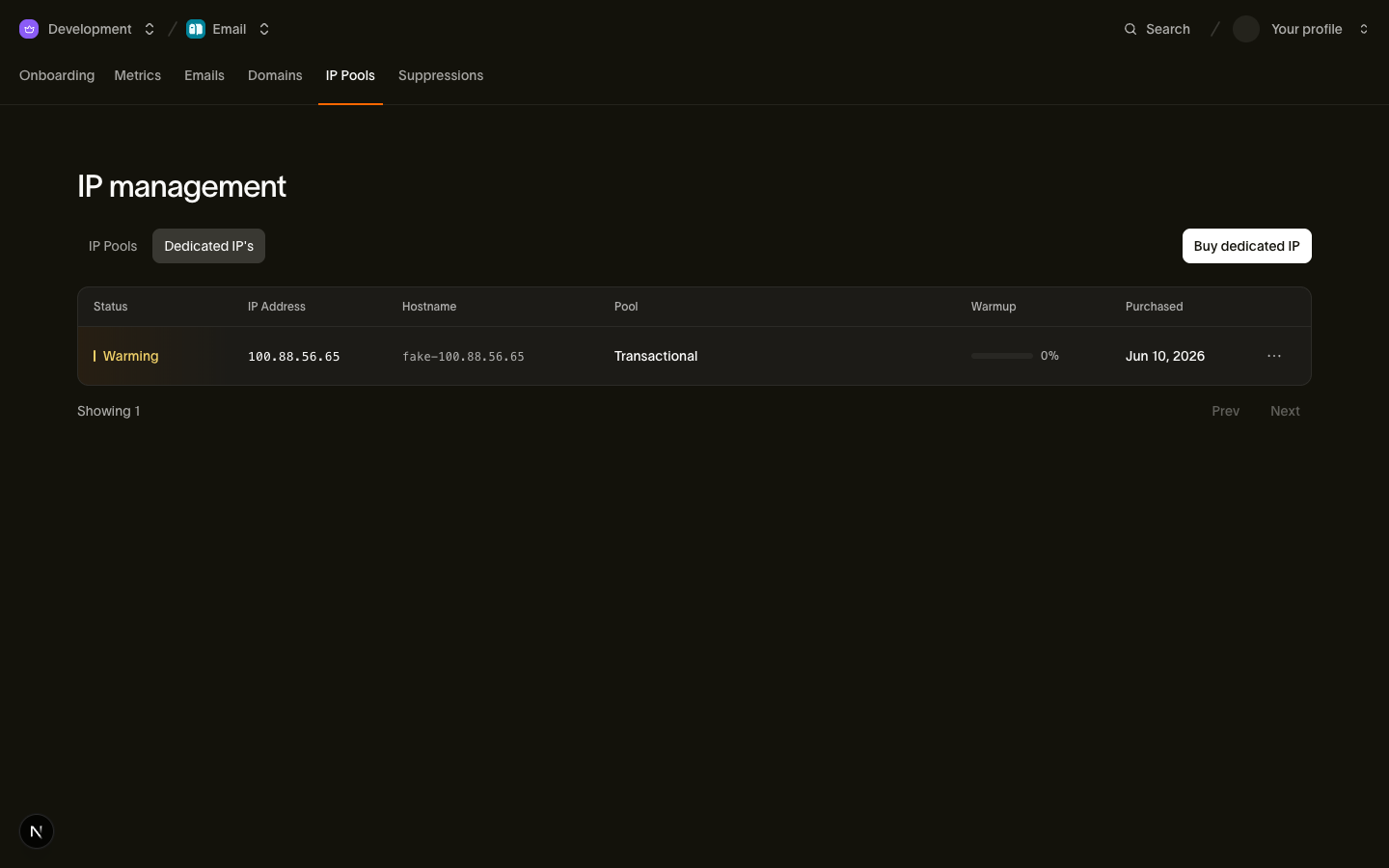
| Status | Meaning |
|---|---|
| warming | The IP is new and warming up. It carries a growing share of your traffic. |
| active | Warmup complete. The IP handles full volume. |
| suspended | The IP is temporarily suspended. |
| pending_cancellation | You cancelled the IP. It stays usable until its scheduled cancellation date. |
IP pools
Pools group dedicated IPs so you can separate sending streams — a common setup is one pool for transactional mail and another for marketing, so a campaign's reputation never touches your password resets. Pools are managed via the IP pools API or the dashboard.
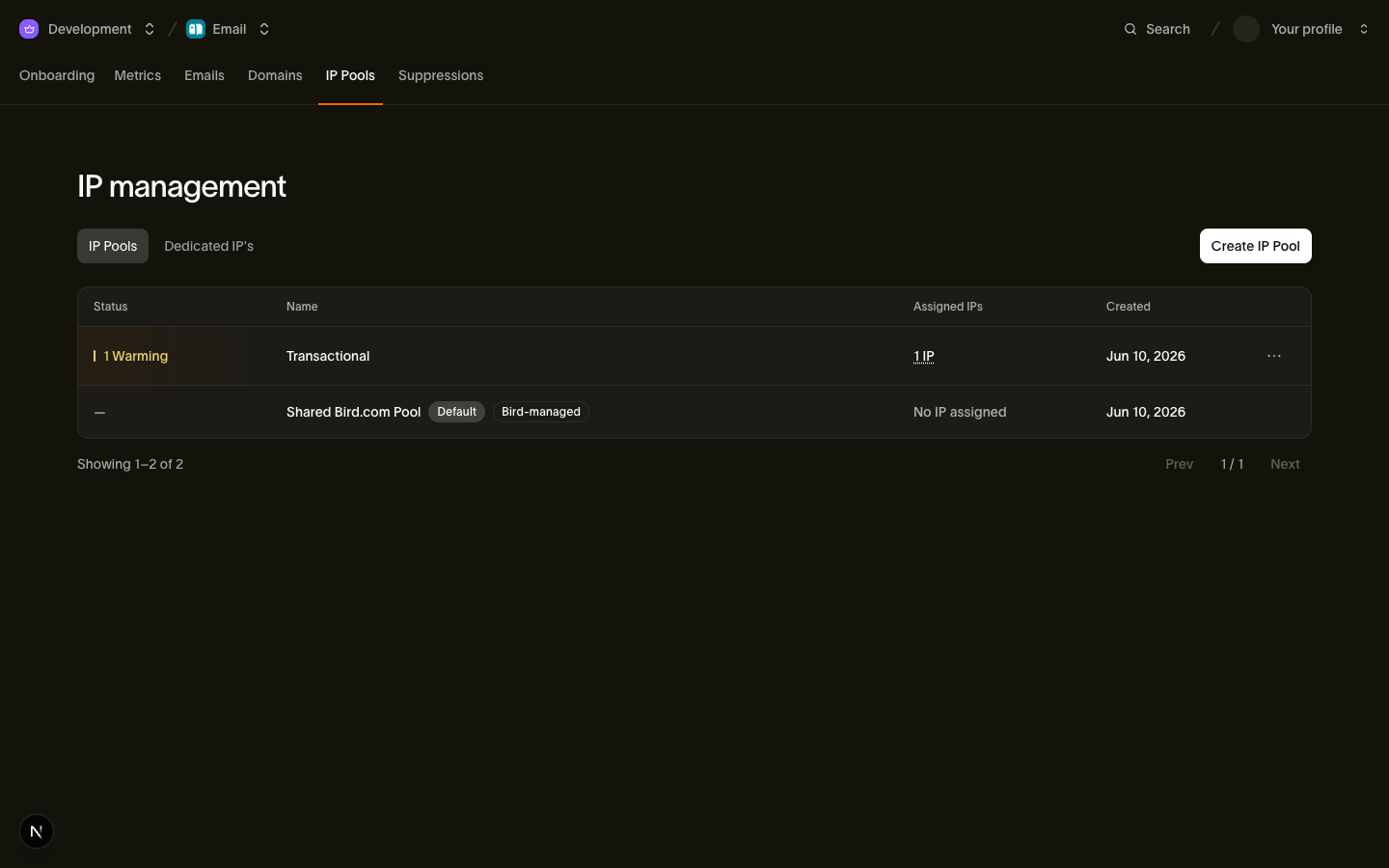
Create a pool:
Przykład kodu
curl -X POST https://us1.platform.bird.com/v1/organization/ip-pools \
  -H "Authorization: Bearer $BIRD_API_KEY" \
  -H "Content-Type: application/json" \
  -d '{ "name": "Transactional" }'
Przykład kodu
{
  "id": "ipp_01krdgeqcxet5s7t44vh8rt9mg",
  "name": "Transactional",
  "is_default": false,
  "protected": false,
  "ips": [],
  "created_at": "2026-06-10T14:30:00Z"
}
Pools are always created non-default and empty; you put IPs in them either by purchasing directly into them (pool_id on the purchase) or by moving existing IPs in.
If you run more than one workspace, pools are shared across them: GET /v1/organization/ip-pools returns the same list whichever workspace API key calls it.
Your pool list always contains the Shared Bird.com Pool with the well-known ID ipp_shared. It is protected: true: it cannot be renamed or deleted, it cannot hold dedicated IPs, and it does not count against your pool quota. The only thing you can change about it is whether it is the default.
Moving an IP between pools
A dedicated IP is always in exactly one pool — there is no unassigned state and no unassign operation. To move an IP, assign it to its new pool:
Przykład kodu
curl -X POST https://us1.platform.bird.com/v1/organization/dedicated-ips/dip_01krdgeqcxet5s7t44vh8rt9mg/assign \
  -H "Authorization: Bearer $BIRD_API_KEY" \
  -H "Content-Type: application/json" \
  -d '{ "pool_id": "ipp_01krdgf0bqe9x8m2v44vh8rt9h" }'
The shared pool is not a valid assign target — dedicated IPs only live in your own pools.
Deleting a pool
Only empty pools can be deleted. A DELETE /v1/organization/ip-pools/:id on a pool that still contains IPs is rejected with a 422 — move or cancel its IPs first. The current default pool cannot be deleted at all; designate another default before deleting it.
The default pool
When a send does not specify a pool, Bird uses your default pool. The rules around the default are strict, because the default is what carries every send that doesn't choose:
- There is always exactly one default. The shared pool is the initial default, so the invariant holds from day one.
- The default is moved, never cleared. You change the default by setting is_default: true on another pool (PATCH /v1/organization/ip-pools/:id), which atomically unsets the previous one. Setting is_default: false on the current default is rejected with a 422 — to go back to shared routing, set the shared pool as the default instead:
Przykład kodu
curl -X PATCH https://us1.platform.bird.com/v1/organization/ip-pools/ipp_shared \
  -H "Authorization: Bearer $BIRD_API_KEY" \
  -H "Content-Type: application/json" \
-d '{ "is_default": true }'- A dedicated pool needs at least one active IP to become the default. IPs that are still warming or in pending_cancellation don't count — your default can never be backed only by IPs that can't carry full traffic. The shared pool is exempt: it is always a valid default.
- The last active IP cannot leave the default pool. You can neither cancel it nor move it to another pool while its pool holds the default designation — switch the default away first, then drain the pool. Together with the previous rule, this means your default pool can never end up with nothing to send from.
Selecting a pool at send time
Choose a pool per email with the optional ip_pool field on POST /v1/email/messages:
Przykład kodu
curl -X POST https://us1.platform.bird.com/v1/email/messages \
  -H "Authorization: Bearer $BIRD_API_KEY" \
  -H "Content-Type: application/json" \
  -d '{
    "from": "noreply@acme.com",
    "to": ["user@example.com"],
    "subject": "Your receipt",
    "html": "<p>Thanks for your order.</p>",
    "ip_pool": "ipp_01krdgeqcxet5s7t44vh8rt9mg"
  }'
Resolution works like this:
- ip_pool omitted — the send uses your default pool (the shared pool, unless you changed it).
- ip_pool: "ipp_shared" — the send is forced through the shared pool, regardless of your default. Useful for routing a low-stakes stream through shared infrastructure while a dedicated pool is your default.
- ip_pool set to one of your pool IDs — the send goes through that pool.
An ip_pool value that is unknown, belongs to another organization, or names a pool with no IPs available to send from is rejected with a 422 — Bird never silently downgrades the send to the shared pool. If you asked for dedicated routing, you either get it or you get an explicit error you can handle.
An IP in pending_cancellation still counts as sendable until its cancellation date, so cancelling an IP does not immediately make its pool unsendable.
Cancelling a dedicated IP
Cancellation is two-phase — DELETE schedules it rather than removing the IP immediately:
Przykład kodu
curl -X DELETE https://us1.platform.bird.com/v1/organization/dedicated-ips/dip_01krdgeqcxet5s7t44vh8rt9mg \
  -H "Authorization: Bearer $BIRD_API_KEY"
The IP transitions to status: pending_cancellation and gets a cancels_at timestamp. Until then it stays in its pool and remains fully usable; at cancels_at, Bird deprovisions it. Cancelling an IP that is already pending cancellation has no further effect.
Remember the default-pool guard: the last active IP in the default pool cannot be cancelled — move the default designation (to the shared pool or another pool) first.
Related pages
- IP warmup — how new dedicated IPs ramp up to full volume over ~30 days
- Sending email — the full POST /v1/email/messages request, including ip_pool
- API reference: Dedicated IPs — full request and response schemas
- API reference: IP pools — full request and response schemas