Changelog · back to all
New call-back button streamlines customer communication
feature
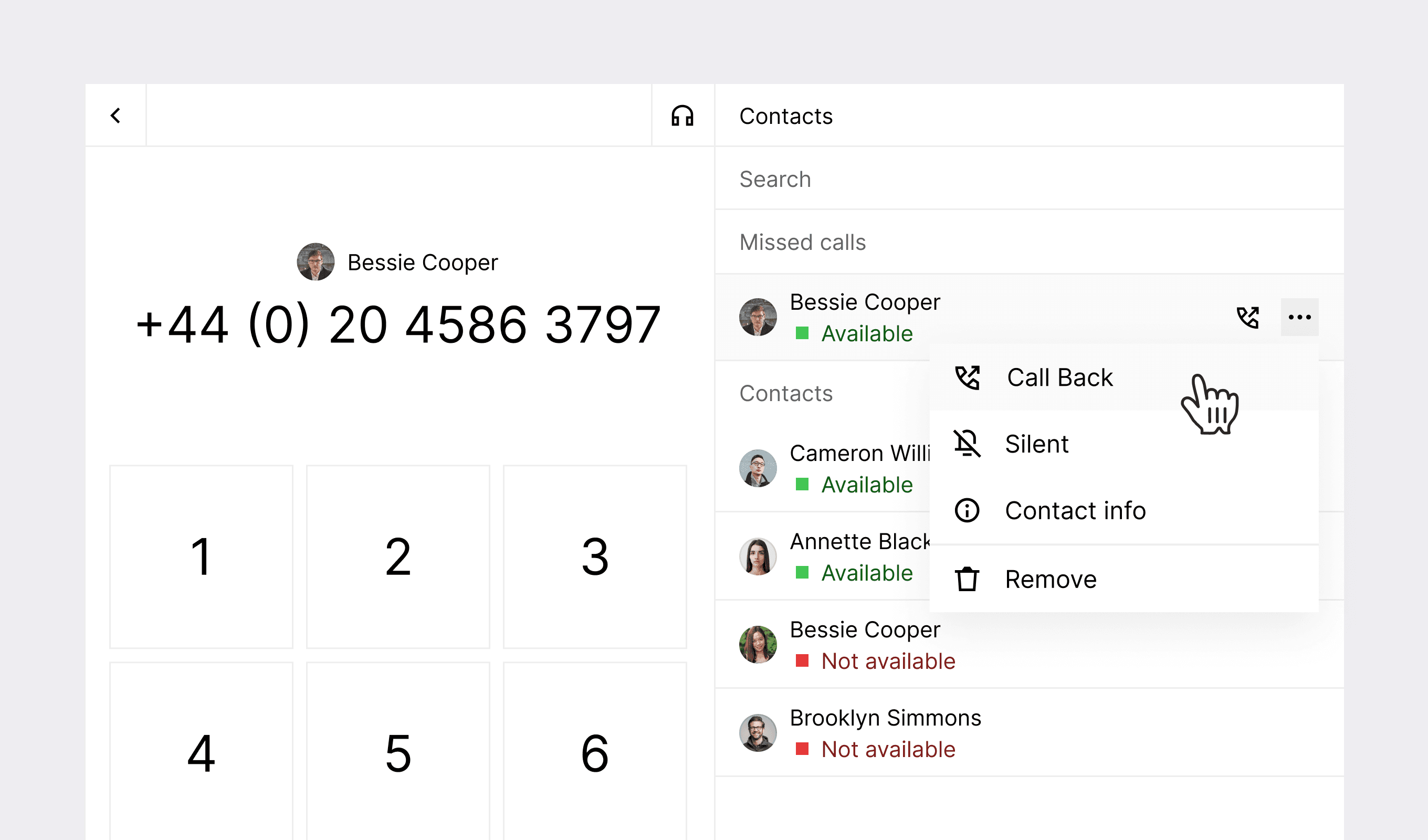
Our latest update introduces a dedicated callback button and detailed journey metrics to help streamline operations and provide deeper insights into your marketing campaigns.
The new callback button in Inbox makes returning calls to your contacts faster and easier, particularly valuable for managing missed calls and maintaining responsive customer communication. Additionally, our new journey step-level metrics exports provide marketers with detailed performance data for each step within campaigns, helping identify areas for optimization and improvement.
New features
Inbox
- Enhanced participant information — Added a conversation count indicator within the Participant section, providing immediate visibility into previous customer interactions. This visual cue helps teams quickly understand customer history for more personalized service.
Marketing
- Proactive notifications — Customers can now opt-in to receive in-app or email notifications when campaigns fail to send as expected, allowing for quicker resolution of issues.
- Detailed campaign failure information — More comprehensive information about campaign failures is now available from the detail page, helping customers self-serve fixes or streamline support discussions.
Improvements
Inbox
- Improved filtering options — Added an "All" option to the reply status filter, eliminating the frustration of having to reset all filters to remove a single selection.
- Streamlined AI employee navigation — Fixed the AI employee link to direct users to specific chats rather than showing all bot interactions, making it easier to access exact conversations.
- Enhanced location sharing — Resolved an issue with location link display, which now appears consistently for all locations with a location object, even when no address is available.
Marketing
- WhatsApp template validation — Implemented multiple fixes for validation errors with WhatsApp templates.