feature
Bird Marketing update: new Campaign builder interface & streamlined workflow
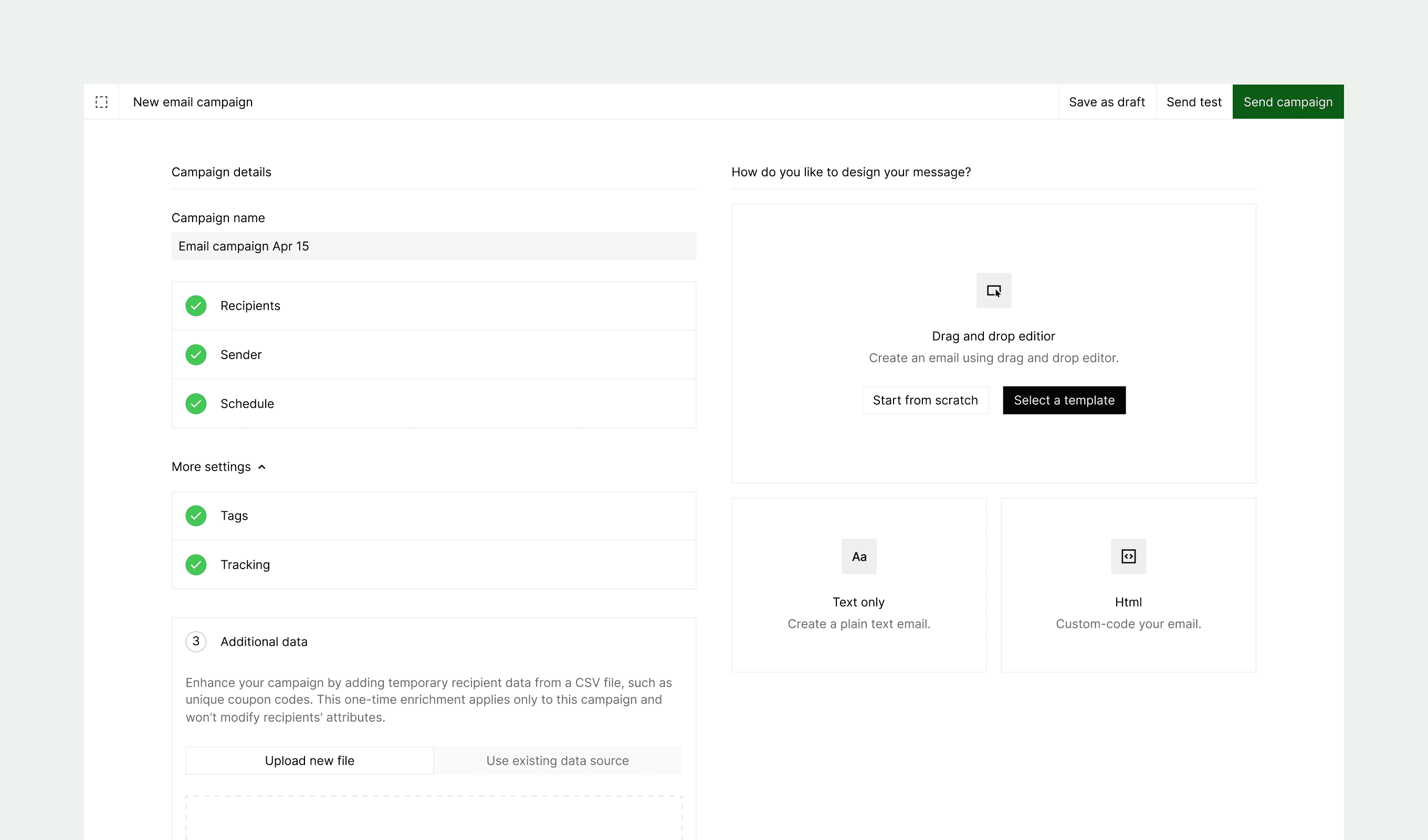
Our latest update transforms the campaign creation experience with a more intuitive design. We've replaced the multi-step process with a comprehensive single-page layout that streamlines your workflow and provides better visibility of all campaign elements at once.
New features
-
Single-page interface: Consolidated view that displays all campaign components—channel, recipients, sender, schedule, content, and settings—in one cohesive layout
-
Dual-pane organization
- Left pane: Configure campaign parameters including audience targeting, sender details, and scheduling options
- Right pane: Create and preview content, send test messages, and launch campaigns
-
Real-time preview: View content changes instantly as you build your campaign
-
Streamlined editing: Make adjustments to any campaign element without losing context or navigating through multiple steps
feature
Bird Marketing Update: Enhanced Navigation, New Learn Hub & More Improvements
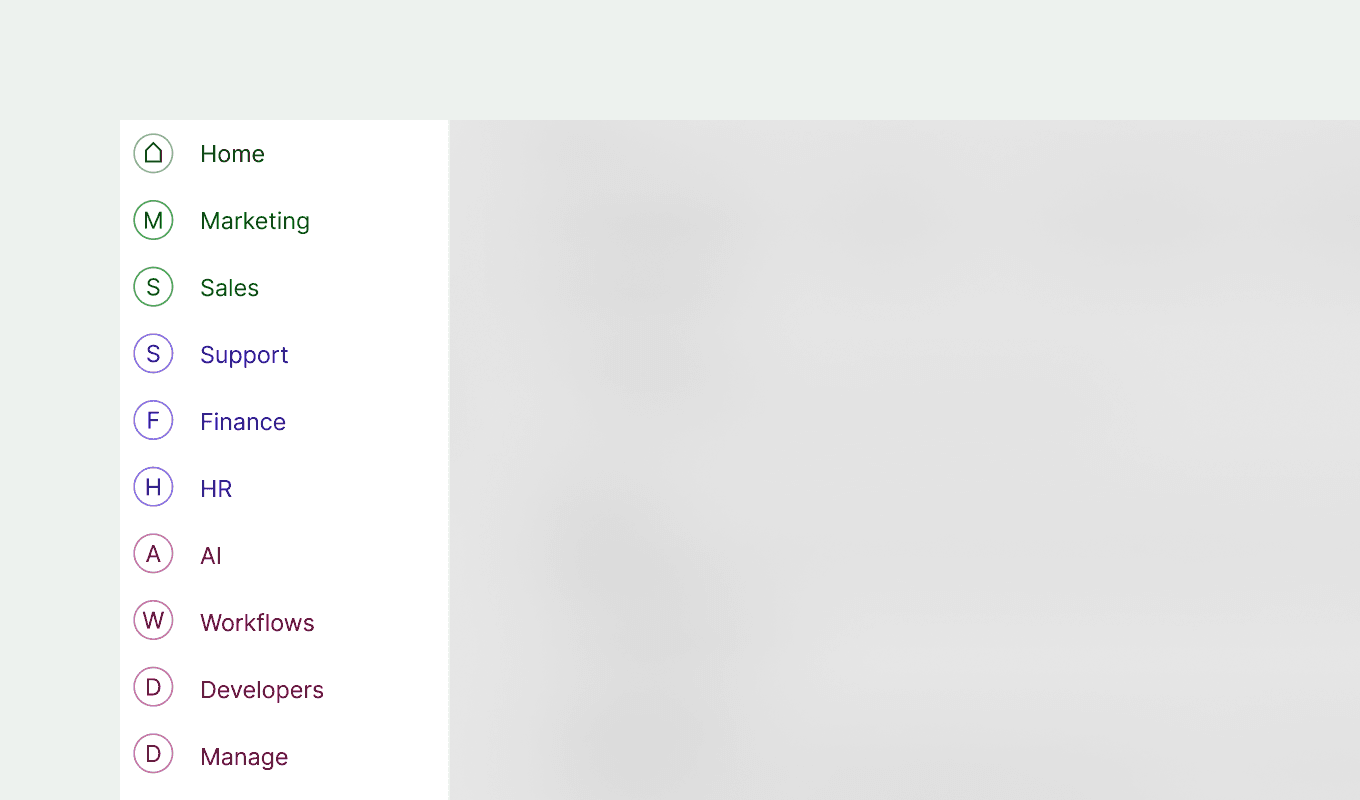
Our latest update focuses on enhancing your navigation experience and fixing key issues. We've reorganized our menu structure to make important features more accessible while addressing several bugs that affected your workflow.
New features
- Enhanced Main Nav Menu: Hover functionality now displays detailed menu names, making it easier to understand available options
- New "Learn" Section: Centralized hub that consolidates all educational resources including Documentation, Support, Feedback, What's New, and Knowledge Base
- Menu Reorganization
- Log out and Switch workspace options have moved to the Home menu
- Inbox has been renamed to Support for clarity
Fixes
- Email Editor Improvements: Fixed an issue with adding spaces in text elements
- Date Segmentation Enhancement: Resolved problems with the is on operator
- Journey Report Readability: Numbers now display in full format, eliminating truncation issues
feature
Bird Inbox update: enhanced messaging experience & streamlined workflows
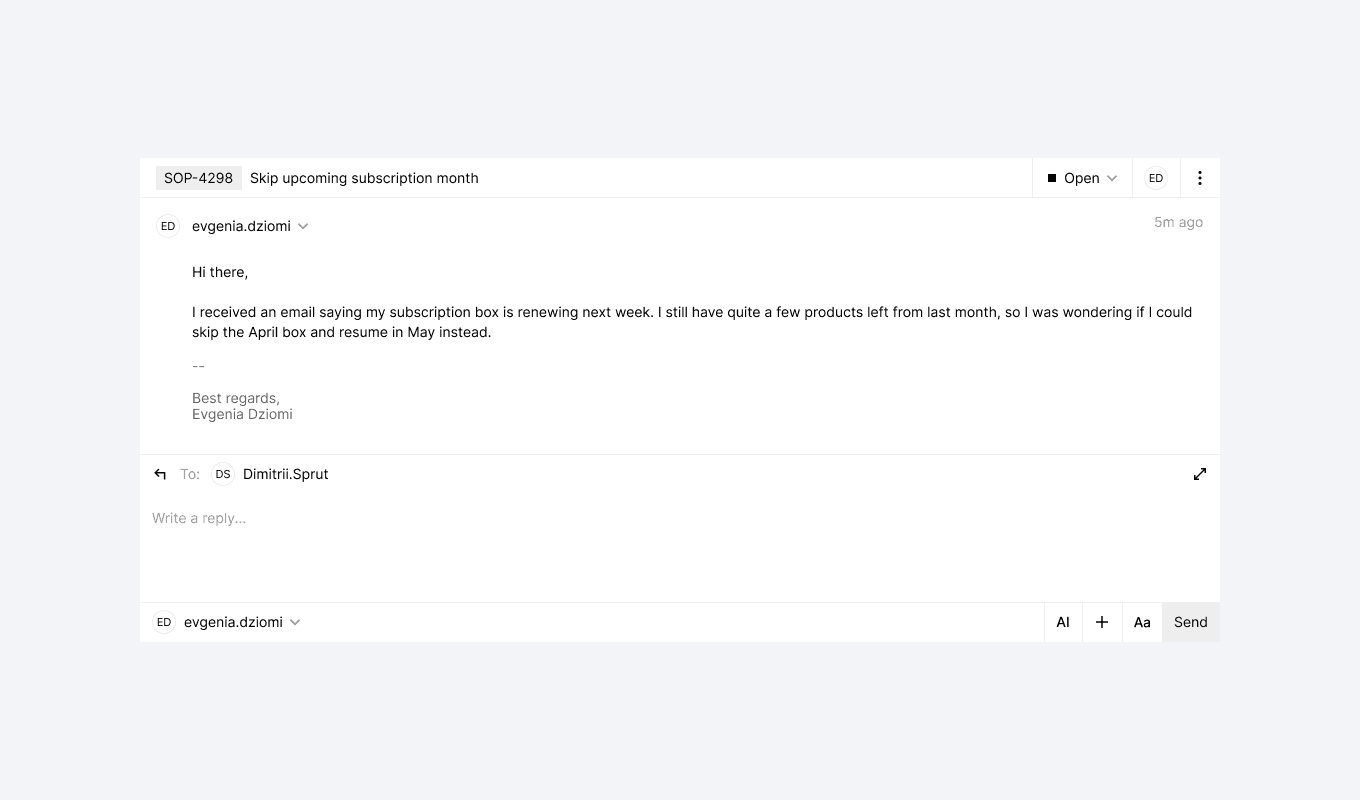
Our latest Bird Inbox update brings significant improvements to how you compose, view, and manage messages. We've refined the interface based on your feedback to make communication more efficient while adding new features that support both individual and team workflows.
New features
Message views
- Full-Screen Composer: Enjoy distraction-free writing with our new full-screen mode, available when composing new messages or in conversations view
- Channel Selection Flow: Start by selecting your preferred channel before entering the full-screen composer
- Channel Search: Quickly find the right channel by searching by name when composing new messages
Improvements
Message Composer
- Smarter Height Management: Better space utilization in both regular and expanded modes
- Clearer Collapse Controls: Updated editor collapse button with an intuitive icon and helpful tooltip
- Signature Controls: Signatures now hidden by default with the option to expand when needed
- Organized Toolbar: Cleaner interface with buttons logically grouped into sections
Fixes
- Macros Search: Added a close button to the macros search box, allowing you to dismiss the popup without selecting a macro
feature
Bird Marketing update: AI assistant, streamlined navigation & enhanced dashboards
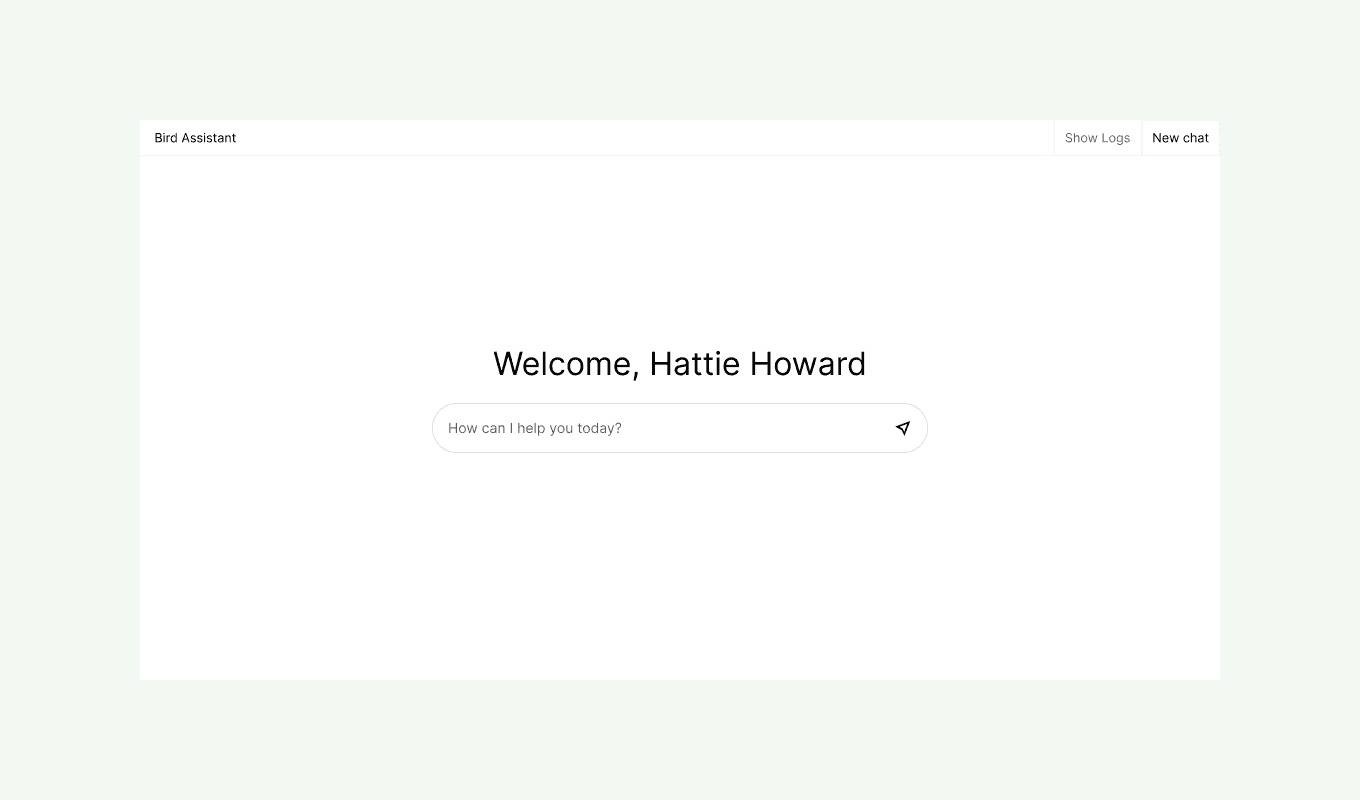
Our latest Bird Marketing update is here with thoughtful improvements to help you work smarter, not harder. We've focused on enhancing your experience in three key areas: intelligent assistance, simplified navigation, and improved data visualization.
New features
- Bird assistant: Ask questions about your analytics or specific features and get instant, personalized insights. This AI-powered tool helps you understand your data and make better marketing decisions without digging through reports.
- Admin menu: We've streamlined administrative tasks with a dedicated Admin menu. Efficiently manage workspace and company settings—including Integrations, Channels, Settings, Billing, and Security—all from one convenient location.
Improvements
Marketing dashboard:
- Top Metrics Display: Key metrics like delivery, open, and click rates now stand out for at-a-glance performance tracking
- Performance Visualization: Enhanced charts with color-coded legends make trend analysis faster and more intuitive
- Consolidated Overview: A comprehensive single-page view provides a clearer picture of all your marketing activities
Home dashboard:
The new home dashboard brings everything you need into one central workspace.
- Bird Assistant: Get AI-powered answers about your Bird instance
- Notifications: Stay informed about important updates
- My Inbox: Manage your personal mail directly from Bird
- Tasks: Create and assign tasks to collaborate with your team
- Compose: Create messages efficiently with the new Compose feature
- Meet: Schedule and join video calls directly from Bird
- Feedback: Share your thoughts to help us improve
- Support: Raise support cases if you encounter any issues
- Switch Workspace: Quickly toggle between different workspaces
- Log Out: Securely log out when you're finished
feature
New call-back button streamlines customer communication
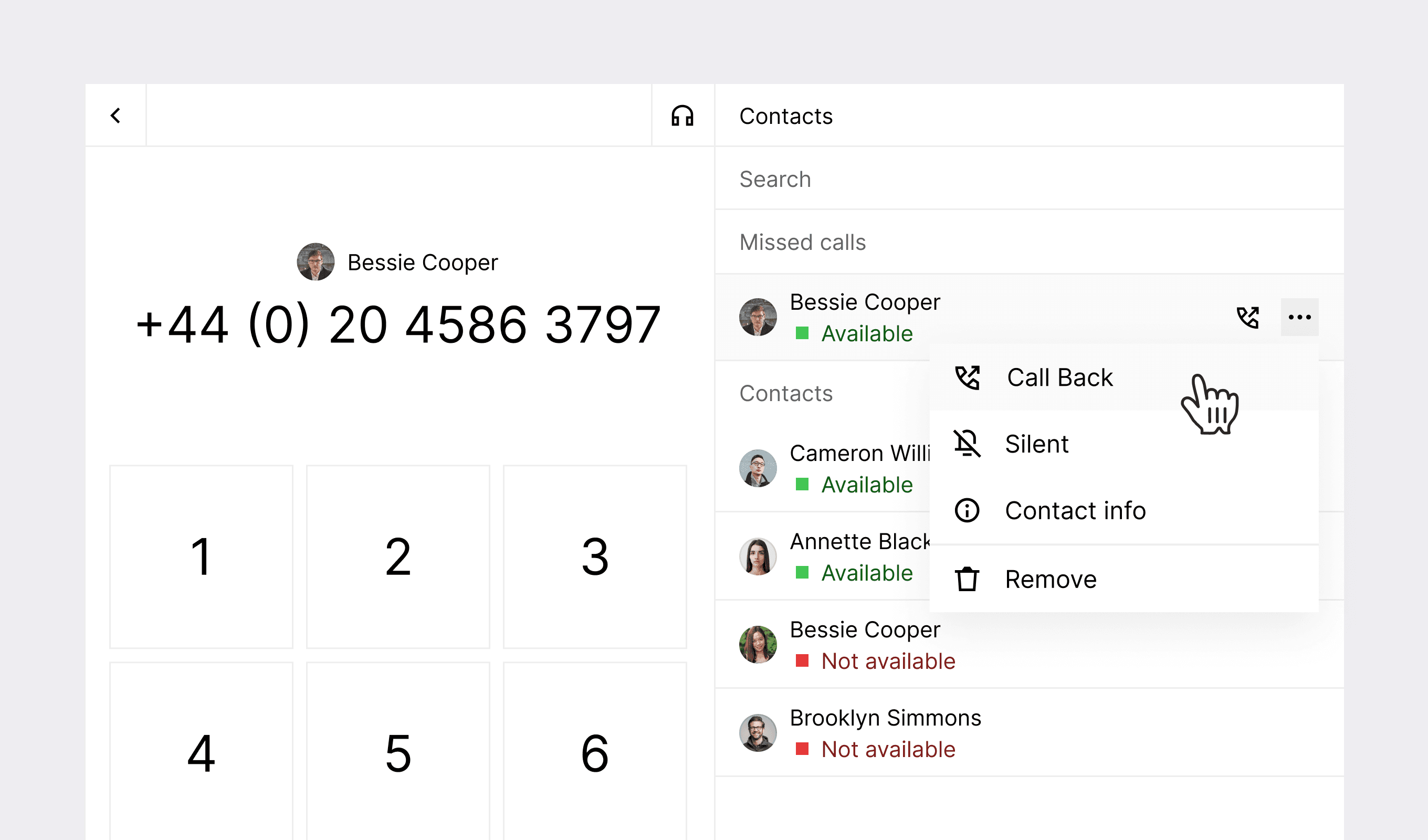
Our latest update introduces a dedicated callback button and detailed journey metrics to help streamline operations and provide deeper insights into your marketing campaigns.
The new callback button in Inbox makes returning calls to your contacts faster and easier, particularly valuable for managing missed calls and maintaining responsive customer communication. Additionally, our new journey step-level metrics exports provide marketers with detailed performance data for each step within campaigns, helping identify areas for optimization and improvement.
New features
Inbox
- Enhanced participant information — Added a conversation count indicator within the Participant section, providing immediate visibility into previous customer interactions. This visual cue helps teams quickly understand customer history for more personalized service.
Marketing
- Proactive notifications — Customers can now opt-in to receive in-app or email notifications when campaigns fail to send as expected, allowing for quicker resolution of issues.
- Detailed campaign failure information — More comprehensive information about campaign failures is now available from the detail page, helping customers self-serve fixes or streamline support discussions.
Improvements
Inbox
- Improved filtering options — Added an "All" option to the reply status filter, eliminating the frustration of having to reset all filters to remove a single selection.
- Streamlined AI employee navigation — Fixed the AI employee link to direct users to specific chats rather than showing all bot interactions, making it easier to access exact conversations.
- Enhanced location sharing — Resolved an issue with location link display, which now appears consistently for all locations with a location object, even when no address is available.
Marketing
- WhatsApp template validation — Implemented multiple fixes for validation errors with WhatsApp templates.