feature
Bird Marketing launch: Landing Pages now available

We're excited to announce the launch of Landing Pages in Bird! You can now create high-converting web pages directly within the platform without any coding or external tools. This powerful new addition helps you capture leads, promote offers, and engage customers more effectively.
Getting started
New features
- Drag-and-drop page builder: Build professional landing pages fast with our intuitive visual editor - no technical skills required
- Custom domain publishing: Launch your pages on your own branded domains for a seamless customer experience
- Built-in form integration: Connect your Bird sign-up forms directly to landing pages to capture leads and grow your contact database
- Automatic contact tracking: Track page visits on individual contact profiles to see who's engaging with your content
feature
Bird Marketing update: improved CSV contact import experience

We've redesigned how you import contacts from CSV files to make the process smoother and more reliable. The new experience helps you avoid common import issues and gives you better control over your data.
New features
- Better column mapping: Easily match the columns in your CSV file to the right contact fields in Bird using our new mapping interface
- Identifier configuration: Choose how contact identifiers (like emails or phone numbers) should be handled to prevent duplicate contacts
- Import validation: Before your file imports, we'll check for issues like missing data or formatting problems and show you exactly what needs to be fixed
Improvements
- Clearer import steps: The entire process is now more straightforward with better guidance at each step
feature
Bird Marketing update: AI-powered optimal send time for personalized campaign delivery
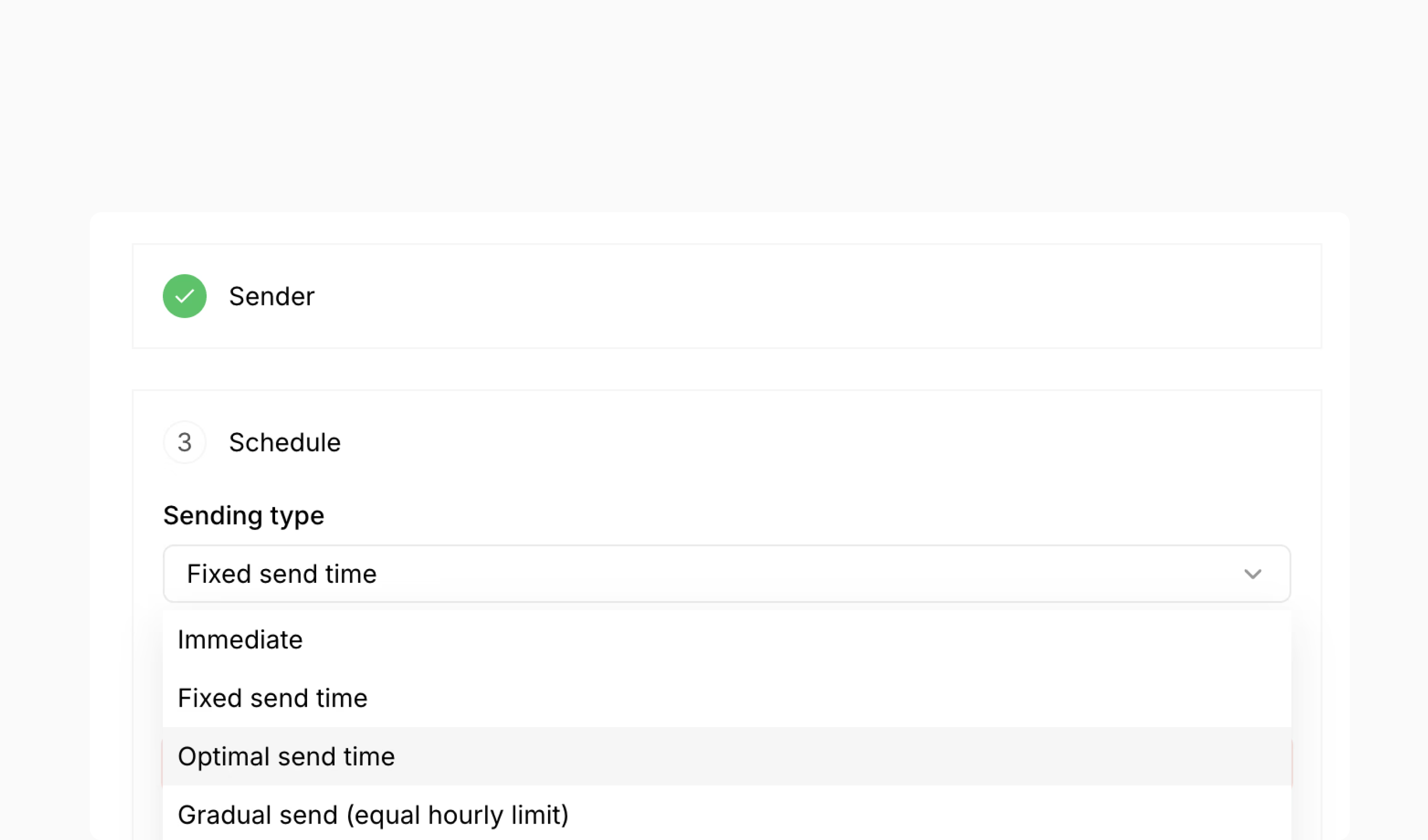
Our latest update introduces AI-driven Send Time Optimization, which analyzes recipient behavior to automatically determine the best time to deliver messages to each individual contact. This feature removes the guesswork from campaign timing and helps maximize engagement rates.
New features
- AI-powered send time optimization: Automatically predicts optimal delivery times for each recipient based on their historical engagement patterns, timezone, channel behavior, and frequency preferences
- Personalized delivery scheduling: Send campaigns at individualized optimal times rather than a fixed time for all recipients
- Fallback time configuration: Set backup delivery times for recipients without sufficient engagement history
- Cross-timezone support: Automatically adjusts delivery times to each recipient's local timezone
- Channel-specific optimization: Trains separate models for email, SMS, and WhatsApp since engagement patterns differ across channels
feature
Bird Navigation update: simplified menus and reorganized settings
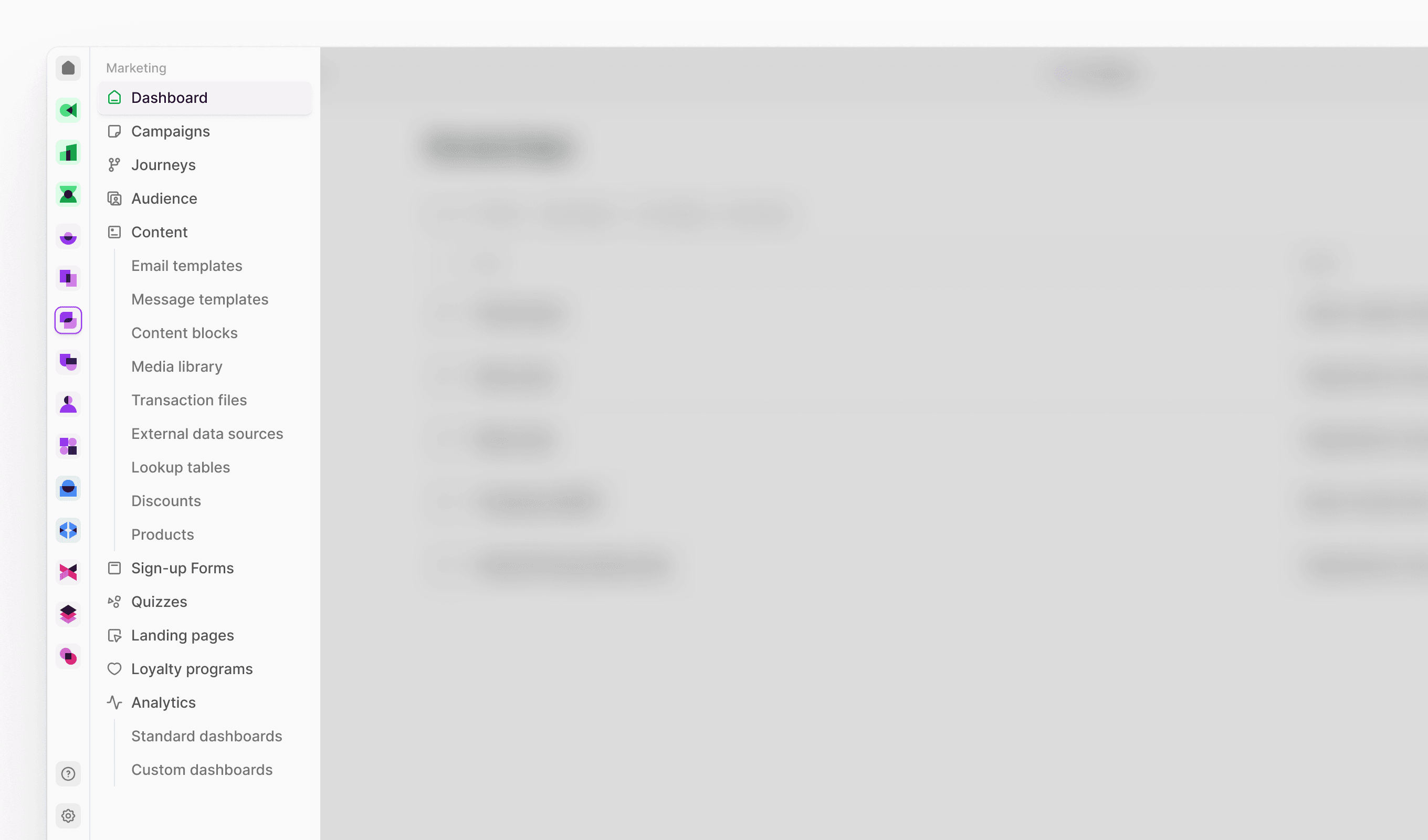
We've redesigned Bird's navigation to make finding features faster and more intuitive. The Marketing menu is now more streamlined, and settings are more accessible.
New features
- User Management section in Settings: We've created a dedicated space for all team-related administration. This new section brings together user accounts, group organization, and automated provisioning tools in one place.
- Users: Manage team member accounts and set permissions
- Groups: Create user groups for streamlined access control
- SCIM Access Keys: Configure automated user provisioning and management
- Connectivity section in Settings: All your external connections and communication setup are now organized under one umbrella. This section consolidates how you connect Bird to other platforms and manage your communication channels.
- Senders: Set up and manage your sending identities
- Channels: Configure your communication channels (email, SMS, etc.)
- Integrations: Connect Bird to third-party platforms and services
- AI and Automation section in Settings: Your intelligent automation tools are now grouped together for easier workflow management. This section houses all the features that help automate and optimize your marketing processes.
- Bird AI: Access and configure AI-powered features
- Workflows: Create and manage automated marketing processes
- Data Flows: Set up automated data processing and routing
- Approval Flows: Design approval processes for campaign management
Improvements
-
Marketing menu streamlined: Products moved under Content section where they're used for email personalization; Sign-up forms, Quizzes, Landing Pages, and Loyalty Programs now grouped as standalone menu items for easier access to interactive user experience tools
-
Settings more accessible: Settings moved to main menu dropdown for direct access instead of being in user profile menu
feature
Bird Admin update: reorganized navigation with new Connectivity and AI sections
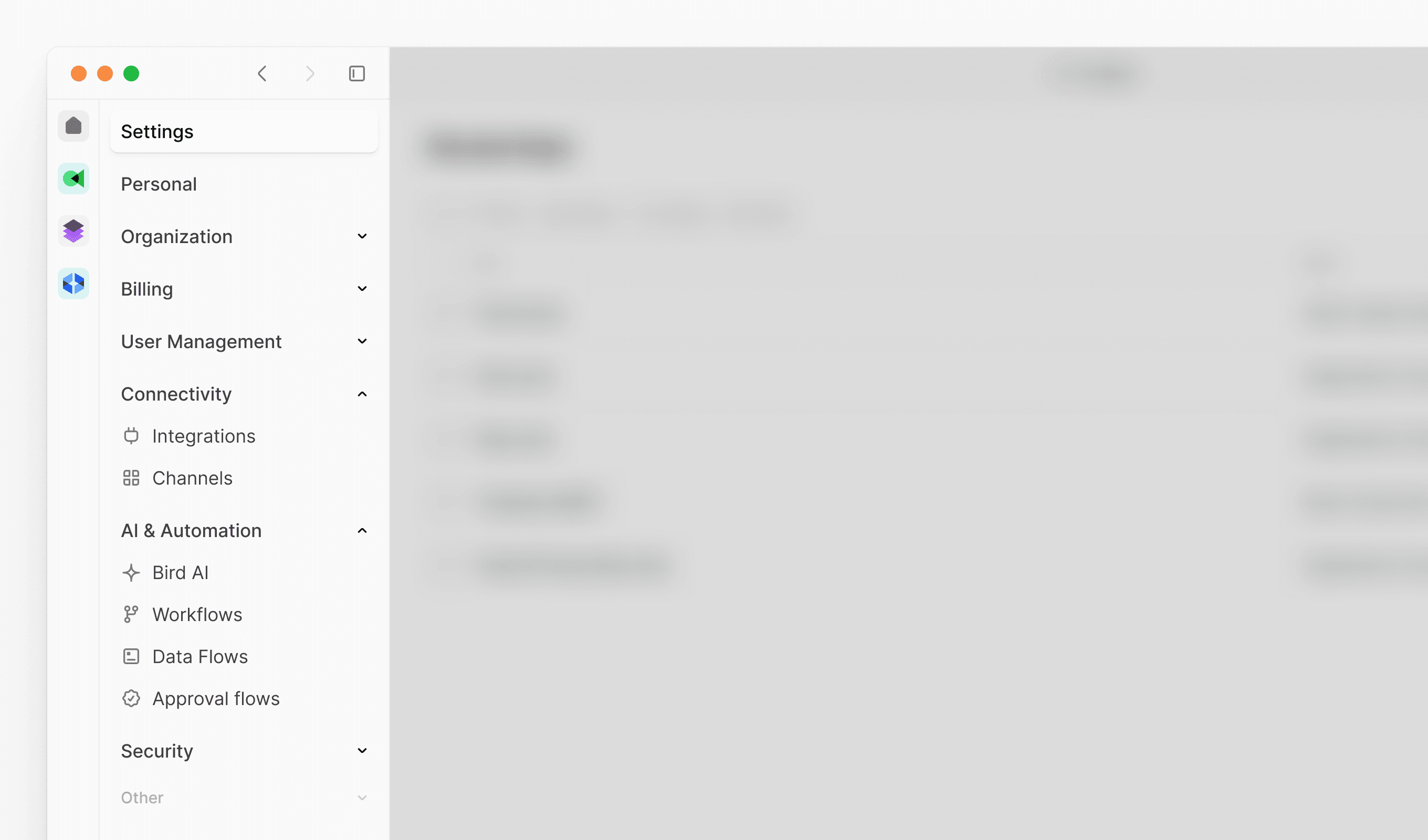
Our latest update introduces a reorganized Admin console navigation structure, making it easier to find and manage your platform settings. We've grouped related features into logical sections and improved overall discoverability.
New features
New Connectivity section: Centralized location for external integrations and communication channels
- Integrations: Manage all third-party platform connections
- Channels: Configure and oversee communication channels
New AI and Automation section: Streamlined access to intelligent automation tools
- Bird AI: Configure AI-powered features and settings
- Flows: Create and manage automated workflows
- Data flows: Set up data processing and routing
- Approval flows: Design approval processes and workflows