Changelog · back to all
Bird Admin update: reorganized navigation with new Connectivity and AI sections
feature
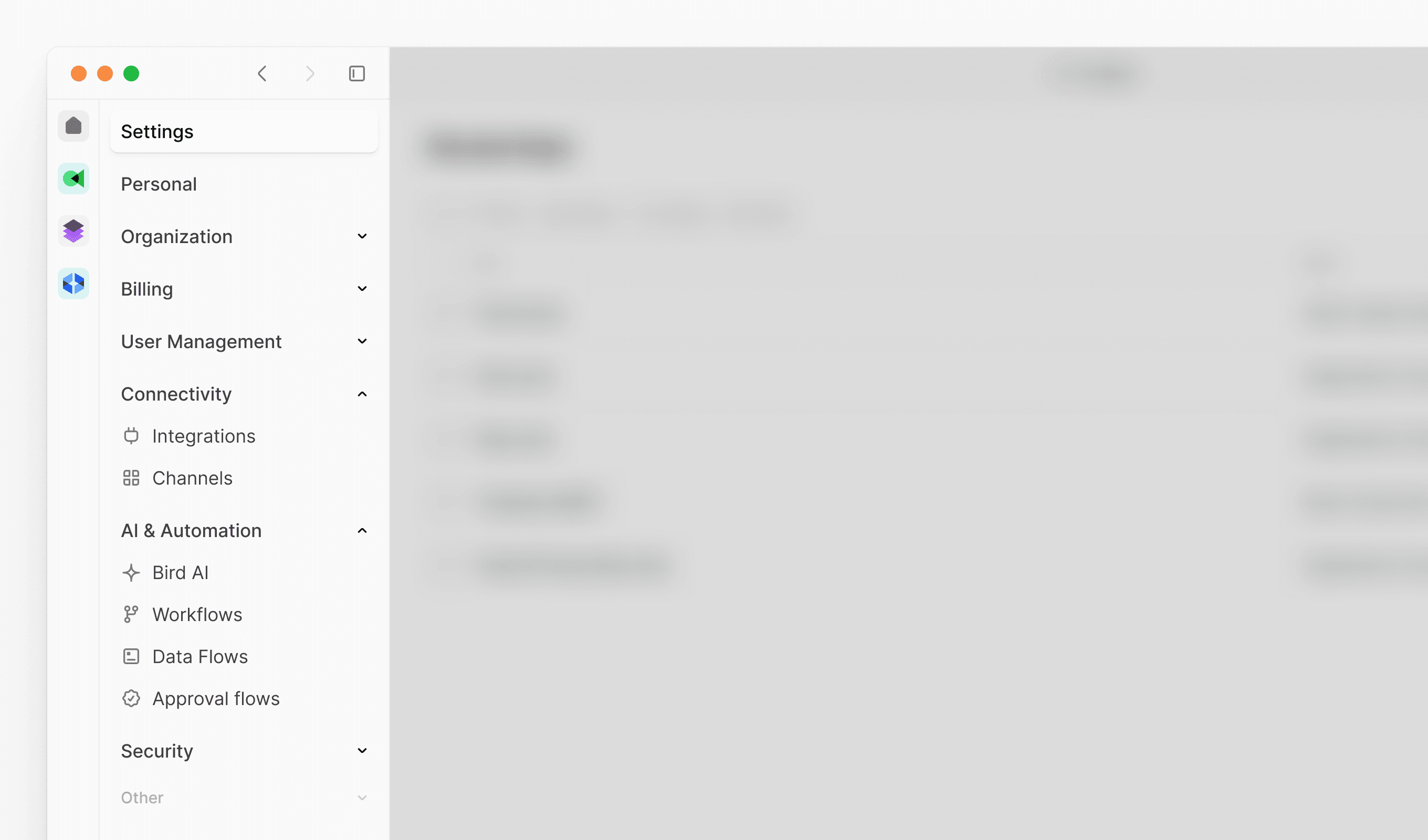
Our latest update introduces a reorganized Admin console navigation structure, making it easier to find and manage your platform settings. We've grouped related features into logical sections and improved overall discoverability.
New features
New Connectivity section: Centralized location for external integrations and communication channels
- Integrations: Manage all third-party platform connections
- Channels: Configure and oversee communication channels
New AI and Automation section: Streamlined access to intelligent automation tools
- Bird AI: Configure AI-powered features and settings
- Flows: Create and manage automated workflows
- Data flows: Set up data processing and routing
- Approval flows: Design approval processes and workflows