Overview
In this section, you'll learn how to add a wait step in your journey. Wait steps are crucial to ensuring the timed execution of events, helping optimize engagement with contacts at prime moments.
Businesses often require time gaps between sending a series of messages or assessing certain conditions. A 'wait' step in a journey allows you to:
Schedule a series of brand engagement messages.
Dispatch content at high engagement times.
Introduce delays ensuring components like data capture or condition assessments work optimally.
You can drag and drop a Wait step to a journey and configure it.
Wait Step configuration

Delay until a specific time of day
You may want to control what time of day contacts receive a specific journey email, SMS, or WhatsApp message. This can be useful when you want to standardize the time of day people receive your messages, for example, if you know that your audience typically opens emails at a certain time.
Within the settings for a time delay component, you can choose Delay until a specific time of day. If you have an message following this time delay, this will establish the send time for that message.
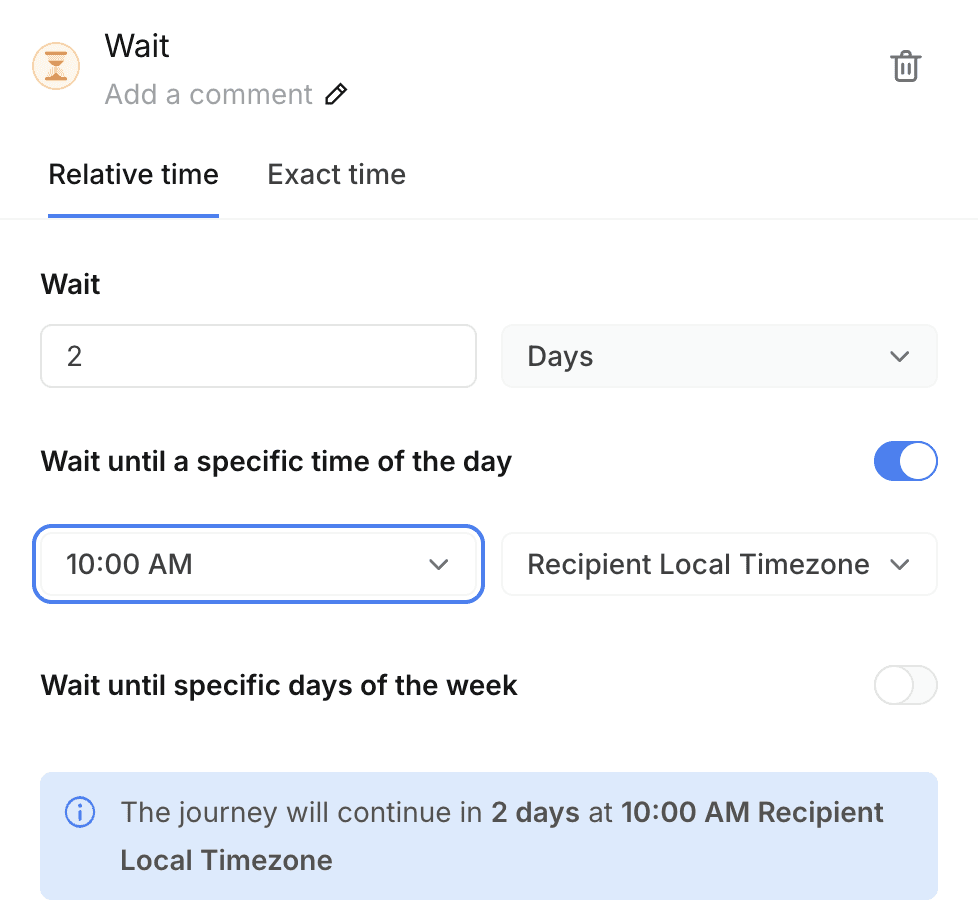
After choosing a time of day, you can then select a timezone. You can choose a specific timezone in order to ensure each contact receives your message at your preferred time of your choice. By default, it will be set as Recipient Local Timezone determined by Bird.
One benefit to choosing the "Wait X Days" option, without selecting a set time, is that each contact will then receive the message at the same time they entered the journey - which is likely when they'll be most active, as that's the same time they performed the action that added them to the journey.
Delay until a specific day of the week
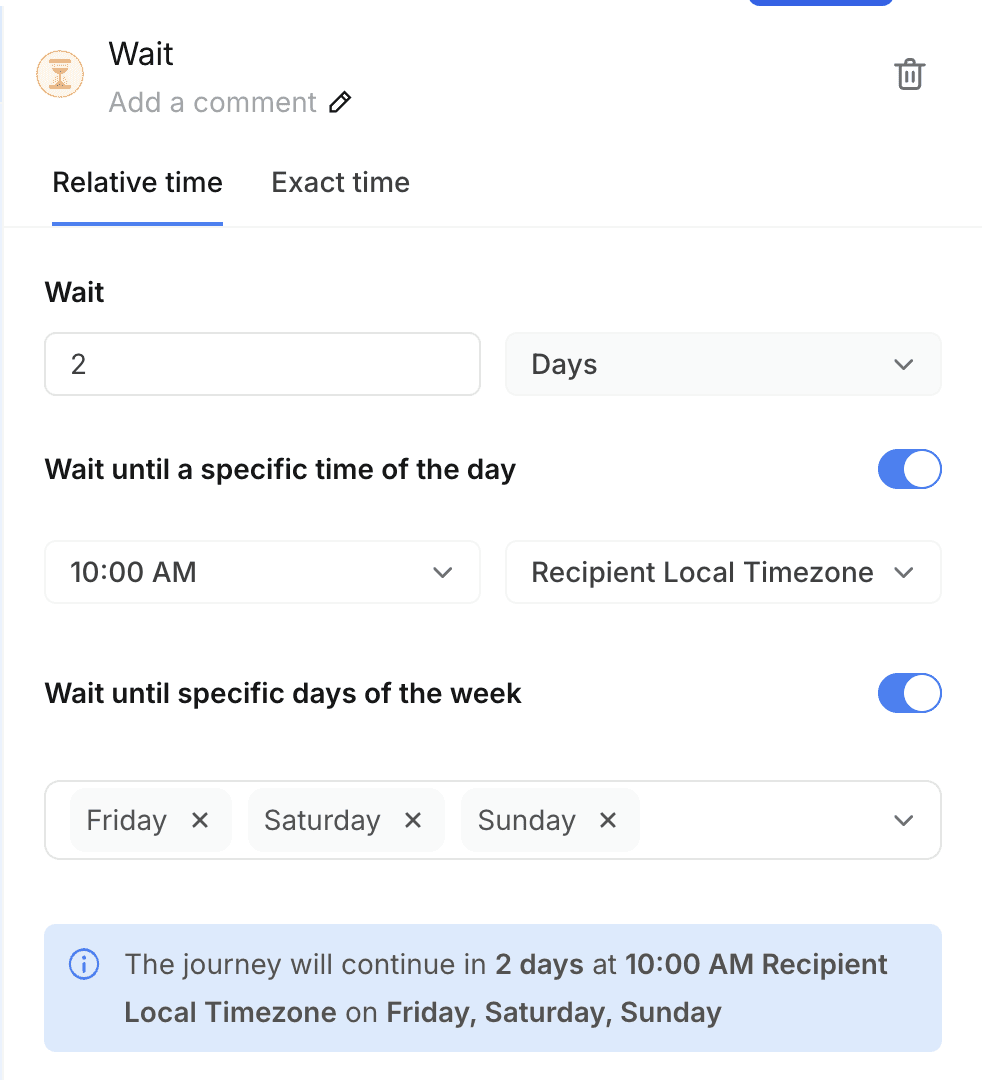
You may want to control what day of the week contacts receive a specific journey message. This can be useful when you want to standardize the day of the week people receive your messages, for example, if you know that your audience typically converts on weekends.
Enable condition to check for an event
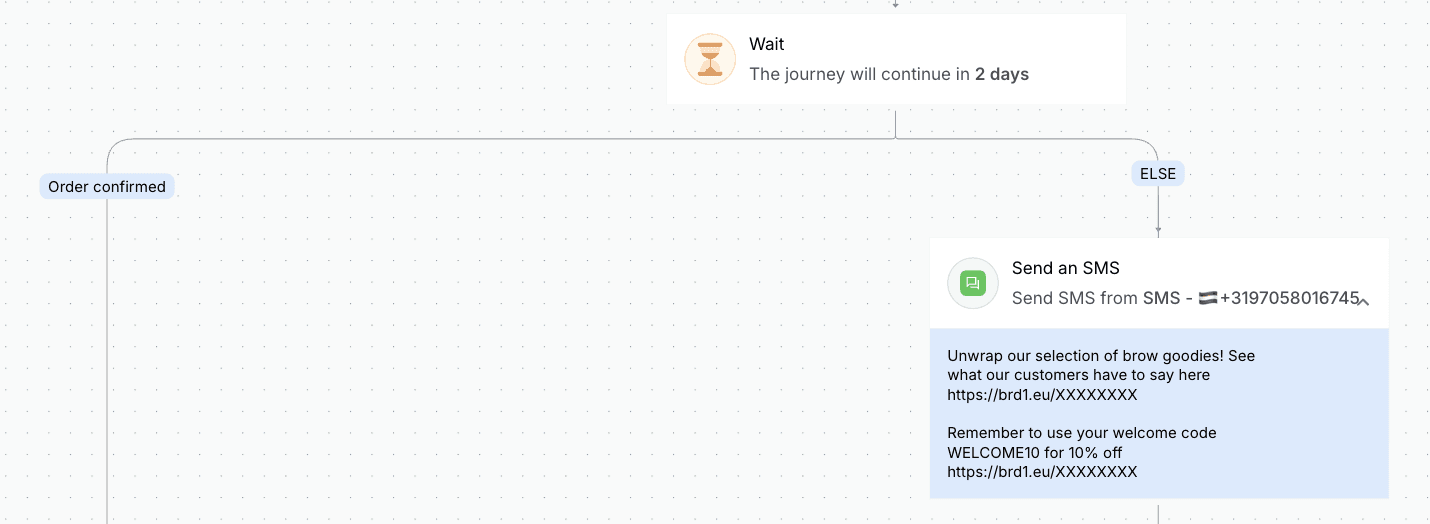
You may want to wait for the specified time before taking the customer further on the journey, however you may want to take them on a different path as soon as they perform an action e.g. placed an order.
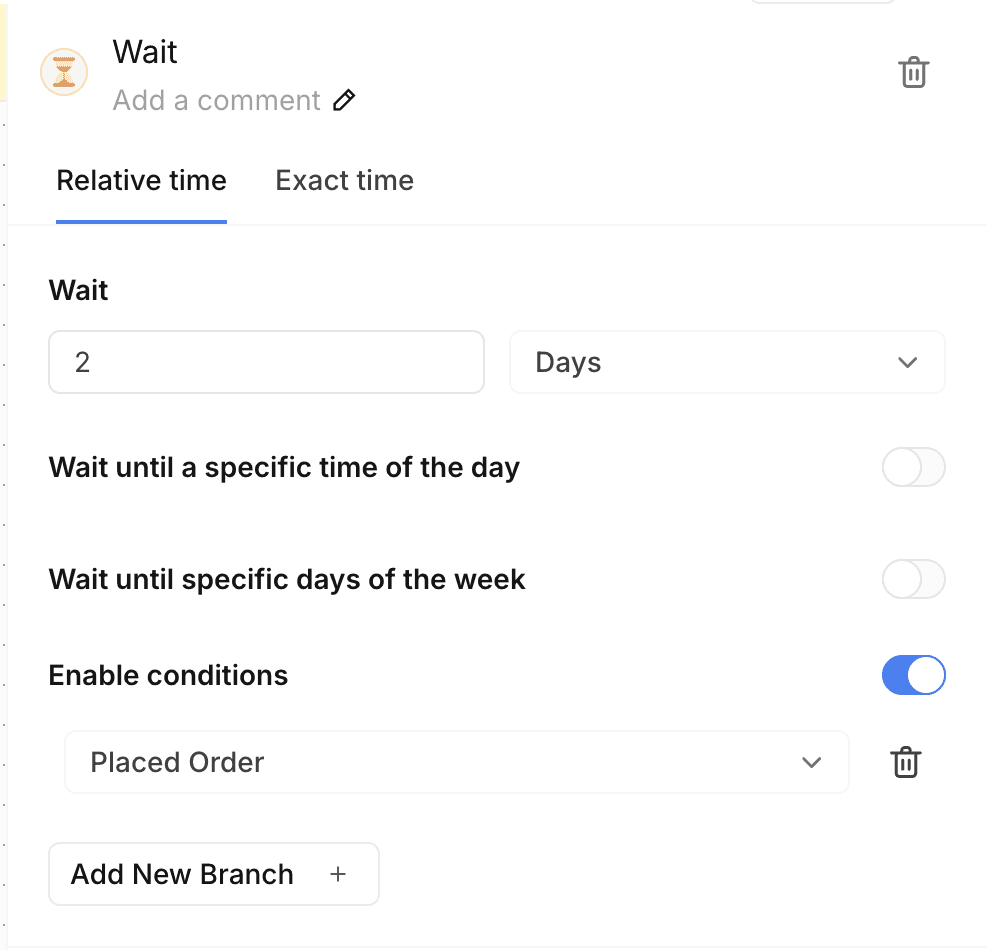
In this case, you would Add a Wait step which waits for 2 days to next reminder if customer doesn't complete a purchase but as soon as they place an order they should go to a branch for order confirmation
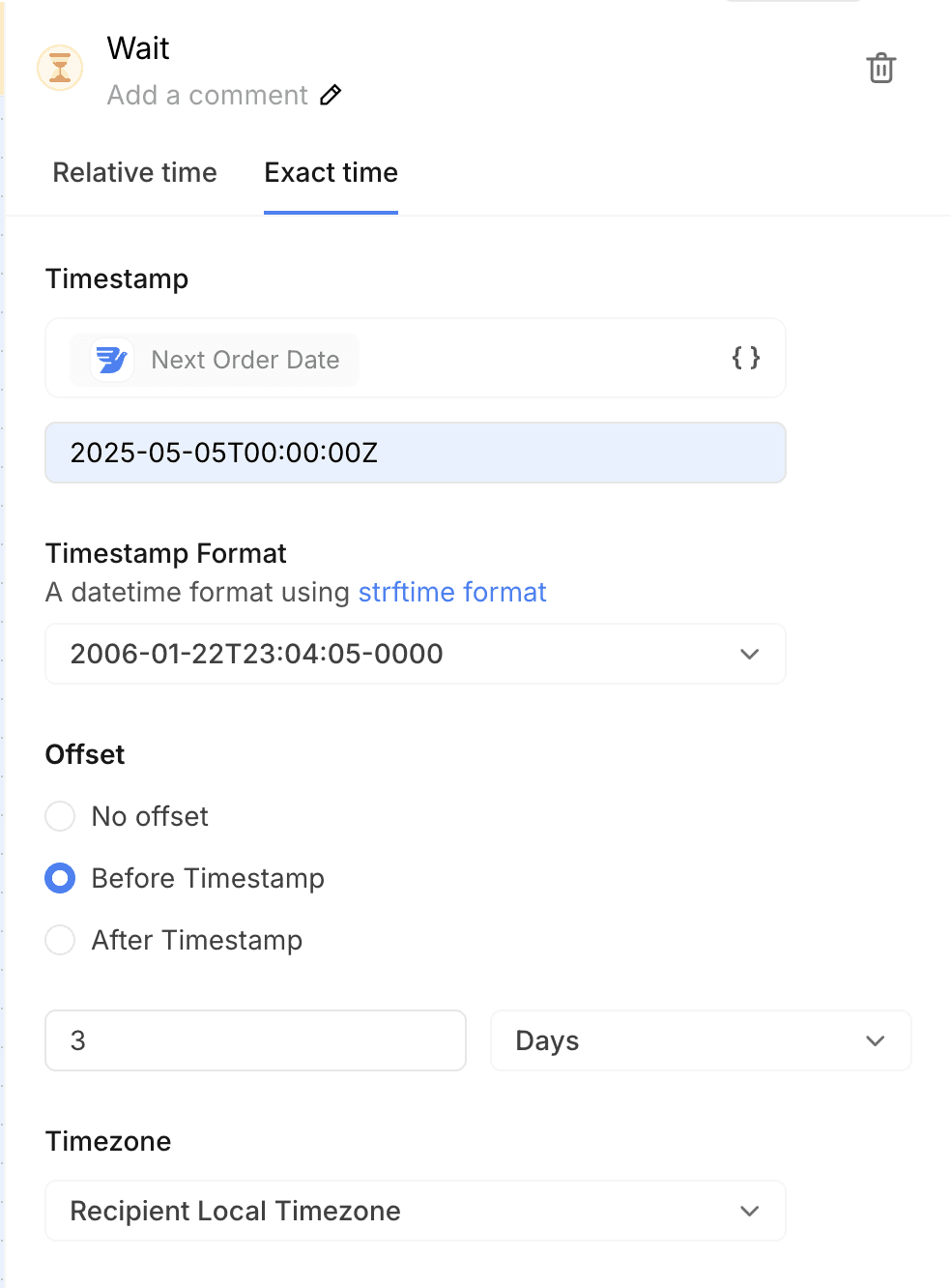
Wait until a date attribute of a contact
In cases where you do not want to wait until a fixed number of days but actually until a date attribute for each contact who enters the journey, for e.g. I want to wait until the renewal date of the contact before sending the next message, you can take the following steps:
Switch to Exact time tab
Select the date attribute till which the Wait step should wait
Give a default if it is missing value for a contact
Select any offset from this date as in on the date, x days before or after
Select timezone (by default it is local recipient timezone)