feature
Bird Marketing update: attribute comparison in segmentation
Our latest update introduces attribute comparison functionality within segmentation, enabling more precise audience targeting. You can now create segments by comparing contact attributes directly against each other, opening up new possibilities for data-driven marketing campaigns.
New features
-
Attribute comparison in segments: Compare contact attributes of the same data type (date, number, or string) to create dynamic audience segments
-
Flexible comparison operators
- Date comparisons: Use "is after," "is before," "is on," or "is not on" to compare date attributes
- Number comparisons: Compare with "is greater than," "is less than," "equals," or "not equals" operators
- Text comparisons: Match or exclude with "equals" and "not equals" operators
-
Enhanced targeting precision: Identify contacts with specific behavioral patterns, data discrepancies, or engagement levels through cross-attribute analysis
This update enables use cases like targeting contacts whose last purchase date is after their signup date, identifying high-value customers where total spent exceeds average order value, or finding data inconsistencies for cleanup and validation.
feature
Legal Hub - Updated Legal Terms
We’ve updated our Acceptable Use Policy. From 19 June 2025, we have an updated Acceptable Use Policy. Please visit our Legal Hub page to see our Acceptable Use Policy that applies.
feature
Bird Marketing update: redesigned WhatsApp campaign builder & improved navigation
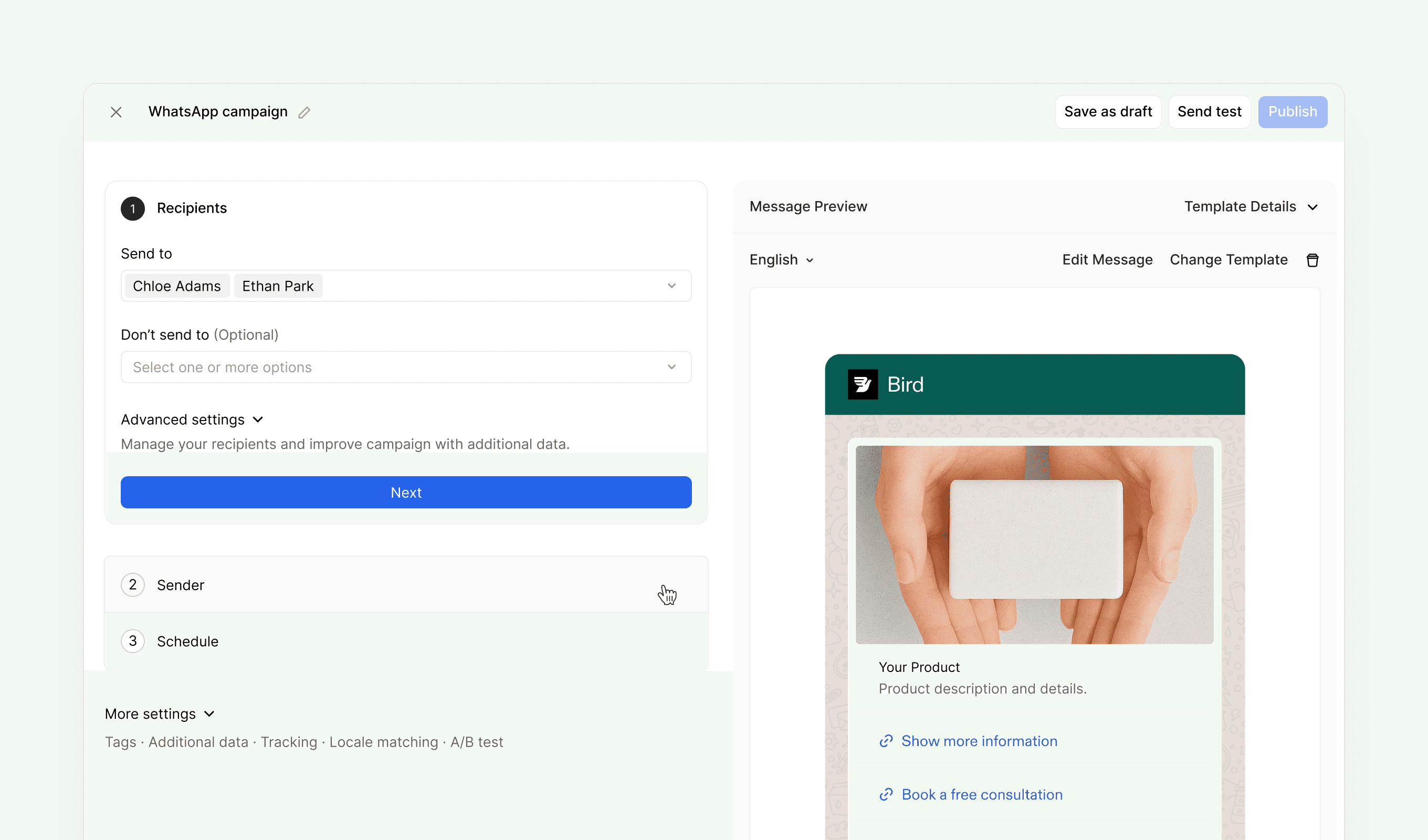
Our latest update introduces a redesigned WhatsApp campaign builder with improved usability and workflow. We've also relocated key navigation elements and added bulk attribute import functionality.
New features
- Redesigned WhatsApp campaign builder: Enhanced interface with clearer workflow and improved usability
- Bulk attribute import: Import contact attributes in bulk through Data Management
Improvements
- Relocated navigation: Moved Admin console, Switch workspaces, Profile settings, and Log out to more intuitive locations
improvement
Bird Platform update: fresh new look with redesigned iconography and more
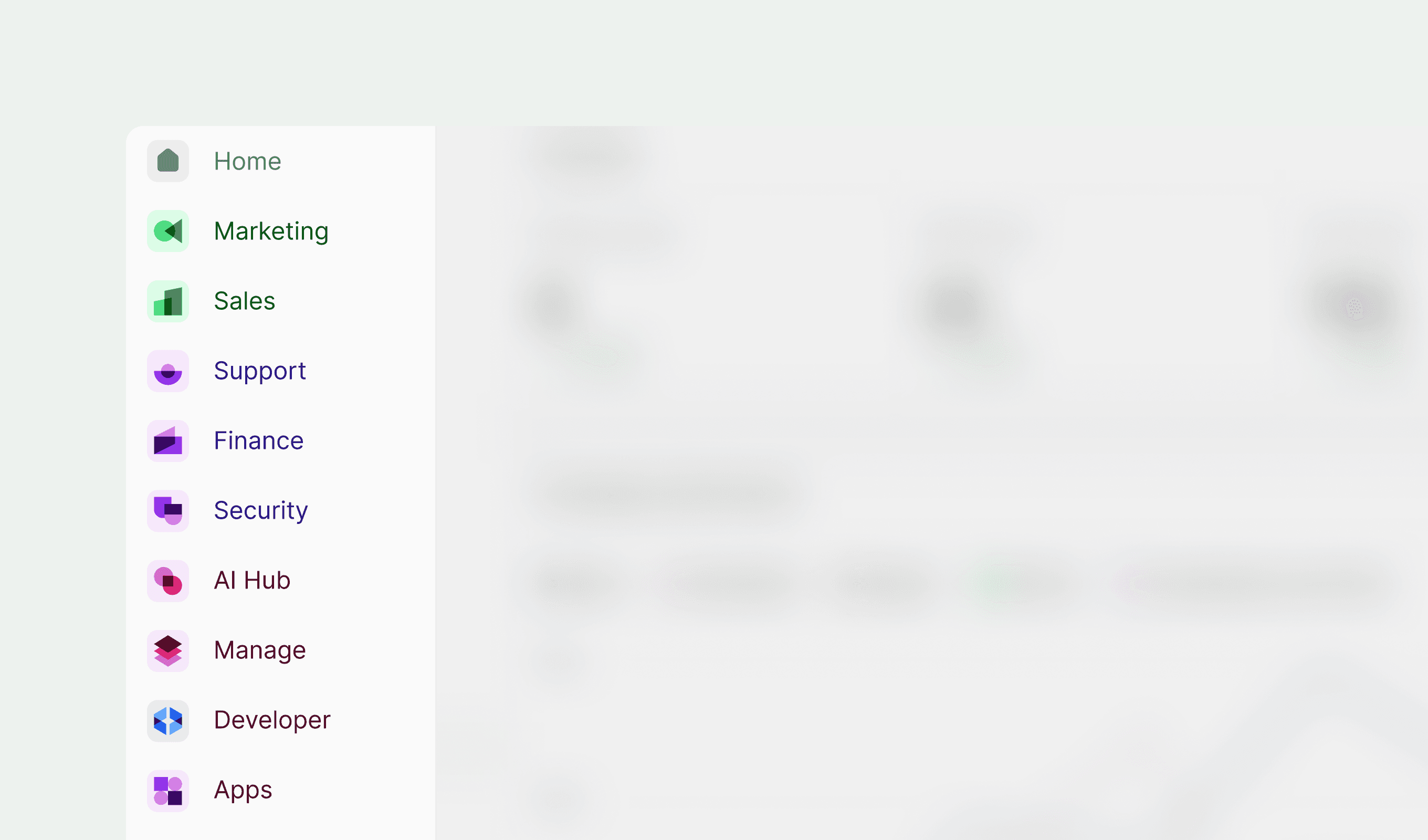
Our latest update introduces a comprehensive icon redesign across the entire Bird platform, delivering cleaner navigation and improved visual consistency. We've refreshed the iconography for all current tools while previewing sleek new designs for products still in development.
Improvements
-
Enhanced dataflow management
- Dataflow renaming: Customize dataflow names for better organization and identification
- Health monitoring: Get detailed insights into the status and performance of each dataflow
-
Streamlined attribute handling
- Bulk export: Export all contact attributes from your workspace to a file for comprehensive review
- CSV import: Upcoming functionality for bulk attribute creation (coming in future releases)
Fixes
- Email link resolution: Fixed transient bug where "view in browser" links occasionally failed in email messages
- Form tracking accuracy: Button link clicks in sign-up forms now track correctly for reliable campaign analytics
- Segmentation builder stability: Resolved crashes when using date attributes in segmentation queries
feature
Updated tasks menu in the overview panel
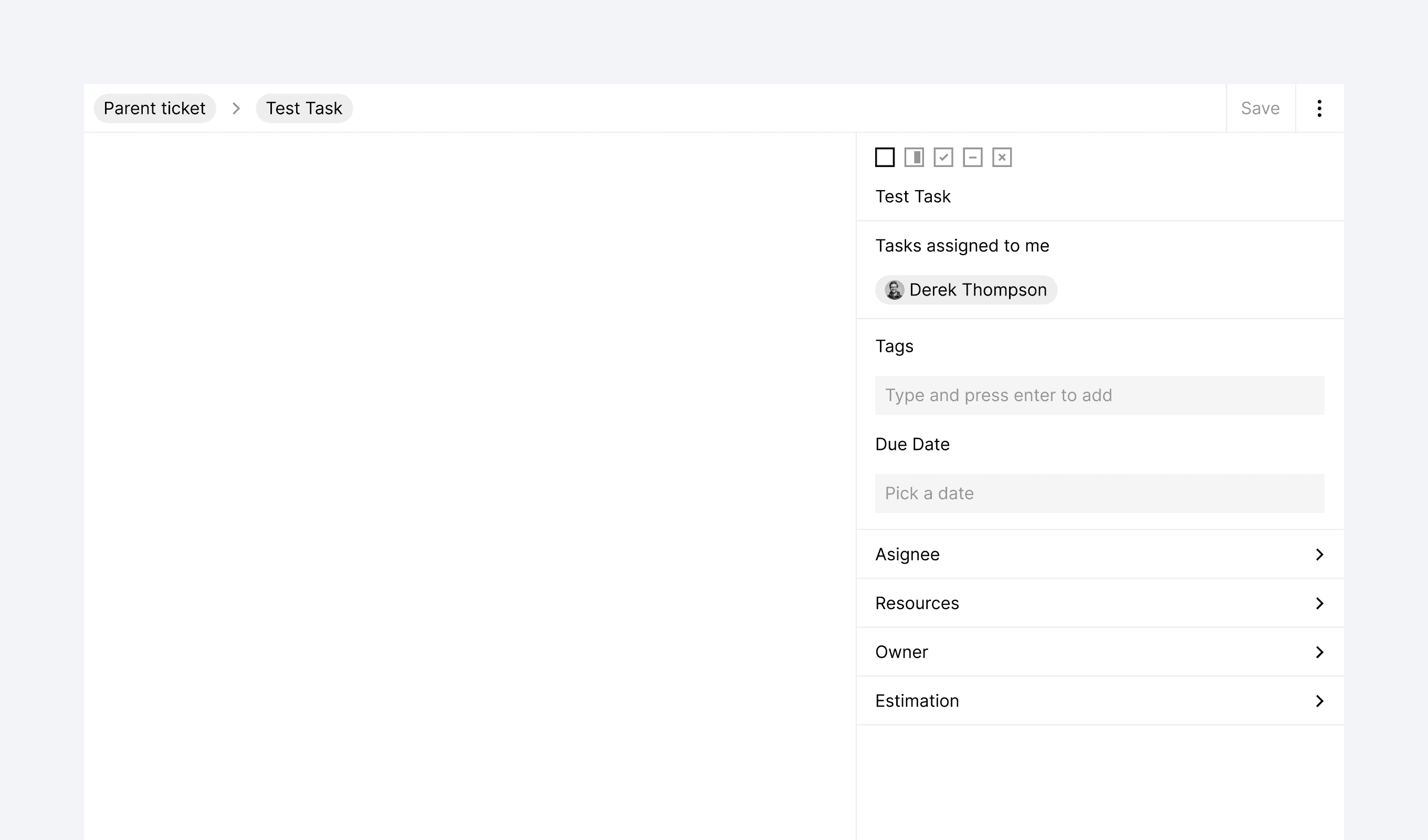
Our latest update clarifies the relationship between tasks and tickets with enhanced visibility and streamlined navigation. We've made these connections explicit by integrating tasks directly into the ticket interface, eliminating the need to search across different views to find related work.
New features
-
Tasks in Overview panel: All related tasks now display directly in the ticket's Overview panel for immediate visibility
-
Seamless task creation
- Direct creation: Generate new tasks without leaving the ticket context
- Instant linking: Tasks created from tickets are automatically associated
-
Bidirectional navigation: Click any task in the Overview panel to navigate directly to its detail view
-
Resource visibility: Task detail views now clearly show which ticket they're linked to in the Resources panel
-
Consolidated workflow: Manage both tickets and their related tasks from a single, unified interface