Changelog · back to all
Bird Platform update: Redesigned organization user management
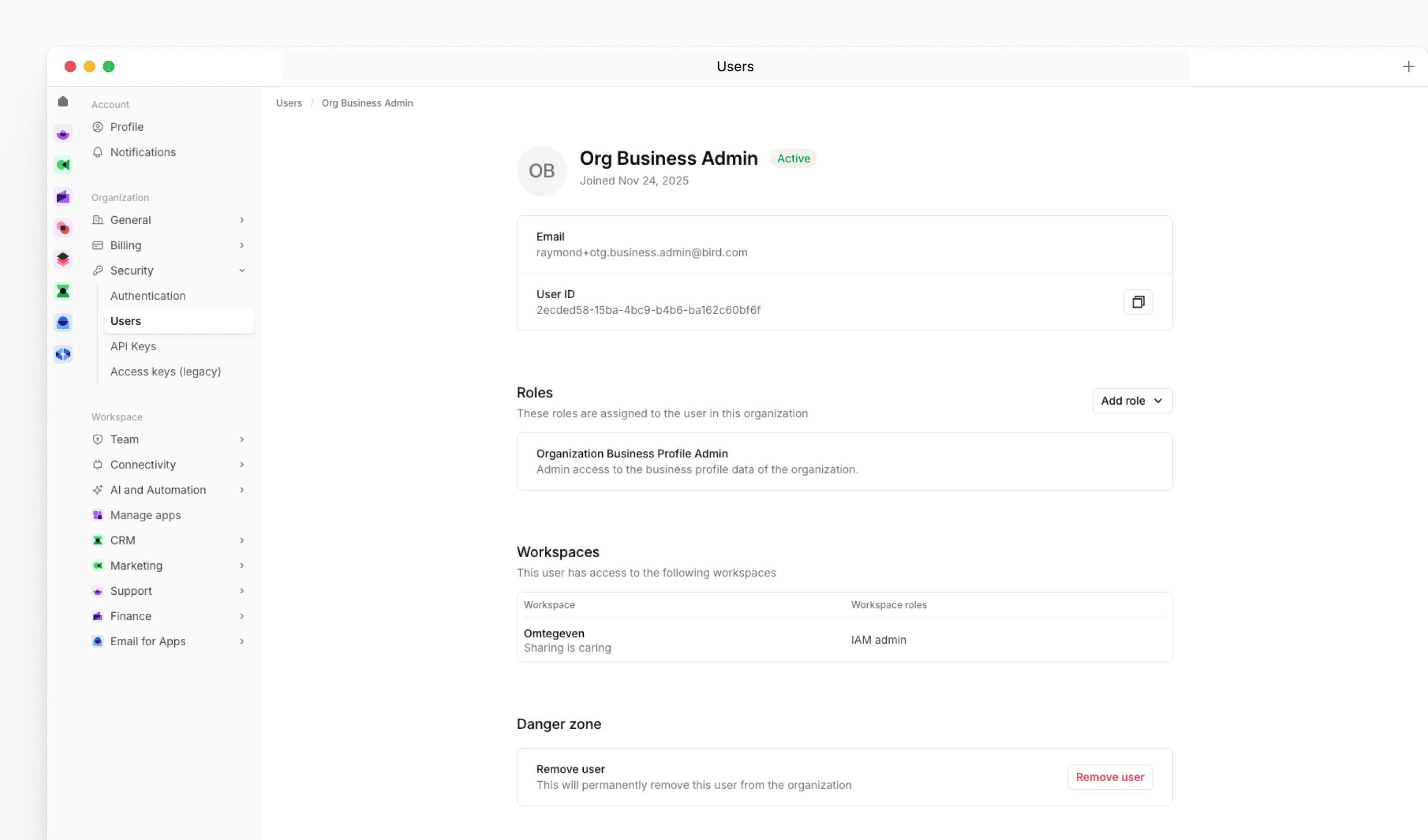
We've replaced the admin management screen with a new user management experience that gives organization admins a clearer overview of their team and more control over roles and access.
New features
The new Users page under Organization Settings shows each user's role assignments, workspace access, and account status in a single table. Clicking a user opens a detail page where you can add or remove organization roles, review their workspace memberships, and remove them from the organization if needed.
When inviting a new user, you can now assign one or more organization roles as part of the invite flow. For users who haven't accepted their invitation yet, you can resend it directly from their profile page.
What this means for you
If you manage users in your organization, navigate to Settings > Security > Users to find the new experience. The actions available to you depend on your permissions - organization admins can manage roles and remove users from this page.
Good to know
Removing a user from the organization will revoke their access to all workspaces and resources within it. Workspace memberships are managed at the workspace level and are not affected by role changes made here.