Key Takeaways
- Inbox evolves beyond messaging. Bird’s omnichannel Inbox now connects directly with tools like Shopify, HubSpot, Slack, and Google Sheets — giving teams full context for every customer conversation in one interface.
- Built for the real-world tech stack. Businesses rarely rely on a single platform; Inbox bridges the gap between CRMs, eCommerce systems, and productivity tools to streamline workflows.
- Out-of-the-box integrations for instant value. Plug in Shopify or WooCommerce to access order data, sync contacts from HubSpot, send meeting invites via Google Calendar, or push alerts to Slack — all without leaving Inbox.
- Custom integrations through Flows. For more advanced use cases, teams can use Flow Builder to connect Inbox with any third-party platform exposing an API — from CRM lookups before ticket creation to post-resolution automation.
- Before & after automation. Integrations can trigger actions both before a ticket is created (e.g., pulling customer data) and after it’s resolved (e.g., syncing outcomes or creating follow-ups).
- Flexible and scalable architecture. From small support teams to enterprise-level operations, Inbox adapts to your existing systems and workflows, helping you deliver faster, more informed support.
- The bigger picture. Inbox + Flows turns Bird into the central hub for all customer communication and operational data — helping teams “go far by going together.”
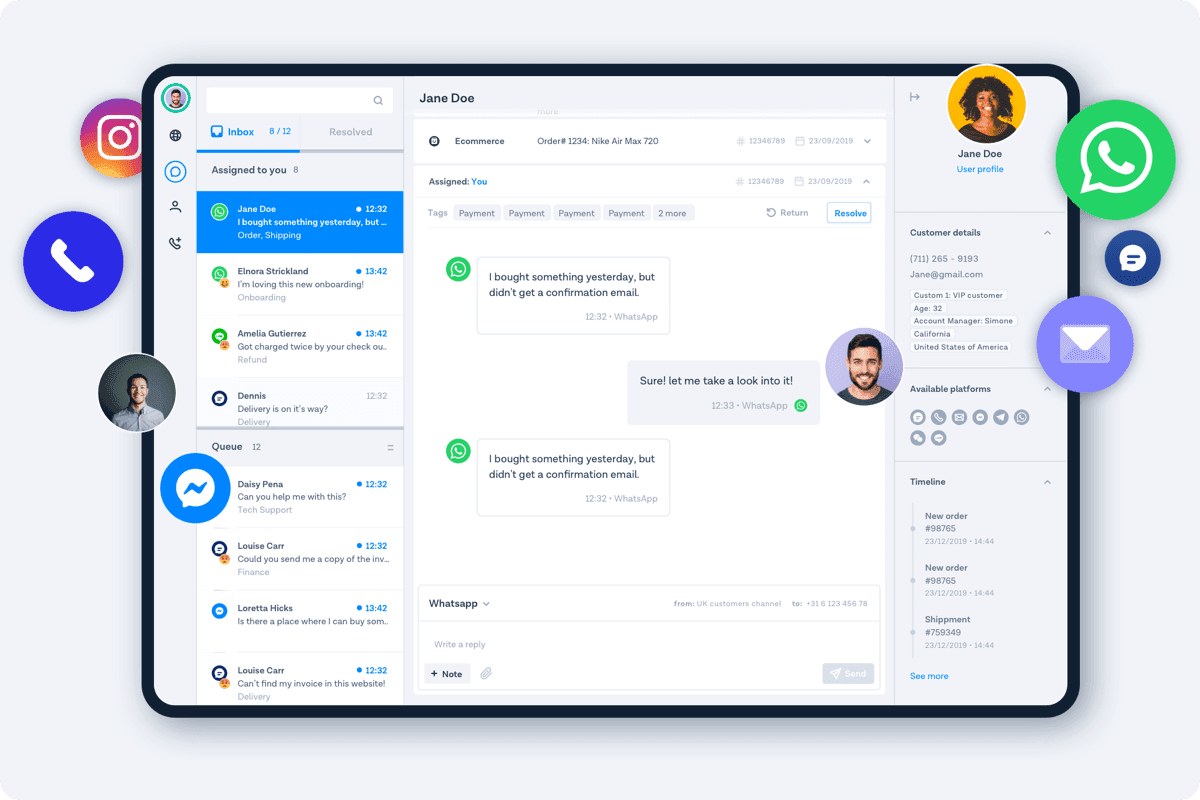
In March we released Inbox, our free, omnichannel customer support tool for businesses of all sizes. Since then we’ve been continuously talking to users, adding new enhancements, and thinking about what business communication means in a world that became suddenly remote-first.
Through our user interviews, we learned that our customers interact with and keep track of their customers through a bunch of different tools: e-commerce platforms, CRMs, clever spreadsheets, internal fulfillment solutions, and more.
The diversity of tools and business flows we’re observing with our customers is astonishing. We love seeing all of the unique ways our customers take advantage of Inbox and we want to keep supporting everyone as best as possible.
Building to help everyone get the most out of Inbox
To target such a diverse set of users and use cases, we came up with a 2 prong approach:
- For the frequently used tools and use cases we created wizard like integrations - these are available on our integrations page, out of the box.
- Make custom integrations easier and more effective via Flows custom connections.
Out of the box Inbox integrations
Based on common customer use cases we created a set of out of the box, easy to configure Inbox integrations that give Inbox users power to take action across all of the tools they use for customer interactions.
| Integration type | What it connects | Primary benefit | When to use | Who owns it |
|---|---|---|---|---|
| Out-of-the-box integrations | Shopify, WooCommerce, HubSpot, Google Calendar, Slack, etc. | Instant context and ability to take action inside Inbox | Standard, widely-used workflows | Support teams |
| Custom connections via Flows | Any platform exposing an API (e.g., Vision API, Zendesk, Salesforce) | Automations before or after ticket handling based on third-party data/actions | Unique workflows or deeper automation needs | Ops / technical teams |
- Ecommerce Platform Integrations — Shopify, WooCommerce, BigCommerce and Magento: Connect your online store to Inbox and empower your support staff with relevant customer details and order information directly in Inbox
- Google Calendar: connect your calendar to Inbox and quickly send meeting invites to customers directly in the chat window
- Google Sheets: connect Inbox to Google Sheets to save conversation messages directly in the sheet for further follow up or automation purposes
- CRMs — Hubspot and Pipedrive integrations: synchronize contact information from Hubspot and Pipedrive and display it directly in Inbox when interacting with the customer
- Slack: send Slack messages directly from Inbox as notifications to your team or triggers for further automated flows
The capabilities of these integrations are constantly evolving and we’re constantly working to add support for new providers so keep an eye on our change logs page for updates.
Custom connections via Flows
While we build out of the box integrations for customers to get running as quickly as possible, we also want to support customers that need to build custom integrations and behaviors.
To enable this we build Inbox directly connected with our automation tool, FlowBuilder, which can connect to any 3rd party system that exposes an API via Http Get/Fetch steps. For example, you can integrate Flow Builder with Google Cloud Functions and Vision API to automatically process and recognize content in images sent by customers.
As long as the product you are integrating with exposes an API that allows for API key/username authentication, you can integrate it inside Inbox at 2 distinct points: Before an Inbox ticket is created or After a ticket is resolved.
Before the ticket is created
Integrating an API before an Inbox ticket is created allows you to pull data from a 3rd party system to make it available to the Inbox agent who receives the ticket
A simple example of this type of integration would be pulling data from your CRM system to ensure that the contact information for the customer is up to date before a new ticket is created for them. Most of our customers are using Inbox to open up new channels of communication to their customers, so a CRM integration is useful to give an Inbox agent full customer details, even if it’s the first time a customer is reaching out on that channel.
After the ticket is resolved
Integrating an API after a ticket is resolved allows you to take action based on the ticket that was just resolved. This can be syncing information to 3rd party systems about the particular resolution, creating reminders/follow up tasks, adding notes about the conversation, and much more.
These types of integrations can quickly get rather complex, especially since APIs are involved - so here is an example of how to connect Inbox to Zendesk. Another popular integration is connecting Flow Builder to Salesforce to automatically create leads and support cases from customer conversations.
Conclusion
We’re really excited to continue helping our customers connect with their customers. Knowing that Inbox is one of many tools that our customers use in those efforts we will continue to build features that make it easier to integrate Inbox with your existing tool set and take action across your business— all through one dashboard.
Q&A
What is Bird’s Inbox?
Inbox is Bird’s omnichannel customer support platform that lets businesses manage messages across chat, email, WhatsApp, and more — all in one dashboard.
Why integrate Inbox with other platforms?
Because support teams rely on multiple tools — eCommerce platforms, CRMs, and internal systems. Integrations bring all relevant data (orders, customer profiles, tickets) into one place, saving time and reducing context-switching.
Which integrations are available out of the box?
Inbox connects directly to tools like Shopify, WooCommerce, BigCommerce, Magento, Google Calendar, Google Sheets, HubSpot, Pipedrive, and Slack — each designed for quick setup and immediate productivity gains.
What if I need a custom integration?
That’s where Flow Builder comes in. You can connect Inbox to any system with an API, such as Salesforce, Zendesk, or even Google Cloud Functions, to automate actions and synchronize data.
What’s the difference between “before” and “after” ticket integrations?
- Before ticket creation: Pull external data (like CRM details) to enrich customer profiles in Inbox.
- After ticket resolution: Push updates to other systems (e.g., mark cases resolved, trigger follow-ups, or create reminders).
How does this help remote or distributed teams?
Inbox centralizes customer context from multiple tools, ensuring everyone — no matter where they are — works from the same, unified view of the customer.
What’s the long-term vision?
Bird aims to make Inbox the connective tissue between communication and operations, helping businesses move faster, automate intelligently, and create a truly unified customer experience.