---
title: "WhatsApp numbers"
description: "Connect WhatsApp numbers to Bird, compare setup options, check connection status, update business profiles, and enable Conversations for your team."
canonical: "https://bird.com/docs/guides/whatsapp/numbers/overview"
---
# WhatsApp numbers
Use your own WhatsApp number so customers recognize your business. You can connect a Bird number allocated to your workspace, connect an existing number you own, or keep using a number in the WhatsApp Business App.
## Choose a connection path
| You want to… | Use |
| ----------------------------------------------------------- | ---------------------------------------------------------------------------------------------------------------------------------------------------------------------------------------------------------- |
| Connect a number without using the WhatsApp Business App | [Connect your number](/docs/guides/whatsapp/numbers/connect). Bird handles verification for numbers allocated to your workspace. For a number from another provider, you receive Meta's SMS or voice code. |
| Keep using the WhatsApp Business App | [Business App Coexistence](/docs/guides/whatsapp/numbers/connect-business-app). Eligible small businesses can use the same number in the app and Bird. |
| Send supported templates without connecting your own number | [Default numbers](/docs/guides/whatsapp/numbers/default) send supported `bird_` templates from Bird's shared numbers. They do not receive messages in your workspace or support free-form replies. |
Coexistence numbers have a fixed API throughput of [20 messages per second](https://developers.facebook.com/documentation/business-messaging/whatsapp/embedded-signup/onboarding-business-app-users#limitations).
## Cost
WhatsApp numbers have no additional charges.
## Check connection status
Open [**Numbers**](https://bird.com/dashboard/w/whatsapp/numbers) to check a number's status, update its profile, or change its settings. To add a number, follow [Connect your number](/docs/guides/whatsapp/numbers/connect).
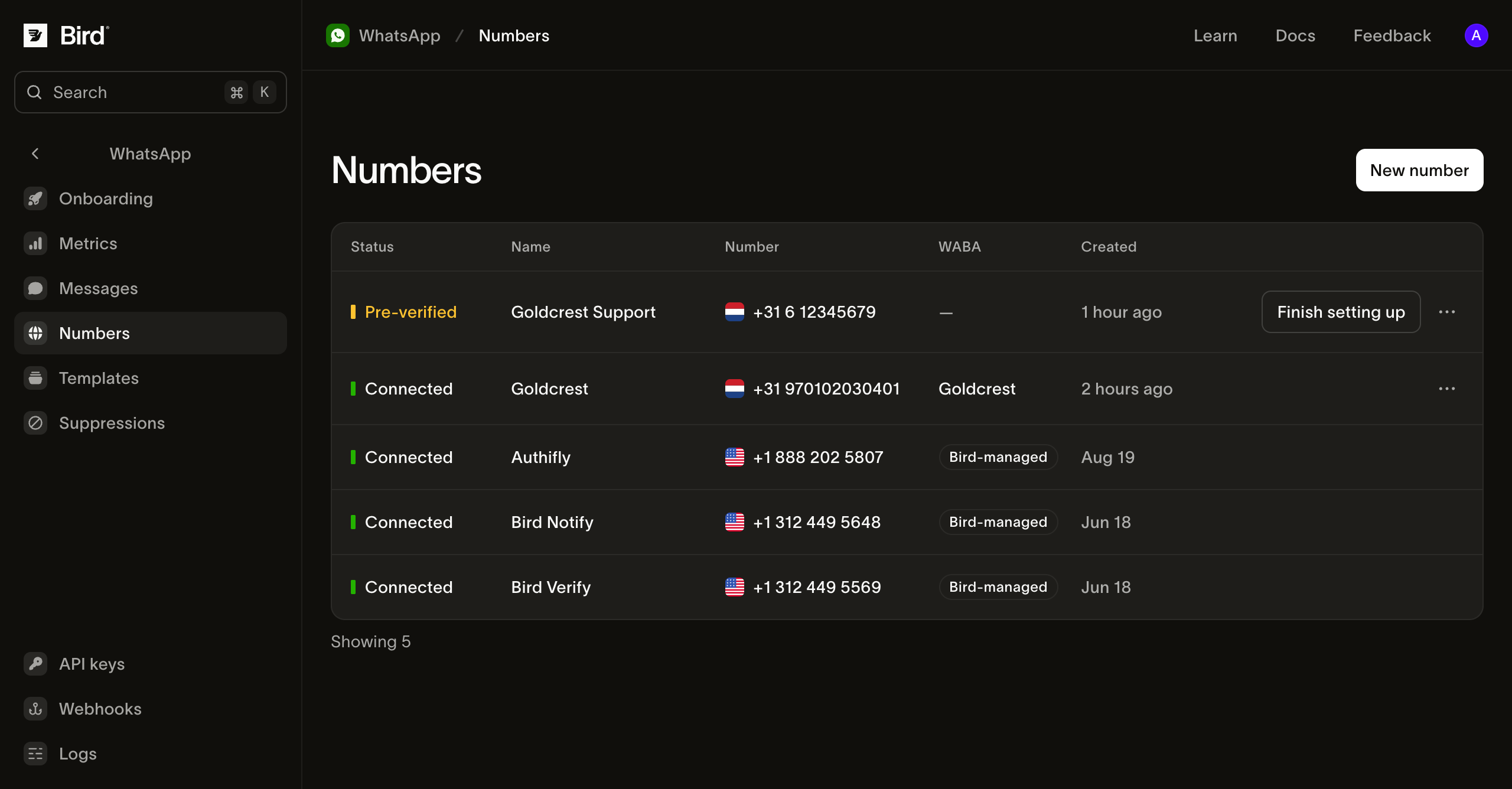
| Status | What it means |
| ------------ | ----------------------------------------------------------------------- |
| Preparing | Bird is verifying your number. |
| Pre-verified | Verification is done. Select **Finish setting up** to continue in Meta. |
| Pending | Meta has not yet reported the number as connected. |
| Connected | Your number is ready to send messages. |
| Failed | Setup failed. Open the number to see the reason. |
For `verification_code_not_received` or `verification_rate_limited`, open the number and select **Try again**. Check [retry timing](/docs/knowledge-base/whatsapp/pre-verification-failures) before retrying. For other setup failures, disconnect the failed number and connect it again.
## Check number details
Select a number to see its **Quality rating**, **Messaging limit**, and **Send rate**. Meta sets these values. **Not rated** means Meta does not yet have enough history to rate the number.
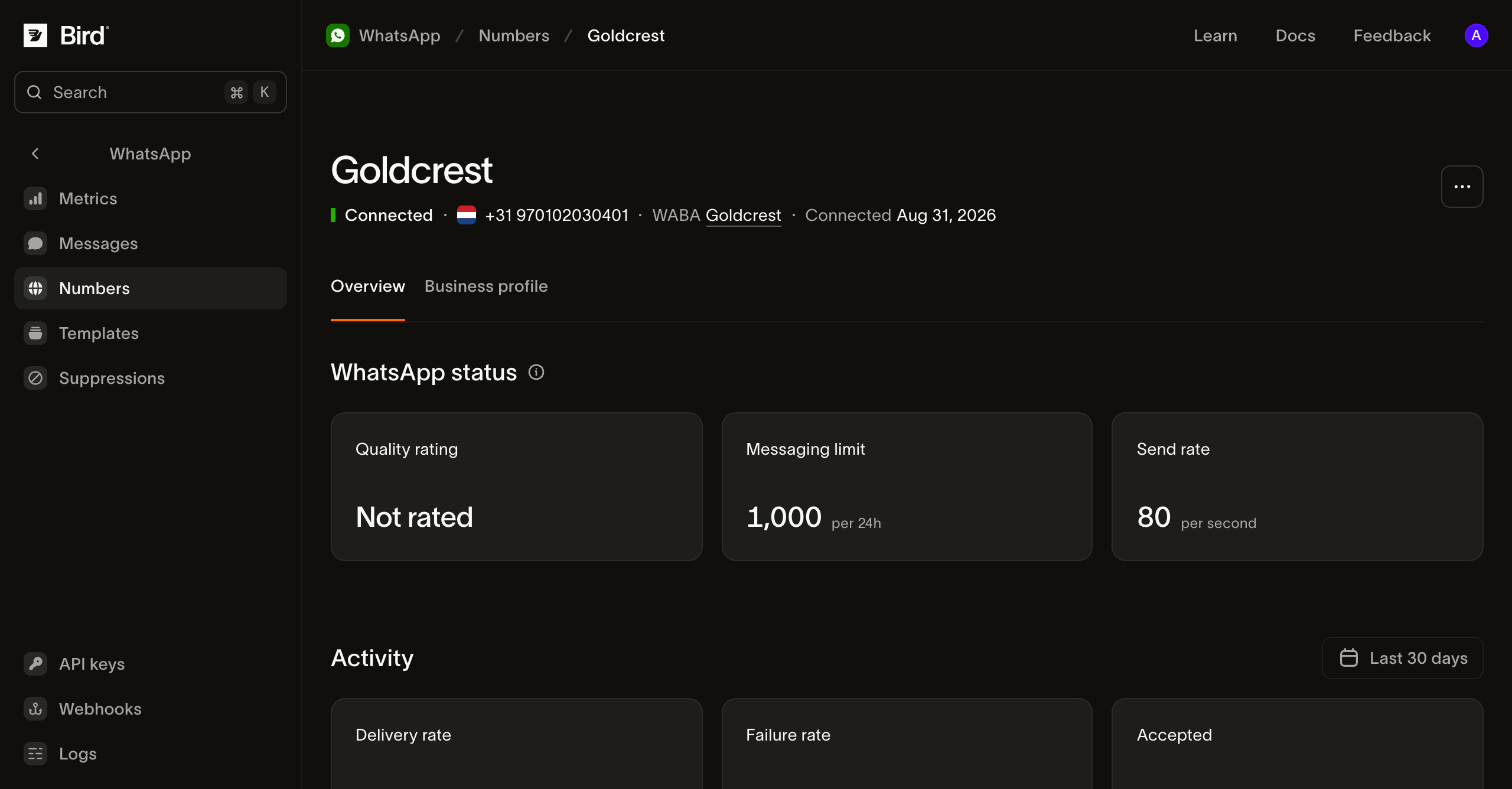
Open **Business profile** to edit the name, description, address, or photo customers see. **Activity** shows the number's sending activity.
## Check the business account
Select an account in the **WABA** column to open its WhatsApp Business Account details.
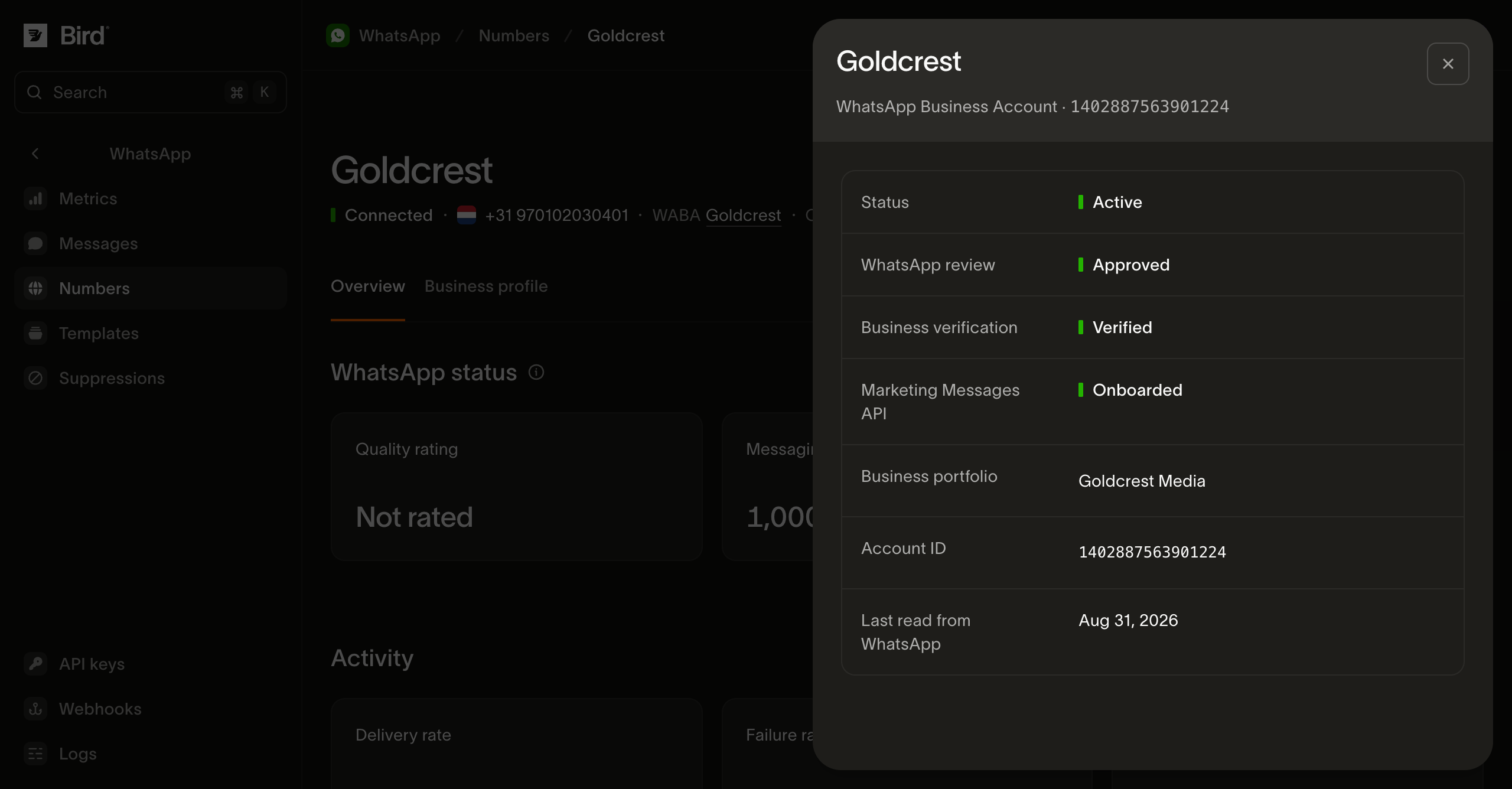
- **Business verification** shows whether Meta has verified your business.
- **Marketing Messages API** shows whether the account can use Meta's marketing delivery optimizations.
- **Last read from WhatsApp** shows when Bird last refreshed the account details.
If you have several accounts, check the one linked to your sending number.
## Read your numbers from the API
Use an API key with `whatsapp_management` read access. [List numbers](/docs/api/reference/list-whatsapp-numbers) to get their IDs, phone numbers, and statuses:
**TypeScript**
```typescript
for await (const number of bird.whatsapp.numbers.list({ limit: 25 })) {
console.log(number.id, number.phone_number, number.status);
}
```
Examples: [TypeScript](/docs/guides/whatsapp/numbers/overview.ts.md) · [Python](/docs/guides/whatsapp/numbers/overview.py.md) · [Go](/docs/guides/whatsapp/numbers/overview.go.md) · [PHP](/docs/guides/whatsapp/numbers/overview.php.md) · [cURL](/docs/guides/whatsapp/numbers/overview.curl.md)
[Read a number](/docs/api/reference/get-whatsapp-number) to check its status, quality rating, and sending limits. For other details, use:
| Endpoint | What you get |
| ----------------------------------------------------------------------------- | -------------------------------------------------------------------------- |
| [Number profile](/docs/api/reference/get-whatsapp-number-profile) | Description, address, and websites. |
| [Number events](/docs/api/reference/list-whatsapp-number-events) | Setup and changes to the number, newest first. |
| [Business accounts](/docs/api/reference/list-whatsapp-business-accounts) | Your workspace's WhatsApp Business Accounts. |
| [Business account details](/docs/api/reference/get-whatsapp-business-account) | Review status, verification, marketing onboarding, and Meta health status. |
During setup, `status` can be `preparing` or `awaiting_signup`. Check `next` for the action to take. Open `finish_setup_url` to complete the browser step.
Use the dashboard or CLI to connect, rename, or disconnect a number. These actions are not available through the public API or SDKs.
## Enable conversations
Open your number's **Settings** and turn on **Enable conversations**. See [WhatsApp conversations](/docs/guides/whatsapp/conversations) for details.
## Number options
- **A number allocated to your workspace:** follow [Connect your number](/docs/guides/whatsapp/numbers/connect). Bird receives the verification code for you.
- **A number from another provider:** choose **I have my own number** and receive Meta's verification code by SMS or voice call.
- **A number already registered with WhatsApp:** use a supported migration or eligible Business App Coexistence flow.
Enter a **Phone registration PIN** if the number already has one on WhatsApp.
[Default numbers](/docs/guides/whatsapp/numbers/default) let you send supported templates without connecting your own number.
## Next steps
- [Send a WhatsApp message](/docs/guides/whatsapp/sending-whatsapp)
- [Choose a template](/docs/guides/whatsapp/templates)
- [Review the WhatsApp log](/docs/guides/whatsapp/message-log)
## Related resources
- [Connecting WhatsApp to Bird: from buying a number to a live channel](/learn/whatsapp/connecting-whatsapp-to-bird) (video)
- [What is the 24-hour customer service window on WhatsApp?](/explained/whatsapp/what-is-the-24-hour-customer-service-window) (answer)
- [WhatsApp message builder](/tools/whatsapp-message-builder) (tool)
- [WhatsApp](/whatsapp-api) (product)
[Get an implementation brief](/learn/workspace?topic=whatsapp)